
Deback
Deback removes photo backgrounds in a browser and creates transparent PNG cutouts.
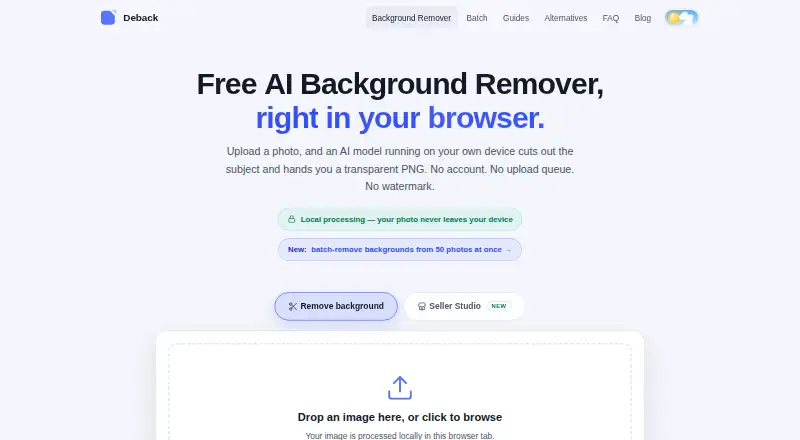
What Deback is
Deback removes photo backgrounds in a browser and creates transparent PNG cutouts. Image pixels are processed locally in the browser rather than sent to Deback’s servers during processing. The browser downloads an approximately 44 MB AI segmentation model, caches it, and runs it with WebGPU or WebAssembly acceleration. Users can choose backgrounds, reposition and resize subjects, and refine cutouts with erase and restore controls. It accepts JPEG, PNG, WebP, and HEIC/HEIF images up to 12 MB each. Batch tools allow users to preview and curate results, then download selected PNGs or a ZIP for the run. The Free plan is free, lasts forever, requires no account, adds no watermark, and allows up to 50 images per batch. Commercial use is allowed, and PNG and WebP are listed export formats. Recent Chrome, Edge, Firefox, and Safari versions are supported on desktop and mobile. Deback describes itself as a small independent project run by one operator, without venture funding.
Good
- Processes image pixels locally in the browser
- No account or watermark on the Free plan
- Allows up to 50 images per batch
- Permits commercial use
Watch out
- Each image is limited to 12 MB
- Fine hair and translucent materials can challenge segmentation
- The browser downloads an approximately 44 MB model
Who it suits
Deback suits people who want browser-based background removal and batch cutout downloads without creating an account. Its local processing may appeal to users who prefer image pixels not be sent to the service during processing.
Verdict
Deback combines local browser processing with batch review and basic cutout adjustments. Keep its file-size limit and the stated segmentation challenges in mind when choosing it for particular images.
Plans and prices
From Deback's own pricing page, checked 11 Oct 2026.
| Plan | Price | What it gives you |
|---|---|---|
| Free | Free | Free forever · no account · no watermark · up to 50 images per batch run · 12 MB per image |
The facts
Each one read from Deback's own pages, with the date it was checked.
What it does
- API access
- Nochecked 22 Sep 2026
- Batch downloads
- Users can preview and curate cutouts, then download selected transparent PNGs or a ZIP for the run.checked 11 Oct 2026
- Batch processing
- Batch processing handles up to 50 images per run, with as many free runs as users want.checked 11 Oct 2026
- Commercial use
- Deback says cutouts may be used commercially if the user has rights to the source image.checked 11 Oct 2026
- Editing features
- The browser tool offers background choices, subject positioning and sizing, and erase and restore touch-up controls.checked 11 Oct 2026
- Export formats
- PNG,WebPchecked 22 Sep 2026
- Limitations
- The FAQ says uploads are capped at 12 MB, very large images may be downscaled, and fine hair, fur, translucent materials, and low-contrast scenes can challenge segmentation.checked 11 Oct 2026
- Local processing
- The AI processes images in the browser, and the image pixels are not sent to Deback’s servers during processing.checked 11 Oct 2026
- Model and acceleration
- The browser downloads an approximately 44 MB AI segmentation model, caches it, and runs it locally with WebGPU or WebAssembly acceleration.checked 11 Oct 2026
- Privacy and analytics
- Deback says it uses cookie-free Cloudflare Web Analytics and sends anonymous pings for completed runs and star ratings; its policy says these pings contain no image data or identifiers.checked 11 Oct 2026
- Replacement backgrounds
- Yeschecked 22 Sep 2026
- Security or compliance
- The opened privacy policy describes local image processing and third-party file delivery, but does not state a security certification or compliance standard.checked 11 Oct 2026
- Support
- The batch page lists an email address for users who need help with larger batch runs.checked 11 Oct 2026
- Supported formats
- The tool accepts JPEG, PNG, WebP, and HEIC/HEIF images up to 12 MB each.checked 11 Oct 2026
- What it does
- Deback removes photo backgrounds in the browser and produces transparent PNGs.checked 11 Oct 2026
Where it runs
- Browser support
- Recent Chrome, Edge, Firefox, and Safari versions are supported on desktop and mobile.checked 11 Oct 2026
Money
- Free plan
- Yeschecked 22 Sep 2026
The company
- Maker description
- The FAQ describes Deback as a small independent project run by one operator, with no venture funding.checked 11 Oct 2026
Alternatives to Deback
- 1

Pixelcut
Free planAndroidiOSWebAPI9.1From $8 a month - 2

Photoroom
Free planAndroidiOSWebAPI9.1From $7.50 a month - 3
Cutout.Pro
Free planAndroidiOSWebAPI9.0From $5 a month - 4

BackgroundRemover
Free planOpen sourceWebAPILinuxmacOS9.0From $108 a year - 5

Erase.bg
Free planAndroidiOSWebAPI8.9Free plan - 6

Artguru Background Remover
Free planAndroidiOSWebAPI8.5From $39.99 a year