
DBDock
DBDock is a database toolkit for backups, restores, copies and migrations.
What DBDock is
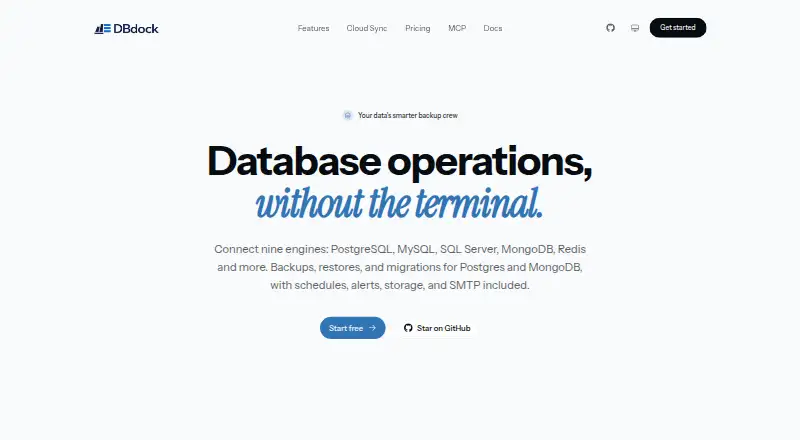
DBDock is a database toolkit for backups, restores, copies and migrations. Its free, MIT-licensed CLI supports backups and restores for PostgreSQL, MySQL/MariaDB, SQL Server and Redis. It also supports migration between MongoDB and PostgreSQL in either direction, with schema mapping, dry runs and incremental sync. Backup storage options include local disk, AWS S3, Cloudflare R2, Cloudinary and managed DBDock Storage. The CLI supports cron-based automation and email or Slack notifications. DBDock Cloud adds a managed dashboard with scheduled jobs, managed storage, teams and alerts. The project lists AES-256-GCM encryption with PBKDF2 key derivation, credential masking and `.pgpass` support. Cloud Sync sends non-secret metadata while database passwords, storage keys, encryption secrets and webhook URLs remain on the user's machine. A TypeScript SDK provides programmatic access from Node.js applications. The CLI requires Node.js 18 or newer, and PostgreSQL backups also require PostgreSQL client tools. It is available for Linux, macOS, Windows, web, API and self-hosted use; the repository names Naheem Olaide as creator and maintainer.
Good
- Free, MIT-licensed CLI
- Supports four databases for backup and restore
- MongoDB and PostgreSQL migration in either direction
- Multiple storage options, including local disk and S3
Watch out
- CLI requires Node.js 18 or newer
- PostgreSQL backups require PostgreSQL client tools
Who it suits
DBDock suits people who need a free toolkit for database backup, restore or PostgreSQL–MongoDB migration. It may also fit teams that want to automate jobs or use a managed dashboard.
Verdict
DBDock covers common database backup and restore tasks alongside a more specific MongoDB–PostgreSQL migration workflow. Check the runtime and PostgreSQL client-tool requirements before using the CLI.
Plans and prices
From DBDock's own pricing page, checked 15 Oct 2026.
| Plan | Price | What it gives you |
|---|---|---|
| Open-source CLI | Free | self-hosted · MIT licensed · backups, restores, copies and migrations · optional cloud sync · free forever |
The facts
Each one read from DBDock's own pages, with the date it was checked.
What it does
- Additional database clients
- The repository lists backup and restore support for PostgreSQL, MySQL/MariaDB, SQL Server and Redis.checked 15 Oct 2026
- Alerts
- Email, Slack and webhook notifications are available for backup and schedule events.checked 15 Oct 2026
- Alerts and schedules
- The CLI supports cron-based automation and email and Slack notifications.checked 8 Oct 2026
- Analytics
- The documentation says users can track database growth and build no-code administration dashboards from their data.checked 15 Oct 2026
- Backup support
- The documentation describes encrypted and compressed backups for PostgreSQL and MongoDB.checked 15 Oct 2026
- CLI installation
- Users can run DBDock with npx or install it globally through npm.checked 15 Oct 2026
- Cloud dashboard
- DBDock Cloud is a hosted browser dashboard for connecting databases, scheduling encrypted backups and managing operations without running infrastructure.checked 15 Oct 2026
- Cloud data handling
- Cloud Sync sends project metadata while database passwords, storage keys, encryption secrets and webhook URLs stay local.checked 15 Oct 2026
- Cloud features
- DBDock Cloud is described as a managed dashboard with scheduled jobs, managed storage, teams, and alerts.checked 8 Oct 2026
- Cloud sync
- The CLI can link a local project to the hosted dashboard with login and sync commands.checked 15 Oct 2026
- Cloud Sync data
- The project says Cloud Sync sends non-secret metadata and keeps database passwords, storage keys, encryption secrets, and webhook URLs on the user's machine.checked 8 Oct 2026
- Compression
- The documentation identifies zstd compression for backups.checked 15 Oct 2026
- Cross-database migration
- DBDock migrates between MongoDB and PostgreSQL with automatic schema mapping, dry runs and incremental synchronization.checked 15 Oct 2026
- Database copies
- The copydb command clones a database between environments such as production, staging and local.checked 15 Oct 2026
- Documentation depth
- The documentation site provides quickstarts, CLI reference, security, cloud sync, troubleshooting and FAQ sections.checked 15 Oct 2026
- Encryption
- The project specifies AES-256-GCM encryption and PBKDF2 key derivation for backups.checked 15 Oct 2026
- License
- The CLI repository is released under the MIT license and is described as self-hosted and free forever.checked 15 Oct 2026
- Migration
- It supports MongoDB to PostgreSQL and PostgreSQL to MongoDB migration with schema mapping, dry runs, and incremental sync.checked 8 Oct 2026
- PostgreSQL requirement
- PostgreSQL operations require client tools such as pg_dump, pg_restore and psql, with a client major version at least as new as the server.checked 15 Oct 2026
- Repository activity
- The public GitHub repository shows 15 stars, one fork and Naheem Olaide as creator and maintainer.checked 15 Oct 2026
- Requirements
- The CLI requires Node.js 18 or newer, and PostgreSQL backups require PostgreSQL client tools.checked 8 Oct 2026
- Retention
- Retention cleanup can be based on backup count or age and includes a safety net.checked 15 Oct 2026
The company
- Company scale
- Tekcify reports more than 28,000 active users across its products and presence in more than 52 countries.checked 15 Oct 2026
- Maker
- Tekcify presents DBDock as one of four live products in its product studio.checked 15 Oct 2026
The full review of DBDock
DBDock is a database toolkit for operators who need backups, restores, or migrations across multiple database systems. It is best suited to people comfortable with a command line and self-hosted software. Its broad database coverage and storage choices make it a capable free option, though setup requires Node.js and PostgreSQL client tools for PostgreSQL backups.
Overview
DBDock combines backup and restore commands for PostgreSQL, MySQL/MariaDB, SQL Server, and Redis with migration workflows between MongoDB and PostgreSQL. That breadth suits teams working across mixed database estates; users focused on only one engine may prefer a more specialized tool.
The CLI is MIT-licensed and self-hosted, while DBDock Cloud adds a managed dashboard with scheduled jobs, managed storage, teams, and alerts. Cloud Sync sends non-secret metadata while database passwords, storage keys, encryption secrets, and webhook URLs stay on the user's machine. This gives operators cloud coordination without moving those credentials off their systems.
Key features
Backups, restores, and migrations
The CLI handles backup and restore across four database families. PostgreSQL backups require PostgreSQL client tools, an additional dependency to account for when setting up a host. For cross-database projects, MongoDB-to-PostgreSQL and PostgreSQL-to-MongoDB migrations include schema mapping, dry runs, and incremental sync, which can help teams plan and continue a migration in stages.
Storage and automation
Backups can go to local disk, AWS S3, Cloudflare R2, Cloudinary, or managed DBDock Storage. The CLI supports cron-based automation and email and Slack notifications; the Cloud dashboard adds scheduled jobs and alerts. This range works for operators who want to choose their own storage destination, though the managed dashboard is a separate cloud component from the self-hosted CLI.
Security and programmatic access
DBDock lists AES-256-GCM encryption with PBKDF2 key derivation, credential masking, and .pgpass support. A TypeScript SDK also lets Node.js applications access DBDock programmatically. The CLI itself requires Node.js 18 or newer, so it is a poor fit for environments that cannot meet that runtime requirement.
Pricing
The Open-source CLI plan costs nothing and is MIT licensed and self-hosted. It is the clear fit for individuals and teams willing to run and maintain the CLI themselves. The free plan keeps the core toolkit accessible without a paid CLI tier, though the managed dashboard and its cloud functions are part of DBDock Cloud.
Platforms
DBDock supports API, Linux, macOS, self-hosted, web, and Windows environments. Its hybrid deployment spans a self-hosted CLI and a managed cloud dashboard, giving teams a choice between local operation and cloud coordination.
Who it's for
DBDock suits database operators who need one free toolkit for backup and restore across PostgreSQL, MySQL/MariaDB, SQL Server, and Redis, or who are moving data between MongoDB and PostgreSQL. It is particularly useful when storage flexibility and cron automation matter. Users seeking a GUI-only workflow, or teams unable to install Node.js 18 or PostgreSQL client tools where needed, should look elsewhere.
Pros and cons
- Pros: Backup and restore support spans four database families, with MongoDB–PostgreSQL migration in both directions.
- Pros: Storage destinations include local disk and several hosted options, with cron scheduling and email or Slack notifications in the CLI.
- Pros: The free, MIT-licensed CLI can be self-hosted, and Cloud Sync keeps listed credentials and secrets on the user's machine.
- Cons: The CLI requires Node.js 18 or newer, adding a runtime dependency.
- Cons: PostgreSQL backups also require PostgreSQL client tools, creating extra setup work on relevant hosts.
- Cons: The CLI's self-hosted model means operators manage its deployment themselves; the managed dashboard is offered through DBDock Cloud.
Alternatives
For broader SQL and NoSQL applications, connectors, and replication and high availability components, consider MySQL; its Community Edition is GPL-licensed. Quemsi is another free-plan option, with an agent it describes as open source and auditable, modifiable, or buildable from source.
For MongoDB backup and recovery in a Linux or self-hosted environment, Percona Backup for MongoDB is a focused alternative. SqlBak may suit users who want a hosted backup service with a defined free allowance: its free plan covers one server, two databases, one month of backup history, and server-down alerts every 60 minutes.
WAL-G is a free, open-source database archiving and restoration tool for Linux, macOS, Windows, and self-hosted use. For physical MariaDB backups on Linux or Windows, consider mariadb-backup. DBAegis offers a free Community plan with one admin, three connections, and three schedules. For PostgreSQL disaster recovery on Linux or self-hosted systems, Barman is another free option.
Browse Database Backup Software or Database Documentation Tools for more options.
Verdict
Choose DBDock if you want a free, self-hosted toolkit that combines multi-engine backup and restore with MongoDB–PostgreSQL migration and flexible storage destinations. Its breadth is the main reason to pick it; the Node.js runtime, PostgreSQL client-tool dependency, and self-managed CLI are the reasons to look elsewhere.
Getting started
- Open https://dbdock.xyz
- Install the DBDock CLI on Linux, macOS, or Windows
- Use Node.js 18 or newer for the CLI
- Install PostgreSQL client tools when backing up PostgreSQL
- Choose local disk, AWS S3, Cloudflare R2, Cloudinary, or managed DBDock Storage
- Configure cron jobs and email or Slack notifications as needed
Limits worth knowing
The free Open-source CLI plan is free and self-hosted. PostgreSQL backups depend on PostgreSQL client tools, and the CLI requires Node.js 18 or newer.
Questions
Is DBDock free?
The Open-source CLI plan is free, MIT licensed, and self-hosted. The project describes the CLI as free forever.
Which databases can DBDock back up?
The CLI supports backups and restores for PostgreSQL, MySQL/MariaDB, SQL Server, and Redis.
Which database migrations are supported?
DBDock supports migration from MongoDB to PostgreSQL and from PostgreSQL to MongoDB, with schema mapping, dry runs, and incremental sync.
Where can backups be stored?
Storage options include local disk, AWS S3, Cloudflare R2, Cloudinary, and managed DBDock Storage.
What does DBDock Cloud provide?
DBDock Cloud is a managed dashboard with scheduled jobs, managed storage, teams, and alerts.
Who maintains DBDock?
The repository names Naheem Olaide as DBDock's creator and maintainer.
Alternatives to DBDock
- 1

MySQL
Free planAPILinuxmacOSSelf-hosted7.9Free plan - 2

SqlBak
Free planWebAPILinuxSelf-hosted7.6From $6 a month - 3

Quemsi
Free planOpen sourceWebAPILinuxmacOS7.5Free plan - 4

IBM Db2
Free planWebAPILinuxSelf-hosted7.4From $630 a month - 5
DBAegis
Free planOpen sourceWebAPILinuxSelf-hosted7.2Free plan - 6

DT Database Backup Wizard
Free planWindows7.2Free plan