
Data Maestro
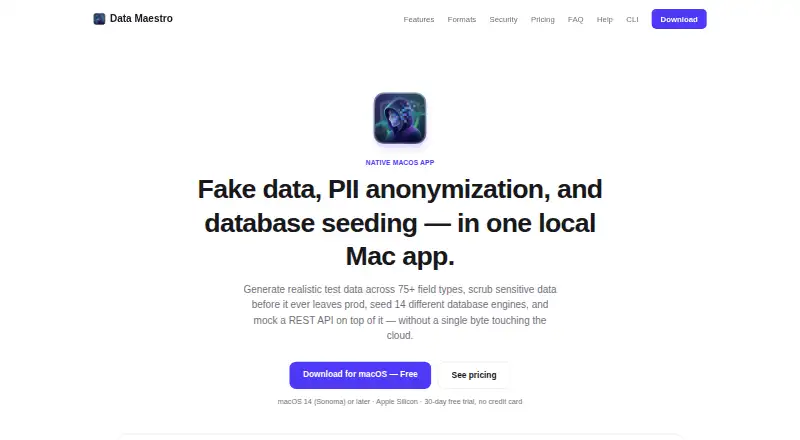
Data Maestro is a local Mac app for creating synthetic data, anonymizing personally identifiable information, seeding databases, and serving mock REST APIs.
What Data Maestro is
Data Maestro is a local Mac app for creating synthetic data, anonymizing personally identifiable information, seeding databases, and serving mock REST APIs. Its generator includes more than 75 field types, five locales, consistent values across fields, repeatable seeded output, and streaming or parallel processing for millions of rows. The PII scanner detects emails, phone numbers, Social Security numbers, credit cards, and IP addresses, with format-preserving and relationally aware masking. It connects to databases and services including PostgreSQL, MySQL, MongoDB, Redis, and Firebase, and imports common files, schemas, and API specifications. Exports cover more than 30 formats, including SQL dialects, Parquet, Avro, and JSONL for OpenAI fine-tuning. The mock server can return JSON, XML, or CSV, with pagination, custom headers, CORS, and OpenAPI import. The maker says data work runs locally and stored connections, templates, and datasets are encrypted at rest; license activation and update checks make network calls. A signed CLI is available, while its Docker image is not published to a registry.
Good
- More than 75 field types and five locales
- Relationally aware masking across live database tables
- Connectors cover many databases and services
- Mock API supports JSON, XML, and CSV
- Signed CLI available for CI pipelines
Watch out
- Native app requires macOS 14 or later on Apple Silicon
- Free tier caps exports and database pushes at 100 rows
- Free tier allows only two saved connections
- Mock API server is trial-only on the free plan
Who it suits
It suits QA, engineering, data, and compliance teams that need synthetic datasets or database masking. Solo developers and agencies may also find its local generation and mock API useful.
Verdict
Data Maestro brings data generation, masking, database seeding, and API mocking together in a local app. Its free tier continues after the 30-day full trial, but with row, connection, and mock-server limits; paid plans start at $149 a year.
Plans and prices
From Data Maestro's own pricing page, checked 4 Oct 2026.
| Plan | Price | What it gives you |
|---|---|---|
| Free | Free | 30-day full trial, then limited forever · 100 rows per export or DB push · 2 saved database connections · Mock API server during trial only |
| Pro | $149 a year | Unlimited rows and database pushes · Unlimited saved connections · Full Mock API server · Live-database PII anonymization and compliance reports · Priority email support · Billed annually; ≈$12.42/mo, plus applicable tax |
| Lifetime | $349, paid once | Everything in Pro · No renewals · Priority email support · One-time payment; plus applicable tax |
| Team | $14,915 a year | Everything in Pro for every seat · Centralized license · Priority team support · Volume pricing for 10+ seats · Per seat; plus applicable tax |
The facts
Each one read from Data Maestro's own pages, with the date it was checked.
What it does
- CLI and Docker
- A signed headless CLI is available for CI pipelines, and a Docker image can be built locally but is not yet published to a registry.checked 4 Oct 2026
- Database integrations
- Listed connectors include PostgreSQL, MySQL, SQLite, MSSQL, MongoDB, CouchDB, Firebase, Redis, Neo4j, Cassandra/Scylla, InfluxDB, Elasticsearch, ClickHouse, and HTTP webhook.checked 4 Oct 2026
- Data generation
- It offers 75+ field types, five locales, cross-field consistency, deterministic seeded generation, and streaming or parallel generation for millions of rows.checked 4 Oct 2026
- Imports and exports
- It imports CSV, TSV, JSON, Excel, database schemas, OpenAPI, and JSON Schema, and exports 30+ formats including SQL dialects, Parquet, Avro, BSON, and OpenAI fine-tuning JSONL.checked 4 Oct 2026
- Intended users
- The maker identifies QA and test engineers, backend and platform teams, frontend and mobile teams, data and compliance teams, solo developers and agencies, and ML and data science teams as intended users.checked 4 Oct 2026
- Mock API
- The local REST server supports JSON, XML, or CSV responses, pagination, custom headers, CORS, and OpenAPI-spec import.checked 4 Oct 2026
- Network calls
- The maker says the app makes network calls for license activation and update checks, but does not upload generated or anonymized data.checked 4 Oct 2026
- PII anonymization
- Its scanner detects emails, phone numbers, SSNs, credit cards, and IPs, and supports format-preserving masking and relationally aware masking across live database tables.checked 4 Oct 2026
- Purpose
- Data Maestro combines fake-data generation, PII anonymization, database seeding, and a mock REST API in a local Mac app.checked 4 Oct 2026
- Security
- The maker says generation, anonymization, and database seeding run locally, while saved connections, templates, and datasets are encrypted at rest with AES-256-GCM.checked 4 Oct 2026
- Support and refunds
- Pro and Lifetime include priority email support, Team includes priority team support, and purchases have a 14-day refund policy.checked 4 Oct 2026
Money
- Free-tier limits
- After the 30-day full trial, the free tier continues with a 100-row cap per export or database push and up to two saved database connections.checked 4 Oct 2026
The company
- Headquarters
- Brazilchecked 28 Sep 2026
Where it runs
- Platform requirement
- The native SwiftUI app requires macOS 14 (Sonoma) or later on Apple Silicon; the maker also describes CLI use in pipelines and Linux.checked 4 Oct 2026
The full review of Data Maestro
Data Maestro suits developers and teams that need to generate, mask, seed and mock data in one workflow. Its strongest case is breadth paired with local processing; its main drawback is that the native app is limited to newer Apple Silicon Macs.
Overview
Rather than focusing only on fake-data generation, Data Maestro brings repeatable dataset creation, live-database masking, seeding and a mock REST API together. That combination can reduce the number of separate tools a QA or backend workflow needs, but the macOS requirement will rule it out for some teams: the native SwiftUI app needs macOS 14 or later and Apple Silicon. Linux is described as a CLI environment, not a native-app platform.
The maker says generation, anonymization and seeding happen locally, and saved connections, templates and datasets are encrypted at rest with AES-256-GCM. The app does make network calls for license activation and update checks; the maker says generated and anonymized data are not uploaded. That is a useful privacy posture for sensitive workflows, though it is not an offline-only promise.
Key features
Generate and move test data
More than 75 field types, five locales, cross-field consistency and deterministic seeded generation make it possible to create repeatable datasets while preserving relationships between fields. Streaming or parallel generation is aimed at runs of millions of rows, but the Free tier's 100-row export or database-push cap makes that scale a paid-plan benefit in practice.
Imports include CSV, TSV, JSON, Excel, database schemas, OpenAPI and JSON Schema. Exports span more than 30 formats, including SQL dialects, Parquet, Avro, BSON and OpenAI fine-tuning JSONL. The range suits teams moving data between varied pipelines; readers who only need a small CSV generator may not benefit from this breadth.
Mask live data and connect databases
The PII scanner detects emails, phone numbers, SSNs, credit cards and IP addresses, with format-preserving and relationally aware masking across live database tables. That makes it relevant to compliance and test-data work where useful relationships need to survive anonymization. Connectors cover PostgreSQL, MySQL, SQLite, MSSQL, MongoDB, CouchDB, Firebase, Redis, Neo4j, Cassandra/Scylla, InfluxDB, Elasticsearch, ClickHouse and HTTP webhook, an unusually broad mix of relational, document and other stores.
Mock APIs and automate workflows
The local REST server returns JSON, XML or CSV and supports pagination, custom headers, CORS and OpenAPI-spec import. That gives frontend and mobile teams a configurable local backend substitute without requiring a live service. A signed headless CLI supports CI pipelines; Docker images can be built locally, but are not yet published to a registry, so teams seeking a ready-made container image will need another route.
Pricing
Free costs nothing. It includes a 30-day full trial, then continues indefinitely with a 100-row limit per export or database push, up to two saved connections and no Mock API server after the trial. It is suitable for evaluating the full workflow or occasional small jobs, not ongoing large-volume use.
Pro costs $149 a year, billed annually (approximately $12.42 per month), plus applicable tax. It removes row and push caps, allows unlimited saved connections, restores the full Mock API server, and adds live-database PII anonymization, compliance reports and priority email support. This is the clearest fit for an individual or small team using the complete toolset regularly.
Lifetime costs $349, paid once, plus applicable tax. It includes everything in Pro with no renewals and priority email support, making it the option for a user who prefers a one-time payment over annual billing.
Team costs $14,915 a year, billed per seat, plus applicable tax. Every seat gets Pro, with centralized licensing and priority team support; volume pricing is offered for 10+ seats. The per-seat structure and high annual listed amount make this most relevant to organizations needing shared administration and team support, rather than a solo user.
Pro and Lifetime include priority email support, while Team includes priority team support. Purchases have a 14-day refund policy.
Platforms
Data Maestro is a local Mac app, with CLI use described for Linux and pipelines; self-hosted deployment is also supported. The native app requires macOS 14 (Sonoma) or later on Apple Silicon. The platform mix favors Mac users who want the graphical app and teams comfortable running a CLI or self-hosted workflow elsewhere.
Who it's for
QA and test engineers can use its deterministic generation, seeding and mock server for repeatable scenarios. Backend, platform, frontend and mobile teams can draw on the database connectors and API responses, while data and compliance teams may value masking and local processing. Solo developers, agencies, and ML or data science teams may find the export breadth useful, especially when datasets need to reach several tools or formats. It is a weaker fit for users who need a native Windows app, a published Docker image, or only a lightweight one-purpose generator.
Pros and cons
- Pros: Generation, masking, database seeding and API mocking sit in one product, reducing tool switching for teams with mixed test-data needs.
- Pros: Cross-field consistency and deterministic seeds support repeatable, coherent test datasets.
- Pros: Broad database connectors and more than 30 export formats suit varied data stacks.
- Pros: Local processing and at-rest encryption address important data-handling concerns for sensitive workflows.
- Cons: The graphical app requires recent macOS on Apple Silicon, limiting native use to that hardware and platform.
- Cons: The free tier falls to 100 rows per export or push, limits saved connections to two and loses the mock server after trial, so sustained use quickly points toward a paid plan.
- Cons: Docker must be built locally because no registry image is published, adding setup work for container-oriented teams.
Alternatives
Test Data Management Software is the broader category directory for comparing tools in this space.
- Windocks is worth considering when Windows and Linux support or database images and containers matter more; its Free plan allows a 1 GB database image and one simultaneous container, with no support.
- Metasyn is a free, MIT-licensed open-source Python package for readers who prefer a package-based option across Linux, macOS, self-hosted and Windows environments.
- MOSTLY AI is another freemium option for readers who want to compare a tool available through API, web and self-hosted platforms.
- Tonic Fabricate has a free Tonic Cloud tier with $5 monthly credits and basic data exports, an alternative for readers who want a cloud-hosted starting point.
- Mockaroo offers a hosted browser-based route: its free tier allows 1,000 rows per file, unlimited browser downloads and 200 API requests per day.
- Faker.js is a free MIT-licensed option for users seeking a package rather than an integrated desktop workflow.
- Synthetic Data Vault offers a free community tier with five data types, five basic constraints, nine models and CSV and Excel support for readers who want to compare a locally usable synthetic-data option.
- BlazeMeter is another freemium API-oriented option for readers comparing service virtualization tools.
Verdict
Choose Data Maestro if your team needs repeatable test data, live-table masking, database seeding and local API mocks in the same workflow, and can work within its Mac or CLI platform requirements. The breadth and locally run processing are its strongest reasons to buy; the restricted free tier and Apple Silicon Mac requirement are the clearest reasons to look elsewhere.
Getting started
- Open the Data Maestro website
- Install the native app on macOS 14 or later with Apple Silicon
- Choose the Free plan or start the 30-day full trial
- Import source files, schemas, OpenAPI, or JSON Schema
- Connect a supported database or service
- Generate, mask, seed, export, or run the local mock API
- Use the signed CLI or locally built Docker image for pipeline work
Limits worth knowing
After the 30-day full trial, the Free tier allows 100 rows per export or database push and two saved database connections. Its mock API server is available during the trial only; Pro removes those limits.
Questions
Is Data Maestro free?
Yes. The Free plan costs nothing and continues after a 30-day full trial with limits.
What do paid plans cost?
Pro costs $149 a year, Lifetime costs 349.00 USD once, and Team costs $14,915 a year per seat, plus applicable tax.
Which platforms are supported?
Platforms listed are Linux, macOS, and self-hosted. The native SwiftUI app requires macOS 14 or later on Apple Silicon; CLI use is described for pipelines and Linux.
Does it upload generated data?
The maker says generation, anonymization, and database seeding run locally, and generated or anonymized data are not uploaded.
Is there a free trial?
Yes. The Free plan includes a 30-day full trial before its ongoing limits apply.
Does it offer command-line access?
Yes. A signed headless CLI is available for CI pipelines, and a Docker image can be built locally but is not published to a registry.
Alternatives to Data Maestro
- 1

FakerForge
Free planWebAPILinuxmacOS7.8From $10 a month - 2

Windocks
Free planWebAPILinuxSelf-hosted6.9From $499 a month - 3
Databucket
Free planOpen sourceAPISelf-hosted6.8Free plan - 4

Tonic Fabricate
Free planWebAPISelf-hosted6.8$29 usage-based - 5

Mockaroo
Free planWebAPISelf-hosted6.7From $60 a year - 6

Synthetic Data Vault
Free planAPISelf-hosted6.6From $250 a month