
Windocks
Windocks provides container-based database cloning, masking, synthetic data and orchestration for non-production environments such as development, testing, s…
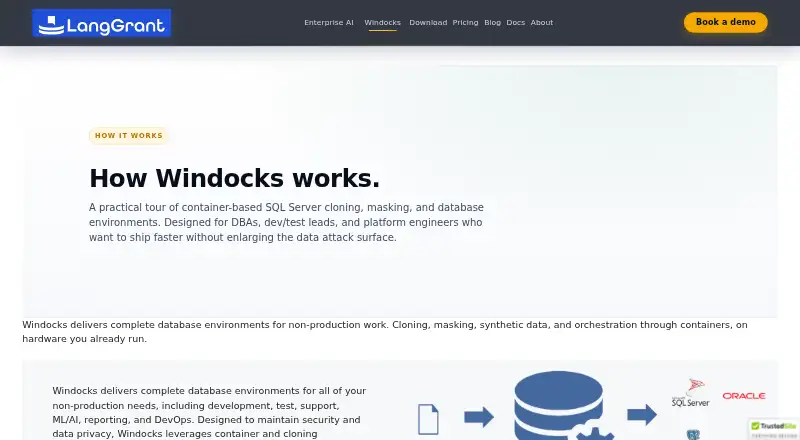
What Windocks is
Windocks provides container-based database cloning, masking, synthetic data and orchestration for non-production environments such as development, testing, support, ML/AI, reporting and DevOps. Databases can be delivered on demand through a web application, command line or REST API. The maker says its writable clones are delivered in seconds regardless of database size and share disk blocks, avoiding extra storage for multiple copies. Production refreshes can be automated so clones reflect current production data. Windocks can obfuscate sensitive data before delivery and generate synthetic data for added privacy protection. Its documentation lists SQL Server, Oracle 11 and later, PostgreSQL, MySQL and Azure SQL as supported databases. SQL Server containers support versions from 2008 through 2022 and include Agent, Analysis, Reporting and Integration services. Integrations include Docker command-line use and automation with PowerShell or Bash; storage documentation names PureStorage, Cohesity and NetApp. It runs on standard Linux and Windows servers without proprietary hardware. The Free plan has a 1 GB database image limit, one simultaneous container and no support. Standard costs $499 a month, billed annually, for Linux, up to 100 GB and five containers, with email support.
Good
- Supports SQL Server, Oracle, PostgreSQL, MySQL and Azure SQL.
- Production refreshes can be automated.
- Can mask data and generate synthetic data.
- Provides web app, command-line and REST API delivery.
- Runs on standard Linux and Windows servers.
Watch out
- Free plan limits database images to 1 GB.
- Free plan allows one simultaneous container and no support.
- Standard costs $499 a month, billed annually.
- Standard supports Linux only.
Who it suits
Windocks suits teams that need database clones for non-production work such as testing, development or reporting. It offers database delivery through a web app, command line or REST API.
Verdict
Windocks focuses on database cloning and controlled data for non-production environments, with a free tier and paid Standard plan. Check the image-size, container and support limits, and note that Enterprise pricing is quoted per organization.
Plans and prices
From Windocks's own pricing page, checked 30 Sep 2026.
| Plan | Price | What it gives you |
|---|---|---|
| Free | Free | Database image size: 1 GB · Simultaneous containers: 1 · Windows and Linux · No support |
| Standard | $499 a month | Database image size: 100 GB · Simultaneous containers: 5 · Linux · Email support · Billed annually |
| Enterprise | Priced on request | Unlimited database image size and simultaneous containers · Multiple databases · SAN storage · Oracle · Windows and Linux · Email and Zoom support; 24/7 available at extra cost · Quoted per organization |
The facts
Each one read from Windocks's own pages, with the date it was checked.
What it does
- Automated refresh
- The maker says production refreshes are automated so database clones reflect current production data.checked 30 Sep 2026
- Cloning
- The maker says database clones are writable, delivered in seconds regardless of database size, and share disk blocks to avoid additional storage for multiple copies.checked 30 Sep 2026
- Database support
- The how-it-works page lists SQL Server, Oracle 11 and later, PostgreSQL, MySQL, and Azure SQL as supported databases.checked 30 Sep 2026
- Data protection
- Windocks can obfuscate sensitive data before clone delivery and generate synthetic data for additional privacy protection.checked 30 Sep 2026
- Deployment
- Windocks describes its cloning and virtualization as running on standard Linux and Windows servers and says it requires no proprietary hardware.checked 30 Sep 2026
- Integrations
- The documentation lists Docker command-line use, a Windocks REST API, and automation with PowerShell or Bash.checked 30 Sep 2026
- On-demand delivery
- Databases can be delivered on demand through a web application, command line, or REST API.checked 30 Sep 2026
- Purpose
- Windocks provides container-based database cloning, masking, synthetic data, and orchestration for non-production environments.checked 30 Sep 2026
- Security
- The documentation includes a topic for TDE encryption, and the SQL Server container page lists Active Directory authentication.checked 30 Sep 2026
- SQL Server containers
- Windocks SQL Server containers support SQL Server versions 2008, 2012, 2014, 2016, 2017, 2019, and 2022, and include Agent, Analysis, Reporting, and Integration services.checked 30 Sep 2026
- Storage integrations
- The documentation names PureStorage, Cohesity, and NetApp in its SAN storage topic.checked 30 Sep 2026
- Support
- The pricing page lists no support for Free, email-only support for Standard, and email and Zoom support for Enterprise, with 24/7 available at extra cost.checked 30 Sep 2026
- Use cases
- The maker lists development, testing, support, ML/AI, reporting, and DevOps as non-production use cases.checked 30 Sep 2026
The company
- Headquarters
- Bellevue, Washington, USAchecked 28 Sep 2026
- Maker history
- LangGrant says it was formerly Windocks and has been relied on by enterprises around the world since 2015.checked 30 Sep 2026
The full review of Windocks
Windocks is a container-based platform for preparing database copies and protected test data in non-production environments. It is best suited to teams that need frequent, on-demand database clones across development, testing, or support workflows. Its shared-storage cloning and refresh automation are compelling, but the free and Standard plans have tight size and concurrency caps.
Overview
Windocks combines database cloning, data masking, synthetic data generation, and orchestration for non-production work. Teams can request databases through a web application, command line, or REST API, making it relevant to development, testing, support, ML/AI, reporting, and DevOps use cases.
Clones are writable and, according to the maker, delivered in seconds regardless of database size. They share disk blocks rather than requiring a full additional copy for each clone, which can make repeated provisioning more practical. Automated production refreshes help keep clones current; masking and synthetic data add privacy safeguards before delivery.
Key features
Cloning and data protection
Windocks supports SQL Server, Oracle 11 and later, PostgreSQL, MySQL, and Azure SQL. Its SQL Server containers cover versions 2008 through 2022 and include Agent, Analysis, Reporting, and Integration services. That breadth favors teams working across established database estates, although the plan determines which databases and operating systems are available.
Data masking and synthetic data generation address different privacy needs: masking obfuscates sensitive data before a clone is delivered, while synthetic data can provide an additional privacy layer. The platform also supports data subsetting. Together, these capabilities suit teams that need representative non-production data without simply handing out unprotected production copies.
Automation and deployment
Docker command-line use, a REST API, and PowerShell or Bash automation provide routes to integrate provisioning into existing workflows. Windocks says its cloning and virtualization run on standard Linux and Windows servers without proprietary hardware. Its documentation also covers TDE encryption, Active Directory authentication for SQL Server containers, and SAN storage integrations including PureStorage, Cohesity, and NetApp.
Pricing
The Free plan costs nothing and includes Windows and Linux, but caps database image size at 1 GB and simultaneous containers at one. With no support, it is a narrow way to assess the product or handle a small, limited workload—not a fit for teams needing concurrent shared environments.
Standard costs $499 a month, billed annually. It raises the image limit to 100 GB and simultaneous containers to five, and includes Linux and email support. The move from both operating systems on Free to Linux only is a meaningful trade-off; teams requiring Windows need to look beyond Standard. The annual billing commitment also makes it a considered purchase rather than a month-to-month option.
Enterprise uses custom pricing, quoted per organization. It removes database image-size and simultaneous-container limits and adds multiple databases, SAN storage, Oracle, and both Windows and Linux, with email and Zoom support. 24/7 support is available at extra cost. It is the stronger fit for larger or more varied database estates, but the organization-level quote and support add-on make the total cost depend on the deployment.
Platforms
Windocks supports API, Linux, self-hosted, web, and Windows deployments. The plans narrow that broad platform range: Free includes Windows and Linux, Standard is Linux-only, and Enterprise includes Windows and Linux. That distinction matters for organizations standardizing on Windows servers or SQL Server workflows.
Who it's for
Windocks is a good match for engineering and data teams that repeatedly provision writable database copies, refresh them from production, and need masking or synthetic data before delivery. Its API and scripting options are particularly relevant when database setup needs to fit into DevOps or testing automation. The free tier can suit a very small trial workload; teams needing more than one concurrent container or a 100 GB image should assess Standard or Enterprise.
It is less suitable for buyers seeking generous concurrency at no cost, or for Linux teams that need Windows support on the Standard plan. Organizations with multiple database types, Oracle requirements, SAN storage, or large image needs will need to consider Enterprise and its custom pricing.
Pros and cons
- Pro: Writable clones share disk blocks, reducing the storage burden of keeping multiple copies.
- Pro: Automated refreshes, masking, synthetic data, and API or script-driven delivery cover key steps in a repeatable non-production workflow.
- Pro: Support for several database engines and SQL Server versions suits teams with established, mixed environments.
- Con: Free allows only a 1 GB image and one simultaneous container, limiting its usefulness beyond small evaluations.
- Con: Standard is Linux-only despite the Free plan's Windows support, and is capped at five containers and 100 GB.
- Con: Enterprise pricing is custom per organization, while 24/7 support costs extra, so larger teams must budget through a quote.
Alternatives
For a broader comparison, browse Test Data Management Software.
- MOSTLY AI is another freemium option with a free plan and API, Linux, self-hosted, and web platforms; choose it when those platform options matter more than Windocks' stated database-cloning workflow.
- Tonic Fabricate offers a free plan with $5 monthly credits, basic data exports, Discord support, and Tonic Cloud, plus a Plus plan at $29 a month with $25 monthly credits and metered additional usage. Consider it when that credit-based entry and cloud setup better fit your needs.
- Mockaroo has a free plan capped at 1,000 rows per file and 200 API requests per day, with unlimited browser downloads. It may suit small generated datasets where those caps are sufficient.
- Synthetic Data Vault has a no-cost Community plan covering five data types, five basic constraints, nine models, CSV and Excel support, local filetypes, and forum support. Consider it when a local-file, community-supported starting point fits your work.
- BlazeMeter is an alternative for buyers considering service virtualization.
- Curiosity Software Enterprise Test Data is an alternative for buyers considering enterprise test-data management.
- Perforce Delphix Test Data Management is an alternative for buyers considering an enterprise test-data management platform.
- DATPROF is an alternative for buyers considering a modular fixed license with pricing independent of database size.
Verdict
Choose Windocks if your team needs repeatable, writable database clones with refresh automation and privacy controls, especially when shared-block storage and database breadth matter. Its main advantage is a coordinated cloning and protection workflow; its main drawback is that meaningful scale, Windows support on a paid standard tier, and broader database options push buyers toward custom-priced Enterprise.
Getting started
- Visit the Windocks how-it-works website.
- Choose the Free plan or review Standard and Enterprise plan terms.
- Use Windows or Linux for Free, or Linux for Standard.
- Request database delivery through the web application, command line, or REST API.
- Use Docker commands, the REST API, PowerShell, or Bash for integration and automation.
Limits worth knowing
The Free plan allows a 1 GB database image and one simultaneous container, and includes no support. Standard costs $499 a month billed annually, limits database images to 100 GB and simultaneous containers to five, runs on Linux, and includes email support.
Questions
Is there a free plan?
Yes. Free costs nothing and allows a 1 GB database image and one simultaneous container on Windows and Linux. It includes no support.
How much does Standard cost?
Standard costs $499 a month, billed annually. It includes a 100 GB database image limit, five simultaneous containers, Linux, and email support.
What databases does Windocks support?
The listed databases are SQL Server, Oracle 11 and later, PostgreSQL, MySQL, and Azure SQL.
Which platforms can it run on?
Windocks lists API, Linux, self-hosted, web, and Windows platforms. Free includes Windows and Linux; Standard is Linux.
Does Windocks support integrations and automation?
Documentation lists Docker command-line use, a Windocks REST API, and automation with PowerShell or Bash.
Alternatives to Windocks
- 1

FakerForge
Free planWebAPILinuxmacOS7.8From $10 a month - 2
Databucket
Free planOpen sourceAPISelf-hosted6.8Free plan - 3

Tonic Fabricate
Free planWebAPISelf-hosted6.8$29 usage-based - 4

Data Maestro
Free planLinuxmacOSSelf-hosted6.7From $149 a year - 5

Mockaroo
Free planWebAPISelf-hosted6.7From $60 a year - 6

Synthetic Data Vault
Free planAPISelf-hosted6.6From $250 a month