
Dalux
Dalux develops digital construction tools and a 3D BIM visualization engine for projects spanning design through asset operation.
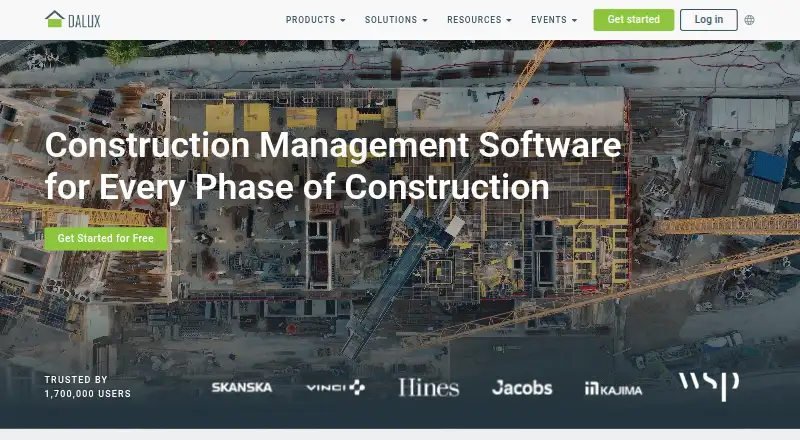
What Dalux is
Dalux develops digital construction tools and a 3D BIM visualization engine for projects spanning design through asset operation. Its product range includes BIM Viewer, Dalux Box, Tender, Dalux Field, InfraField, Dalux FM, and Handover. The free BIM Viewer supports native BIM, IFC, and drawings, with tools to view, measure, filter, and comment on models. Field Basic supports 3D model uploads, site tasks, task assignment, and mobile access, with unlimited tasks listed. Free use of either BIM Viewer or Field Basic is limited to three active projects or buildings, while invited users are unlimited. Dalux lists plugins for Revit, Navisworks, Tekla, and Archicad, with supported software versions stated in its help center. Its API supports GET, POST, and PATCH requests for custom workflows and dashboards; API use requires a company license and an API key from a Dalux Customer Success Manager. Dalux is available on Android, iOS, web, and Windows. Its Windows desktop application is intended to provide browser features with improved performance, especially for 3D graphics. Dalux was founded in 2005 and is headquartered in Copenhagen, Denmark.
Good
- Free BIM Viewer handles native BIM, IFC, and drawings.
- Model viewing includes measuring, filtering, and comments.
- Field Basic supports 3D uploads, task assignment, and mobile access.
- Field Basic lists unlimited tasks.
- Plugins are listed for Revit, Navisworks, Tekla, and Archicad.
- Unlimited invited users are allowed under the free-use terms.
Watch out
- Free BIM Viewer and Field Basic are limited to three active projects or buildings.
- API access requires a company license and a key from a Customer Success Manager.
- Dalux Mobile requires iOS 16.0 or Android 11.0 or higher.
- Prices for paid Dalux products are not given.
Who it suits
Dalux is aimed at contractors, developers, owners, engineers, tradespeople, and architects working in construction and the built environment. BIM Viewer and Field Basic suit teams that need model viewing or site-task tools within the free-use project limit.
Verdict
Pick Dalux if your construction team needs BIM viewing, model comments, or site-task tools, with free options for up to three active projects or buildings.
Plans and prices
From Dalux's own pricing page, checked 14 Oct 2026.
| Plan | Price | What it gives you |
|---|---|---|
| BIM Viewer | Free | free BIM viewing and commenting · native BIM, IFC and drawings · mobile and desktop access · Revit, Navisworks, Tekla and ArchiCAD plugins |
| Field Basic | Free | free on-site model viewing · snagging · task management |
| Dalux Field Basic | 49 DKK a month | Basic tier listed by GetApp and Capterra; free version and free trial also shown · per user, per month |
| DaluxFM Basic | 100 DKK a month | Basic tier; free version and free trial also shown · per feature, per month |
| Paid Dalux products | Priced on request | Dalux Box · Tender · Dalux Field · InfraField · Handover · FM; vendor directs buyers to contact sales |
The facts
Each one read from Dalux's own pages, with the date it was checked.
What it does
- API access
- The API supports GET, POST, and PATCH; use requires a company license and an API key from a Dalux Customer Success Manager.checked 2 Oct 2026
- API access control
- API use requires a company license, and API identities can restrict access by company, project, user group, role and region.checked 14 Oct 2026
- API documentation depth
- SwaggerHub documentation lists endpoints, request bodies and expected successful or unsuccessful responses, with separate Build, FM and getting-started documents.checked 14 Oct 2026
- BIM collaboration
- BIM Viewer includes comments with assigned responsibility, status tracking and an audit trail, and can import clashes from Solibri or Navisworks.checked 14 Oct 2026
- BIM plugins
- Free plugins are provided for Revit, Navisworks, Tekla and ArchiCAD, with additional authoring-tool support advertised.checked 14 Oct 2026
- BIM Viewer
- The free BIM Viewer displays native BIM, IFC files and drawings, supports measurements, filtering and 2D/3D navigation, and runs on desktop and mobile.checked 14 Oct 2026
- Dalux Box
- Dalux Box manages project documents and models and provides information-management workflows.checked 14 Oct 2026
- Dalux Field
- Dalux Field manages site quality assurance, health and safety, compliance, snagging, RFIs, forms and reports around BIM models.checked 14 Oct 2026
- Dalux FM
- Dalux FM provides portfolio oversight for buildings, assets and documents and supports operations and maintenance.checked 14 Oct 2026
- Desktop
- Dalux Desktop is a Windows application intended to provide the browser’s features with improved performance, especially for 3D graphics.checked 2 Oct 2026
- Desktop deployment
- Dalux Desktop is a Windows app with App Installer, Microsoft Store and MSI installation paths; MSI lacks automatic updating and needs administrator rights.checked 14 Oct 2026
- Developer ecosystem
- An unofficial GitHub project supplies Python and JavaScript wrappers and a webhook server for the Dalux Build API; its own code is MIT licensed.checked 14 Oct 2026
- External integrations
- Dalux offers plugins for construction-design software and connections to industry file formats and organizations.checked 14 Oct 2026
- Field Basic
- Field Basic supports 3D model uploads, site tasks, task assignment, and mobile access, with unlimited tasks listed on its product page.checked 2 Oct 2026
- Handover
- Handover collects and checks construction and commissioning information before transferring it to Dalux FM.checked 14 Oct 2026
- InfraField
- InfraField is positioned for linear infrastructure projects and provides on-site quality and safety management.checked 14 Oct 2026
- Integrations
- Dalux products share information internally, including Box with Tender, Handover, Field and InfraField, plus project-to-project folder synchronization.checked 14 Oct 2026
- Licence
- Dalux software is proprietary SaaS: its terms grant non-exclusive use and prohibit reverse engineering, resale, transfer and sublicensing.checked 14 Oct 2026
- Limit: BIM Viewer pricing and filters
- A Capterra reviewer says Dalux is not cheap for large projects, while another requests richer AND/OR filter conditions; occasional bugs were also reported.checked 14 Oct 2026
- Limit: large BIM files
- A Software Advice reviewer wants Dalux Field better optimized for large BIM-model file sizes.checked 14 Oct 2026
- Limit: licensing model
- A Capterra reviewer says one license covering four projects is impractical and prefers one license per project.checked 14 Oct 2026
The company
- Founded
- 2005checked 28 Sep 2026
- Headquarters
- Lyngbyvej 2, 2100 København Ø, Denmarkchecked 28 Sep 2026
Money
- Free-use limit
- The free BIM Viewer and Field Basic terms limit a company to three active projects or buildings while allowing unlimited invited users.checked 14 Oct 2026
The full review of Dalux
Overview
Dalux is a suite of construction software built around 3D BIM visualization, spanning design, site work, and asset operation. It is strongest for project teams that need model review or site-task workflows alongside a wider set of construction tools; the free options are useful, but limited to three active projects or buildings.
Its products include BIM Viewer, Dalux Box, Tender, Dalux Field, InfraField, Dalux FM, and Handover. Dalux serves contractors, developers, owners, engineers, tradespeople, and architects. Founded in 2005, it is headquartered in Copenhagen, Denmark.
Key features
Model viewing and comments
The free BIM Viewer supports native BIM, IFC, and drawings, with viewing, measuring, filtering, and comments. That makes it a practical choice for teams that need to inspect project information and discuss it in context, without paying for a broader product. It is not the same as access to Dalux’s full product suite.
Site tasks
Field Basic supports 3D model uploads, assigning site tasks, and mobile access, with unlimited tasks. The task allowance is generous for a free punch-list tool, but the three-project/building cap can rule it out for teams managing more concurrent work.
Connections and workflow extensions
Dalux offers plugins for Revit, Navisworks, Tekla, and Archicad, with supported software versions stated in its help center. Connections among Dalux products and an API also support custom workflows and dashboards. API use requires a company license and an API key from a Dalux Customer Success Manager, so it is aimed at licensed teams rather than casual users.
Security and support
Dalux says it maintains an ISO/IEC 27001-certified information security management system and holds ISO/IEC 27701 certification. Its general terms provide online training and support to appointed Super Users by phone or email. Phone support has weekday hours, and Dalux aims to reply to email within 24 hours on working days.
Pricing
Dalux uses a freemium model. BIM Viewer costs free for BIM viewing and commenting, while Field Basic costs free as a punch-list tool with unlimited tasks. Both are limited to three active projects or buildings under the free-use terms, though invited users are unlimited. These are meaningful entry points for small or focused teams, but the project cap matters more than the user count as work scales.
Paid Dalux products have custom pricing; contact Dalux or request a demo. The free products do not establish the cost of expanding into its wider suite, so teams considering paid tools should evaluate that separately.
Platforms
Dalux supports Android, iOS, web, and Windows, as well as an API. Dalux Mobile requires iOS 16.0 or Android 11.0 or higher. Dalux Desktop is a Windows application intended to provide browser features with improved performance, particularly for 3D graphics. That gives model-heavy work a desktop option, while mobile access suits field tasks and review.
Who it's for
Dalux fits construction and built-environment teams that need BIM review, comments, or site-task coordination, especially when they want unlimited invited users on a small number of active projects. Its broad product range may also suit organizations handling work across the construction lifecycle, though paid-product pricing is custom. It is a weaker fit for teams whose project volume exceeds the free cap or who need API access without a company license.
Pros and cons
- Free model review is capable: support for native BIM, IFC, drawings, measuring, filtering, and comments gives teams more than a basic file viewer.
- Field Basic has unlimited tasks: teams can use task assignment and mobile access without a task quota, within the three-project/building cap.
- Invited users are unlimited on free use: the cap is on active projects or buildings, not the number of collaborators.
- Free scope is constrained: three active projects or buildings can be a hard ceiling for active construction portfolios.
- API access has prerequisites: it requires a company license and an API key from a Customer Success Manager.
- Paid costs require a sales conversation: custom pricing makes it harder to compare expansion costs before contacting Dalux.
Alternatives
For a wider construction document management software comparison or a broader construction management software shortlist, compare tools by the workflows your team needs. If model review is the priority, browse 3D model viewer software.
ProjectTeam.com is worth considering if you want a free contributor tier for access to invited projects, shared forms, and files, with access dependent on a subscriber. Trimble Viewpoint Vista is an alternative with cloud-hosted and on-premises deployments and sales-based pricing. BIMcollab is another freemium option; its Basic annual plan is €12.50 a month, billed annually, and includes 10 GB storage per space and one guest access. Newforma Project Center offers a Contract Management Edition with RFIs, submittals, contract management, and field management, at custom pricing. Asite is a paid alternative with no free plan; its listed starting prices are from $50 (priced on request) for Asite 3D Repo and from $70 (priced on request) for Common Data Environment. Newforma ConstructEx uses tailored pricing, with no monthly subscription fees and unlimited users. Newforma Konekt is another paid option. Truvect is another paid option.
Verdict
Dalux is a strong fit for construction teams that need BIM viewing and comments or a mobile site-task tool, and its unlimited invited users and tasks make the free entry points practical within their project cap. Look elsewhere if three active projects or buildings are not enough, or if you need API workflows without a company license. For larger deployments, custom pricing means the cost of moving beyond the free tools should be part of the decision.
Getting started
- Visit https://www.dalux.com/.
- Choose BIM Viewer or Field Basic for free access, or contact Dalux or request a demo for paid products.
- Use the web option or choose Android, iOS, or Windows access.
- For mobile access, use iOS 16.0 or later, or Android 11.0 or later.
- To use the API, obtain a company license and an API key from a Dalux Customer Success Manager.
Limits worth knowing
Free access to BIM Viewer or Field Basic is limited to three active projects or buildings, though invited users are unlimited. API use requires a company license and an API key from a Dalux Customer Success Manager.
Questions
Does Dalux have a free plan?
Yes. BIM Viewer and Field Basic are free options. Free access to either is limited to three active projects or buildings, with unlimited invited users.
What does the free BIM Viewer include?
It supports native BIM, IFC, and drawings, with model viewing, measuring, filtering, and comments.
What does Field Basic offer?
Field Basic supports 3D model uploads, site tasks, task assignment, and mobile access. Unlimited tasks are listed.
Which platforms can I use?
Dalux is available on Android, iOS, web, and Windows. Dalux Mobile requires iOS 16.0 or Android 11.0 or higher.
Can Dalux connect with other construction software?
Dalux lists plugins for Revit, Navisworks, Tekla, and Archicad, along with an API for custom workflows and dashboards. API use requires a company license and an API key from a Dalux Customer Success Manager.
Alternatives to Dalux
- 1
Nanome
Free planAndroidiOSWebAPI8.2From $4.17 a month - 2
Sketchfab
Free planAndroidiOSWebAPI8.2From $15 a month - 3
Aspose.3D Viewer
Free planAndroidiOSWebLinux7.3From $4 a month - 4
OmniView 3D
Free planAndroidiOSWeb7.3From $59 a month - 5

BIMcollab
AndroidiOSWebAPI7.2From €12.50 a month - 6
p3d.in
Free planAndroidiOSWebAPI7.1From $6 a month