ProjectTeam.com
ProjectTeam.com is a cloud-based construction management platform for coordinating complex projects across their lifecycle.
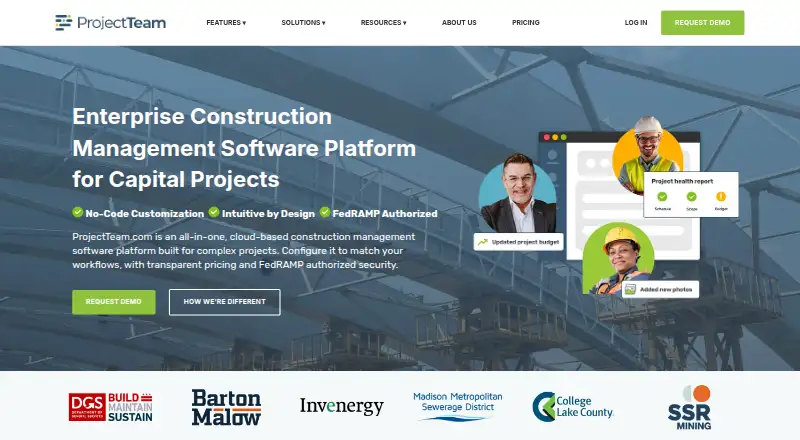
What ProjectTeam.com is
ProjectTeam.com is a cloud-based construction management platform for coordinating complex projects across their lifecycle. It organizes project records such as RFIs, submittals, drawings, contracts, change orders, payment applications and schedules. Administrators can configure forms, fields, workflows and field-level permissions through the interface without writing code. Users can create project-data reports and interactive dashboards with grouping, sorting and filtering. Tailored integrations connect the platform with GIS, accounting, business intelligence and other enterprise systems; its API supports scheduled or real-time integrations. The responsive web application works in a modern browser on desktop, laptop, tablet or smartphone, and the maker says every feature is available on those devices. ProjectTeam.com states that it is FedRAMP and GovRAMP authorized. Subscriptions include access to a dedicated support team, and new companies are required to use its Onboarding Accelerator service, which includes a dedicated success manager and structured training. Team Essentials costs $995 per year and is sold in packs of five. Free Contributor access is available for invited projects, with limited features and access dependent on a Subscriber.
Good
- Manages RFIs, submittals, drawings and contracts.
- Administrators can configure workflows without writing code.
- Reports and dashboards support grouping, sorting and filtering.
- API supports scheduled or real-time integrations.
- Free Contributor access is available for invited projects.
Watch out
- Team Essentials costs $995 per year and is sold in packs of five.
- New companies must use the Onboarding Accelerator service.
- Default individual file upload limit is 2 GB.
Who it suits
ProjectTeam.com is for construction teams managing project records, workflows and reporting across complex work. Its plans are described for small teams, growing organizations and agencies or large organizations managing complex portfolios.
Verdict
ProjectTeam.com combines construction project records, configurable workflows and reporting, with browser access across computers and mobile devices. New companies must factor in the required onboarding service, and Team Essentials is sold in five-user packs.
Plans and prices
From ProjectTeam.com's own pricing page, checked 4 Oct 2026.
| Plan | Price | What it gives you |
|---|---|---|
| Contributor | Free | Access to invited projects, shared forms and files, and limited features; access depends on a Subscriber · At no cost |
| Team Essentials | $995 a year | Core features for documents, workflows, and collaboration across a limited number of active projects; free block of external Contributor users · Sold in Packs of 5 |
| Enterprise | Priced on request | Unlimited users; multi-year pricing options; SSO and system integrations · Contact Us |
| Professional | Priced on request | Advanced functionality, cross-project reporting, broader user access, enhanced support, configuration tools, and integrations · Contact Us |
The facts
Each one read from ProjectTeam.com's own pages, with the date it was checked.
What it does
- API
- ProjectTeam offers a full API for scheduled or real-time integrations, including cloud-based and server-side integrations.checked 4 Oct 2026
- Audit history
- Submittal actions are logged with timestamps and tied to specific users, with approval and revision history available in the record.checked 4 Oct 2026
- Custom workflows
- Administrators can configure forms, fields, workflows, and field-level permissions from the interface without writing code.checked 4 Oct 2026
- File limit
- The default individual file upload limit is 2 GB, and an optional upgrade is available for larger files.checked 4 Oct 2026
- Integrations
- The platform can connect with GIS platforms, accounting software, business intelligence tools, and other enterprise systems through tailored integrations.checked 4 Oct 2026
- Intended users
- The maker describes plans for small project teams, growing organizations, and agencies or large organizations managing complex portfolios.checked 4 Oct 2026
- Mobile access
- The maker says every feature is available on a computer, tablet, or phone.checked 4 Oct 2026
- Onboarding
- Onboarding Accelerator service is required for all new companies and includes a dedicated success manager and structured training.checked 4 Oct 2026
- Project records
- The platform manages RFIs, submittals, drawings, contracts, change orders, payment applications, schedules, and other project information.checked 4 Oct 2026
- Purpose
- ProjectTeam.com is a cloud-based construction management platform for managing complex projects across their lifecycle.checked 4 Oct 2026
- Reporting
- Users can create custom reports and interactive dashboards using project data, with grouping, sorting, and filtering.checked 4 Oct 2026
- Security
- ProjectTeam.com states that it is FedRAMP and GovRAMP authorized.checked 4 Oct 2026
- Support
- Subscriptions include access to a dedicated support team, and the help library is available around the clock.checked 4 Oct 2026
The company
- Headquarters
- Chantilly, Virginia, United Stateschecked 28 Sep 2026
Where it runs
- Supported devices
- The responsive web application can be accessed through a modern browser on desktop, laptop, tablet, or smartphone.checked 4 Oct 2026
The full review of ProjectTeam.com
ProjectTeam.com is a construction management platform for teams coordinating project information from start to finish. It is best suited to organizations that need configurable records and workflows across complex work. The trade-off is a paid entry plan sold in five-user packs, plus required onboarding for new companies.
Overview
ProjectTeam.com brings RFIs, submittals, drawings, contracts, change orders, payment applications, schedules, and other project records into a shared cloud platform. That breadth suits teams managing documentation throughout a project lifecycle better than those seeking only a punch-list tool or drawing viewer.
Administrators can configure forms, fields, workflows, and field-level permissions without writing code. That flexibility can align the system with established processes, but organizations should expect to invest in setup: every new company must use the Onboarding Accelerator, which includes a dedicated success manager and structured training.
Key features
- Project records and traceability: RFI and submittal management, drawing versioning, and transmittals support document-heavy coordination. Submittal actions retain timestamps, user attribution, and approval and revision history, making it easier to follow a decision within its record.
- Configurable workflows: Interface-based controls for forms, fields, workflows, and field-level permissions let administrators shape processes without code. This is useful for organizations with distinct procedures; teams with simple needs may find that breadth unnecessary.
- Reporting: Custom reports and interactive dashboards can group, sort, and filter project data, giving teams ways to tailor views across their information.
- Integrations and API: Tailored connections can link GIS, accounting, business intelligence, and other enterprise systems. A full API supports scheduled or real-time integrations, including cloud-based and server-side connections.
- Security and support: ProjectTeam.com states that it is FedRAMP and GovRAMP authorized. Subscriptions include a dedicated support team, and the help library is available around the clock.
- File uploads: The default individual file limit is 2 GB; larger files require an optional upgrade. Teams that routinely handle larger files should account for that constraint.
Pricing
ProjectTeam.com has a free Contributor plan and paid plans for teams that need broader functionality. New companies must also take the required Onboarding Accelerator service into account.
- Contributor: free. It provides access to invited projects, shared forms, and files, with limited features; access depends on a Subscriber. It is a way for invited participants to contribute, not an independent full-featured workspace.
- Team Essentials: $995 a year, sold in packs of 5. It covers core document, workflow, and collaboration features across a limited number of active projects and includes a free block of external Contributor users. The five-seat pack and active-project limit make it a better fit for teams that can use a group of seats and stay within that project scope.
- Professional: Custom pricing. It adds advanced functionality, cross-project reporting, broader user access, enhanced support, configuration tools, and integrations. This is the more relevant tier for organizations that need portfolio-level views or deeper tailoring.
- Enterprise: Custom pricing. It includes unlimited users, multi-year pricing options, SSO, and system integrations, for large organizations with broad access and integration needs.
Platforms
The responsive web application works in a modern browser on desktop, laptop, tablet, or smartphone. ProjectTeam.com also lists Android, iOS, and API support, and says every feature is available from a computer, tablet, or phone. Browser access across device sizes is useful for mixed office and field teams without limiting the stated feature set to desktop use.
Who it's for
ProjectTeam.com is aimed at small project teams, growing organizations, and agencies or large organizations managing complex portfolios. Its configurable processes, audit history, and integration options make it most compelling where construction records need to be coordinated across roles and systems. A small team with a handful of active projects may find the five-seat entry pack and required onboarding heavier than a narrower tool warrants.
Pros and cons
- Pro: Construction records, workflows, and reporting share one platform, which suits teams coordinating more than drawings or punch lists alone.
- Pro: No-code workflow configuration and field-level permissions allow administrators to adapt processes without writing code.
- Pro: Submittal history records users, timestamps, approvals, and revisions, supporting traceability.
- Con: Team Essentials is sold in five-user packs and covers a limited number of active projects, which may not suit very small teams or broad portfolios.
- Con: Onboarding Accelerator is required for all new companies, adding a mandatory setup commitment.
- Con: Individual uploads default to 2 GB; teams needing larger files must use the optional upgrade.
Alternatives
For a broader comparison, see Construction Document Management Software.
- Dalux is worth considering when a free punch-list tool with unlimited tasks and up to three active projects or buildings is enough; it also has a free plan and trial.
- Trimble Viewpoint Vista is an alternative for buyers who want cloud-hosted or on-premises deployment and are prepared to contact sales for pricing.
- BIMcollab may fit teams seeking a freemium option with a free trial; its Basic annual plan is €12.50 a month and includes 10 GB storage per space and one guest access.
- Newforma Project Center is another paid option, with a Contract Management Edition that includes RFIs, submittals, contract management, and field management.
- Asite is a paid alternative with no free plan; its Asite 3D Repo starts at from $50 (priced on request).
- InEight is a paid alternative without a free plan; its Compliance & Completions NOW plan is $55 a month for individuals or small teams.
- PlanRadar is a paid option with a free trial; its Basic plan is $32 a month for one user and 10 digital plans.
- SKYSITE is a paid option with a free trial; Projects Basic costs $19 a month, with a minimum of one user, unlimited storage, and unlimited sheets.
Verdict
Choose ProjectTeam.com if your organization needs construction records, configurable workflows, traceable submittals, and reporting across a complex project lifecycle. Its breadth and integration options are the main reasons to choose it; the five-user entry pack, limited active projects on Team Essentials, and required onboarding are good reasons to look elsewhere if your needs are narrower or your team is smaller.
Getting started
- Visit https://www.projectteam.com/.
- Use free Contributor access for invited projects, subject to a Subscriber's access.
- Review Team Essentials at $995/user/yr, sold in packs of five, or contact the company about Professional or Enterprise.
- Arrange the required Onboarding Accelerator service for a new company.
- Access the responsive web application in a modern browser on a desktop, tablet, or smartphone.
Limits worth knowing
Free Contributor access is limited to invited projects and limited features, with access depending on a Subscriber. Team Essentials covers a limited number of active projects; the default individual upload limit is 2 GB, with an optional larger-file upgrade.
Questions
How much does ProjectTeam.com cost?
Team Essentials is listed at $995/user/yr and sold in packs of five. Professional and Enterprise pricing is available by contacting the company.
Is there a free plan?
Contributor is free and provides access to invited projects, shared forms and files, and limited features. Access depends on a Subscriber.
Which platforms does it support?
The listed platforms are Android, API, iOS, and web. The responsive web application works in a modern browser on desktop, laptop, tablet, or smartphone.
What does Team Essentials include?
It includes core document, workflow, and collaboration features across a limited number of active projects, plus a free block of external Contributor users.
Are integrations available?
Tailored integrations can connect with GIS, accounting, business intelligence, and other enterprise systems. The full API supports scheduled or real-time integrations.
What onboarding is required?
All new companies must use the Onboarding Accelerator service, which includes a dedicated success manager and structured training.