
Dagu
Dagu is a self-hosted workflow engine for defining DAG workflows in YAML and managing runs, logs, and retries through a built-in web interface.
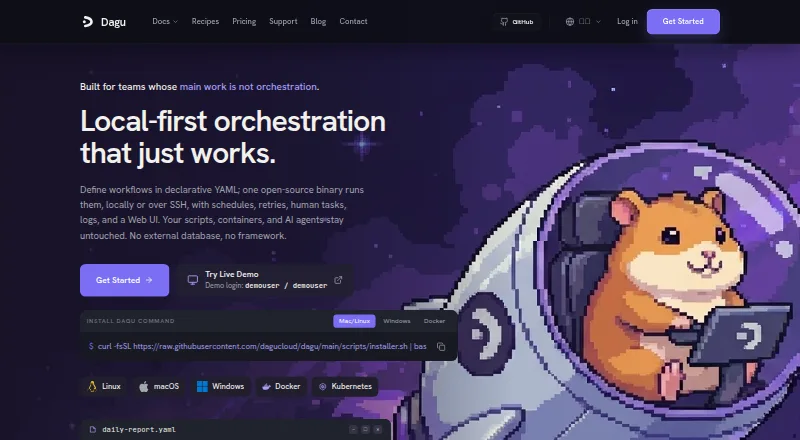
What Dagu is
Dagu is a self-hosted workflow engine for defining DAG workflows in YAML and managing runs, logs, and retries through a built-in web interface. It runs as a single binary locally or across distributed workers, without an external database or message broker. Workflows can run shell scripts, Docker containers, SSH commands, SQL queries, HTTP requests, chat completion steps, and Agent Harness steps. Scheduling includes cron with timezones, catchup windows, overlap and retry policies, zombie detection, lifecycle handlers, and notifications. Built-in actions cover HTTP, mail, SSH, SFTP, Git, S3, Redis, LLM, browser, computer, SQL, PostgreSQL, SQLite, and DuckDB. It also supports MCP connections from clients including Claude Code, Codex, Cursor, VS Code, Gemini CLI, OpenCode, Zed, and Cline. The project is open source under GNU GPL v3.0. Community is free forever and includes unlimited servers and workers with up to two API keys. Team costs $50 a month and Pro costs $150 a month; both add SSO, role-based access, audit logging, incident routing, and standard support. Enterprise pricing is custom.
Good
- Runs without an external database or message broker.
- Supports distributed workers.
- Community includes unlimited servers and workers.
- A 14-day self-host license trial needs no credit card.
Watch out
- Community allows up to two API keys.
- Team costs $50 a month.
- Enterprise pricing is custom.
Who it suits
Dagu suits people who want to define and operate workflows on self-hosted servers. Community is for users who can work within a two-API-key limit; Team and Pro add access and audit controls.
Verdict
Dagu combines YAML-defined workflows with a built-in interface and a broad set of execution actions. Its free tier is generous on servers and workers but caps API keys, while paid tiers add administrative controls.
Plans and prices
From Dagu's own pricing page, checked 28 Sep 2026.
| Plan | Price | What it gives you |
|---|---|---|
| Community | Free | Unlimited servers · unlimited workers · up to 2 API keys · Free forever |
| Team | $50 a month | 3 self-host Dagu server licenses · unlimited workers · SSO (OIDC) · RBAC · audit logging · standard support · incident routing · $50 / mo; $500 / yr · Save 2 months |
| Pro | $150 a month | 15 self-host Dagu server licenses · unlimited workers · SSO (OIDC) · RBAC · audit logging · standard support · incident routing · $150 / mo; $1,500 / yr · Save 2 months |
| Enterprise | Priced on request | Custom licensed server allotment · priority support · Custom |
The facts
Each one read from Dagu's own pages, with the date it was checked.
What it does
- AI clients
- Dagu supports MCP connections from clients including Claude Code, Codex, Cursor, VS Code, Gemini CLI, OpenCode, Zed, and Cline.checked 28 Sep 2026
- Community support
- Documentation, GitHub Issues, and Discord are available to everyone, with community support described as best effort.checked 28 Sep 2026
- Deployment
- Dagu runs as a single binary locally or across distributed workers and does not require an external database or message broker.checked 28 Sep 2026
- Execution
- Workflows can run existing shell scripts, Docker containers, SSH commands, SQL queries, HTTP requests, chat completion steps, and Agent Harness steps.checked 28 Sep 2026
- Integrations
- Built-in integration actions include HTTP, mail, SSH, SFTP, Git, S3, Redis, LLM, browser, computer, SQL, PostgreSQL, SQLite, and DuckDB.checked 28 Sep 2026
- License
- Dagu is open source under the GNU General Public License v3.0.checked 28 Sep 2026
- Paid controls
- Team and Pro licenses add SSO, role-based access control, audit logging, incident routing, and support to self-hosted servers.checked 28 Sep 2026
- Purpose
- Dagu is a self-hosted workflow engine that lets users define DAG workflows in YAML and manage runs, logs, and retries through a built-in web UI.checked 28 Sep 2026
- Scheduling
- Dagu supports cron schedules with timezones, catchup windows, overlap policies, retry policies, zombie detection, lifecycle handlers, and notifications.checked 28 Sep 2026
- Security
- Dagu's privacy policy says hosted service data is on Google Cloud Platform and uses encryption in transit and at rest, access controls, and tenant isolation safeguards.checked 28 Sep 2026
- Support
- Team and Pro include standard support, Enterprise includes priority support, and support is handled directly by Dagu's maintainer.checked 28 Sep 2026
Money
- Trial
- A free self-host license trial lasts 14 days and does not require a credit card.checked 28 Sep 2026
The full review of Dagu
Dagu is a self-hosted workflow engine for teams that want to define jobs in YAML and operate them through a web interface. It is a strong fit for teams combining existing scripts and services; its main trade-off is a free plan capped at two API keys, with administrative controls reserved for paid licenses.
Overview
Dagu runs as a single binary, locally or across distributed workers, without an external database or message broker. That keeps deployment requirements modest, while the built-in interface brings workflow runs, logs, and retries into one place. The GNU GPL v3.0 license makes the core software open source, and the product sits within Workload Automation Software.
Key features
Workflows are defined as DAGs in YAML and can call shell scripts, Docker containers, SSH commands, SQL queries, HTTP requests, chat completion steps, and Agent Harness steps. This breadth is useful when a team wants to orchestrate existing tools rather than rewrite each task for a single execution model.
Cron scheduling supports timezones, catchup windows, and overlap policies. Retry policies, zombie detection, lifecycle handlers, and notifications add ways to handle failures and run conditions; dependencies and event triggers extend workflows beyond fixed schedules. Cross-platform execution is supported.
Built-in actions include HTTP, mail, SSH, SFTP, Git, S3, Redis, LLM, browser, computer, SQL, PostgreSQL, SQLite, and DuckDB. Dagu also supports MCP connections from clients including Claude Code, Codex, Cursor, VS Code, Gemini CLI, OpenCode, Zed, and Cline. This gives teams multiple integration paths, though the range of actions will matter most to users whose workflows need those systems.
Paid licenses add SSO, role-based access control, audit logging, incident routing, and support to self-hosted servers. Those are meaningful operational controls for teams managing access and incident response; smaller deployments may be able to stay on the free plan if two API keys are sufficient.
Pricing
The Community plan is free forever and includes unlimited servers and workers, but allows up to two API keys. That is generous for self-hosted execution capacity, though the key cap may constrain teams integrating multiple clients or services.
Team costs $50 / mo or $500 / yr, saving two months on annual billing. It includes three self-host Dagu server licenses, unlimited workers, SSO (OIDC), RBAC, audit logging, standard support, and incident routing. It suits teams needing administrative controls across a limited number of servers.
Pro costs $150 / mo or $1,500 / yr, also saving two months annually. It raises the allowance to 15 self-host server licenses while retaining unlimited workers and the Team controls. It is the clearer fit for organizations running Dagu across more servers; the higher price buys server capacity rather than additional listed controls.
Enterprise has custom pricing, a custom licensed server allotment, and priority support. A free self-host license trial lasts 14 days and requires no credit card. Standard support comes with Team and Pro, while community help through documentation, GitHub Issues, and Discord is best effort; support is handled directly by Dagu's maintainer. Hosted service data is on Google Cloud Platform, with encryption in transit and at rest, access controls, and tenant isolation safeguards.
Platforms
Dagu is available across API, Linux, macOS, self-hosted, web, and Windows environments. Its single-binary deployment and distributed-worker model make it relevant to both local use and multi-worker setups.
Who it's for
Dagu is best suited to teams that want self-hosted workflow orchestration, YAML-defined DAGs, and a web interface for run management without operating a separate database or message broker. It is also a plausible choice for teams that need to connect scripts, containers, databases, and service actions in one workflow. Organizations requiring more than two API keys, SSO, RBAC, audit logging, or incident routing should budget for a paid license.
Pros and cons
- Pros: A single-binary deployment without an external database or broker lowers infrastructure requirements.
- Pros: The free plan offers unlimited servers and workers, useful when execution capacity matters more than API-key count.
- Pros: Broad execution actions and scheduling controls accommodate varied workflow steps and failure handling.
- Cons: The Community plan's two-key limit may be restrictive for integrations spanning several clients or services.
- Cons: SSO, RBAC, audit logging, and incident routing require Team or Pro, so the free license lacks the listed administrative controls.
Alternatives
Consider Kestra if a free, Apache 2.0-licensed option better suits your licensing preference. Rundeck is another freemium choice, with a free Community plan intended for small teams and requiring registration.
Apache Airflow is worth considering if you want a no-cost option released under the Apache License. Windmill may suit teams comparing a freemium workflow platform with a free tier that includes workspace, user, and storage allowances.
Luigi is a free Apache-2.0 licensed Python package. Prefect may fit readers who prefer a freemium service with a Hobby tier capped at two users, one workspace, five deployments, and 500 minutes per month of Prefect Serverless.
HCL Workload Automation is a paid alternative with a free trial. StackStorm is another free, open-source option with no paid products offered by its project.
Verdict
Choose Dagu if you want self-hosted YAML workflows with broad execution actions and a generous free allowance for servers and workers. Its lean deployment model is a persuasive reason to start with it; look elsewhere or move to a paid tier if the two-key cap or the need for administrative controls makes Community insufficient.
Getting started
- Visit https://dagu.sh/
- Choose the free Community plan or a paid license starting at $50 a month
- Use the 14-day free self-host license trial, which requires no credit card, if you want to evaluate a paid license
- Run Dagu locally as a single binary or across distributed workers
- Define workflows in YAML and manage runs, logs, and retries through the web UI
Limits worth knowing
The free Community plan includes up to two API keys. Team costs $50 a month and licenses three self-host Dagu servers; Pro costs $150 a month and licenses 15 servers. SSO, RBAC, audit logging, incident routing, and standard support are listed with the paid Team and Pro licenses.
Questions
Is Dagu free?
Yes. Community is free forever and includes unlimited servers and workers, with up to two API keys.
How much do paid plans cost?
Team is $50 a month and Pro is $150 a month. Enterprise pricing is custom.
Is there a free trial?
Yes. The self-host license trial lasts 14 days and does not require a credit card.
Which platforms does Dagu support?
The listed platforms are API, Linux, macOS, self-hosted, web, and Windows.
Is Dagu open source?
Yes. It is licensed under the GNU General Public License v3.0.
Which features do paid Team and Pro licenses add?
Both include SSO using OIDC, role-based access control, audit logging, incident routing, and standard support. Team licenses three self-host Dagu servers; Pro licenses 15.
Alternatives to Dagu
- 1

Windmill
Free planOpen sourceWebAPILinuxSelf-hosted8.3From $120 a month - 2

Flyte
Free planOpen sourceWebAPILinuxSelf-hosted8.0Free plan - 3

Kestra
Free planOpen sourceWebAPILinuxmacOS7.9Free plan - 4

ActiveBatch
AndroidiOSWebAPI7.6$10,000 one-time - 5
Apache DolphinScheduler
Free planOpen sourceWebAPILinuxSelf-hosted7.3Free plan - 6

Argo Workflows
Free planWebAPILinuxmacOS7.0Free plan