
Dabble
Dabble is a writing tool for fiction authors, especially novelists, ranging from first-time hobbyists to professional writers.
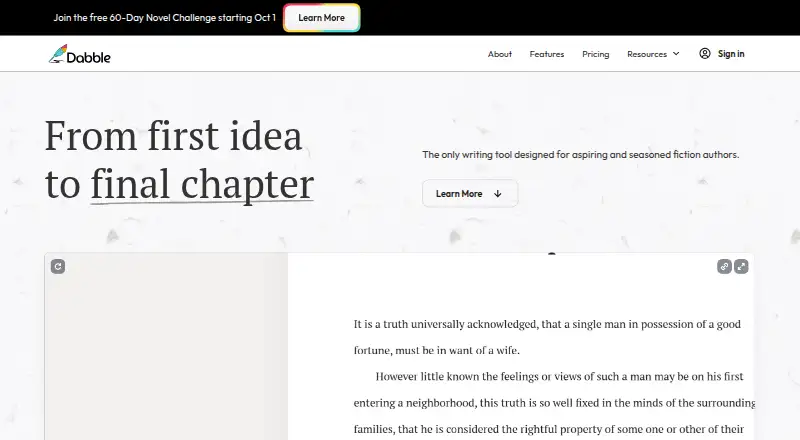
What Dabble is
Dabble is a writing tool for fiction authors, especially novelists, ranging from first-time hobbyists to professional writers. Its Plot Grid organizes plot lines, plot points, and labels, alongside character profiles and worldbuilding tools. The editor offers focus mode, daily word-count goals, auto-numbered chapters, and scene organization. Editing features include sticky notes, comments, highlights, and built-in grammar and style checks. Co-authors can work on the same manuscript in real time. Dabble says it provides automatic cloud backup and sync as well as regular online and offline backups. Projects can be exported to the web, Word, and Google Docs, and the tool includes a NaNoWriMo word tracker. It is available through a browser and on Windows, Mac, Linux, iOS, and Android. There is no free plan, but a 14-day trial is listed. After a subscription ends, existing manuscripts and notes remain viewable and exportable but become read-only.
Good
- Plot Grid organizes plot lines and points.
- Includes character profiles and worldbuilding tools.
- Co-authors can edit a manuscript in real time.
- Projects export to the web, Word, and Google Docs.
Watch out
- No free plan is listed.
- After cancellation, existing work becomes read-only.
Who it suits
Dabble suits fiction writers who want tools for plotting, drafting, and organizing a novel. Co-authors may also find its real-time collaboration useful.
Verdict
Dabble combines novel planning, writing, editing, and co-authoring features across desktop, mobile, and browser platforms. It has a 14-day trial but no free plan, and manuscripts become read-only after a subscription ends.
Plans and prices
From Dabble's own pricing page, checked 30 Sep 2026.
| Plan | Price | What it gives you |
|---|---|---|
| Writer | $19 a month | Unlimited manuscripts · cloud backup and sync · access on any device · goals and stats · plot grid · co-authoring · email support · $19/month |
| Author | $29 a month | Everything in Writer · editing tools · advanced grammar and style checks · beta-reader and editor support · priority chat and email support · $29/month |
| Bestseller | $49 a month | Everything in Author · DabbleU Academy · live workshops · exclusive courses and recordings · community and events · $49/month |
| Lifetime Author Access | $699, paid once | All Dabble Author features · unlimited Author updates and future Author features · One-time payment |
The facts
Each one read from Dabble's own pages, with the date it was checked.
What it does
- After cancellation
- After a subscription ends, users can still view and export existing manuscripts and notes, but the work becomes read-only.checked 30 Sep 2026
- Audience
- Dabble says it is designed for novel writers ranging from first-time hobbyists to professional authors.checked 30 Sep 2026
- Backups
- Dabble says it provides automatic cloud backup and sync and regular online and offline backups.checked 30 Sep 2026
- Collaboration
- Co-authoring lets writers invite a co-author to collaborate on the same manuscript in real time.checked 30 Sep 2026
- Editing
- Editing tools include sticky notes, comments, highlights, and built-in grammar and style checks.checked 30 Sep 2026
- Export formats
- extensivechecked 19 Sep 2026
- Integrations and exports
- Dabble's home page lists exports to the web, Word, and Google Docs, and a built-in NaNoWriMo word tracker.checked 30 Sep 2026
- Offline mode
- Yeschecked 19 Sep 2026
- Plotting
- The Plot Grid organizes stories with plot lines, plot points, and labels, alongside character profiles and worldbuilding tools.checked 30 Sep 2026
- Product
- Dabble is a writing tool designed for aspiring and seasoned fiction authors, especially novelists.checked 30 Sep 2026
- Publishing tools
- Yeschecked 19 Sep 2026
- Real-time collaboration
- Yeschecked 19 Sep 2026
- Security
- Dabble says work is stored locally and synced over an encrypted connection, with server data encrypted at rest; support staff may access writing to provide support.checked 30 Sep 2026
- Support
- Support is available by email and live chat, with help documents and bug reporting also offered.checked 30 Sep 2026
- Version history
- Yeschecked 19 Sep 2026
- Writing
- The editor includes focus mode, daily word count goals, auto-numbered chapters, and scene organization.checked 30 Sep 2026
The company
- AI and ownership
- Dabble says it will not use user content to train AI models and that authors retain copyright in their work.checked 30 Sep 2026
Money
- Free plan
- Yeschecked 19 Sep 2026
- Free trial
- The 14-day trial includes access to all premium features and does not require a credit card.checked 30 Sep 2026
Where it runs
- Mobile apps
- Yeschecked 19 Sep 2026
- Platform availability
- Dabble offers Windows, Mac, and Linux downloads and says it can also be used in a browser; its pricing page states support for iOS and Android.checked 30 Sep 2026
The full review of Dabble
Overview
Dabble is a fiction-writing workspace for authors who want their novel planning and manuscript in one place. Its clearest strength is the combination of a visual plot planner, focused drafting, editing tools and live co-authoring; the trade-off is that continued access to edit requires a subscription.
The Plot Grid arranges plot lines and plot points with labels, while character profiles and worldbuilding tools keep story-development material alongside the manuscript. In the editor, scene organization, auto-numbered chapters, focus mode and daily word-count goals support a structured drafting routine. These tools make Dabble more suited to novel-length fiction than to writers seeking a general-purpose notes app.
Editing features include sticky notes, comments, highlights and grammar and style checks. Authors can invite a co-author to work on the same manuscript in real time. Dabble also offers exports to the web, Word and Google Docs, and a built-in NaNoWriMo word tracker. Its export selection is described as extensive, though no complete format list is provided.
Automatic cloud backup and sync are paired with regular online and offline backups. Dabble says work is stored locally, synced over an encrypted connection and encrypted at rest on its servers; support staff may access writing when providing support. The company says it does not use user content to train AI models and that authors retain copyright. Support is offered by email and live chat, with help documents and bug reporting.
When a subscription ends, existing manuscripts and notes remain viewable and exportable, but become read-only. That preserves access to finished work, yet makes Dabble a poor fit for anyone who needs a permanent free editing workspace.
Key features
- Plot and story development: The Plot Grid, character profiles and worldbuilding tools bring planning into the same workspace as drafting. This is useful for novelists managing interdependent story elements, but may be more structure than a short-form writer needs.
- Drafting and progress: Focus mode, scene organization, auto-numbered chapters and daily goals support sustained manuscript work without requiring a separate planning tool.
- Revision and collaboration: Comments, sticky notes, highlights and grammar and style checks help organize revision. Real-time co-authoring is a practical advantage for writers sharing a manuscript, rather than merely exchanging files.
- Portability and recovery: Web, Word and Google Docs exports, cloud sync and online and offline backups give writers routes to move or recover work. The broad export claim should not be read as a promise of any particular unmentioned format.
Pricing
Dabble offers a 14-day trial, but no free plan. Paid access starts at $19/month, and each plan is billed monthly at its stated price.
| Plan | Price | What it includes | Best fit |
|---|---|---|---|
| Writer | $19/month | Unlimited manuscripts, cloud backup and sync, access on any device, goals and stats, Plot Grid, co-authoring and email support. | Authors who need planning and drafting, but not the higher-tier editing tools. |
| Author | $29/month | Everything in Writer, plus editing tools, advanced grammar and style checks, beta-reader and editor support, and priority chat and email support. | Writers who want stronger revision support and priority help. |
| Bestseller | $49/month | Everything in Author, plus DabbleU Academy, live workshops, exclusive courses and recordings, community and events. | Authors who will use the learning and community offerings as well as the writing software. |
| Lifetime Author Access | $699/month | All Author features forever, unlimited Author updates and future Author features. | Authors considering long-term access should weigh the stated monthly price carefully against the “Lifetime” plan name. |
The Writer tier is the lowest-cost route to Dabble’s core planning and co-authoring features; moving to Author adds editing and support, while Bestseller’s increase pays for education and community rather than a different core writing tier. The Lifetime Author Access price is stated as $699/month, so it is not a one-time price as presented. No seat quota is stated; co-authoring is described as inviting a co-author. After cancellation, editing stops even though manuscripts and notes can still be viewed and exported.
Platforms
Dabble supports Windows, macOS and Linux downloads, browser use, and Android and iOS devices. Access across devices is included in the Writer plan, making it suitable for authors who switch between desktop drafting and mobile access. Offline mode is supported, though no further offline-use limits are stated.
Who it's for
Dabble is best suited to first-time and experienced fiction authors, especially novelists who value integrated plotting, drafting and revision. Co-authors can work in the same manuscript in real time, while daily goals and stats suit writers who want a progress structure. It is less compelling for a writer who needs a free plan, or who expects to keep editing in the app after ending a subscription.
Pros and cons
- Pro: Plot Grid, character and worldbuilding tools sit alongside the manuscript, which helps novelists keep planning connected to drafting.
- Pro: Real-time co-authoring, cloud sync and backups support collaborative work across devices.
- Pro: Author adds advanced checks, beta-reader and editor support, and priority assistance for writers with active revision needs.
- Con: There is no free plan, and a 14-day trial is the only stated way to try before paying.
- Con: Manuscripts become read-only after cancellation, so ongoing editing depends on maintaining a subscription.
- Con: The $49/month Bestseller tier is a substantial step above Author and is chiefly distinguished by courses, workshops and community offerings.
Alternatives
Choose Campfire if a free plan matters: its Try For Free tier has limited access to writing and worldbuilding modules and requires no credit card. bibisco is another option to compare for writers seeking a free Community Edition with unlimited projects and novel-planning tools.
LivingWriter offers a free tier capped at one manuscript and 25,000 words, with its full editor and PDF export, making it worth considering for a bounded project before committing to a subscription. Novlr has a free plan with two projects, online syncing, notes and a planning grid, focus mode, writing sprints and analytics; pick it if those free capabilities better match your needs.
Plot Factory has a free Basic tier limited to one story, one universe and 250-word narrations per day, which may suit a writer exploring a constrained free option. yWriter is an alternative for writers who want free desktop software, with Windows support and Linux use through Wine.
Wavemaker Cards is a free option for writers who want to compare another writing tool. Author's Forge is another freemium alternative.
Browse more options in Book Writing Software or Writing Apps.
Verdict
Dabble is a strong choice for novelists who want plotting, drafting, revision and co-authoring in one cross-platform workspace. The integrated story-planning tools and real-time collaboration are the main reasons to choose it; the subscription requirement and read-only manuscripts after cancellation are the strongest reasons to look elsewhere.
Alternatives to Dabble
- 1

Final Draft
iOSWebmacOSWindows7.7From $8.33 a year - 2

Novlr
Free planAndroidiOSWeb7.7From $8 a month - 3
FocusWriter
Free planOpen sourceLinuxmacOSWindows7.4Free plan - 4
Google Docs
AndroidiOSWebExtension7.2From $7 a month - 5
Microsoft Word
Free planAndroidiOSWebmacOS7.2From $7 a month - 6

Scrivener
iOSmacOSWindows7.2