Wavemaker Cards
Wavemaker Cards is book-planning and writing software for developing a novel from an initial idea into chapters and scenes.
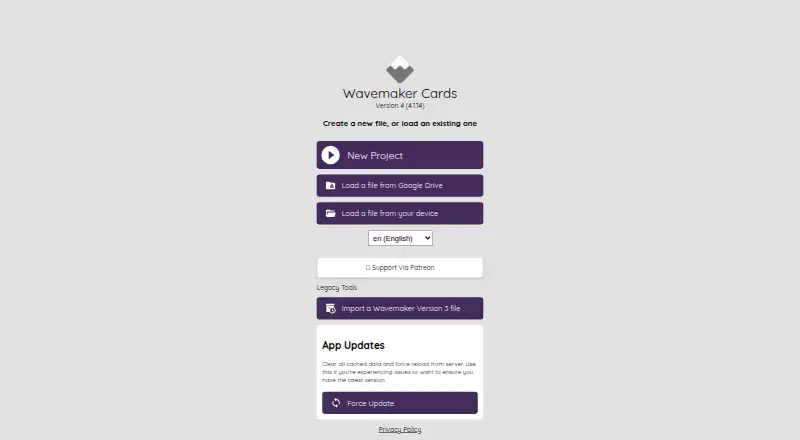
What Wavemaker Cards is
Wavemaker Cards is book-planning and writing software for developing a novel from an initial idea into chapters and scenes. Its planning board organizes notes, lets you rearrange them, and supports a novel to-do plan. A searchable research database groups notes with hashtags, while the Snowflake tool uses cards to help grow an idea into a novel. The app includes outlining and manuscript formatting, with export to Text or RTF.
Wavemaker Cards is free and supports web, Windows, Linux, Android, iOS, and Mac, though browser support affects installation. It can be installed as a Progressive Web App and used offline. The maker says projects are stored locally or in a personal Google Drive, where they can also be backed up; users can sync devices through Google Drive. The privacy policy says users retain ownership of their work. Real-time collaboration is not available. A version 4 help article explains connecting an assistant bot with an OpenAI API key; OpenAI may charge for its service. For help, the maker points users to Twitter and the r/wavemakercards community.
Good
- Free plan is available.
- Can be used offline as a Progressive Web App.
- Planning board and searchable research database.
- Exports manuscripts as Text or RTF.
- Users retain ownership of their writing.
Watch out
- Real-time collaboration is not available.
- Installation depends on browser support.
- OpenAI may charge for assistant bot service.
Who it suits
Wavemaker Cards suits novelists who want planning, research, and drafting tools in one app, including offline use. It may also suit writers who want to keep projects locally or in their personal Google Drive.
Verdict
Wavemaker Cards combines novel planning, research notes, and manuscript tools in a free app with offline support. Writers who need real-time collaboration should note that it is not included.
Plans and prices
From Wavemaker Cards's own pricing page, checked 7 Oct 2026.
| Plan | Price | What it gives you |
|---|---|---|
| Free | Free | — |
The facts
Each one read from Wavemaker Cards's own pages, with the date it was checked.
What it does
- AI integration
- The version 4 help article explains how to connect the assistant bot using an OpenAI API key, and says OpenAI may charge for its service.checked 7 Oct 2026
- Data storage
- The privacy policy says the most recent app does not store novel information on the maker’s servers; users control it locally or in their personal Google Drive.checked 7 Oct 2026
- Local backup
- The maker says projects are kept in a local database that can be backed up and moved, and can also be backed up to Google Drive.checked 7 Oct 2026
- Offline use
- The app can be installed as a Progressive Web App and run without an internet connection.checked 7 Oct 2026
- Purpose
- Wavemaker is novel planning and writing software for structuring a book into chapters and scenes.checked 7 Oct 2026
- Real-time collaboration
- Nochecked 20 Sep 2026
- Research database
- The research database stores searchable notes organized with hashtags.checked 7 Oct 2026
- Snowflake method
- The Snowflake tool helps users expand an initial idea into a novel using cards.checked 7 Oct 2026
- Support
- The maker directs users seeking help to its Twitter account and r/wavemakercards community.checked 7 Oct 2026
- Supported systems
- The maker says Wavemaker runs on Windows, Linux, Android, iOS, and Mac, subject to browser support for installation.checked 7 Oct 2026
Where it runs
- Device sync
- The maker says users can sync devices using Google Drive.checked 7 Oct 2026
Money
- Free plan
- Yeschecked 20 Sep 2026
- Planning board
- The planning board lets users organize notes, move them around, and make a to-do plan for a novel.checked 7 Oct 2026
The company
- Ownership
- The privacy policy says users retain the rights and ownership of what they create with the app.checked 7 Oct 2026
The full review of Wavemaker Cards
Wavemaker Cards is a writing workspace built for shaping a book from an initial idea into chapters and scenes. It is best suited to solo novelists who want planning and drafting tools without a subscription. Its main trade-off is clear: it works offline, but it does not support real-time collaboration.
Overview
Wavemaker brings outlining, research notes, writing, and manuscript formatting together. Its card-based approach is geared toward building a novel in stages rather than opening a blank page and drafting straight through. That structure is useful for writers who want to develop a story plan alongside their manuscript; it may feel unnecessary for those who prefer a minimal writing app.
Projects stay in a local database or in the writer’s personal Google Drive, not on the maker’s servers. Local projects can be backed up and moved, and Google Drive can be used for backup and device syncing. Writers retain ownership of their work. This gives users control over where projects are stored, but it also leaves real-time shared work out of the picture.
Key features
Planning and research
The planning board lets writers rearrange notes and turn them into a to-do plan for a novel. It offers a flexible way to move story pieces around before settling on a sequence, though it is aimed at novel planning rather than general task management. A searchable research database organizes notes with hashtags, making it easier to retrieve project references as they accumulate.
From idea to manuscript
The Snowflake tool helps writers expand an initial idea into a novel using cards, giving the planning process a defined starting point. Outlining tools and manuscript formatting support the transition from planning to a more finished draft, and exports are available as Text and RTF. Writers looking for a broad range of publishing-ready export formats may need another tool.
Offline use and AI
Wavemaker can be installed as a Progressive Web App and used without an internet connection. That is a practical advantage for writers who work offline, while Google Drive provides an option for syncing devices. The version 4 help article explains how to connect an assistant bot with an OpenAI API key; OpenAI may charge separately for its service, so the app’s free pricing does not make that AI use cost-free.
Pricing
Wavemaker’s Free plan costs nothing. It includes outlining tools, manuscript formatting, Text and RTF export, and cloud sync, with no collaboration. For a solo writer who wants a full planning and writing workspace without a recurring software charge, that is a strong proposition. The key concession is not a paid-tier limit but the absence of real-time collaboration; AI service costs may also apply separately through OpenAI.
Platforms
Wavemaker supports web, Windows, Linux, Android, and iOS, and the maker says it runs on Mac as well, subject to browser support for installation. The Progressive Web App option enables offline use after installation. Writers can keep projects locally or use their personal Google Drive for backup and device syncing.
Who it's for
Wavemaker is a good fit for novelists who prefer to plan with chapters, scenes, notes, and cards, and for writers who value offline access and control over project storage. It is less suitable for coauthors who need to work together in real time or for writers who want a straightforward drafting tool without planning structure.
Pros and cons
- Pros: A free plan combines outlining, manuscript formatting, Text and RTF export, and cloud sync, making it useful for solo writers who want an end-to-end novel workflow without a subscription.
- Pros: Offline use and local or personal Google Drive storage give writers options for access, backup, and control over their projects.
- Pros: Searchable hashtagged research notes and a movable planning board help keep story development and reference material organized.
- Cons: Real-time collaboration is unavailable, so it is not the right choice for writers who need shared live editing.
- Cons: Text and RTF are the supported export formats, which may not suit writers who need other export types.
- Cons: Connecting the assistant bot requires an OpenAI API key, and OpenAI may charge for its service.
Alternatives
Campfire is another free-plan option for writers who want access to writing and worldbuilding modules, though its Try For Free plan has limited access. LivingWriter is worth considering for writers whose needs fit its Free plan: one manuscript, up to 25,000 words, and PDF export. Novlr may suit writers who want online syncing, a notes and planning grid, focus mode, writing sprints, and analytics, with two projects on its Free plan. Plot Factory offers a Basic plan for one story and one universe, with 250-word narrations per day. Dabble is an alternative for writers willing to pay for its Writer plan, which includes unlimited manuscripts, cloud backup and sync, and access on any device. DragonWriter is a free, online-only option with no ads or paywall. Novvler may appeal to writers looking for a Pro plan with 15,000 AI words per month and AI grammar and style checks. bibisco offers a Community Edition with unlimited projects and novel planning and organization tools.
Browse more options in Book Writing Software and Writing Apps.
Verdict
Choose Wavemaker Cards if you are a solo novelist who wants a free, offline-capable place to plan, research, draft, and format a manuscript while keeping project storage under your control. Its strongest reason to choose it is the combination of structured novel tools and no software charge. Look elsewhere if real-time collaboration is essential or if you need export formats beyond Text and RTF.
Getting started
- Visit https://wavemakercards.com/.
- Use the web app or install it as a Progressive Web App where your browser supports installation.
- Choose a supported platform: web, Windows, Linux, Android, iOS, or Mac.
- Keep project data in the local database or use your personal Google Drive for backup and device syncing.
Questions
Is Wavemaker Cards free?
Yes. Its Free plan is listed as free.
Which platforms does it support?
The listed platforms are web, Windows, Linux, Android, iOS, and Mac. Installation is subject to browser support.
Can I use it offline?
Yes. It can be installed as a Progressive Web App and run without an internet connection.
Where is project data stored?
The maker says the latest app does not store novel information on its servers. Projects are kept locally or in a personal Google Drive.
Does it support collaboration?
Real-time collaboration is not available.
Does the assistant bot cost extra?
Connecting it requires an OpenAI API key, and OpenAI may charge for its service.