CUPS-PDF
CUPS-PDF provides a virtual PDF printer for creating PDF files from print jobs on a central fileserver.
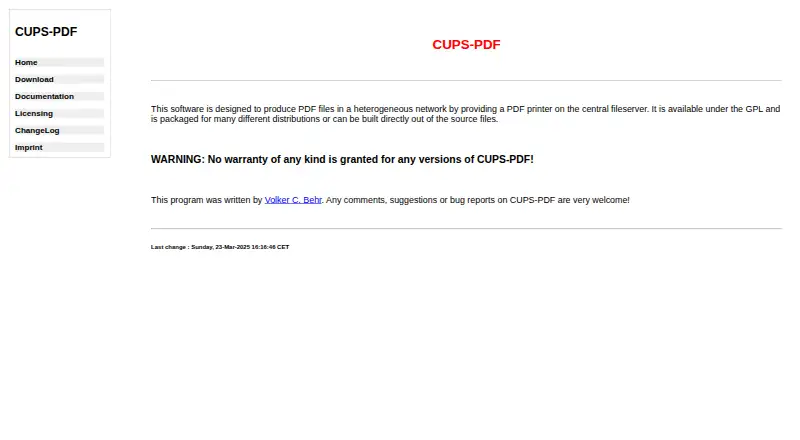
What CUPS-PDF is
CUPS-PDF provides a virtual PDF printer for creating PDF files from print jobs on a central fileserver. After installation, users can choose “CUPS-PDF (Virtual PDF Printer)” when setting up a printer in CUPS. It accepts PostScript, CUPS print jobs, and raw queues from Samba or Netatalk. Output is sorted into subdirectories named for the job owner; an anonymous output directory is also available unless disabled. Configuration options cover resolution, page size, PDF version, filename truncation, job ID labels, title preference, and log level. CUPS-PDF is free, distributed under GPL version 2 or later, and provided without warranty. It is available as source and through packages or ports for several distributions and systems, including Debian, Fedora/RHEL/CentOS, FreeBSD, and OpenBSD. A Mac OS X package and MacPorts port are also listed. The software requires root privileges and a fully featured UNIX filesystem. Windows and NetWare shares are unsupported, and NFS output must be mounted without root_squash.
Good
- Free software under GPL version 2 or later
- Supports PostScript and CUPS print jobs
- Offers configurable PDF and filename options
- Packages or ports listed for multiple systems
Watch out
- Requires root privileges
- Windows and NetWare shares are unsupported
- NFS output requires mounting without root_squash
Who it suits
CUPS-PDF suits administrators who want a shared PDF printer for a heterogeneous network. It is intended for UNIX-based environments and documented setups involving Samba or Netatalk queues.
Verdict
CUPS-PDF provides a central virtual printer with configurable output and support for several UNIX-oriented distributions. Check its filesystem and root-permission requirements before deploying it.
Plans and prices
From CUPS-PDF's own pricing page, checked 11 Oct 2026.
| Plan | Price | What it gives you |
|---|---|---|
| CUPS-PDF | Free | GPL software · no warranty |
The facts
Each one read from CUPS-PDF's own pages, with the date it was checked.
What it does
- Configuration
- The included PPD and configuration options cover resolution, page size, PDF version, filename truncation, job ID labels, title preference, and log level.checked 11 Oct 2026
- Current source
- The download page identifies cups-pdf_3.0.3.tar.gz as the current source package.checked 11 Oct 2026
- Deployment
- The software is available as a source package and is packaged for multiple distributions.checked 11 Oct 2026
- Distribution packages
- The download page lists packages or ports for Debian, openSUSE, Fedora/RHEL/CentOS, Gentoo, Slackware, FreeBSD, OpenBSD, and T2.checked 11 Oct 2026
- Filesystem limit
- CUPS-PDF requires a fully featured UNIX filesystem; NetWare and Windows shares are unsupported, and NFS output must be mounted without root_squash.checked 11 Oct 2026
- Integrations
- Documented client setups include UNIX clients and queues receiving input through Samba or Netatalk for Windows, OS/2, or Mac OS.checked 11 Oct 2026
- License
- CUPS-PDF is distributed under the GPL, version 2 or any later version, and is provided without warranty.checked 11 Oct 2026
- Output handling
- Generated PDFs are placed in subdirectories named for the print job owner, with an anonymous output directory available unless disabled.checked 11 Oct 2026
- Printer setup
- After installation, users can select “CUPS-PDF (Virtual PDF Printer)” when setting up a printer in CUPS.checked 11 Oct 2026
- Purpose
- CUPS-PDF creates PDF files in a heterogeneous network by providing a PDF printer on a central fileserver.checked 11 Oct 2026
- Security requirements
- CUPS-PDF requires root privileges; its documentation says the backend should be owned by root and have permissions set to 0700.checked 11 Oct 2026
- Security setting
- The configuration defaults AllowUnsafeOptions to 0 and warns that allowing users to override all options can pose severe security risks.checked 11 Oct 2026
- Support
- The maker invites comments, suggestions, and bug reports by email to Volker C. Behr.checked 11 Oct 2026
The company
- Headquarters
- Randersacker, Germanychecked 28 Sep 2026
Where it runs
- Mac support
- The download page links to a Mac OS X package and MacPorts port, and the documentation says Mac OS X requires pstopdf instead of AFPL GhostScript.checked 11 Oct 2026