
Cubic
Cubic provides AI code reviews for pull requests and scans codebases for bugs and security issues.
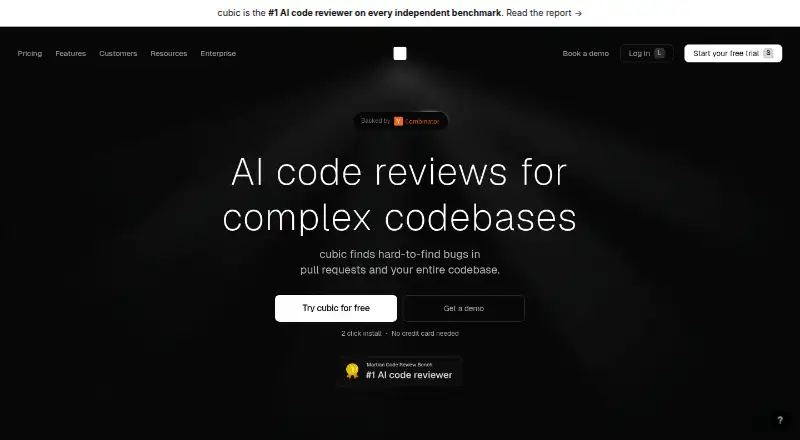
What Cubic is
Cubic provides AI code reviews for pull requests and scans codebases for bugs and security issues. It evaluates proposed changes against the wider codebase and team rules, including possible effects on other areas of a project. The service learns from senior developers’ previous review comments and feedback on its suggestions. Its workflow can auto-approve low-risk pull requests, assign each one a merge confidence score from 1 to 5, and allow coding agents to address findings.
Cubic supports GitHub, including GitHub Enterprise Cloud, but not GitHub Enterprise Server, GitLab, or Bitbucket. It describes itself as language-agnostic and lists JavaScript, TypeScript, Python, Go, Ruby, Java, and C# among supported languages. Reviews pause when a team exceeds its reviewed-line allowance unless an admin enables paid flex capacity. Cubic says reviews run in isolated containers and its AI providers cannot train on customer code.
Good
- Checks changes against codebase context and team rules
- Learns from past review comments and team feedback
- Can auto-approve low-risk pull requests
- Offers custom review agents on paid plans
- SOC 2 Type I compliant, according to Cubic
Watch out
- Does not support GitHub Enterprise Server, GitLab, or Bitbucket
- Starter Free is limited to 20 monthly public-repository reviews
- Reviews pause after the included line allowance unless flex capacity is enabled
Who it suits
Cubic suits teams using GitHub that want automated pull-request reviews informed by codebase context and team rules. Its self-described language support and review workflows may also suit teams using coding agents or managing review policies.
Verdict
Cubic combines AI review, codebase scans, and configurable pull-request workflows for GitHub teams. Check the hosting limits and reviewed-line allowances against your team’s needs before choosing a plan.
Plans and prices
From Cubic's own pricing page, checked 21 Oct 2026.
| Plan | Price | What it gives you |
|---|---|---|
| Starter | Free | 20 PR reviews/month · AI review agent · up to 5 custom agents · PR descriptions · Jira, Linear, Asana, Notion · unlimited AI wikis |
| Starter Free | Free | 20 PR reviews a month · free for public repositories |
| Team | $30 a month | 40k reviewed lines/developer · 5 custom agents · auto approvals · PR and CLI reviews · 5 private wikis · Jira, Linear, Asana · billed yearly |
| Team | $40 a month | 40k reviewed lines/developer · 5 custom agents · auto approvals · PR and CLI reviews · 5 private wikis · Jira, Linear, Asana · standard analytics · billed monthly |
| Pro | $79 a month | 80k reviewed lines/developer · 10 custom agents · faster PR and CLI reviews · coding agents · scans for 3 repositories · premium support and shared Slack · billed yearly |
| Pro | $99 a month | 80k reviewed lines/developer · 10 custom agents · faster reviews · coding agents · scans for 3 repositories · 20 private wikis · Confluence and MCP · analytics API · premium support · billed monthly |
| Max | $160 a month | 160k reviewed lines/developer · all Pro features · billed yearly |
| Max | $200 a month | 160k reviewed lines/developer · all Pro features · maximum review allowance · billed monthly |
| Enterprise | Priced on request | SSO/SAML · audit logs · custom terms · custom MSA/DPA · GitHub Enterprise · bring-your-own API keys |
| Enterprise Custom | Priced on request | SSO/SAML · audit logs · custom terms · custom review limits · Custom; contact [email protected] |
The facts
Each one read from Cubic's own pages, with the date it was checked.
What it does
- Analytics API
- The analytics REST API is available on Pro and Max, uses bearer API keys, exposes pull-request and issue data, and is limited to 1,000 requests per 15 minutes.checked 21 Oct 2026
- CLI
- The CLI installs with Cubic’s shell installer, supports local reviews and CI API-key authentication, and is documented for macOS, Linux and Windows.checked 21 Oct 2026
- Codebase scans
- Scheduled scans run thousands of agents, notify issue owners, create tickets or pull requests, and can automatically fix findings.checked 21 Oct 2026
- Code handling
- cubic says reviews run in isolated containers and that AI processes the PR diff and only the context needed for the review.checked 9 Oct 2026
- Coding-agent fixes
- Claude Code, Codex and Cursor can consume Cubic findings, while Cubic background agents can create fixes and resolve tickets after merges.checked 21 Oct 2026
- Data deletion claim
- The homepage says reviews run in real time, then code is wiped and is not used to train the AI.checked 21 Oct 2026
- Desktop
- The download page offers cubic desktop builds for macOS Apple Silicon, macOS Intel, Windows, and Linux, and describes the service as available for web.checked 9 Oct 2026
- Desktop availability
- Desktop downloads are offered for Apple Silicon and Intel macOS, Windows and Linux, in addition to the web application.checked 21 Oct 2026
- Git hosting limit
- cubic supports GitHub, including GitHub Enterprise Cloud; GitHub Enterprise Server, GitLab, and Bitbucket are not supported yet.checked 9 Oct 2026
- Independent benchmark
- AgentBoards reported vendor benchmark precision of 56.3%, recall of 68.6% and F1 of 61.8% for Cubic.checked 21 Oct 2026
- Integrations
- Official integration documentation covers Linear, Jira, Asana and GitHub Issues, while the product also documents Notion, Confluence and Slack workflows.checked 21 Oct 2026
- Language coverage
- Cubic describes itself as language-agnostic and names JavaScript, TypeScript, Python, Go, Ruby, Java and C# among supported languages.checked 21 Oct 2026
- Languages
- cubic describes itself as language-agnostic and lists JavaScript, TypeScript, Python, Go, Ruby, Java, and C# among supported languages.checked 9 Oct 2026
- Learning
- cubic learns from senior developers’ past review comments and from team feedback on its suggestions.checked 9 Oct 2026
- Licence
- FAUN categorizes Cubic as closed source; Cubic’s terms grant a revocable internal-use licence and prohibit copying, modification and reverse engineering.checked 21 Oct 2026
- Limit: agent permissions
- AgentBoards flags background-agent write access as a risk, although fixes are constrained to branches rather than direct main-branch commits.checked 21 Oct 2026
- Limit: Git hosting
- FAUN describes Cubic as GitHub-only and says it does not support GitLab, Bitbucket or Azure DevOps.checked 21 Oct 2026
- Limit: interface value
- The same comparison said Cubic’s separate review application and diagrams were not useful to that team, and its fix feature was not tested.checked 21 Oct 2026
Where it runs
- Automated approval
- Low-risk pull requests can be auto-approved and every pull request receives a one-to-five merge-confidence score.checked 21 Oct 2026
The company
- Company
- The maker identifies itself as cubic and describes the company as backed by Y Combinator.checked 9 Oct 2026
- Company founders and size
- Crunchbase identifies Allis Yao and Paul Sanglé-Ferrière as founders, lists London as headquarters and gives a 1–10 employee range.checked 21 Oct 2026
- Company legal record
- Companies House lists MRGE Limited as an active private software-development company incorporated in London on 17 March 2025.checked 21 Oct 2026
- Company profile
- LinkedIn describes cubic as privately held, headquartered in the software-development sector and employing 2–10 people.checked 21 Oct 2026
Money
- Limit: billing/support complaint
- The sole Trustpilot reviewer alleged that an unused free account was changed to paid, a saved card was charged and support did not respond for a week.checked 21 Oct 2026
The full review of Cubic
Cubic is an AI code-review service for GitHub teams that want pull requests checked against their codebase and review rules. It suits teams building a consistent review workflow, especially those with senior reviewers whose feedback can shape suggestions. Its workflow controls and codebase scans are compelling, but GitHub-only hosting and per-developer review allowances limit its fit.
Overview
Cubic reviews pull requests in the context of the wider codebase, which can expose potential breakage beyond the changed files. It also scans codebases for bugs and security issues. Its review behavior can learn from senior developers’ past comments and team feedback, making it more adaptable to a team’s practices than a fixed set of checks.
There is a firm boundary on review scope: when a pull request contains more than 200 eligible files, Cubic selects up to 200 of the highest-priority files. Teams handling unusually broad changes should not expect every eligible file to be reviewed.
Key features
- Codebase-aware reviews: Reviews use relevant code context and team rules, rather than treating the pull request diff in isolation. That is useful for teams concerned about changes causing problems elsewhere.
- Configurable workflow: Cubic can auto-approve low-risk pull requests, give each pull request a merge confidence score from 1 to 5, and let coding agents fix findings. These controls can reduce routine review work, though teams should decide where automated approval is appropriate.
- Custom review agents and integrations: Paid plans provide custom review agents, while Team includes Jira, Linear, and Asana integrations. The pricing page also lists Notion integrations; Confluence and MCP integrations are available on certain paid plans.
- Security and code handling: Cubic says it is SOC 2 Type I compliant, encrypts data in transit with TLS 1.2+ and at rest with AES-256, and bars AI providers from training on customer code. Reviews run in isolated containers, with AI processing the pull request diff and only the context needed for review. These controls matter for teams weighing code-review automation against code confidentiality.
Pricing
Cubic has a free plan and paid plans from $30/mo (annual). Paid prices are per developer per month and billed yearly, so team cost scales with seats. Free is useful for trying the workflow or reviewing public repositories, but its monthly review cap is much lower than the paid allowances.
- Starter Free — free: 20 PR reviews a month; free for public repositories. This is a narrow starting point, not a large-team allowance.
- Team — $30 a month: $30 per developer per month, billed yearly, with 40k reviewed lines per developer, 5 custom review agents, 5 private wikis, PR and CLI reviews, and Jira, Linear, and Asana. It is the entry paid option for teams that need private-workspace support and configurable review tools.
- Pro — $79 a month: $79 per developer per month, billed yearly, with 80k reviewed lines per developer, 10 custom review agents, codebase scans for 3 repos, premium support, and a shared Slack channel with Cubic engineers. This suits teams that need scans and a more direct support channel, but its higher per-seat cost may be difficult to justify if those features are not used.
- Max — $160 a month: $160 per developer per month, billed yearly, with 160k reviewed lines per developer and every Pro feature. It is aimed at teams whose review volume exceeds Pro’s allowance; the price is a substantial step up per developer.
- Enterprise Custom — custom pricing: SSO/SAML, audit logs, custom terms, custom review limits, and dedicated support. This is the option for organizations needing those controls and terms rather than a published per-seat price.
When a team exceeds its reviewed-line allowance, reviews pause until the next billing period unless an admin enables flex capacity. Flex costs $20 per 10,000 extra lines, up to a configured monthly limit.
Platforms
Cubic is available on web and offers desktop builds for macOS Apple Silicon, macOS Intel, Windows, and Linux; it also lists API access. It supports GitHub, including GitHub Enterprise Cloud, but not GitHub Enterprise Server, GitLab, or Bitbucket. That makes it a poor fit for teams committed to other hosting platforms. Cubic describes its language support as language-agnostic and names JavaScript, TypeScript, Python, Go, Ruby, Java, and C# among supported languages.
Who it's for
Cubic is best suited to GitHub teams that want codebase-aware pull-request reviews, team-specific rules, and options to automate low-risk approvals or route findings to coding agents. Pro and Max add premium support and a shared Slack channel with Cubic engineers; Enterprise offers dedicated support. Teams needing broader Git-host coverage, or whose workloads regularly exceed the 200-file review ceiling, should look elsewhere.
Pros and cons
Pros
- Reviews account for the wider codebase: This helps teams look for downstream effects, not only defects in changed lines.
- Feedback can shape future suggestions: Learning from senior developers’ comments and team feedback gives teams a path to align review behavior with their practices.
- Useful controls for recurring review work: Merge confidence scoring, low-risk auto-approval, and coding-agent fixes offer more workflow control than review comments alone.
- Defined security and handling measures: Encryption, isolated review containers, and a prohibition on AI-provider training with customer code address important confidentiality concerns.
Cons
- GitHub only: Teams on GitLab, Bitbucket, or GitHub Enterprise Server cannot use Cubic for their hosted repositories.
- Allowance limits can interrupt reviews: Exceeding reviewed lines pauses reviews unless flex capacity is enabled, which adds cost; large pull requests also receive review on at most 200 eligible files.
- Paid costs scale by developer: Annual billing and per-developer pricing make larger teams pay more, while Max is a notable per-seat jump from Pro.
Alternatives
AI Code Review Tools and Code review software are useful starting points for comparing options by category.
- CodeRabbit is another freemium option with a free plan and support across API, extension, desktop, web, and self-hosted platforms; consider it if that platform breadth matters.
- DeepSource is freemium and lists unlimited public repositories and team members on its Open Source plan; consider it if those open-source allowances fit your needs.
- LiveReview is a freemium alternative with API, extension, desktop, web, and self-hosted platforms.
- Octopus offers a free, source-available self-hosted plan where customers supply AI keys or run local models; consider it if self-hosting and choosing the model supply are priorities.
- ThinkReview has a $10 a month Lite plan with 15 review credits a day, reviews for pull requests up to 40,000 lines, and up to 3 custom review agents per pull request; consider it if those limits and price suit your workload.
- Ironwood AI is a paid alternative with a 30-day evaluation for 2 developers and full Professional features; consider it if a time-limited evaluation is preferable to Cubic’s free plan.
- Ellipsis offers a free Individuals plan for people with a Claude Code or Codex subscription; consider it if you already use either subscription.
- Gitar is a paid alternative that offers free access for qualifying public repositories; consider it if your repository meets its stated eligibility requirements.
Verdict
Choose Cubic if your team uses GitHub and wants reviews shaped by codebase context and team feedback, with controls for approvals and agent-driven fixes. Its main advantage is a workflow that goes beyond commenting on the diff; its main drawback is the combination of GitHub-only hosting and per-developer line allowances that can pause reviews. Teams on unsupported hosts or with unpredictable review volume should compare alternatives before committing to an annual plan.
Getting started
- Visit cubic.dev.
- Choose the free plan or a paid plan; paid plans start at $30 per developer per month billed yearly.
- Use Cubic with GitHub, including GitHub Enterprise Cloud.
- Choose a supported platform: web, API, Linux, macOS, or Windows.
- Connect listed tools such as Jira, Linear, Asana, or Notion if needed.
Limits worth knowing
Starter Free provides 20 PR reviews a month and is free for public repositories. If a team exceeds its reviewed-line allowance, reviews pause until the next billing period unless an admin enables flex capacity at $20 per 10,000 extra lines, subject to a configured monthly limit. For pull requests with more than 200 eligible files, Cubic reviews up to 200 of the highest-priority eligible files.
Questions
Is Cubic free?
Yes. Starter Free costs nothing and includes 20 PR reviews a month for public repositories.
How much do paid plans cost?
Team is $30 per developer per month, billed yearly; Pro is $79 and Max is $160 per developer per month, billed yearly. Enterprise Custom uses custom pricing; the listed contact is [email protected].
Which code hosts does Cubic support?
Cubic supports GitHub, including GitHub Enterprise Cloud. GitHub Enterprise Server, GitLab, and Bitbucket are not supported yet.
What platforms are available?
Cubic lists API, Linux, macOS, web, and Windows. Desktop builds are offered for macOS Apple Silicon, macOS Intel, Windows, and Linux.
What integrations are listed?
The pricing page lists Jira, Linear, Asana, and Notion. Confluence and MCP integrations are available on certain paid plans.
What security protections does Cubic describe?
Cubic says it is SOC 2 Type I compliant, encrypts data in transit with TLS 1.2+ and at rest with AES-256, and prohibits its AI providers from training on customer code.
Alternatives to Cubic
- 1

RhodeCode Enterprise
Free planOpen sourceWebAPILinuxSelf-hosted8.3From $75 a year - 2

Sourcery
Free planWebAPIExtensionLinux7.9From $12 a month - 3

Ellipsis
Free planWebAPILinuxmacOS7.8Free plan - 4

Gerrit Code Review
Free planOpen sourceWebAPILinuxmacOS7.7Free plan - 5

Greptile
Free planWebAPIExtensionLinux7.7From $30 a month - 6

CodeAnt AI
Free planWebAPIExtensionSelf-hosted7.5From $20 a month