
ComicsAI
ComicsAI is a browser-based AI comic studio for turning prompts, scene ideas, or story beats into comic panels, manga pages, webtoon episodes, and short visu…
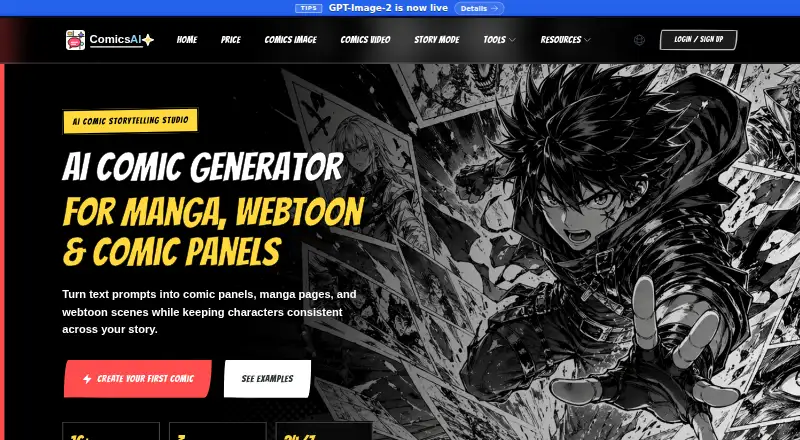
What ComicsAI is
ComicsAI is a browser-based AI comic studio for turning prompts, scene ideas, or story beats into comic panels, manga pages, webtoon episodes, and short visual stories. Its Story Mode can use prose, outlines, or scene summaries to draft pages with panel descriptions, dialogue, and captions, which users can edit. The web editor supports multi-panel layouts, speech bubbles, text, and layer management, with PNG or PDF export. Listed formats include manga, webtoon, anime, western comic, graphic novels, vertical scroll, comic strips, and visual novels. The site lists image models and styles such as GPT Image 2, Stable Diffusion XL, FLUX.1 Pro, and DALL-E 3 Style. ComicsAI requires no software installation. It offers a free plan and trial; the free trial is limited to one credit per account and the first 1,000 users each day. The Professional plan is listed at $8/mo billed annually and includes 1,500 panels per month, advanced art styles, high-resolution output, priority support, and custom character creation.
Good
- Story Mode drafts pages from prose or scene summaries.
- Editor supports multi-panel layouts, text, and layers.
- Exports to PNG or PDF.
- Free plan does not require a credit card.
Watch out
- Free trial is limited to one credit per account.
- Daily free access is limited to the first 1,000 users.
- Paid plans are billed annually.
Who it suits
ComicsAI suits writers, indie creators, solo authors, marketers, manga fans, and small teams looking to turn story material into editable comic pages. It is for people comfortable working in a browser.
Verdict
ComicsAI combines story drafting and comic-page editing in a browser-based studio. Check the free credit limit and annual billing details against your expected usage.
Plans and prices
From ComicsAI's own pricing page, checked 14 Oct 2026.
| Plan | Price | What it gives you |
|---|---|---|
| Hobby | Free | 1 free credit · first 1,000 users daily · basic styles · standard resolution · $0 / month |
| Professional | $15.90 a month | 1,500 panels/month · advanced styles · high-resolution · priority support · custom characters · $15.9 / month; yearly only $8/mo |
| Premium | $59.90 a month | 1,000 video credits/month · 6,000 panels/month · fastest priority · advanced styles · high-resolution · custom characters · $59.9 / month; yearly only $50/mo |
| Max | $159 a month | 5,000 video credits/month · unlimited image usage · 24/7 consultation · fastest priority · advanced styles · high-resolution · $159 / month; yearly only $125/mo |
| 10,000 Credit Pack | $199, paid once | 10,000 credits · credits never expire · no automatic renewal · $199 USD · one-time |
The facts
Each one read from ComicsAI's own pages, with the date it was checked.
What it does
- API and SDK
- The reviewed official navigation and documentation pages expose no public ComicsAI API, SDK or developer reference.checked 14 Oct 2026
- audience
- The maker says ComicsAI is for writers, indie creators, marketers, manga fans, solo authors, and small teams.checked 1 Oct 2026
- Character consistency
- Consistent Character Generator carries identity anchors such as silhouette, outfit, face shape, colors and props across scenes.checked 14 Oct 2026
- Character sheets
- Character Sheet Generator creates front, side, expression, pose, outfit and prop references for recurring characters.checked 14 Oct 2026
- Chrome extension
- The ComicsAI Manga Translator extension translates speech bubbles, captions, signs and sound effects inside comic images; version 1.0.2 was updated July 14, 2026.checked 14 Oct 2026
- Comic book generator
- Its comic-book workflow plans premises, page counts, scenes, page jobs, panels, covers and printable drafts.checked 14 Oct 2026
- content rights
- The terms say users retain ownership of submitted content and original outputs subject to the plan, terms, and third-party rights, while granting ComicsAI limited rights to host, process, store, display, and improve the service.checked 1 Oct 2026
- Documentation depth
- Documentation is mainly creator guides, tool pages, FAQs, terms and privacy pages rather than API or administrator manuals.checked 14 Oct 2026
- editor
- The browser editor supports multi-panel layouts, speech bubbles and text, layer management, and PNG or PDF export.checked 1 Oct 2026
- formats
- The product supports manga, webtoon, anime, western comic, graphic novel, digital comic, vertical scroll, comic strip, visual novel, and other listed comic formats.checked 1 Oct 2026
- Image models
- The product lists GPT Image 2.5, GPT Image 2, Nanobanana 2 Pro, Stable Diffusion XL, AnimagineXL 4.0, FLUX, DALL-E 3 Style and other model routes.checked 14 Oct 2026
- integrations
- The Partners & Friends page currently says there are no partner links yet.checked 1 Oct 2026
- Integrations
- The official pages describe model integrations with OpenAI GPT Image and Google Nano Banana Pro but list no external business-app integrations.checked 14 Oct 2026
- Limit: Google Play editing
- Reviewers reported limited options, no history when leaving a project, default characters appearing unexpectedly, and no way to edit or recover credits.checked 14 Oct 2026
- Limit: Google Play quality
- A reviewer said the model diverged from supplied artwork and did not follow the written story reliably.checked 14 Oct 2026
- Limit: page generation
- The same reviewer said ComicsAI lacked a whole-page generator and required panel-by-panel creation.checked 14 Oct 2026
- Limit: value
- The reviewer felt the product offered little beyond free Perchance for some workflows and criticized its credit cost.checked 14 Oct 2026
- models
- The site lists GPT Image 2, Nanobanana 2 Pro, Stable Diffusion XL, AnimagineXL 4.0, FLUX.1 Pro, FLUX.1 Dev, DALL-E 3 Style, Midjourney Style, DreamShaper XL, Anything XL, Playground v2.5, and Realistic Vision.checked 1 Oct 2026
The company
- Company description
- LinkedIn describes Comicai as an AI-powered comic tool aimed at improving creator efficiency and building a comics community.checked 14 Oct 2026
- Company size
- LinkedIn lists Comicai as privately held with 11–50 employees.checked 14 Oct 2026
- Content ownership
- Terms say users retain ownership of submitted content and original outputs subject to the plan, terms and third-party rights.checked 14 Oct 2026
- Founded
- LinkedIn lists Comicai as founded in 2023.checked 14 Oct 2026
Money
- free limit
- The free trial is limited to one credit per account and the first 1,000 users each day on a first-come, first-served basis.checked 1 Oct 2026
Where it runs
- Limit: Apple App Store
- Reviews complained about daily image limits, only two free genres, paid upgrades, and inaccurate panels or missing post-editing.checked 14 Oct 2026
The full review of ComicsAI
ComicsAI is a web-based studio for turning prose and scene ideas into editable comic pages, then arranging those pages in a browser editor. It is best suited to writers and indie creators who want story drafting and page composition together, rather than a standalone drawing tool.
Overview
Story Mode converts prose, outlines, or scene summaries into panel descriptions, dialogue, captions, and an editable first draft. The editor supports multi-panel layouts, speech balloons, text, and layer management, giving creators a route from rough narrative to composed page without leaving the browser. That breadth is useful for getting a draft organized; creators who want a focused illustration workflow may not need the story-generation layer.
ComicsAI supports formats including manga, webtoon, western comics, graphic novels, vertical-scroll stories, comic strips, and visual novels. Its named models range from GPT Image 2 and FLUX.1 Pro to Stable Diffusion XL, AnimagineXL 4.0, and DALL-E 3 Style. This is a broad menu for creators seeking different visual directions, though the range alone does not guarantee a consistent look across a project.
Key features
Story drafting and page editing
Story Mode is the strongest fit for writers starting with scenes or an outline: it supplies page-level descriptions, dialogue, and captions in a draft that can be edited. Panel layouts, text, speech balloons, and layers then support assembly and refinement. PNG and PDF export suit creators who want files to use elsewhere; web publishing is also supported.
Styles and character creation
The listed model and style choices give creators room to pursue different comic aesthetics, while the Professional plan adds custom character creation. That is more useful for projects requiring recurring characters than for one-off experiments. ComicsAI also advertises a character library and illustration tools.
Pricing
The Hobby plan is free at $0 / month and includes one credit for new users, basic art styles, and standard-resolution output, with no credit card required. Access is limited to the first 1,000 users each day, so this is a small trial rather than a dependable ongoing allowance.
Professional costs $15.90 per month and includes 1,500 panels monthly, advanced styles, high-resolution output, priority support, and custom character creation. It is the clearest fit for an individual creator with recurring page work who does not need video credits. The directory's starting-price note says paid plans begin at $8/mo (annual), but the listed Professional plan is $15.90 per month; confirm the billing term that applies before subscribing.
Premium costs $59.90 per month and adds 1,000 Comics AI Video credits (1,000 seconds, about 100 ten-second videos) and 6,000 panels monthly, alongside faster priority generation, advanced styles, high-resolution output, and custom character creation. It suits creators whose workload includes both substantial panel production and short video generation; it is a sizable step up for users who only need pages.
Max costs $159.00 per month and includes 5,000 video credits (5,000 seconds, about 500 ten-second videos), an unlimited image usage allowance, 24/7 customer consultation, fastest priority generation, advanced styles, and high-resolution output. It is aimed at heavy production, not occasional use. The free credit cap and the substantial monthly commitments on paid tiers make expected volume central to choosing a plan.
Platforms
ComicsAI runs in a browser and requires no software installation. Web access is its only supported platform, so it is not the choice for creators who need a dedicated desktop or mobile app.
Who it's for
Writers, solo authors, manga fans, marketers, and small teams may value having story structuring and page editing in one studio. It is especially relevant when a creator wants an editable first draft and exports or web publishing. Users who need a meaningful free production allowance, or who only want a conventional drawing environment, should compare alternatives.
Pros and cons
- Pros: Story Mode turns prose and outlines into editable page drafts, reducing the initial work of structuring a comic.
- Pros: The browser editor combines layouts, speech balloons, text, layers, and PNG or PDF export.
- Pros: Multiple styles and formats can accommodate a range of comic projects.
- Cons: Hobby's one credit and daily first-come limit are too restrictive for sustained free use.
- Cons: Professional's 1,500-panel cap may constrain heavier production, while higher-volume and video plans cost considerably more.
- Cons: Web-only access excludes creators who require a native app.
Alternatives
AI Comic Generators and Comic Creation Software are category roundups for comparing more options.
GenToon is worth comparing if mobile access matters: it supports Android, iOS, and web, and its free plan includes 150 credits per month and 20 characters. ComicStory AI offers a web-based free tier with 50 one-time credits and a no-subscription start, which may suit a limited trial better than ComicsAI's daily one-credit offer. AI Manga Studio is another web and extension option with a no-card Japanese-language trial that includes seven AI image generations, 30 chat exchanges, and one automatic story generation.
Manga Studio is a free option for readers comparing Linux, Windows, web, or self-hosted platforms. Dashtoon Studio is another freemium web option. TaleAtelier suits readers seeking mobile as well as web access and one-time coin purchases. ComicInk offers iOS and web access, with a Basic plan including 1,500 monthly credits and about 30 comic pages per month. YumeComic is a web-based freemium alternative; its Pro Yearly plan is $29.99 per year and includes 2,000 generations each month, comics up to 12 pages, and up to eight panels per page.
Verdict
ComicsAI is a strong match for writers and indie creators who want an AI-assisted story draft and a page editor in the same browser workflow. Its key advantage is that combination, but the one-credit free offer is only a taste and its paid plans require careful matching of panel and video needs to monthly cost. Look elsewhere if you need a larger free allowance, native mobile access, or a lower-cost way to make pages at volume.
Alternatives to ComicsAI
- 1
LlamaGen.ai
Free planAndroidiOSWebAPI8.2From $13.99 a month - 2

GenToon
Free planAndroidiOSWeb7.5From $10 a month - 3

Anifusion
Free planWebAPI7.4From $9 a month - 4

BlankComic
Free planAndroidiOSWebLinux7.4Free plan - 5

Clip Studio Paint
AndroidiOSWebmacOS7.4From $10.99 a year - 6

Manga Editor Desu
Free planOpen sourceWebLinuxmacOSSelf-hosted7.4Free plan