Comail
Comail is a free desktop email client for Linux, macOS, and Windows.
What Comail is
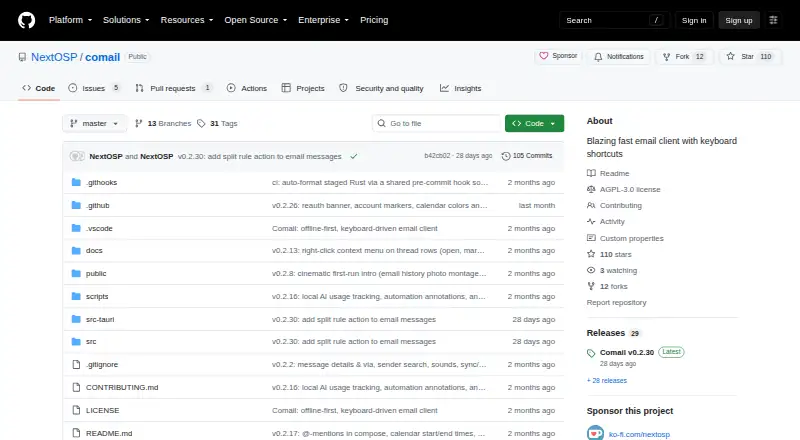
Comail is a free desktop email client for Linux, macOS, and Windows. It keeps mailbox data on the user’s computer and supports Gmail, Microsoft 365, Outlook, and IMAP services such as Fastmail and iCloud. A unified inbox, split inbox, snooze, scheduled sending, undo send, bulk triage, keyboard shortcuts, and a command palette organize daily mail work. Keyword and semantic search are included, along with optional AI summaries, reply drafting, proofreading, commands, and inbox questions through OpenAI-compatible providers, including local providers such as LM Studio, using the user’s own key. Its calendar synchronizes in both directions with Google Calendar, Fastmail, iCloud, and CalDAV servers. Mail can be read, searched, written, and triaged offline, then synchronized after reconnection. The project says sync and search run on-device, credentials use the operating-system keyring, and there is no telemetry. Gmail and Microsoft sign-in require the user’s own OAuth app registration.
Good
- Free software under the AGPL-3.0 license
- Works across Linux, macOS, and Windows
- Offline reading, writing, searching, and triage
- Two-way calendar synchronization
- No telemetry, according to the project
Watch out
- Gmail and Microsoft sign-in require OAuth setup
- AI features require an OpenAI-compatible provider key
- Desktop application only; no mobile platform listed
Who it suits
Comail suits people who want keyboard-focused desktop email with offline work, integrated calendars, and optional AI using their own provider key. It also fits users of Gmail, Microsoft 365, Outlook, or supported IMAP services.
Verdict
Comail combines broad desktop platform support with offline mail handling, calendar synchronization, and extensive inbox controls. Its own OAuth setup for Gmail or Microsoft accounts and optional AI configuration are important setup considerations.
Plans and prices
From Comail's own pricing page, checked 11 Oct 2026.
| Plan | Price | What it gives you |
|---|---|---|
| Free | Free | No account · no subscription · open source under AGPL-3.0 |
The facts
Each one read from Comail's own pages, with the date it was checked.
What it does
- Account setup
- Gmail and Microsoft sign-in require users to configure their own OAuth app registration once; other IMAP accounts use an app password.checked 11 Oct 2026
- AI providers
- Optional AI features work with OpenAI-compatible providers, including local providers such as LM Studio, using the user's own key.checked 11 Oct 2026
- Calendar integrations
- Its built-in calendar syncs both ways with Google Calendar, Fastmail, iCloud, or any CalDAV server.checked 11 Oct 2026
- Calendar tools
- Yeschecked 23 Sep 2026
- Desktop downloads
- The release page lists macOS universal DMG, Windows x64 setup EXE, and Linux AMD64 AppImage or DEB downloads.checked 11 Oct 2026
- Email providers
- It works with Gmail, Microsoft 365/Outlook, and IMAP providers including Fastmail and iCloud.checked 11 Oct 2026
- Inbox features
- Features include keyboard shortcuts, a command palette, split inbox, snooze, scheduled send, undo send, and bulk triage.checked 11 Oct 2026
- License
- Comail is released as free software under the GNU Affero General Public License v3.0.checked 11 Oct 2026
- Offline access
- Yeschecked 23 Sep 2026
- Offline use
- Users can read, search, write, and triage mail offline, with changes syncing after reconnection.checked 11 Oct 2026
- Privacy
- The project says mailbox sync and search run on-device, credentials are stored in the OS keyring, and Comail has no telemetry.checked 11 Oct 2026
- Product
- Comail is a fast, keyboard-driven email client that keeps the mailbox on the user's computer.checked 11 Oct 2026
- Scheduled sending
- Yeschecked 23 Sep 2026
- Search and AI
- Comail offers keyword and semantic search, plus optional AI summaries, reply drafting, proofreading, commands, and inbox questions.checked 11 Oct 2026
- Support
- The README invites feedback by email at [email protected] and accepts bug reports and feature requests through GitHub Issues.checked 11 Oct 2026
- Unified inbox
- Yeschecked 23 Sep 2026
Where it runs
- App coverage
- desktopchecked 23 Sep 2026
Money
- Free plan
- Yeschecked 23 Sep 2026
Alternatives to Comail
- 1

Zoho Mail
Free planAndroidiOSWebAPI9.0Free plan - 2

Mailbutler Smart Assistant
Free planAndroidiOSWebExtension8.9Free plan - 3

Front
AndroidiOSWebAPI8.6From $25 a month - 4

eM Client
Free planAndroidiOSmacOSWindows8.5From $39.95 a year - 5

Newton Mail
Free planAndroidiOSmacOSWindows8.5From $5 a month - 6

Spike
Free planAndroidiOSWebmacOS8.5From $4 a month