
CodeTwo Exchange Migration
CodeTwo Exchange Migration is a server application for moving mailboxes and public folders into on-premises Exchange Server Subscription Edition.
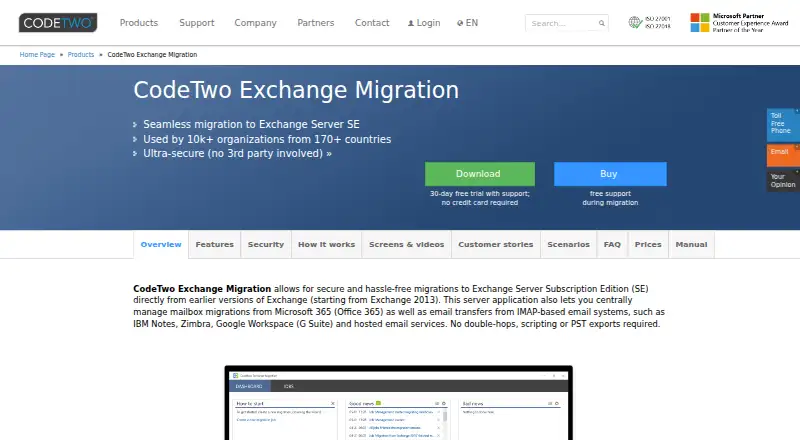
What CodeTwo Exchange Migration is
CodeTwo Exchange Migration is a server application for moving mailboxes and public folders into on-premises Exchange Server Subscription Edition. It accepts earlier Exchange versions, Microsoft 365, hosted Exchange, and IMAP systems as sources. Organizations using Exchange Server 2013 or newer can move directly to Subscription Edition without an intermediate Exchange version. Migration options include cross-forest and cross-domain moves, staged and hybrid migrations, and delta passes that copy new items without repeating migrated ones. Supported IMAP sources include Google Workspace, HCL Notes, Rackspace, Zimbra, Kopano, and Kerio Connect. Administrators can schedule jobs, filter by time or folder, select item types, and review detailed progress reports. The software runs in the customer environment, and source data is copied rather than removed or modified. Connections are encrypted; Microsoft 365 access uses OAuth 2.0 without storing or using its credentials. The Windows installer supports Windows Server 2008 R2 SP1 through 2022 and Windows 10 and 11, in 32-bit and 64-bit versions. A 30-day trial limits migration to 10 items per folder; a temporary key can be requested for all items from a limited number of mailboxes.
Good
- Supports direct upgrades from Exchange Server 2013 and newer.
- Includes staged, hybrid, cross-forest, and cross-domain migration options.
- Delta passes avoid repeating already migrated items.
- Runs in the customer environment.
- Paid licenses include support, updates, and upgrades.
Watch out
- The 30-day trial limits migrations to 10 items per folder.
- Tenant-to-tenant moves are not supported.
- License minimum is 10 source mailboxes.
Who it suits
It is aimed at administrators moving organizations to on-premises Exchange Server Subscription Edition from earlier Exchange, Microsoft 365, hosted Exchange, or IMAP systems. It is not suited to tenant-to-tenant moves.
Verdict
CodeTwo Exchange Migration provides controls for planned Exchange and IMAP migrations into on-premises Exchange Server Subscription Edition. Check the trial limit, Windows requirements, and mailbox-based license terms before proceeding.
Plans and prices
From CodeTwo Exchange Migration's own pricing page, checked 4 Oct 2026.
| Plan | Price | What it gives you |
|---|---|---|
| CodeTwo Exchange Migration license | — | 10-mailbox minimum · one license per source mailbox · primary and archive mailboxes share one license · public folders reduce license count by 100 mailboxes · One-off license; support is included and expires after one year. Price depends on the number of source mailboxes; minimum 10. Website prices exclude VAT and other taxes or duties. |
The facts
Each one read from CodeTwo Exchange Migration's own pages, with the date it was checked.
What it does
- Direct upgrades
- It supports migrations from Exchange Server 2013 and newer directly to Exchange Server Subscription Edition without an intermediate Exchange version.checked 4 Oct 2026
- Encryption and authorization
- The product uses encrypted connections and OAuth 2.0 to connect to Microsoft 365, without storing or using Microsoft 365 credentials.checked 4 Oct 2026
- Exchange features
- It supports cross-forest and cross-domain moves, staged and hybrid migrations, and delta passes that copy newly arrived items without duplicating previously migrated items.checked 4 Oct 2026
- IMAP sources
- Supported IMAP sources include Google Workspace, HCL Notes (IBM Notes), Rackspace, Zimbra, Kopano, and Kerio Connect.checked 4 Oct 2026
- Intended users
- The product is aimed at administrators moving organizations between Exchange environments or migrating from Microsoft 365, hosted Exchange, or IMAP into on-premises Exchange.checked 4 Oct 2026
- Local processing
- The program is installed in the customer environment, and CodeTwo says no third-party tools or cloud services take part in the migration.checked 4 Oct 2026
- Migration controls
- Administrators can schedule jobs, filter by time and folder, select item types, and monitor progress with detailed reports.checked 4 Oct 2026
- Purpose
- The server application migrates mailboxes and public folders to on-premises Exchange Server Subscription Edition from earlier Exchange versions, Microsoft 365, hosted Exchange, and IMAP systems.checked 4 Oct 2026
- Security
- The product is developed and supplied under CodeTwo’s ISO/IEC 27001- and ISO/IEC 27018-certified information security management system.checked 4 Oct 2026
- Source data
- The software copies migrated items to the target and does not remove or modify data on the source server.checked 4 Oct 2026
- Support
- Paid licenses include technical support, free product updates and upgrades, and 24/7 access by email and phone with a 24-hour response-time guarantee.checked 4 Oct 2026
The company
- Founded
- 2007checked 28 Sep 2026
- Headquarters
- Jelenia Gora, Polandchecked 28 Sep 2026
Where it runs
- Supported platform
- The installer supports Windows Server 2008 R2 SP1 through 2022 and Windows 10 and 11, with 32-bit and 64-bit versions supported.checked 4 Oct 2026
Money
- Trial limit
- The 30-day trial allows migration of up to 10 items per folder; CodeTwo says a temporary key can be requested to migrate all items from a limited number of mailboxes.checked 4 Oct 2026
Alternatives to CodeTwo Exchange Migration
- 1

Zoho Mail
Free planAndroidiOSWebAPI8.2Free plan - 2
Google Workspace
AndroidiOSWebAPI7.9From $7 a month - 3
MailJerry
Free planAndroidiOSWebmacOS7.3From $129.90 a year - 4

SysTools Email Migration Tool
Free planLinuxWindows6.6$35 one-time - 5

SysTools Migrator
Free planLinuxWindows6.6Free plan - 6

Cigati Email Migrator
Free planmacOSWindows6.5Free plan