
SysTools Email Migration Tool
SysTools Email Migration Tool transfers mailbox data between email platforms, with controls for selecting content and preserving mailbox organization.
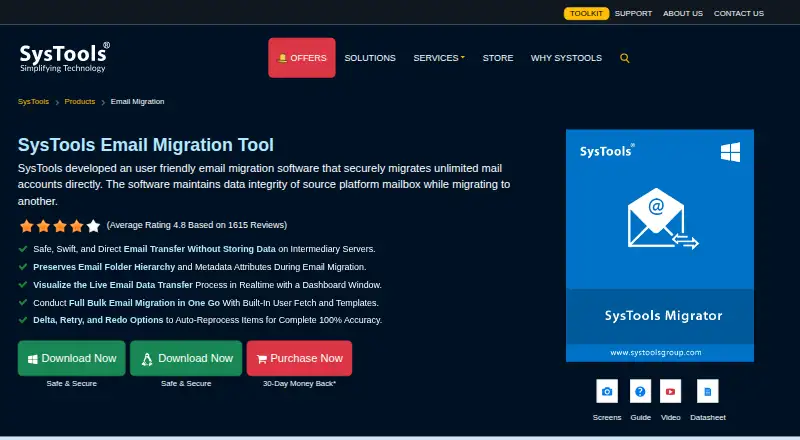
What SysTools Email Migration Tool is
SysTools Email Migration Tool transfers mailbox data between email platforms, with controls for selecting content and preserving mailbox organization. It can move email, contacts, calendars, documents and attachments; Office 365, Exchange and G Suite are given as example platforms. Date filters let users limit transfers, and folder hierarchy plus message properties such as read status, reply or forward flags, and sent or received times are retained. Bulk jobs can use user fetching and CSV templates, with up to 20 transfers running in parallel. Retry and rerun options and downloadable summary and detailed CSV reports support migration follow-up. The product page says transfers avoid intermediary-server storage and supported Google and Microsoft platforms can use OAuth 2.0. A local database buffers migration data, and a restored internet connection can let an interrupted operation continue without a restart. The free demo fully migrates up to two user accounts. Listed pricing includes $7/user and a Paid Version at $35, paid once, specified for five users.
Good
- Migrates email, contacts, calendars, documents and attachments.
- Preserves folders and message properties.
- Runs up to 20 transfers in parallel.
- Provides retry options and CSV reports.
- Free demo covers two user accounts.
Watch out
- OWA links in attachments appear in the email body.
- Windows use requires .NET Framework 4.6.
- Listed paid version is $35, paid once for five users.
Who it suits
It suits administrators or teams moving mailboxes between supported platforms, especially when they need bulk user handling, selective transfers or migration reports. The free demo is limited to two user accounts.
Verdict
SysTools Email Migration Tool offers mailbox-content selection, structure preservation and batch-transfer controls. Check platform requirements and the OWA attachment limitation before planning a migration.
Plans and prices
From SysTools Email Migration Tool's own pricing page, checked 4 Oct 2026.
| Plan | Price | What it gives you |
|---|---|---|
| Free Demo | Free | FREE · full mailbox migration for up to 2 user accounts |
| Paid Version | $35, paid once | $35 (5 User) · unlimited user count |
The facts
Each one read from SysTools Email Migration Tool's own pages, with the date it was checked.
What it does
- Bulk migration
- The tool supports bulk user migration with user fetching and CSV templates, and can process up to 20 parallel transfers.checked 4 Oct 2026
- Filtering
- Users can apply date-range filters and select which mailbox data categories to transfer.checked 4 Oct 2026
- Mailbox content
- It can migrate emails, contacts, calendars, documents, and attachments.checked 4 Oct 2026
- Notable limit
- The FAQ says OWA links included as attachments appear inside the email body rather than migrating as separate attachment files.checked 4 Oct 2026
- Preservation
- The software preserves folder hierarchy and email properties including read status, reply or forward flags, and sent or received timestamps.checked 4 Oct 2026
- Purpose
- The tool migrates mail accounts between email platforms while maintaining source mailbox data integrity.checked 4 Oct 2026
- Recovery and reporting
- It offers retry and rerun options and downloadable summary and detailed CSV migration reports.checked 4 Oct 2026
- Resilience
- A local database temporarily buffers migration data, and the page says a dropped internet connection can be restored without restarting the operation.checked 4 Oct 2026
- Security
- The page says transfers do not store data on intermediary servers and that supported Google and Microsoft platforms can use OAuth 2.0 authentication.checked 4 Oct 2026
- Support and certifications
- The product page advertises free 24x7 support and states SysTools is ISO 9001:2015 and ISO 27001:2013 certified.checked 4 Oct 2026
The company
- Headquarters
- New Delhi, Indiachecked 28 Sep 2026
Where it runs
- Linux requirements
- The supported editions list includes Ubuntu 18.04 LTS on x86-64.checked 4 Oct 2026
- Supported platforms
- The product page gives Office 365, Exchange, and G Suite as example migration platforms.checked 4 Oct 2026
- Windows requirements
- Supported editions include 64-bit Windows 10 and 11 and Windows Server 2012, 2016, 2019, and 2022; the page lists .NET Framework 4.6 as a prerequisite for Windows.checked 4 Oct 2026
Money
- Trial limit
- The demo version fully migrates mailboxes for two user accounts.checked 4 Oct 2026
The full review of SysTools Email Migration Tool
SysTools Email Migration Tool transfers mailbox content between email platforms, with controls aimed at administrators moving several accounts at once. It is best for structured team migrations where preserving mailbox organization matters, though OWA links attached to messages do not arrive as separate attachment files.
Overview
The tool moves emails, contacts, calendars, documents, and attachments, and supports tenant-to-tenant and staged migrations. Its mix of selective transfer and folder preservation is useful when users need familiar mailbox structures after a platform change. It is a less suitable fit when OWA links must remain standalone attachment files.
Key features
Selective transfer and mailbox continuity
Date-range filters and category selection let administrators limit a transfer to relevant content rather than moving every mailbox item. Folder hierarchy is preserved alongside email properties such as read status, reply or forward flags, and sent or received timestamps. That helps maintain continuity for users, although it does not prevent the OWA attachment limitation: those links appear in the email body instead of migrating as separate files.
Bulk processing and recovery
User fetching and CSV templates support batch setup, and the tool can run up to 20 transfers in parallel. Retry and rerun options provide a path for addressing failed transfers, while downloadable summary and detailed CSV reports help administrators review outcomes. A local database buffers migration data temporarily, and a dropped connection can be restored without restarting the operation. Transfers do not store data on intermediary servers; supported Google and Microsoft platforms can use OAuth 2.0 authentication.
Pricing
The Free Demo costs nothing and fully migrates mailboxes for up to two user accounts. That is enough to assess a small migration, but its account cap makes it a trial rather than a practical option for a larger rollout.
The Paid Version costs $35, paid once ($35 for 5 users) and supports an unlimited user count. Its one-time pricing suits teams planning a full migration, while the five-user price basis is important to weigh against the number of accounts involved. The product is also described as starting from $7/user. Free 24x7 support is advertised.
Platforms
The software supports Linux and Windows. Supported Windows editions include 64-bit Windows 10 and 11 and Windows Server 2012, 2016, 2019, and 2022, with .NET Framework 4.6 as a prerequisite. The supported Linux editions include Ubuntu 18.04 LTS on x86-64. Migration platforms include Office 365, Exchange, and G Suite; Microsoft 365, Google Workspace, and IMAP support are also included.
Who it's for
This is a strong fit for IT administrators or organizations moving multiple mailboxes that need selective transfers, preserved folder structures, and migration reports. The two-account demo is useful for evaluating a small move before committing. It is not the right choice when OWA links need to migrate as separate attachments, or when a team cannot use the listed Windows or Linux environments.
Pros and cons
- Selective migration: Date and category filters help avoid transferring irrelevant mailbox content.
- Mailbox continuity: Folder hierarchy and message properties are preserved, reducing disruption for users.
- Built for batches: CSV templates, user fetching, and up to 20 parallel transfers support multi-account work.
- Useful recovery and audit tools: Retry and rerun options and downloadable CSV reports help manage and review migration outcomes.
- OWA attachment caveat: OWA links included as attachments appear in the message body, not as separate migrated files.
Alternatives
Email Migration Software is the category list for comparing migration tools. Choose Zoho Mail instead if the goal is a hosted mail service with a free plan for five users, one domain, and 5 GB of mail storage per user, rather than a dedicated migration utility. MailJerry is another migration alternative.
Cigati Email Migrator may suit a Windows or macOS user who wants to try a demo capped at the first 100 emails per folder. imap-migrate is a free option for IMAP folder migration, provided Python 3.12 or higher is available and both accounts allow IMAP access. SysTools Migrator offers a two-account free version and a paid license whose quota is based on migrated user accounts.
imapsync is an alternative for readers considering a freemium migration tool. CloudM Migrate is another option. Google Workspace is a hosted suite alternative with paid plans and no free plan.
Verdict
Choose SysTools Email Migration Tool for a controlled, multi-account move where mailbox structure, message properties, and reporting matter. Its two-account demo and bulk-transfer controls make it practical to evaluate and manage; look elsewhere if OWA links must remain separate attachments or the platform requirements do not fit your environment.
Alternatives to SysTools Email Migration Tool
- 1

Zoho Mail
Free planAndroidiOSWebAPI8.2Free plan - 2
Google Workspace
AndroidiOSWebAPI7.9From $7 a month - 3
MailJerry
Free planAndroidiOSWebmacOS7.3From $129.90 a year - 4

SysTools Migrator
Free planLinuxWindows6.6Free plan - 5

Cigati Email Migrator
Free planmacOSWindows6.5Free plan - 6

MigrationWiz
WebAPI6.5$14 one-time