CmisSync
CmisSync keeps work documents, folders, and metadata synchronized between a CMIS-compliant enterprise content-management server and a local computer.
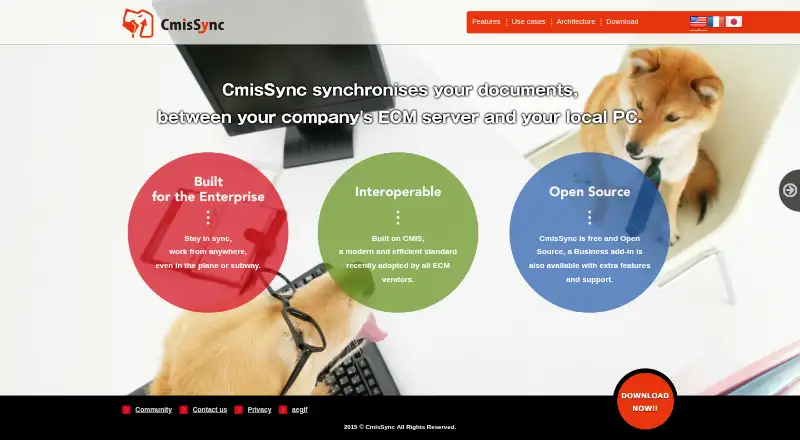
What CmisSync is
CmisSync keeps work documents, folders, and metadata synchronized between a CMIS-compliant enterprise content-management server and a local computer. Users choose specific folders, including folders from multiple repositories, and can read or edit synchronized files offline; changes transfer when a network connection returns. The software uses the connected company file server or private cloud’s accounts and permissions. CmisSync is free and open source, with a separate Business add-in. The free plan supports CMIS-compliant servers and unlimited document size and quantity, but excludes professional support, single sign-on, Windows Explorer integration, and zero-configuration setup. Business adds those capabilities, document locking, and Windows tools for document history and offline metadata editing. Listed tested servers include Alfresco, EMC Documentum, SharePoint Server, NemakiWare, and Nuxeo; Office 365 is excluded from that SharePoint listing. Downloads are offered for Windows, Mac OS X, and Linux, with Mac OS X and Linux identified as beta. The 100-user Business pack costs $6,000 a year.
Good
- Synchronizes documents, folders, and metadata
- Offline editing syncs when connected
- Supports multiple repositories and selected folders
- Free plan has unlimited document size and quantity
- Windows, Mac OS X, and Linux downloads
Watch out
- Free plan lacks professional support and SSO
- Windows Explorer integration requires Business
- Mac OS X and Linux are beta
- 100-user Business pack costs $6,000 a year
Who it suits
CmisSync suits teams that need local offline access to documents stored in CMIS repositories. Businesses needing SSO, document locking, centralized setup, or Windows Explorer tools can consider the Business add-in.
Verdict
CmisSync provides straightforward desktop synchronization for CMIS repositories, including offline editing and metadata transfer. The free plan covers core syncing, while Business adds administrative and Windows-focused features at a stated annual price for its 100-user pack.
Plans and prices
From CmisSync's own pricing page, checked 5 Oct 2026.
| Plan | Price | What it gives you |
|---|---|---|
| CmisSync Free | Free | Unlimited size/number of documents · all CMIS-compliant servers · no professional support, SSO, Windows Explorer integration, or zero-configuration |
| CmisSync Business — 100-user pack | $6,000 a year | 100 users · 6,000 USD per year |
| CmisSync Business | Priced on request | Professional support · rigorously tested · Windows metadata editing and document locking · SSO · Windows Explorer integration · zero-configuration · Please inquire |
The facts
Each one read from CmisSync's own pages, with the date it was checked.
What it does
- Authentication
- Business includes single sign-on and authentication options beyond Basic Authentication.checked 5 Oct 2026
- Business purchase
- The site says Business is sent by email within two business days after purchase or inquiry, and payment in EUR is possible.checked 5 Oct 2026
- Centralized setup
- Business can contact a management server at first launch to configure which folders and synchronization settings users receive.checked 5 Oct 2026
- ECM integrations
- The site lists tested servers including Alfresco, EMC Documentum, SharePoint Server, NemakiWare, and Nuxeo; it explicitly excludes Office 365 from its SharePoint Server listing.checked 5 Oct 2026
- File conflict controls
- Business users can lock documents to prevent simultaneous edits, and its Windows Explorer context menu can show document history and edit metadata offline.checked 5 Oct 2026
- Metadata
- CmisSync synchronizes metadata as well as documents and folders.checked 5 Oct 2026
- Offline work
- Users can read and edit synced documents offline, and CmisSync syncs files when a network connection is available.checked 5 Oct 2026
- Open source
- The site describes CmisSync as free and open source, with a separate Business add-in offering extra features and support.checked 5 Oct 2026
- Purpose
- CmisSync synchronizes work documents and folders between a CMIS-compliant ECM server and a local PC.checked 5 Oct 2026
- Security model
- CmisSync syncs to a company file server or private cloud and uses that server's user accounts and permissions.checked 5 Oct 2026
- Selective and multi-repository sync
- Users can choose which folders to sync and sync folders from multiple repositories.checked 5 Oct 2026
- Supported desktop systems
- The site lists Windows Vista SP2 or later, Mac OS X 10.8 or later (beta), and Ubuntu 14.04 or later (beta).checked 5 Oct 2026
Where it runs
- Platform availability
- The download page offers Windows, Mac OS X (beta), and Linux (beta) as operating-system choices.checked 5 Oct 2026
Alternatives to CmisSync
- 1

Internxt Drive
Free planOpen sourceAndroidiOSWebAPI8.6Free plan - 2

Seafile
Free planOpen sourceAndroidiOSWebAPI8.6Free plan - 3

Box
Free planAndroidiOSWebAPI8.3From $5 a month - 4
Google Drive
Free planAndroidiOSmacOSWindows8.2Free plan - 5

MEGA
Free planAndroidiOSWebAPI8.2Free plan - 6
Microsoft OneDrive
Free planAndroidiOSmacOSWindows8.0From $1.99 a month