Clio Payments
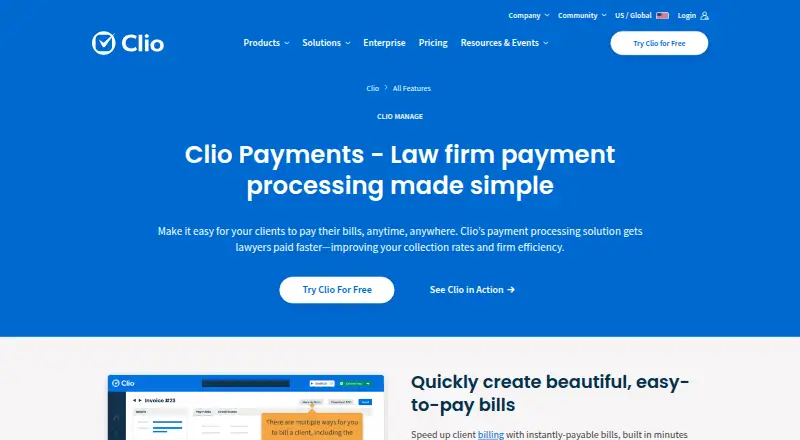
Clio Payments is an online payment processing solution built into Clio Manage for law firms.
What Clio Payments is
Clio Payments is an online payment processing solution built into Clio Manage for law firms. Clients can pay by credit or debit card, eCheck, digital wallet, or Pay Later with Affirm through a firm website, secure client portal, text, tap to pay, or QR code. Firms can offer payment plans and recurring payments, store card and eCheck details, and set Autocharge triggers based on fee agreements. Payments are associated with client bills, recorded in Clio, and synced to the firm’s accounting platform. Clio says payments can be directed to trust or operating accounts, earned and unearned fees remain separate, and processing fees are not debited from IOLTA accounts. Listed transaction rates are 1% for eCheck and ACH, 2.95% for cards (3.75% for Amex), and 4.95% for Pay Later with Affirm. Online payments are included in Clio Manage subscriptions, with transaction fees applying. The product is listed in the United States, Canada, United Kingdom, Ireland, Australia, and Puerto Rico; eCheck is limited to US customers. A seven-day trial is available.
Good
- Accepts cards, eCheck, digital wallets, and Pay Later.
- Offers client payments by portal, text, tap, or QR.
- Associates payments with bills and syncs accounting.
- Supports trust and operating account routing.
- Online payments are included in Clio Manage subscriptions.
Watch out
- Transaction fees apply to payments.
- eCheck is available only to US customers.
- Amex card rate is 3.75%.
- A seven-day trial is the listed trial period.
Who it suits
It suits law firms using Clio Manage that want clients to pay bills through online or in-person channels. Firms needing payment plans, recurring charges, or trust-account routing may find its listed tools relevant.
Verdict
Clio Payments brings payment collection and billing workflows into Clio Manage. Firms should review the listed transaction rates and confirm that eCheck availability fits their location.
Plans and prices
From Clio Payments's own pricing page, checked 3 Oct 2026.
| Plan | Price | What it gives you |
|---|---|---|
| Clio Payments | Free | Fixed transaction rates; online payments are included in all Clio Manage subscriptions. · Included in all Clio Manage subscriptions; transaction fees apply. |
| Starter | $49 a month | Clio Manage; online card, eCheck, Apple Pay, and Google Pay payments; payment processing fees apply. · Starting at $49/user; billing interval not stated on the opened page. |
The facts
Each one read from Clio Payments's own pages, with the date it was checked.
Money
- Automated billing
- Firms can store client cards and eCheck details and use Autocharge with custom triggers based on fee agreements.checked 2 Oct 2026
- Billing and accounting
- Payments are automatically associated with client bills, recorded in Clio, and synced to the firm's accounting platform.checked 3 Oct 2026
- Free trial
- Clio offers a 7-day free trial of its legal software with no credit card required.checked 3 Oct 2026
- Payment plans
- Firms can schedule payment plans and recurring payments for recurring work.checked 3 Oct 2026
What it does
- Automation
- Clio Payments can store client card and eCheck details and use Autocharge with custom triggers based on fee agreements.checked 3 Oct 2026
- Availability
- Clio Payments is available in the United States, Canada, United Kingdom, Ireland, Australia, and Puerto Rico.checked 3 Oct 2026
- Geographic payment method limit
- The app directory says eCheck is available to US customers only.checked 2 Oct 2026
- Listed transaction rates
- The pricing comparison lists eCheck and ACH at 1%, credit and debit cards at 2.95% (3.75% Amex), and Pay Later with Affirm at 4.95%.checked 2 Oct 2026
- Payment channels
- Clients can pay through a firm website, secure client portal, text, tap to pay, or QR codes.checked 3 Oct 2026
- Payment methods
- Clients can pay using credit or debit cards, eCheck, digital wallets, or Pay Later with Affirm.checked 3 Oct 2026
- Purpose
- Clio Payments is a payment processing solution built for law firms to collect client bills and trust payments.checked 3 Oct 2026
- Security
- Clio says its payment processing uses bank-grade protection and proactive fraud detection, and that payments are PCI compliant.checked 3 Oct 2026
- Subscription inclusion
- Online payments are included in all Clio Manage subscriptions and use fixed rates.checked 2 Oct 2026
- Support
- The page lists Clio support by phone and email and says sales is available Monday to Friday, 8 a.m. to 8 p.m. EST.checked 3 Oct 2026
- Trust accounting
- Clio says it separates earned and unearned funds and protects trust account funds from processing fees and chargebacks.checked 3 Oct 2026
- Workflow integration
- Payments are automatically associated with client bills and synced to the firm’s accounting platform.checked 2 Oct 2026
The company
- Company
- Clio says it is headquartered in Vancouver, Canada, and was co-founded in 2008 by Jack Newton and Rian Gauvreau.checked 3 Oct 2026
- Founded
- 2008checked 28 Sep 2026
- Headquarters
- Vancouver, Canadachecked 28 Sep 2026
Where it runs
- Mobile apps
- Clio's pricing page lists a mobile app for iOS and Android across its plans.checked 3 Oct 2026
The full review of Clio Payments
Clio Payments is an online payment processor built into Clio Manage, aimed at law firms that want collections tied to their billing and accounting workflow. Its strongest case is for firms already using Clio; firms elsewhere should weigh the transaction charges against the value of that integration.
Overview
Clients can pay by card, eCheck, digital wallet, or Pay Later with Affirm, using a firm website, secure client portal, text, tap to pay, or QR code. That range gives clients several ways to settle a bill, while firms can set payment plans and recurring payments for ongoing work.
Payments are linked to client bills, recorded in Clio, and synced to the firm’s accounting platform. This connection can cut down on manual payment-to-bill handling for Clio Manage users; firms that do not use Clio have less reason to choose a processor centered on its workflows.
Key features
- Payment plans and Autocharge: Firms can store card and eCheck details and trigger Autocharge according to fee agreements. This suits recurring work and agreed schedules, but firms should consider whether storing those payment details fits their practices.
- Trust-account handling: Clio says payments can be directed to the proper trust or operating account, earned and unearned fees stay separate, and processing fees are not debited from IOLTA accounts. Those controls address important law-firm accounting needs.
- Security: Clio describes the service as PCI compliant and says card-data processing, transmission, and storage meet the payments industry’s highest certification level.
- Support: Clio provides a Help Center for Payments guidance and support, plus phone and email contact.
Pricing
Online payments are included in every Clio Manage subscription, with fixed transaction rates and no separate price for the Payments feature itself. Processing fees still apply: eCheck and ACH are 1%, credit and debit cards are 2.95% (3.75% Amex), and Pay Later with Affirm is 4.95%. Firms should compare the mix of methods they expect clients to use, since card and Affirm transactions cost more than eCheck and ACH.
Clio Manage has a 7-day trial and no free plan. It includes Clio Manage and online card, eCheck, Apple Pay, and Google Pay payments, with processing fees applying. The mobile app for iOS and Android is included across Clio Manage plans. The included Payments access makes sense for firms already subscribing to Clio Manage, but does not remove per-transaction charges.
Platforms
Clio Payments is listed for Android, iOS, web, and API. Clio Manage’s mobile app is available for iOS and Android. The product is offered in the United States, Canada, United Kingdom, Ireland, Australia, and Puerto Rico, but eCheck is limited to US customers.
Who it's for
Clio Payments is best suited to law firms using Clio Manage that want client collections connected to bills, trust-account handling, and accounting sync. Firms outside the United States that need eCheck should look elsewhere for that payment method, and firms not using Clio have less reason to pay for a processor built around its billing workflow.
Pros and cons
- Pros: Payments are included with all Clio Manage subscriptions, and bills and accounting records stay connected. Multiple payment methods and channels, recurring plans, and fee-agreement-triggered Autocharge support varied collection routines.
- Cons: Transaction charges apply to all payment activity, with card and Affirm rates higher than eCheck and ACH. eCheck is unavailable outside the US, and the value of the billing integration is narrower for firms not using Clio Manage.
Alternatives
Browse Legal Payments Software for more options. 8am MyCase is worth considering for firms seeking case and contact management, time entry, invoicing, and trust accounts, with a free trial and a free plan not stated in its summary; its MyCase Basic plan is $50 a month billed annually. CaseFox suits readers who want a free tier: Solo is free, free forever, with access to 4 cases and 2 users, while Professional is $45 a month.
Orion ePay is another paid payments option, with pricing handled by contacting Orion. Bill4Time offers a free plan and a Time & Billing plan at $49 a month billed monthly, including time tracking, task and client management, a client portal, and expense management. LawGro may suit firms looking for a paid practice tool with a Starter plan at $29 a month billed yearly, covering 3 team members, 15 hours of time per week, and 3 custom rules.
LeanLaw is a paid alternative whose Core plan is $55 a month per user and includes e-payments and trust accounting. CosmoLex offers a paid Launch plan at $49 a month billed monthly per user, including online payments and trust accounting. Lawcus is another paid option.
Verdict
Choose Clio Payments if your firm uses Clio Manage and wants client payments to flow directly into billing, trust-account, and accounting workflows. Its payment flexibility and automation are useful strengths, but transaction fees remain part of the cost, and US-only eCheck access can rule it out for firms that depend on that method elsewhere.
Getting started
- Open the Clio Payments website.
- Use the seven-day trial to evaluate the service.
- Subscribe to Clio Manage, which includes online payments.
- Set up the payment methods and channels your firm will use.
- Configure payment plans, recurring payments, or Autocharge triggers as needed.
Limits worth knowing
Online payments are included with Clio Manage subscriptions, but transaction fees apply: 1% for eCheck and ACH, 2.95% for cards (3.75% for Amex), and 4.95% for Pay Later with Affirm. eCheck is available to US customers only.
Questions
Is Clio Payments free?
There is no free plan. Online payments are included in Clio Manage subscriptions, and transaction fees apply.
What transaction rates are listed?
The listed rates are 1% for eCheck and ACH, 2.95% for credit and debit cards (3.75% for Amex), and 4.95% for Pay Later with Affirm.
Which payment methods can clients use?
Clients can pay by credit or debit card, eCheck, digital wallet, or Pay Later with Affirm. eCheck is available to US customers only.
How can clients make payments?
Payment channels include a firm website, secure client portal, text, tap to pay, and QR code.
Which platforms are listed?
The listed platforms are Android, API, iOS, and web. Clio’s pricing page lists a mobile app for iOS and Android across its plans.
Where is Clio Payments available?
The product page lists the United States, Canada, United Kingdom, Ireland, Australia, and Puerto Rico.
Alternatives to Clio Payments
- 1
CaseFox
Free planAndroidiOSWebAPI8.1From $45 a month - 2

LeanLaw
AndroidiOSWebAPI7.9From $55 a month - 3

TimeSolv
AndroidiOSWebAPI7.9From $34.95 a month - 4

8am MyCase
Free planiOSmacOS7.8From $39 a month - 5

CosmoLex
AndroidiOSWeb7.8From $49 a month - 6
Rocket Matter
AndroidiOSWebAPI7.7From $39 a month