
Claude in Chrome
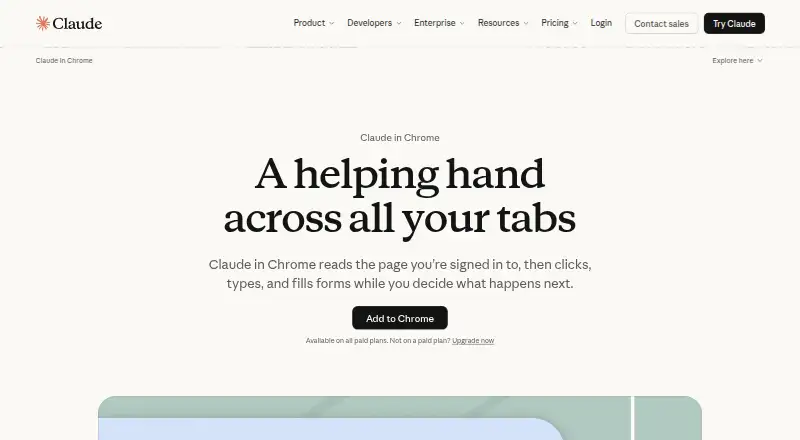
Claude in Chrome is a browser extension that lets Claude read webpages, click, type, navigate and fill forms while you browse.
What Claude in Chrome is
Claude in Chrome is a browser extension that lets Claude read webpages, click, type, navigate and fill forms while you browse. Its Chrome side panel works beside the page for tasks such as summarizing tabs, extracting details and following multi-step site workflows. It can also carry out browser work in the background while you focus elsewhere. A separate safety check reviews browser actions for risk and hidden site instructions before Claude acts; purchases, financial actions and other one-way actions wait for user approval. Claude Code can work in a terminal while the extension tests and verifies the result in a browser. The extension is available on paid Claude plans, including Pro, Team, Max and Enterprise. Pro is listed at $17 per month with an annual subscription discount, with $200 billed up front; the monthly billing price is $20. Claude in Chrome requires Google Chrome and is not supported on other Chromium-based browsers or mobile devices. Anthropic warns that browser protections against prompt injection are not foolproof and recommends avoiding financial transactions, password management and workflows involving sensitive personal data.
Good
- Can summarize tabs and extract page details
- Can fill forms and navigate websites
- Background browser tasks let users focus elsewhere
- One-way actions wait for user approval
- Claude Code can pair with browser verification
Watch out
- Requires Google Chrome
- Not supported on mobile devices
- Not supported on other Chromium-based browsers
- Prompt-injection protections are not foolproof
Who it suits
It may suit people who want Claude to summarize, extract information from or carry out tasks on webpages in Chrome. The approval steps and safety warning matter for anyone considering sensitive or financial browser workflows.
Verdict
Claude in Chrome can assist with browser tasks, but it is limited to Google Chrome and paid Claude plans. Anthropic cautions against using it for financial transactions, password management or sensitive personal data workflows.
Plans and prices
From Claude in Chrome's own pricing page, checked 19 Oct 2026.
| Plan | Price | What it gives you |
|---|---|---|
| Free | Free | web, desktop and mobile chat · web search · files and code · memory · connectors · Artifacts · Free for everyone |
| Pro | $17 a month | more usage · Claude Code · Projects · more models · Claude in Chrome · Microsoft 365 · $200 billed up front annually; $20 billed monthly |
| Enterprise | $20 a month | spend limits · role-based access · SCIM · audit logs · compliance API · retention controls · IP allowlisting · HIPAA-ready option · US$20 per seat monthly, billed annually; 20-seat minimum, plus usage at API rates |
| Team | $20 a month | Teams of 2 to 150 · Claude in Chrome · Claude Code and Cowork · central administration · SSO · connector controls · Per seat / month if billed annually. $25 if billed monthly. |
| Team Standard seat | $20 a month | all Claude features · more usage than Pro · administration · SSO · connectors controls · Per seat monthly when billed annually; $25 monthly billing |
| Max | $100 a month | 5x or 20x Pro usage · higher output limits · priority access · $100-$200 monthly API credits · From $100 per month |
| Team Premium seat | $100 a month | 5x Standard usage · Claude Code and Cowork · Design, Slides and Docs · Microsoft 365 · Per seat monthly when billed annually; $125 monthly billing |
The facts
Each one read from Claude in Chrome's own pages, with the date it was checked.
What it does
- Analytics extraction
- Anthropic describes using it to navigate analytics dashboards, extract metrics and compile summaries without exports.checked 19 Oct 2026
- API
- The Claude API is a REST API at api.anthropic.com with Messages and Message Batches endpoints.checked 19 Oct 2026
- Background tasks
- Anthropic says workflows can continue in the background while the user works elsewhere.checked 19 Oct 2026
- Calendar and email
- It can read calendar and email context, identify meeting preparation needs and book missing rooms.checked 19 Oct 2026
- Claude Code integration
- Claude Code can build a site, use the extension to test it, and inspect console logs, network requests and DOM state.checked 19 Oct 2026
- Claude Cowork
- On Max and Team, rolling out to Pro, and when enabled by Enterprise administrators, the side panel runs as a Claude Cowork session.checked 30 Sep 2026
- Compliance
- Anthropic's Trust Center lists SOC 2 Type II, ISO 27001:2022, ISO/IEC 42001:2023, HIPAA, and FedRAMP High compliance resources.checked 30 Sep 2026
- Compliance limitation
- Claude in Chrome is not covered by Anthropic's HIPAA business-associate agreement, even when enabled in a HIPAA-configured organization.checked 19 Oct 2026
- CRM integration
- It can match calendar attendees to Salesforce contacts and draft activity logs for approval.checked 19 Oct 2026
- Cross-tab work
- The extension can organize tabs into a Claude tab group and operate across multiple tabs.checked 19 Oct 2026
- Data exposure
- Screenshots of visible tab content become part of the conversation, and Claude cannot filter sensitive information from those screenshots.checked 19 Oct 2026
- Documentation depth
- The platform documentation covers authentication, API versions, pagination, rate limits, cloud access, SDKs and a browser playground.checked 19 Oct 2026
- Enterprise administration
- Enterprise administrators can enable or disable the extension, deploy it through Chrome management tools and restrict sites with allowlists or blocklists.checked 19 Oct 2026
- Everyday tools
- The product page describes workflows involving Google Drive, calendars and email, Salesforce, promotional email cleanup, and competitor research.checked 30 Sep 2026
- Funding news
- Anthropic announced on February 12, 2026 that it raised $30 billion in Series G funding at a $380 billion post-money valuation.checked 19 Oct 2026
- General availability date
- Anthropic announced Claude in Chrome generally available on all paid Claude plans on August 26, 2026.checked 19 Oct 2026
- Google Drive organization
- It can sort Drive files into folders and flag duplicates or old files for review.checked 19 Oct 2026
Where it runs
- Browser automation
- Claude in Chrome reads pages and can click, type, navigate, and fill forms while you browse.checked 30 Sep 2026
- Browser requirement
- The extension requires Google Chrome and is unsupported on other Chromium browsers and mobile devices.checked 19 Oct 2026
- Browser support limit
- Claude in Chrome requires Google Chrome and is not supported on other Chromium-based browsers or mobile devices.checked 30 Sep 2026
The company
- Company founding
- The Associated Press reports that Anthropic was founded by former OpenAI employees in 2021.checked 19 Oct 2026
- Company headquarters
- Crunchbase lists Anthropic's headquarters in San Francisco, California, United States.checked 19 Oct 2026
- Company identity
- Anthropic is a privately held AI safety and research company; LinkedIn lists 501-1,000 employees and 6,244 discoverable employees.checked 19 Oct 2026
- Company legal form
- Anthropic describes itself as a Public Benefit Corporation.checked 19 Oct 2026
The full review of Claude in Chrome
Claude in Chrome is a Claude-powered browser assistant for reading pages and carrying out multi-step tasks in Chrome. It suits people who already rely on Claude and want help with research or routine work across websites. Its browser access is useful, but Chrome exclusivity and the warnings around sensitive tasks sharply define where it belongs.
Overview
The side panel keeps Claude beside the page, where it can summarize tabs, extract details, and carry out step-by-step site work. It can also use logins already active in the browser to reach internal tools, legacy portals, admin consoles, and invoice systems. That flexibility is valuable when work happens in browser-based systems, though it makes Anthropic’s security warning especially important.
Claude can continue browser workflows in the background while you focus elsewhere. A separate safety check reviews actions for risk and hidden site instructions, and purchases, financial actions, and other one-way-door actions pause for user approval. These are useful safeguards, not a guarantee: Anthropic says prompt-injection protections are not foolproof and recommends avoiding financial transactions, password management, and sensitive personal-data workflows.
Key features
Page work and research
Claude can read pages, click, type, navigate, and fill forms. That covers practical research and routine browser tasks without requiring the user to move information manually between pages. The side panel’s tab summaries and detail extraction are particularly suited to work that involves collecting or comparing information across open pages.
Workflows and integrations
Examples include working with Google Drive, calendars and email, Salesforce, promotional email cleanup, and competitor research. These examples make the breadth of intended use clear, but the product is still constrained by its browser requirements and security cautions; it is not a sensible place to delegate sensitive account or financial work.
Claude Code and Cowork
Claude Code can build in a terminal while the Chrome extension tests and verifies the result in a browser, a useful pairing for developers who want browser checks alongside terminal work. On Max and Team, Cowork can run in the side panel; it is rolling out to Pro and can be enabled for Enterprise by administrators. That makes access to the broader workflow dependent on plan and, for Enterprise, administrator settings.
Pricing
The free Claude plan costs nothing and includes web, desktop, and mobile chat, web search, file creation and code execution, memory, app and tool connections, and Artifacts. It does not include Claude in Chrome, which is available on paid Claude plans.
- Pro: $17 a month with an annual subscription discount ($200 billed up front); $20 if billed monthly. It adds more usage, scheduled tasks, Claude Code, Projects, more models, and Claude in Chrome. This is the clearest fit for an individual who wants browser assistance without a team workspace.
- Max: $100 a month. It offers a choice of 5x or 20x more usage than Pro, higher output limits, early access, and priority access. It suits heavier Claude users, though its higher price is difficult to justify if browser tasks are only occasional.
- Team: $20 per seat / month if billed annually; $25 if billed monthly. Teams of 2 to 150 get Claude in Chrome, Claude Code and Cowork, central administration, SSO, and connector controls. The per-seat structure and minimum team size make it a poor fit for a solo user.
- Enterprise: $20 a year, billed annually; usage cost scales with model and task. It includes API-rate usage, spend limits, role-based access, SCIM, audit logs, compliance API, custom retention, IP allowlisting, and a HIPAA-ready offering. Its organization controls suit managed deployments, but variable usage costs matter when forecasting spend.
The listed Enterprise amount is not comparable to a fixed monthly seat price: usage costs scale with model and task. The Trust Center lists SOC 2 Type II, ISO 27001:2022, ISO/IEC 42001:2023, HIPAA, and FedRAMP High compliance resources, but those resources do not remove the product’s warning against sensitive browser workflows.
Platforms
Despite the broader Claude platform lineup, Claude in Chrome requires Google Chrome. It is not supported in other Chromium-based browsers or on mobile devices, so it is not the choice for people who need browser automation across browsers or phones.
Who it's for
Choose it if you already use a paid Claude plan and want help with research, form filling, or repetitive multi-step work in Chrome, especially across browser-based tools. Developers may also value the pairing between Claude Code and browser verification. Look elsewhere if Chrome is not your browser, if mobile browser control is essential, or if the task involves passwords, financial transactions, or sensitive personal information.
Pros and cons
- Pro: It can read, navigate, and act on web pages, including filling forms, making it useful for work that spans multiple browser steps.
- Pro: Background workflows, tab summaries, and access through existing browser logins can reduce manual work across everyday tools and internal systems.
- Pro: Risk checks and approval pauses add human oversight for purchases and other one-way actions.
- Con: It requires Google Chrome and does not support other Chromium browsers or mobile devices.
- Con: Anthropic’s prompt-injection protections are not foolproof, and it advises against several sensitive categories of work.
- Con: Browser use requires a paid Claude plan, while team access starts at two seats and Enterprise usage costs scale with model and task.
Alternatives
For other options in the category, browse AI Browser Agents.
- Gemini is a freemium option with a free plan and web, Windows, Mac, iOS, and Android platforms; choose it if broader platform reach matters more than Claude in Chrome’s Chrome-specific browser control.
- Comet is free to download and supports Android, iOS, Mac, and Windows; consider it if a free, multi-platform option is the priority.
- Genspark AI Browser offers an On-Device Free AI plan with 169 open-weight models, no internet requirement, and no subscriptions or limits; it may suit readers seeking that on-device model approach.
- Muse has a free plan with usage that refreshes periodically and paid plans including Power at $20 a month; consider it if those plan terms better match your expected use.
- Skyvern offers a free plan with 5,000 credits and one concurrent run, plus a Hobby plan at $29 a month with 30,000 credits per month and 10 concurrent runs; choose it if those stated run limits fit your needs.
- Strawberry Browser has Intern at $20 a month with 8,000 credits per month and a $10 charge per extra 1,000 credits; consider it if that credit-based plan fits your workload.
- UseAgent is free during early access, with provider and computer spend billed to your own accounts; consider it if that billing arrangement suits your setup.
- Fellou is a freemium option for macOS; consider it if you want an alternative limited to that platform.
Verdict
Claude in Chrome is a strong fit for paid Claude users who want an assistant to gather information and handle routine, multi-step work inside Google Chrome. The ability to act across pages and existing browser sessions is its main draw; the Chrome-only limit and explicit warnings around sensitive tasks are the main reasons to choose another tool.
Getting started
- Visit the Claude in Chrome website.
- Choose a paid Claude plan, such as Pro, Team, Max or Enterprise.
- Use Google Chrome, which the extension requires.
- Open the Chrome side panel to summarize tabs, extract details or start a site task.
- Review and approve purchases, financial actions and other one-way actions.
Limits worth knowing
Google Chrome is required; other Chromium-based browsers and mobile devices are not supported. Anthropic advises avoiding financial transactions, password management and sensitive personal-data workflows because browser prompt-injection protections are not foolproof.
Questions
Is Claude in Chrome free?
The extension is available on paid Claude plans.
How much does Pro cost?
Pro is $17/user/mo with annual billing, with $200 billed up front. Monthly billing costs $20.
Which browsers and devices are supported?
Claude in Chrome requires Google Chrome and is not supported on other Chromium-based browsers or mobile devices.
What can it do in the browser?
It can read pages, click, type, navigate and fill forms. The side panel can summarize tabs, extract details and handle step-by-step site tasks.
Does it ask before purchases or financial actions?
Yes. Purchases, financial actions and other one-way actions wait for user approval.
What security caution does Anthropic give?
Anthropic says browser prompt-injection protections are not foolproof and recommends avoiding financial transactions, password management and sensitive personal-data workflows.
Alternatives to Claude in Chrome
- 1

Gemini
Free planAndroidiOSWebAPI8.4Free plan - 2

Genspark AI Browser
Free planAndroidiOSWebExtension8.1From $19.99 a month - 3
 7.7
7.7 - 4
BrowserOS
Free planOpen sourceAPIExtensionLinuxmacOS7.6Free plan - 5

Retriever AI
Free planWebAPIExtension7.4From $9.99 a month - 6
Muse
Free planAndroidiOSWeb7.1From $20 a month