
Capacitra
Capacitra is a free, offline storage analyzer for Windows that maps disk usage through treemaps, trees, and charts.
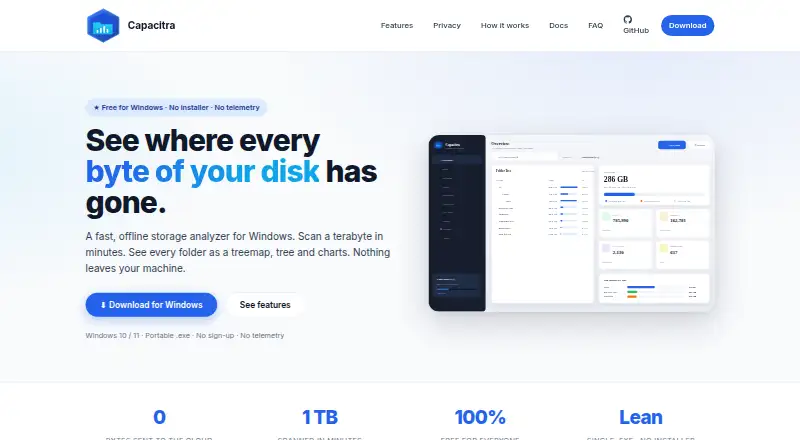
What Capacitra is
Capacitra is a free, offline storage analyzer for Windows that maps disk usage through treemaps, trees, and charts. Its multithreaded crawler scans complete drives or chosen folders while results remain browsable during scanning. A squarified treemap, pie and bar charts, file-type categories, and file-age cohorts provide several ways to inspect storage. The duplicate finder groups files by size and verifies matches with SHA-1. Reports can be exported as CSV, HTML, PDF, or Excel, while portable scan snapshots can be saved and compared. A scriptable command-line interface supports headless scans, and Windows Task Scheduler can run daily scans. Files and folders can be sent to the Recycle Bin from the app; Capacitra says it never hard-deletes them. Scans stay on the computer, with no telemetry, analytics, crash reporter, or cloud uploads according to the maker. It can scan mapped drives and UNC paths. The portable single-file executable is GPLv3 software.
Good
- Free for personal and commercial use
- Multiple disk-usage visualizations
- Exports CSV, HTML, PDF, and Excel
- Duplicate verification uses SHA-1
- No telemetry or cloud uploads
Watch out
- Windows-only desktop software
- No time-limited trial because plan is free
Who it suits
Capacitra suits Windows users who want local disk analysis, duplicate checking, reports, and scheduled scans. It also fits personal or commercial use where portable, offline software is preferred.
Verdict
Capacitra combines detailed storage views with reporting, snapshots, duplicate checks, and command-line automation. Its local-only operation and Recycle Bin handling make it suitable for cautious storage cleanup.
Plans and prices
From Capacitra's own pricing page, checked 11 Oct 2026.
| Plan | Price | What it gives you |
|---|---|---|
| Free | Free | Windows 10 & 11 (x64) · Free for personal and commercial use · No locked features · No time-limited trial |
The facts
Each one read from Capacitra's own pages, with the date it was checked.
What it does
- Automation
- Capacitra provides a scriptable command line interface for headless scans and can schedule daily scans through Windows Task Scheduler.checked 11 Oct 2026
- Distribution and license
- Capacitra is a portable single-file Windows executable, released under the GNU General Public License v3.checked 11 Oct 2026
- Duplicate detection
- The duplicate finder groups files by size and verifies them with SHA-1.checked 11 Oct 2026
- Exportable reports
- Yeschecked 22 Sep 2026
- File handling
- Users can move files or folders to the Recycle Bin from the app, which says it never hard-deletes them.checked 11 Oct 2026
- File-type breakdown
- Yeschecked 22 Sep 2026
- Network shares
- Capacitra can scan mapped drives or UNC network paths, with results kept on the local machine.checked 11 Oct 2026
- Privacy
- The maker says scans stay on the computer and the app has no telemetry, analytics, crash reporter or cloud uploads.checked 11 Oct 2026
- Purpose
- Capacitra is an offline storage analyzer for Windows that shows disk usage as a treemap, tree and charts.checked 11 Oct 2026
- Reports and snapshots
- It exports CSV, HTML, PDF and Excel reports and can save and compare portable scan snapshots.checked 11 Oct 2026
- Scanning
- Its multithreaded crawler can scan drives or selected folders while users browse results as the scan runs.checked 11 Oct 2026
- Scan scope
- files_folderschecked 22 Sep 2026
- Support
- The maker asks users to report bugs by email and says replies usually arrive within a couple of working days.checked 11 Oct 2026
- Treemap view
- Yeschecked 22 Sep 2026
- Visualization
- The app includes a squarified treemap, pie and bar charts, file type categories and file age cohorts.checked 11 Oct 2026
Where it runs
- Desktop platforms
- windowschecked 22 Sep 2026
Money
- Free plan
- Yeschecked 22 Sep 2026
Alternatives to Capacitra
- 1

WizTree
Free planmacOSWindows8.0Free plan - 2
LumaDisk
Free planmacOSWindows7.9$6.89 one-time - 3

Disk Usage Analyzer
Free planOpen sourceLinuxmacOS7.7Free plan - 4

FolderSizes
Free planWindows7.7$30 one-time - 5
SizeTrend
Free planWindows7.7$69.99 one-time - 6
dust
Free planOpen sourceLinuxmacOSWindows7.6Free plan