Bullzip PDF Printer
Bullzip PDF Printer works as a Microsoft Windows printer to create PDF documents from virtually any Windows application.
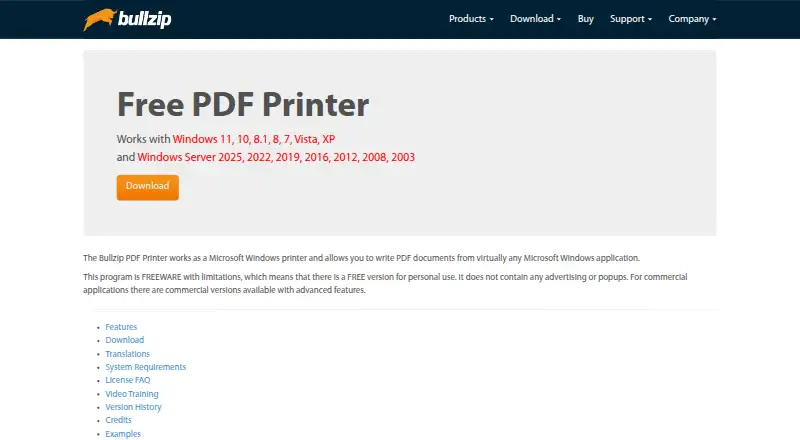
What Bullzip PDF Printer is
Bullzip PDF Printer works as a Microsoft Windows printer to create PDF documents from virtually any Windows application. It can also produce EPS, PS, BMP, PNG, JPEG, PCX, and TIFF files. Listed PDF tools include document properties, watermarks, backgrounds and stamps, merging, appending, PDF/A-1b, and linearized PDFs. Security and workflow features vary by edition: password protection is listed across editions, while AES protection and certificate-file signing are available in Professional and Expert. Expert also supports certificates from the certificate store. The product includes a command-line interface and .NET, COM Automation, and COM OCX APIs. Professional and Expert support Terminal Server, RDP, and Citrix, and include FTP uploads; SFTP uploads are listed for Expert. The free Community Edition is intended for personal projects or a small one-person company. Paid licenses are one-time purchases: Standard costs $29, Professional $69, and Expert $139. Listed Windows support includes Windows 11, 10, 8.1, 8, 7, Vista, XP, and several Windows Server versions. Bullzip says logs and temporary files are stored locally and cleaned up after completion unless debug mode is used.
Good
- Creates PDFs from Windows applications
- Can output eight listed file formats
- Includes command-line and API options
- Community Edition is available free
- Paid licenses are one-time purchases
Watch out
- Free edition is limited to personal projects or a small one-person company
- SFTP upload is listed only for Expert
- Expert costs $139 once
Who it suits
Bullzip PDF Printer suits Windows users who want to create PDFs from applications or need other listed output formats. Its editions also address users who need features such as certificate signing, server support, or file uploads.
Verdict
Bullzip PDF Printer covers document creation and a range of PDF features, with advanced security and workflow options varying by edition. Compare the edition limits and one-time prices before choosing.
Plans and prices
From Bullzip PDF Printer's own pricing page, checked 10 Oct 2026.
| Plan | Price | What it gives you |
|---|---|---|
| Community Edition | Free | Free community edition; free for personal use · Free for personal projects or a small one person company |
| Standard | $29, paid once | Single user; home users; no Terminal Server, RDP, or Citrix · Single payment (not a recurring subscription) |
| Professional | $69, paid once | Single user; professional users · Single payment (not a recurring subscription) |
| Expert | $139, paid once | Single user; lawyers, brokers, and advanced users · Single payment (not a recurring subscription) |
The facts
Each one read from Bullzip PDF Printer's own pages, with the date it was checked.
The company
- Company background
- Bullzip.com says its site launched in 2002 and identifies BioPDF as the developer of PDF Printer.checked 10 Oct 2026
- Headquarters
- Ålsgårde, Denmarkchecked 28 Sep 2026
What it does
- Deployment
- Professional and Expert include MSI packages for Group Policy installation; the download page also describes preparing an offline installation with prerequisites.checked 10 Oct 2026
- Digital signatures
- Professional and Expert support signing PDFs with a certificate in a file; Expert also supports certificates from the certificate store.checked 10 Oct 2026
- File transfer
- Professional and Expert support FTP uploads, while SFTP upload is listed for Expert.checked 10 Oct 2026
- Installer security
- Bullzip says its downloadable installer is signed with an EV certificate and that it analyzes the installer with multiple scanners.checked 10 Oct 2026
- Integrations and APIs
- The product lists a command-line interface, Microsoft .NET API, COM Automation API, and COM OCX API.checked 10 Oct 2026
- Output formats
- It supports output to PDF, EPS, PS, BMP, PNG, JPEG, PCX, and TIFF.checked 10 Oct 2026
- PDF features
- Listed PDF features include document properties, watermarks, backgrounds and stamps, merging, appending, PDF/A-1b, and linearized PDFs.checked 10 Oct 2026
- Privacy
- Bullzip says the software does not send information back to the company and that logs and temporary files are stored locally and cleaned up after completion unless debug mode is used.checked 10 Oct 2026
- Purpose
- Bullzip PDF Printer works as a Microsoft Windows printer to create PDF documents from virtually any Windows application.checked 10 Oct 2026
- Security features
- The edition comparison lists 40/128-bit password protection across editions, AES 128/256-bit protection in Professional and Expert, and FIPS-compliant algorithms in Expert.checked 10 Oct 2026
- Server support
- Professional and Expert editions support Terminal Server, RDP, and Citrix.checked 10 Oct 2026
- Support
- Paid licenses include one year of support and updates, and support is provided by email to one named person at the customer's company.checked 10 Oct 2026
Money
- Free edition limits
- The product is freeware with limitations, and the site describes the free community edition for personal projects or a small one person company.checked 10 Oct 2026
Where it runs
- Windows support
- The product page lists Windows 11, 10, 8.1, 8, 7, Vista, and XP, plus several Windows Server versions.checked 10 Oct 2026