
BookWidgets
BookWidgets is a content creation and evaluation tool that lets teachers build digital exercises and activities and share them with students.
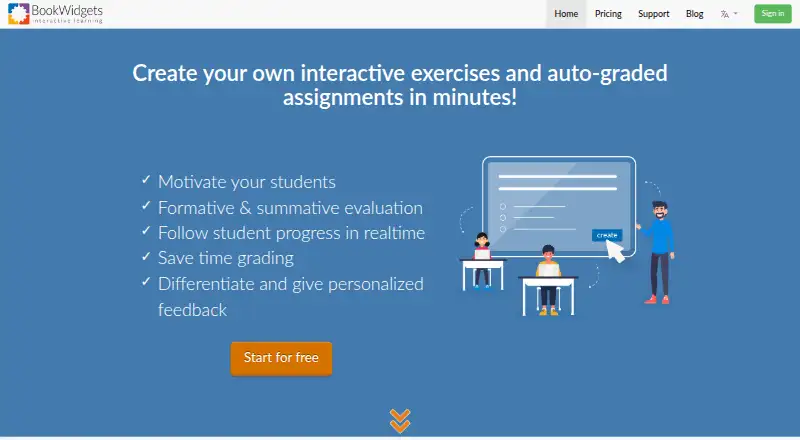
What BookWidgets is
BookWidgets is a content creation and evaluation tool that lets teachers build digital exercises and activities and share them with students. Its library includes more than 40 widget types, including quizzes, worksheets, games, and interactive activities. Quiz, Video Quiz, Worksheet, and Split Worksheet activities offer 36 question types, 30 of which can be automatically graded. Teachers can use activities for formative and summative assessment, monitor progress, and collect, review, grade, and return student work with feedback. Integrations include Google Classroom, Microsoft Teams, Canvas, Moodle, Schoology, Blackboard, Brightspace, itslearning, and Smartschool. Through a connected learning management system, teachers can monitor students in real time and synchronize grades; students may be logged in automatically. Students can access activities through a link, LMS, QR code, or short code without logging into BookWidgets. A free 30-day trial includes unlimited widget creation. Without an active subscription, users cannot create or edit widgets, and LMS integrations stop working.
Good
- Offers more than 40 activity types.
- 30 of 36 question types can be automatically graded.
- Teachers can review and return work with feedback.
- Integrates with multiple learning management systems.
- Students can access activities without a BookWidgets login.
Watch out
- Cannot create or edit widgets without an active subscription.
- LMS integrations stop working without an active subscription.
- Student work is kept for at least six years unless removed.
Who it suits
BookWidgets suits teachers who want to create digital exercises, assess student work, and share activities through an LMS or web link. Its range of question types may suit teachers who need both automatically graded and teacher-reviewed work.
Verdict
BookWidgets combines activity creation, assessment, and student-work review, with LMS integrations and several ways to share activities. Consider the subscription requirement for continued editing and LMS use, and the stated retention period for submitted work.
Plans and prices
From BookWidgets's own pricing page, checked 3 Oct 2026.
| Plan | Price | What it gives you |
|---|---|---|
| Free plan | Free | Collect, review, and grade student work |
The facts
Each one read from BookWidgets's own pages, with the date it was checked.
What it does
- Accessibility
- The VPAT describes keyboard shortcuts, alternative text, high-contrast mode, and regular assistive-technology compatibility testing.checked 3 Oct 2026
- Activity library
- Teachers can choose from over 40 widget types, including quizzes, worksheets, games, and interactive activities.checked 3 Oct 2026
- Activity templates
- The widget library offers over 40 widget types.checked 2 Oct 2026
- Assessment
- Teachers can use the activities for formative and summative assessment.checked 2 Oct 2026
- Assessment and feedback
- Teachers can monitor student progress and collect, review, grade, and return student work with feedback.checked 3 Oct 2026
- Integrations
- BookWidgets lists integrations with Google Classroom, Microsoft Teams, Smartschool, Canvas, Schoology Learning, Blackboard, Itslearning, and D2L Brightspace.checked 3 Oct 2026
- Integration standard
- BookWidgets says it supports integration with learning management systems, content management systems, and websites through the LTI 1.0 standard.checked 2 Oct 2026
- LMS capabilities
- When shared through a connected LMS, teachers can monitor students in real time and synchronize grades; students can be automatically logged in to widgets.checked 2 Oct 2026
- LMS integrations
- BookWidgets lists integrations including Google Classroom, Microsoft Teams, Canvas, Moodle, Schoology, Blackboard, Brightspace, itslearning, and Smartschool.checked 2 Oct 2026
- LTI support
- BookWidgets says it supports integration with learning management systems, content management systems, and websites through the LTI 1.0 standard.checked 3 Oct 2026
- Privacy
- The privacy policy says personal data is processed under applicable data protection law, including GDPR, and that platform data is stored on servers in the European Economic Area.checked 3 Oct 2026
- Purpose
- BookWidgets is an internet-based content creation and evaluation tool for teachers to create interactive activities and auto-graded assignments.checked 3 Oct 2026
- Question types
- Quiz, Video Quiz, Worksheet, and Split Worksheet activities offer 36 question types, 30 of which can be automatically graded.checked 3 Oct 2026
- Security
- The privacy policy says the company uses technical and organizational measures to protect personal data and has a breach response plan.checked 2 Oct 2026
- Security measures
- The privacy policy says BookWidgets uses technical and organizational measures against unauthorized processing, loss, destruction, or access, and has a breach response plan.checked 3 Oct 2026
- Student access
- The VPAT says students do not log in to BookWidgets; teachers share activities through a web link, LMS integration, QR code, or short code.checked 2 Oct 2026
- Student work retention
- Submitted student work is kept for at least six years unless it is manually removed or the associated account is removed.checked 3 Oct 2026
- Subscription limitation
- Without an active subscription, users cannot create or edit widgets, and LMS integrations cease to work.checked 2 Oct 2026
- Support
- The pricing page directs users who need help during the trial to contact BookWidgets for support.checked 3 Oct 2026
The company
- Company
- The company page lists Kidimedia's mailing address in Kortenberg, Belgium, and a BookWidgets office in Lummen, Belgium.checked 3 Oct 2026
- Company location
- The privacy policy identifies Kidimedia BV as a Belgian company with a registered seat in Kortenberg, Belgium.checked 2 Oct 2026
- Headquarters
- Lummen, Belgiumchecked 28 Sep 2026
Money
- Trial
- BookWidgets offers a free 30-day trial with the ability to create as many widgets as desired.checked 3 Oct 2026
The full review of BookWidgets
Overview
BookWidgets is a digital exercise and assessment tool for teachers. Educators can create activities, share them with students, then collect and evaluate the work they submit. Activities can be used for formative assessment while a topic is being taught or for summative assessment at the end of a learning period.
The library contains more than 40 widget types, including quizzes, worksheets, games, and interactive activities. Teachers can follow student progress, review and grade submissions, and return work with feedback. The platform lists multimedia content, branching paths, live lesson delivery, and learner analytics, with both online and in-person delivery modes.
Students do not need a BookWidgets login to open an activity. Teachers can share work using a web link, QR code, short code, or connected learning management system (LMS). Through an LMS, teachers can monitor work in real time and synchronize grades; students can also be logged into widgets automatically.
BookWidgets is operated by Kidimedia BV, a Belgian company. Its privacy policy says personal data is stored in the European Economic Area and describes GDPR-related processing.
Key features
Activities and question formats
Teachers can choose from more than 40 activity templates. Quiz, Video Quiz, Worksheet, and Split Worksheet activities include 36 question types, of which 30 can be automatically graded. This gives teachers a range of ways to set work and reduce manual marking for supported questions.
Assessment and student work
BookWidgets supports both formative and summative assessment. Teachers can track student progress, collect and review completed work, assign grades, and send work back with feedback. Submitted student work is retained for at least six years unless it is manually deleted or the associated account is removed.
LMS connections
Listed integrations include Google Classroom, Microsoft Teams, Canvas, Moodle, Schoology Learning, Blackboard, D2L Brightspace, itslearning, and Smartschool. BookWidgets also describes support for connecting with learning management systems, content management systems, and websites through the LTI 1.0 standard.
Sharing through a connected LMS enables real-time monitoring and grade synchronization, and can automatically log students in to widgets. Without an active subscription, LMS integrations stop working.
Privacy, security, and accessibility
The privacy policy says BookWidgets uses technical and organizational safeguards against unauthorized processing, loss, destruction, or access to personal data, and has a plan for responding to breaches. Its accessibility statement describes keyboard shortcuts, alternative text, and a high-contrast mode, as well as regular compatibility testing with assistive technologies.
Pricing
BookWidgets lists a free plan at no cost, described as a way to collect, review, and grade student work. The service is also marked as paid, and a free 30-day trial is available with unlimited widget creation. The pricing page says prospective users can contact the company for support during the trial and invites questions by email at [email protected].
There is an important limitation after a subscription ends: users cannot create or edit widgets, and LMS integrations cease to work. Teachers considering the free plan should account for that restriction when deciding whether it covers their ongoing needs.
Platforms
BookWidgets is listed for iOS and the web. Student activities can be delivered online or in person, using links, QR codes, short codes, or an LMS connection.
Who it's for
BookWidgets is aimed at teachers who want to build digital exercises and activities, distribute them to students, and gather work for review and grading. It may suit educators who use a supported LMS and value real-time progress monitoring or grade synchronization, as well as those who want automatically graded question formats alongside teacher-reviewed work.
The no-login student access options are useful for distributing activities without asking learners to create BookWidgets accounts. Schools and teachers handling student submissions should also consider the stated retention period and the account and subscription requirements.
Pros and cons
- Pros: More than 40 activity types and 36 question formats across selected activities.
- Pros: 30 question types can be automatically graded, and teachers can return work with feedback.
- Pros: LMS connections support real-time monitoring, grade synchronization, and automatic student login.
- Pros: Students can access activities by several methods without logging in to BookWidgets.
- Cons: Creating and editing widgets requires an active subscription; LMS integrations also stop when the subscription is inactive.
- Cons: Submitted student work is retained for at least six years unless manually removed or the related account is deleted.
Alternatives
For other tools in this category, see our Interactive Lesson Makers list. Alternatives include Deck.Toys, eXeLearning, Mindsmith, Easygenerator, H5P, LAMS, ScenarioSplice, and LessonFlow.
Verdict
BookWidgets brings activity creation, assessment, feedback, and LMS delivery into one teacher-focused tool. Its broad widget library, automatic grading for many question types, and options for tracking and returning student work are central strengths. The main consideration is the subscription dependency: without an active plan, teachers lose the ability to create or edit widgets and LMS integrations no longer work. The free option and 30-day trial provide ways to assess fit, but ongoing use should be weighed against those access limits and the six-year minimum retention period for student work.
Getting started
- Open the BookWidgets website
- Start the free 30-day trial or choose the Free plan
- Create an activity from one of the available widget types
- Share it by web link, LMS integration, QR code, or short code
- Connect a supported LMS for monitoring and grade synchronization
- Collect, review, grade, and return student work with feedback
Limits worth knowing
Without an active subscription, users cannot create or edit widgets, and LMS integrations cease to work. The listed Free plan covers collecting, reviewing, and grading student work.
Questions
Is there a free plan?
Yes. The Free plan costs nothing and supports collecting, reviewing, and grading student work.
How long is the trial?
The free trial lasts 30 days and includes unlimited widget creation.
Which learning platforms integrate with BookWidgets?
Listed integrations include Google Classroom, Microsoft Teams, Canvas, Moodle, Schoology, Blackboard, Brightspace, itslearning, and Smartschool.
Do students need a BookWidgets account?
No. Teachers can share activities through a web link, LMS integration, QR code, or short code.
Does BookWidgets support automatic grading?
Yes. Its Quiz, Video Quiz, Worksheet, and Split Worksheet activities offer 36 question types, 30 of which can be automatically graded.
What happens when a subscription ends?
Users cannot create or edit widgets, and LMS integrations stop working without an active subscription.
Alternatives to BookWidgets
- 1

Nearpod
Free planAndroidiOSWebAPI8.3From $159 a year - 2
Wayground (formerly Quizizz)
Free planAndroidiOSWebExtension8.3From $18 a month - 3
Book Creator
Free planAndroidiOSWebmacOS8.1From $150 a year - 4
CK-12 FlexBook 2.0
Free planAndroidiOSWebExtension7.6Free plan - 5

CommonLit
Free planAndroidiOSWeb7.5From $4,200 a year - 6

Kahoot!
Free planAndroidiOSWebWindows7.5From $3 a month