Book Creator
Book Creator is a classroom publishing app where learners make content and demonstrate learning through multimedia books.
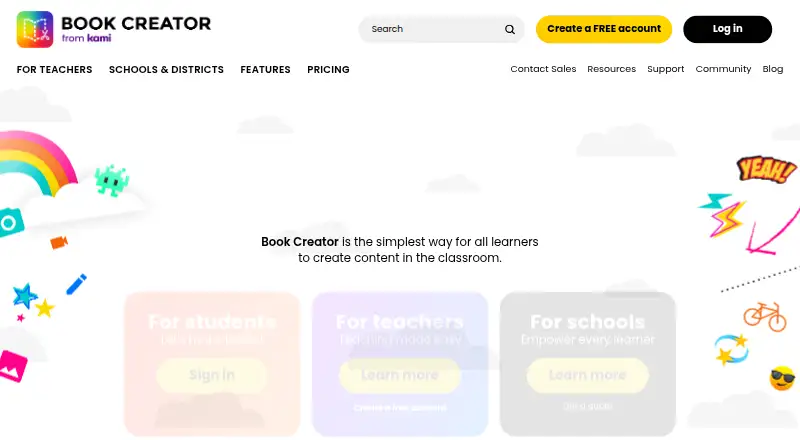
What Book Creator is
Book Creator is a classroom publishing app where learners make content and demonstrate learning through multimedia books. A book can combine text, images, audio and video, and users can record their own voice, images or video inside the app. Real-time collaboration lets students and teachers work together, while audio, video or text comments provide feedback. The product describes more than 130 built-in accessibility features, including speech-to-text, text-to-speech, screen-reader support and video captions. Translation can cover text, audio, comments, captions or an entire book. Finished books or libraries can be published, shared with QR codes, downloaded as ePub files or printed as PDFs. The free Starter plan provides one library with up to 40 books and unlimited students, plus a teacher’s private My Books library with another 40 books. The FAQ says there is no per-student cost or limit, and no limit on page count or audio or video duration. Book Creator runs on Android, iOS, macOS, web and Windows. Online use is compatible with Chrome, Safari and Edge; the iPad app requires iOS 15 or higher. Premium and Schools & Districts plans add broader libraries, collaboration, administration and integrations.
Good
- Combines text, images, audio and video in one book
- Includes more than 130 accessibility features
- Translates text, audio, comments, captions and whole books
- Supports real-time collaboration and multimedia comments
- Exports books as ePub or PDF
- Available on Android, iOS, macOS, web and Windows
Watch out
- Starter is limited to one library with up to 40 books
- The iPad app requires iOS 15 or higher
- Reflowable layout is not supported
Who it suits
Book Creator suits students, teachers, schools and districts creating accessible multimedia learning materials. It supports learners of all ages and abilities, including classes needing collaboration, translation, feedback or publishing options.
Verdict
Choose Book Creator for classroom projects that mix multimedia creation, accessibility and collaborative feedback. Consider another tool if you require reflowable layouts or need a published Premium or district price before choosing.
Plans and prices
From Book Creator's own pricing page, checked 14 Oct 2026.
| Plan | Price | What it gives you |
|---|---|---|
| Starter | Free | 1 library · 40 books · unlimited students · core creativity features |
| Book Creator for iPad | $3.99, paid once | offline iPad app · no login or Wi-Fi required · exports ePub, PDF and video · one-time purchase |
| Premium monthly | $14 a month | unlimited libraries · 1,000 books · real-time collaboration · Class View · translation · 900+ templates · co-teachers · premium AppSmashing apps · analytics map · in-app chat · per teacher, billed monthly |
| Premium annual | $150 a year | unlimited libraries · 1,000 books · paid admin and collaboration features · per teacher, billed annually |
| Premium | — | Unlimited libraries · 1,000 books · real-time collaboration · Class View · translation tool · over 900 page templates · co-teachers · in-app chat support · Annual subscription; the page does not state a price. |
| Schools & Districts | Priced on request | Premium plan for all teachers · admin dashboard · central libraries · K-12 student portfolios · live analytics · LMS, Clever and ClassLink integrations · custom professional development · dedicated Teacher Success Manager · Quote required; volume discounts listed for 5+ teachers. |
| Premium | — | Unlimited libraries · 1,000 books · real-time collaboration · Class View · translation tool · over 900 page templates · co-teachers · in-app chat support · Monthly subscription; the page does not state a price. |
The facts
Each one read from Book Creator's own pages, with the date it was checked.
What it does
- Accessibility
- The product advertises more than 130 built-in accessibility features.checked 14 Oct 2026
- Acquisition news
- Book Creator announced on 16 September 2025 that Kami had acquired it; accounts, content, billing and products were to remain unchanged.checked 14 Oct 2026
- Assignments and feedback
- Teachers can assign books to individuals or groups and comment with text, audio, video or stickers.checked 14 Oct 2026
- Audience
- The maker describes Book Creator as being for students, teachers, schools and districts, and says it supports learners of all ages and abilities.checked 28 Sep 2026
- Audio transcripts
- Recordings can receive automatically generated transcripts.checked 14 Oct 2026
- Collaboration and feedback
- Users can collaborate on books in real time and provide feedback with audio, video or text comments.checked 28 Sep 2026
- Current service issue
- The official site displayed a banner saying it was experiencing cloud-provider issues and working on resolution.checked 14 Oct 2026
- EU hosting limitation
- The company says an EU-only hosting option is not currently viable because Google Cloud's EU sovereign offering lacks required services.checked 14 Oct 2026
- Help documentation
- The Help Center lists 25 About articles, 15 Getting Started articles, 29 Creating Books articles, 27 Managing Books articles and dedicated collaboration, accessibility, sharing and administrator sections.checked 14 Oct 2026
- Identity integrations
- School plans support single sign-on with Google, Microsoft, Clever and ClassLink accounts.checked 14 Oct 2026
- Independent comparison limits
- Wifitalents says advanced design control, asset management, version tracking and complex multi-book automation are limited compared with professional tools.checked 14 Oct 2026
- Independent comparison praise
- Wifitalents rates Book Creator 8.4/10 and highlights its page-first drag-and-drop editor, interactive media embeds, exports and collaboration.checked 14 Oct 2026
- Integrations
- The pricing page lists LMS, Clever and ClassLink integrations for Schools & Districts, and SSO with Google, Microsoft, Clever or ClassLink accounts in its plan comparison.checked 28 Sep 2026
- Legal name and founder
- Crunchbase lists the legal name as Tools for Schools, Inc., founder Dan Amos, Bristol headquarters and 11–50 employees.checked 14 Oct 2026
- Limit: fixed-layout writing
- The iPad listing says fixed-layout books are unsuitable for long novels with reflowing text and that large text pastes are not supported.checked 14 Oct 2026
- Limit: speech bubbles and page controls
- The sole Trustpilot reviewer rated Book Creator 1 out of 5 and complained that pages were too small and speech bubbles were difficult to control.checked 14 Oct 2026
- LMS integration
- The product page identifies Canvas and Schoology integrations for assigning and grading projects.checked 14 Oct 2026
- Multimedia creation
- Books can combine text, images, audio and video, and users can record voice, images or video in the app.checked 28 Sep 2026
Where it runs
- Browser and device support
- The online app supports current Chrome, Safari and Edge browsers, while the iPad app requires iOS 15 or newer.checked 14 Oct 2026
- Digital portfolios
- Students can maintain portfolios of books across grade levels.checked 14 Oct 2026
The company
- Company identity
- LinkedIn lists Book Creator (Tools for Schools) as a privately held Bristol e-learning company founded in 2011 with 11–50 employees.checked 14 Oct 2026
- Founded
- 2011checked 28 Sep 2026
- Headquarters
- Bristol, England, United Kingdomchecked 28 Sep 2026
Money
- Free tier limits
- The Starter plan includes one library with up to 40 books and unlimited students; the FAQ says an additional 40 books are available in a teacher's private My Books library.checked 28 Sep 2026
The full review of Book Creator
Book Creator is a classroom-focused authoring tool where learners demonstrate understanding through multimedia books. It fits teachers, students, schools and districts, including mixed-age and accessibility-conscious classrooms. Its strongest case is flexible, collaborative project work; conventional reflowable ebook production is a poor fit.
Overview
Founded in 2011 and headquartered in Bristol, Book Creator is designed around learning rather than commercial publishing. Students can present work with writing, images, recordings and video, while teachers can share, comment and publish outcomes. The free Starter plan makes individual classroom adoption straightforward, but broader administration and several advanced tools sit in paid tiers.
Key features
Each book can combine text, images, audio and video, and users can record voice, images or video inside the app. That gives students alternatives to a purely written report and suits demonstrations, presentations and creative assignments. Real-time co-authoring and audio, video or text comments make group work and feedback practical, although real-time collaboration is reserved for Premium.
Accessibility is a substantial advantage. Book Creator describes more than 130 built-in accessibility features, including speech-to-text, text-to-speech, screen-reader support and video captions. Translation can cover text, audio, comments, captions and entire books, which is useful in multilingual classes; the translation tool is included with Premium.
Teachers can publish books or libraries, distribute books through QR codes, export EPUB files and print PDFs. Output is fixed-layout rather than reflowable, so it works better for deliberately designed classroom pages than for ebooks expected to rearrange themselves on different screens. Imports support PDF and EPUB, with EPUB import limited to EPUB files created in Book Creator.
For schools, the comparison includes LMS, Clever and ClassLink integrations, plus single sign-on through Google, Microsoft, Clever or ClassLink accounts. Book Creator says it is COPPA, FERPA and GDPR compliant, encrypts data in transit and at rest, and stores data in Google Cloud. It has also achieved SOC 2 certification; a report copy is available through a Teacher Success Manager.
Pricing
Starter
Starter costs nothing and provides one library with up to 40 books, unlimited students and core creativity features. A teacher also gets 40 additional books in a private My Books library. There is no per-student charge, no student limit, and no limit on page count or audio and video duration. This is a credible starting point for an individual teacher, but the library quota and lack of Premium collaboration, Class View, translation and templates constrain larger or more coordinated programmes.
Premium
Premium uses a monthly subscription with custom pricing. It adds unlimited libraries, capacity for 1,000 books, real-time collaboration, Class View, translation, more than 900 page templates, co-teachers and in-app chat support. It is the sensible tier for teachers running multiple groups or needing shared authoring and language tools, but buyers must obtain the price before budgeting.
Schools & Districts
Schools & Districts requires a quote, with volume discounts for five or more teachers. It includes Premium for all teachers, an admin dashboard, central libraries, K-12 student portfolios, live analytics, LMS/Clever/ClassLink integrations, custom professional development and a dedicated Teacher Success Manager. This is aimed at managed deployments rather than a single classroom, and the quote-based model requires procurement discussion.
Platforms
Book Creator runs on Android, iOS, macOS, Windows and the web. The online app supports Chrome, Safari and Edge. The separate iPad app requires iOS 15 or later.
Who it's for
Choose it for students and teachers building multimedia evidence of learning, especially where accessibility, translation, feedback and classroom sharing matter. Districts gain administrative and integration features in the highest tier. Look elsewhere if your priority is a reflowable ebook layout or a fully published Premium price.
Pros and cons
Pros
- Multimedia authoring: Text, images, audio and video let students present learning in varied formats.
- Deep accessibility: Speech-to-text, text-to-speech, screen-reader support and captions address diverse needs.
- Broad translation: Text, recordings, comments, captions and whole books can be translated.
- Generous classroom free tier: Unlimited students and no page or media-duration limits keep Starter usable for real projects.
- School controls: Portfolios, analytics, integrations and central libraries support district administration.
Cons
- Fixed layouts only: It cannot produce reflowable ebooks for readers who need adaptable text and page flow.
- Starter is capped: One 40-book library, plus the private 40-book allowance, may not suit expanding programmes.
- Key tools are paid: Collaboration, Class View and translation require Premium.
- Premium pricing is custom: Monthly cost is not published, complicating comparisons and budgeting.
Alternatives
Browse eBook Creation Software for a wider category view. Kotobee Author is a freemium option spanning Android, iOS, Linux, macOS, web and Windows, suited to interactive ebook and digital-publishing work. Plumati offers a free tier with AI tokens, storage, one book, one author seat and EPUB/Web exports, and also has a free trial. AnyFlip suits flipbook distribution, with a free plan offering daily opens, uploads and storage but watermarking. FlowPaper is a paid publishing product with a free, time-limited option and cloud hosting. Bloom provides a free basic tier for small projects. ePubEditor is a freemium web, Android and iOS choice with a free plan listed as free. Koberger offers free formatting and previews but requires Pro to export finished files. Vivliostyle is free, open-source typesetting software with no paid plan stated.
Verdict
Choose Book Creator for classroom projects that mix multimedia creation, accessibility and collaborative feedback. Its unlimited-student Starter plan is unusually practical, while Premium and district features extend it into managed school programmes. Consider another tool if you require reflowable layouts or need a published Premium or district price before choosing.
Getting started
- Open https://bookcreator.com/
- Use the web app or install the app for your supported platform
- Start with the free Starter plan or review Premium and Schools & Districts
- Create a library and add books with text, images, audio or video
- Invite collaborators or share feedback with comments
- Publish, share by QR code, download ePub or print PDF
Limits worth knowing
Starter includes one library with up to 40 books, plus up to 40 books in a teacher’s private My Books library. Premium lists unlimited libraries and 1,000 books; Schools & Districts requires a quote.
Questions
Is Book Creator free?
Yes. Starter costs nothing and includes one library with up to 40 books and unlimited students.
Which devices and browsers are supported?
It is available on Android, iOS, macOS, web and Windows. The online app works with Chrome, Safari and Edge; the separate iPad app requires iOS 15 or higher.
Can books be exported?
Users can download books as ePub files or print them as PDFs. The product supports fixed-layout books and imports PDFs and Book Creator-created EPUB files.
Does it support accessibility and translation?
Yes. Features include speech-to-text, text-to-speech, screen-reader support and video captions, while translation can cover text, audio, comments, captions and entire books.
What integrations are available?
Schools & Districts lists LMS, Clever and ClassLink integrations, with SSO using Google, Microsoft, Clever or ClassLink accounts.
Who is Book Creator designed for?
The maker describes it for students, teachers, schools and districts, supporting learners of all ages and abilities.
Alternatives to Book Creator
- 1

Nearpod
Free planAndroidiOSWebAPI8.3From $159 a year - 2
Wayground (formerly Quizizz)
Free planAndroidiOSWebExtension8.3From $18 a month - 3
CK-12 FlexBook 2.0
Free planAndroidiOSWebExtension7.6Free plan - 4

CommonLit
Free planAndroidiOSWeb7.5From $4,200 a year - 5
Kahoot!
Free planAndroidiOSWebWindows7.5From $3 a month - 6

Edpuzzle
Free planAndroidiOSWebExtension7.4From $13.75 a month