
BitRecover Microsoft 365 Backup Tool
BitRecover Microsoft 365 Backup Tool saves Microsoft 365 mailbox emails, contacts, and calendars to a computer or storage drive.
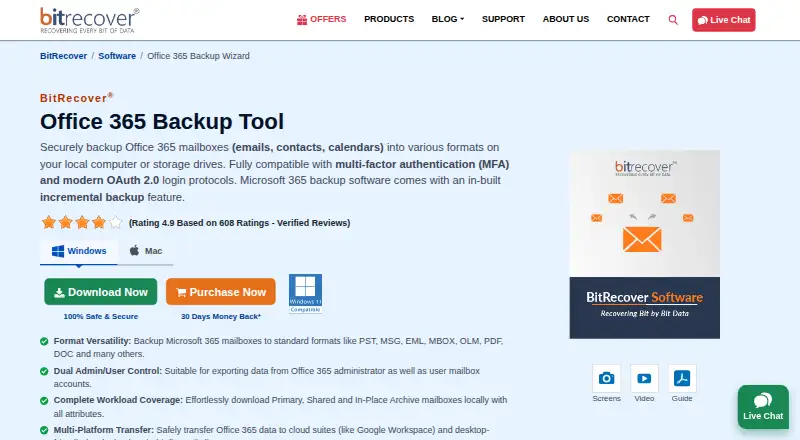
What BitRecover Microsoft 365 Backup Tool is
BitRecover Microsoft 365 Backup Tool saves Microsoft 365 mailbox emails, contacts, and calendars to a computer or storage drive. It handles primary, shared, and in-place archive mailboxes for administrator or user accounts. Filters can target senders, recipients, subjects, date ranges, or words, while excluding folders or limiting a run to sent items. Incremental backup skips previously saved emails and captures newer messages later. Export formats include PST, MSG, EML, EMLX, MBOX, PDF, HTML, MHT, XPS, RTF, DOC, and CSV. Listed transfer destinations include Google Workspace, Gmail, Outlook.com, Office 365, Yahoo, Rediffmail, Exchange Server, and IMAP Server. Microsoft Graph API, OAuth 2.0, MFA, and modern OAuth login are supported. Windows and macOS are listed platforms. The demo includes product features but saves up to 25 emails per folder.
Good
- Backs up emails, contacts, and calendars
- Supports primary, shared, and archive mailboxes
- Offers many export formats
- Includes filtering and incremental backup
- Supports MFA and OAuth 2.0
Watch out
- No free plan
- Demo saves up to 25 emails per folder
- Internet connection required for activation and use
Who it suits
It suits individuals, administrators, and organizations backing up Microsoft 365 mail data or transferring it to listed destinations. Windows and macOS users can choose licenses for personal, corporate, or enterprise use.
Verdict
BitRecover provides focused Microsoft 365 backup, filtering, export, and migration options across Windows and macOS. The demo is limited, so ongoing use requires a paid annual license.
Plans and prices
From BitRecover Microsoft 365 Backup Tool's own pricing page, checked 9 Oct 2026.
| Plan | Price | What it gives you |
|---|---|---|
| Standard License | $39 a year | 2 machines · standard formats · one-by-one backup · excludes enterprise server migration · One-Year License; page shows $39 (50% Off $78) |
| Pro License | $99 a year | 5 machines · enterprise server migration · one-by-one mailbox backup · priority support · One-Year License; page shows $99 (50% Off $198) |
| Migration License | $299 a year | 10 machines · enterprise server migration · batch mailbox conversion · priority support · One-Year License; page shows $299 (50% Off $598) |
The facts
Each one read from BitRecover Microsoft 365 Backup Tool's own pages, with the date it was checked.
What it does
- Authentication
- The product page says it uses Microsoft Graph API and OAuth 2.0 and supports MFA and modern OAuth 2.0 login.checked 9 Oct 2026
- Export formats
- Listed output formats include PST, MSG, EML, EMLX, MBOX, PDF, HTML, MHT, XPS, RTF, DOC, and CSV.checked 9 Oct 2026
- Filtering
- Advanced filters can select data by sender or recipient, subject, date range, or specific words, and can exclude folders or limit backup to sent items.checked 9 Oct 2026
- Incremental backup
- The tool can skip previously backed-up emails and save newly added messages on a later backup.checked 9 Oct 2026
- Intended users
- The product page describes use for personal accounts and enterprise data, and the licenses are designated for personal, corporate, and enterprise use.checked 9 Oct 2026
- Internet and Outlook
- The purchase page says an internet connection is required to activate and use the program, while the product FAQ says Outlook or another email client need not be installed.checked 9 Oct 2026
- Mailbox coverage
- It supports primary, shared, and in-place archive mailboxes, with administrator and user account options.checked 9 Oct 2026
- Migration destinations
- The product page lists Google Workspace, Gmail, Outlook.com, Office 365, Yahoo, Rediffmail, Exchange Server, and IMAP Server as transfer destinations.checked 9 Oct 2026
- Purpose
- The software backs up Microsoft 365 mailbox emails, contacts, and calendars to local computers or storage drives.checked 9 Oct 2026
- Requirements
- The listed minimum requirements are 200 MB of free disk space, 4 GB RAM, and a 1 GHz Intel Pentium processor.checked 9 Oct 2026
- Support and updates
- The license comparison lists one year of version updates and free technical support, with priority support for Pro and Migration licenses.checked 9 Oct 2026
- Supported systems
- The product page lists Windows 11, 10, 8, 7 and Windows Server editions, plus Mac OS releases from 27 Golden Gate through OS X 10.8 Mountain Lion.checked 9 Oct 2026
The company
- Company privacy certification
- BitRecover's About page says the company has ISO/IEC 27701:2019 certification for privacy and data security standards.checked 9 Oct 2026
- Founded
- 2011checked 28 Sep 2026
- Headquarters
- Grandville, Michigan, USAchecked 28 Sep 2026
Money
- Trial limit
- The demo includes product features but permits saving up to 25 emails per folder.checked 9 Oct 2026
Alternatives to BitRecover Microsoft 365 Backup Tool
- 1

SpinOne
WebAPIExtensionLinux7.6From $3 a month - 2
Spanning Backup
AndroidiOSWebAPI7.3 - 3
Cove Data Protection
WebLinuxmacOSWindows6.9 - 4
Rubrik Security Cloud
WebAPILinuxmacOS6.9 - 5

Synology Active Backup for SaaS
Free planSelf-hosted6.7Free plan - 66.6From $18 a year