
BDRShield
BDRCloud provides backup, disaster recovery, and data protection for virtual, physical, SaaS, and cloud workloads.
What BDRShield is
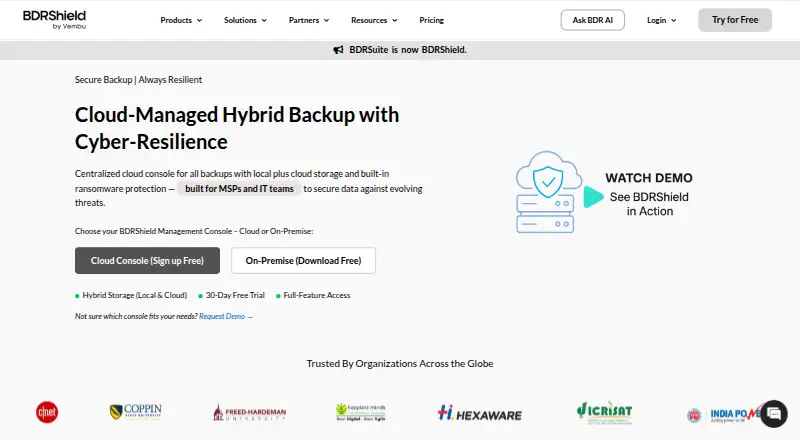
BDRCloud provides backup, disaster recovery, and data protection for virtual, physical, SaaS, and cloud workloads. Its centralized management console can be cloud-hosted or self-hosted. Supported sources include Windows, Linux, and Mac systems, Microsoft 365 and Google Workspace, virtual environments, AWS and Azure VMs, NAS and file shares, and databases and applications. Backups can go to BDRShield Cloud, on-premises or remote storage, and public cloud destinations. Listed protections include immutable backups, air-gapped and offsite copies, encryption, anomaly detection, and malware scanning before backup and restore. Access controls include MFA, role-based permissions, and audit logs. Recovery features include automated backup verification, instant recovery for VMs and physical servers, granular restores, and cross-platform migration. MSP tools include multi-tenant management, white-label branding, PSA/RMM integration, and a web services API. The product offers a fully featured 30-day free trial, and installing its backup server software carries no charge; workload licenses must be purchased for protected workloads. It has one edition, Enterprise Edition, with custom pricing based on licensing basis and term.
Good
- Supports cloud-hosted and self-hosted management
- Backups can use local, remote, or public cloud storage
- Lists instant recovery and granular restore options
- Offers a fully featured 30-day free trial
- Includes MSP multi-tenant management and white-label tools
Watch out
- Workload licenses must be purchased
- Enterprise Edition pricing requires a custom quote
- Per-workload licensing basis varies
Who it suits
BDRCloud suits organizations backing up a mix of endpoint, server, SaaS, virtual, and cloud workloads. MSPs may also value its multi-tenant management and white-label options.
Verdict
BDRCloud covers a broad mix of workloads, storage destinations, and recovery needs. The trial is available, but budgeting requires a quote based on the workloads and licensing basis.
Plans and prices
From BDRShield's own pricing page, checked 14 Oct 2026.
| Plan | Price | What it gives you |
|---|---|---|
| 30-day trial | Free | full-feature access · 30 days |
| Free Edition | Free | 10 endpoints · 10 Microsoft 365 users · 10 Google Workspace users · 10 VMs · 10 AWS EC2 instances · 10 Azure VMs · free forever |
| Endpoint / Workstation Backup | $12 a year | on-premise · per endpoint per year |
| SaaS Backup | $12 a year | on-premise · per user per year |
| VMs, Servers & Cloud Backup | $48 a year | on-premise · per VM per year |
| Apps & DB Backup | $72 a year | on-premise · per app per year |
| BDRShield Enterprise Edition perpetual license | Priced on request | Per workload, CPU socket, user, endpoint, or application; AMC required after first year for continued support · One-time payment; 1 year AMC included |
| BDRShield Enterprise Edition subscription | Priced on request | Per workload, CPU socket, user, endpoint, or application · Monthly, annual, or multi-year subscription; custom quote |
The facts
Each one read from BDRShield's own pages, with the date it was checked.
What it does
- Access security
- The product page lists MFA at every login, role-based access control, email token validation for endpoint restores, custom restore passwords, and audit logs with real-time monitoring.checked 30 Sep 2026
- API
- Its Web Services API uses HTTP requests to initiate backups, monitor jobs, retrieve recovery status and configure the system programmatically.checked 14 Oct 2026
- API tooling
- The API page documents Postman export/testing and Python-script automation; no SDK package is listed.checked 14 Oct 2026
- Cloud workloads
- The supported cloud sources include AWS and Azure virtual machines.checked 14 Oct 2026
- Compliance
- The same documentation says BDRShield supports GDPR, HIPAA, SOX, ISO 27001 and FIPS 140-2 requirements.checked 14 Oct 2026
- Database support
- Database backup covers Microsoft SQL Server, MySQL and PostgreSQL.checked 14 Oct 2026
- Deployment
- The management server can run on Windows, Linux or Docker and is accessed through port 6060.checked 14 Oct 2026
- Documentation
- The technical-documentation hub links user, evaluator, API/automation, workload, best-practice, upgrade and release-note guides.checked 14 Oct 2026
- Edition
- BDRShield has one edition, Enterprise Edition, described as full-featured, with licenses purchased for the workloads to be backed up.checked 30 Sep 2026
- Hypervisors
- Agentless VM backup supports VMware, Hyper-V, Proxmox, KVM and oVirt.checked 14 Oct 2026
- Licence
- The product is distributed under Vembu commercial licensing with subscription and perpetual options; no open-source licence is stated.checked 14 Oct 2026
- Licensing
- The pricing page lists per-endpoint, per-server, per-500-GB NAS/file-share, per-user, per-VM, per-application, and optional per-GB cloud-storage licensing.checked 30 Sep 2026
- Limit: Gartner review
- The Gartner reviewer said the current release worked as expected but earlier releases often failed backups for unclear reasons.checked 14 Oct 2026
- Limit: TrustRadius
- Reported problems include failed or slow restores, NFS recovery failures, difficult cleanup, hard Windows-cluster setup, confusing licensing, generic documentation and stability issues.checked 14 Oct 2026
- MSP features
- For MSPs, the product page lists multi-tenant management, white-label branding, PSA/RMM integration, a web services API, and centralized control.checked 30 Sep 2026
- Notable news
- BDRSuite was rebranded as BDRShield in an announcement dated August 29, 2025; the announcement says existing deployments remain unchanged.checked 14 Oct 2026
Where it runs
- Application support
- Application backup includes Microsoft Exchange and SharePoint.checked 14 Oct 2026
- Limit: G2 Linux and licensing
- G2 reviewers report Linux update breakage or memory leaks, confusing cloud licensing, limited VMware free-license API access and a desire for ready-to-run failover machines.checked 14 Oct 2026
- Limit: GetApp
- GetApp feedback says the product can be overly complex for a simple server, has unclear menus, confusing full-backup scheduling, a network-path bug with spaces and no mobile alert app.checked 14 Oct 2026
The company
- Company
- Gartner identifies the maker as private Vembu Technologies, founded in 2002, headquartered in Pleasanton, United States, with 201–500 employees and under $50 million annual revenue.checked 14 Oct 2026
- Founded
- 2002checked 28 Sep 2026
- Maker history
- Vembu says it entered the Backup and Disaster Recovery market in 2002.checked 30 Sep 2026
Money
- Free licenses
- The pricing FAQ says BDRShield offers free licenses.checked 30 Sep 2026
- Free software
- The pricing FAQ says installing the backup server software has no charge; workload licenses must be purchased for the workloads backed up.checked 30 Sep 2026
The full review of BDRShield
Overview
BDRCloud is BDRShield’s backup and disaster recovery platform for protecting virtual, physical, SaaS, and cloud workloads. Its scope spans endpoint devices and servers, productivity services, virtual machines, file shares, databases, and applications. Organizations can manage backups from a centralized console hosted in the cloud or deployed in a self-hosted environment.
Vembu says it entered the backup and disaster recovery market in 2002. BDRShield offers a single edition, Enterprise Edition, described as full-featured. Installing the backup server software has no charge, but workloads require their own licenses; the pricing FAQ also says free licenses are available. The product is therefore not simply a free backup service.
Key features
Coverage across workloads
Supported endpoints and servers run Windows, Linux, or Mac. Coverage also includes Microsoft 365 and Google Workspace, plus VMware, Hyper-V, KVM, Proxmox VE, and oVirt environments. For cloud infrastructure, BDRShield supports AWS and Azure virtual machines. NAS and file shares, databases, and applications are also supported. Microsoft 365 protection covers Exchange Online, SharePoint, OneDrive, and Teams.
Storage destinations
Backup copies can go to BDRShield Cloud or to on-premises and remote DAS, NAS, or SAN storage. Public-cloud targets include Amazon, Azure, Google, Wasabi, Backblaze, MinIO, and other S3-compatible storage. That mix gives organizations a choice between the vendor’s cloud, their own storage, and supported cloud-storage services.
Protection and recovery controls
BDRShield lists immutable backups with retention lock, air-gapped and offsite copies, encryption in transit and at rest, anomaly detection, and malware scanning before backup and restore. Access controls include multi-factor authentication at every login, role-based access, email token validation for endpoint restores, custom restore passwords, and audit logs with real-time monitoring.
Recovery capabilities include automated backup verification, instant recovery for virtual machines and physical servers, granular restores, and cross-platform migration. The product also supports bare-metal recovery, ransomware recovery, and point-in-time restores. Backups can run multiple times daily.
Management for service providers
For managed service providers, BDRShield lists multi-tenant management, white-label branding, PSA/RMM integration, a web services API, and centralized control. It advertises 24/7 expert technical support. The company says its security practices and controls support organizations seeking to meet SOC 2, HIPAA, and GDPR requirements; this is a statement about supporting compliance efforts, not a claim that using the software alone establishes compliance.
Pricing
BDRCloud uses a freemium model, with a free plan and a 30-day free trial. The trial is described as fully featured. No price is listed for either paid Enterprise Edition plan, and both require a custom quote.
- Subscription: billed monthly, annually, or for multiple years. Licensing is per workload, CPU socket, user, endpoint, or application.
- Perpetual license: one-time payment, with one year of AMC included. AMC is required after the first year for continued support. Licensing is per workload, CPU socket, user, endpoint, or application.
The pricing page also lists licensing per endpoint, server, 500 GB of NAS or file-share capacity, user, virtual machine, application, and optionally per GB of cloud storage. The exact licensing basis depends on the workload and plan details. A free license or the no-charge server software installation should not be confused with a free license for every protected workload.
Platforms
BDRCloud is listed for API, Linux, macOS, self-hosted, web, and Windows environments. Its workloads include Windows, Linux, and Mac systems as well as cloud and SaaS services. Central management can be cloud-hosted or self-hosted.
Who it's for
BDRCloud is suited to organizations that need to protect a varied mix of systems and services under centralized management, especially when backup targets include both local storage and cloud destinations. Its breadth may be relevant to teams responsible for endpoints, servers, virtualization, Microsoft 365 or Google Workspace, cloud VMs, file shares, databases, and applications in one environment.
Its MSP tools are specifically relevant to service providers managing multiple tenants or delivering backup under their own brand. Buyers should account for workload-based licensing and request a quote to understand the cost for their particular mix of protected assets.
Pros and cons
Pros
- Supports a wide range of endpoint, server, SaaS, virtualization, cloud, file-share, database, and application workloads.
- Offers cloud-hosted and self-hosted centralized management, with varied local and cloud storage destinations.
- Lists security controls, granular recovery, instant recovery, and bare-metal and ransomware recovery capabilities.
- Includes MSP-oriented multi-tenant, branding, integration, and API capabilities.
- Offers a fully featured 30-day free trial and free licenses, although workload licensing may still be required.
Cons
- Paid plan prices are not published and require a custom quote.
- The no-charge installation of backup server software does not remove the need to purchase licenses for protected workloads.
- Licensing varies by workload and may include an optional separate cloud-storage charge, so the total cost requires clarification for a specific deployment.
Alternatives
For a narrower comparison, consider VM Backup for virtualization protection, or ManageEngine RecoveryManager Plus and Veeam Backup for Microsoft 365 when assessing Microsoft 365-focused options. Endpoint-oriented alternatives include Veeam Agent for Mac, Datto Endpoint Backup for Windows, and Druva Endpoint Data Protection. For SaaS protection, Synology Active Backup for SaaS is another option to compare. Other backup products listed here include NAKIVO Backup & Replication.
Readers comparing category options can also browse Microsoft 365 Backup Software and Cloud Backup Services.
Verdict
BDRCloud stands out in the facts presented for its broad workload coverage, flexible storage destinations, and combination of recovery and security controls. Cloud-hosted and self-hosted consoles and MSP features extend its fit beyond a single backup scenario. Its main purchasing consideration is the licensing model: the server software installation has no charge, but protected workloads require licenses, and paid pricing is quote-based. The 30-day trial offers a way to assess the full-featured edition before settling on the appropriate workload mix and licensing terms.
Getting started
- Open the BDRShield website
- Choose cloud-hosted or self-hosted management
- Install the backup server software if self-hosting
- Start the fully featured 30-day trial or request a free license
- Select workload licenses for the systems, users, VMs, applications, or storage to protect
- Choose backup storage such as BDRShield Cloud, local storage, NAS, SAN, or supported public cloud
Limits worth knowing
The free trial lasts 30 days. Installing the backup server software has no charge, but the workloads being backed up require licenses; perpetual licensing includes one year of AMC, with AMC required afterward for continued support.
Questions
Is BDRShield free?
A free plan and free licenses are offered, and the backup server software can be installed without charge. Workload licenses must be purchased for protected workloads.
How long is the trial?
BDRShield provides a fully featured 30-day free trial.
Which platforms does it support?
Platforms listed are API, Linux, macOS, self-hosted, web, and Windows.
What editions are available?
BDRShield has one edition: Enterprise Edition. It is available as a subscription or perpetual license, with custom pricing by workload and other licensing bases.
Can it back up Microsoft 365 services?
Yes. Listed coverage includes Exchange Online, SharePoint, OneDrive, and Microsoft Teams.
Alternatives to BDRShield
- 1

SpinOne
WebAPIExtensionLinux7.6From $3 a month - 2
HYCU R-Cloud
WebAPILinuxSelf-hosted7.5From $1.20 a month - 3
ManageEngine RecoveryManager Plus
Free planWebAPISelf-hostedWindows7.5From $95 a year - 4

CubeBackup
WebAPILinuxSelf-hosted7.4From $2 a year - 5
Spanning Backup
AndroidiOSWebAPI7.3 - 6
Cove Data Protection
WebLinuxmacOSWindows6.9