BatchPatch
BatchPatch remotely manages Windows updates and other actions across multiple computers.
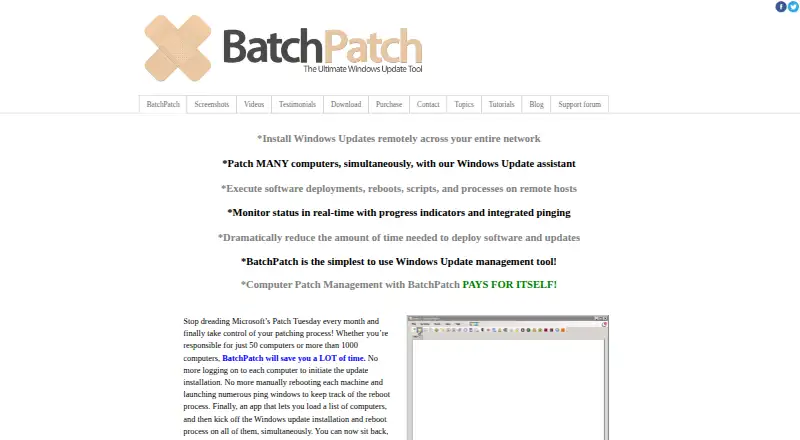
What BatchPatch is
BatchPatch remotely manages Windows updates and other actions across multiple computers. Administrators can install every available update or select updates by name, classification, or Important and Recommended categories. Sources include WSUS, Windows Update, and Microsoft Update, with cached and offline modes. BatchPatch can also deploy MSIs and packages such as .msp, .msu, .exe, .reg, .vbs, and .cmd files. Job queues, custom sequencing, scripts, and a task scheduler support ordered or scheduled work. Its console offers real-time status, pinging, update history reports, inventory queries, event logs, and uptime and disk-space details. It runs as an executable on the console computer, without installing a remote agent. The console and targets are listed for Windows 10, 11, and Windows Server 2012/2012R2, 2016, 2019, 2022, and 2025. The console requires .NET Framework 4.6.2; most actions require a local administrator account on target hosts. Firewalls must allow Remote Administration and File and Printer Sharing, and PsExec must be available on the console computer. The free Evaluation plan is fully functional for up to four simultaneous target hosts.
Good
- Select updates by name or classification.
- Supports WSUS, Windows Update, and offline modes.
- Deploys MSIs and several other package types.
- Provides update history and remote inventory queries.
Watch out
- Evaluation allows at most four simultaneous target hosts.
- Most actions require local administrator accounts on targets.
- Target firewalls must allow specified remote access.
- Licenses are per user and cannot be shared.
Who it suits
BatchPatch suits administrators managing updates, software deployment, and remote actions across supported Windows computers. It is relevant to teams that can meet its network, console, and account requirements.
Verdict
BatchPatch brings update management, deployment, scheduling, and monitoring into a Windows console. Check the four-host Evaluation limit and the network and licensing requirements before adopting it.
Plans and prices
From BatchPatch's own pricing page, checked 10 Oct 2026.
| Plan | Price | What it gives you |
|---|---|---|
| Evaluation | Free | Fully functional · max 4 simultaneous target hosts · Run BatchPatch as a service unavailable |
| Per-user license | — | 1–15 users shown · licenses are per-user and cannot be shared · contact for more than 15 users or renewals · Includes 1 or 2 years of support and update protection |
The facts
Each one read from BatchPatch's own pages, with the date it was checked.
What it does
- Agent model
- The maker says no remote agent installation is required; the product is launched as an executable on the console computer.checked 10 Oct 2026
- Automation
- Job queues, custom sequencing, scripts, and a task scheduler support ordered or scheduled remote actions.checked 10 Oct 2026
- Deployment
- The product can remotely deploy MSIs and other packages, including .msp, .msu, .exe, .reg, .vbs, and .cmd files.checked 10 Oct 2026
- License limits
- A license is required for each individual who uses BatchPatch, and licenses may not be shared among multiple people.checked 10 Oct 2026
- Monitoring and inventory
- The console provides real-time status and pinging, update history reports, remote inventory queries, event logs, and uptime and disk-space details.checked 10 Oct 2026
- Network setup
- The maker says target firewalls must allow Remote Administration and File and Printer Sharing, and PsExec must be available on the console computer.checked 10 Oct 2026
- Offline patching limitation
- The FAQ says offline mode scans security updates against Microsoft's wsusscn2.cab file, which does not contain every update available on Microsoft's public update servers.checked 10 Oct 2026
- Purpose
- BatchPatch remotely installs Windows updates across multiple computers and supports software deployment, reboots, scripts, and process actions.checked 10 Oct 2026
- Requirements
- The console computer needs .NET Framework 4.6.2, and most actions require a local administrator account on target hosts.checked 10 Oct 2026
- Support
- Paid licenses include priority support by email and support and update protection for the selected one- or two-year period.checked 10 Oct 2026
- Supported systems
- The console and target systems are listed as Windows 10, 11, and Windows Server 2012/2012R2, 2016, 2019, 2022, and 2025.checked 10 Oct 2026
- Update selection
- Administrators can install all available updates or select updates by name, classification, or Important and Recommended categories.checked 10 Oct 2026
- Update sources
- BatchPatch can use a managed WSUS server or Windows Update and Microsoft Update, and it offers cached and offline modes.checked 10 Oct 2026
The company
- Maker
- BatchPatch was created by Cocobolo Software, LLC, a small team located in Bethesda, Maryland, outside Washington, DC.checked 10 Oct 2026
Alternatives to BatchPatch
- 1

OPSI
Free planOpen sourceWebAPILinuxmacOS8.4From €4.99 a year - 2

Puppet
Free planOpen sourceWebAPILinuxmacOS8.4From $120 a month - 3

ManageEngine Mobile Device Manager Plus
Free planAndroidiOSWebAPI8.3From $495 a year - 4

ManageEngine Patch Manager Plus
Free planAndroidiOSWebAPI8.2From $245 a year - 5

Rudder
Free planOpen sourceWebAPILinuxSelf-hosted8.2From $40 a year - 6

Canonical MAAS
Free planOpen sourceWebAPILinuxSelf-hosted8.1From $30 a year