Avery Design & Print
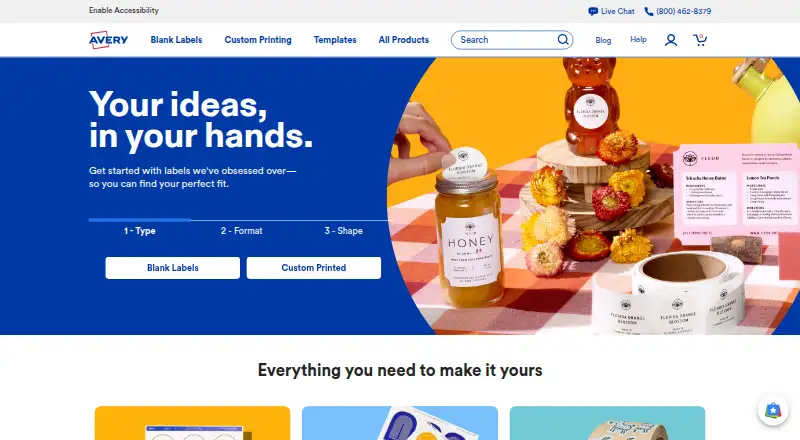
Avery Design & Print is a free web tool for making labels and other printable Avery products.
What Avery Design & Print is
Avery Design & Print is a free web tool for making labels and other printable Avery products. Users can edit a template or start from a blank one, then add text, uploaded images, barcodes, or QR codes. Image controls handle cropping, sizing, and positioning; text tools offer straight or curved text and typography choices. For variable data printing, mail merge can import contacts and other data from .xls, .xlsx, and .csv files. A barcode generator supports sequential numbering. Projects can be saved online or to a computer and shared using email links. Google Drive can supply Google Sheets data for mail merge or Google Photos for a design. Users can work without an account if they save projects to their computer; saving to a free Avery account requires signing in. Designs can be printed on an inkjet or laser printer, or Avery can print and mail them through WePrint. Avery says its online tools use secured hardware and TLS and SSL to protect data in transfer and storage, and that it does not sell images or content.
Good
- Free to use in a web browser.
- Templates and blank designs are available.
- Mail merge supports .xls, .xlsx, and .csv imports.
- Barcode tools support sequential numbering.
- Projects can be saved without an account to a computer.
Watch out
- Saving projects to a free Avery account requires an account.
- Print-and-mail service is through Avery WePrint.
- The tool is for printable Avery products.
Who it suits
Avery Design & Print suits people creating printable Avery labels or other Avery products, including users who need mail merge, barcodes, or QR codes. It offers both at-home printing and Avery print-and-mail service.
Verdict
Avery Design & Print offers a free browser-based route from template or blank design to printing, with mail merge and barcode tools. Choose how you plan to save and print projects before starting.
Plans and prices
From Avery Design & Print's own pricing page, checked 2 Oct 2026.
| Plan | Price | What it gives you |
|---|---|---|
| Avery Design & Print Online | Free | Free to use; creates designs for printable Avery products |
The facts
Each one read from Avery Design & Print's own pages, with the date it was checked.
What it does
- Account optionality
- Users can access the tool without an account and save projects to their computer; an account is needed to save projects to a free Avery account.checked 2 Oct 2026
- Barcodes
- The free barcode generator creates barcodes and QR codes and supports sequential numbering.checked 2 Oct 2026
- Image editing
- Users can upload images and use editing tools to crop, size, and position them.checked 2 Oct 2026
- Integrations
- Avery lists Google Drive for merging Google Sheets data or importing Google Photos into Design & Print Online.checked 2 Oct 2026
- Mail merge
- The tool imports contact information and other data for variable data printing.checked 2 Oct 2026
- Other software partners
- Avery lists Microsoft Word and Publisher, Apple Pages, Adobe Photoshop, InDesign and Illustrator, Pitney Bowes, and Constant Contact among its software partners.checked 2 Oct 2026
- Printing options
- Users can print with their own printer or have Avery professionally print and mail a project through Avery WePrint.checked 2 Oct 2026
- Privacy and security
- Avery says its online design tools use secured hardware and TLS and SSL to protect data in transfer and storage; it says it does not sell images or content.checked 2 Oct 2026
- Purpose
- The online tool lets users design and print labels and other printable Avery products.checked 2 Oct 2026
- Save and share
- Users can save projects online or to their computer and share project links by email.checked 2 Oct 2026
- Spreadsheet formats
- The mail merge help page lists .xls, .xlsx, and .csv as available import file types.checked 2 Oct 2026
- Support
- Avery says its Care Center team is available to help with the transition from Design & Print 7 to the online version.checked 2 Oct 2026
- Templates
- Users can customize professionally designed templates or start with a blank template.checked 2 Oct 2026
- Text tools
- Users can add straight or curved text and choose from fonts and typography tools.checked 2 Oct 2026
The company
- Founded
- 1935checked 28 Sep 2026
- Headquarters
- Brea, California, United Stateschecked 28 Sep 2026
The full review of Avery Design & Print
Avery Design & Print is a browser editor for labels and other Avery printable products. It suits individuals, offices, and small operations that need repeatable label layouts, variable data, or barcodes without buying design software. The focused Avery workflow is its advantage, while projects outside that product ecosystem are a poorer fit.
Overview
The service lets you begin with a professionally designed template or a blank Avery layout, then prepare a file for home printing or Avery WePrint production and mailing. It runs on the web and supports both inkjet and laser printers. You can use the editor without an account and save files to your computer; an account is required for saving projects to a free Avery account. That flexibility is useful for one-off jobs, while account-based online storage is more convenient for work you expect to revisit or share.
Key features
Template customization reduces setup time for familiar Avery formats, and blank templates leave room for a completely custom arrangement. Image uploads can be cropped, resized, and positioned, so logos and product photos can be fitted to a label rather than accepted at their original dimensions. Straight and curved text, font choices, and typography controls handle standard label hierarchy and emphasis. The toolkit is appropriately practical for Avery products, but its product-centered canvas is less suitable than a broad design application for unrelated print work.
Mail merge imports contact information or other data for variable-data printing. Support for .xls, .xlsx, and .csv files makes it useful for address labels, inventories, and other batches where manually changing each copy would be error-prone. The free barcode generator adds barcodes and QR codes, including sequential numbering, which is valuable when every label needs a distinct identifier rather than identical artwork.
Projects can be stored online or on a computer and shared through project links sent by email. Google Drive can merge Google Sheets data or bring Google Photos into Design & Print Online. Avery also identifies Microsoft Word and Publisher, Apple Pages, Adobe Photoshop, InDesign and Illustrator, Pitney Bowes, and Constant Contact as software partners, giving organizations with those tools a clearer path into an Avery-oriented workflow. Avery says its online tools use secured hardware plus TLS and SSL for data in transit and storage, and that it does not sell images or content.
Pricing
Avery Design & Print Online — free. The free plan is the product: it creates designs for printable Avery products and includes barcode creation, shipping-label support, and variable-data printing. There are no paid tiers, seat charges, or stated usage quotas in this plan. Choose it when the priority is preparing Avery-compatible files at no software cost. The trade-off is scope rather than a cheaper feature set: there is no separate premium level that broadens the editor beyond its Avery-focused purpose, and professional printing or mailing through Avery WePrint is a production option rather than an included subscription benefit.
Platforms
The deployment model is web, so the editor is accessed in a browser rather than installed as a desktop application. Output can be sent to an inkjet or laser printer, or ordered through Avery WePrint for professional printing and mailing.
Who it's for
This is a strong match for home users, offices, clubs, and small businesses producing Avery labels, shipping labels, cards, or other Avery printables. Mail merge and sequential barcodes make it particularly well suited to address lists, inventory identification, and other repeated jobs. It is less appropriate for users seeking a general-purpose illustration or page-layout environment, or for projects not intended for Avery products.
Pros and cons
- Pro: Free access covers templates, blank layouts, image editing, mail merge, and barcode or QR-code generation, keeping routine Avery jobs inexpensive.
- Pro: Spreadsheet imports in .xls, .xlsx, and .csv formats reduce repetitive data entry for batch printing.
- Pro: Optional accounts let users work and save locally without registration, while account storage and email project links support ongoing collaboration.
- Con: The editor is centered on Avery printable products, so it is not the natural choice for broad, non-Avery print design.
- Con: Online saving requires an Avery account; users who avoid accounts must manage computer-saved files themselves.
Alternatives
Choose Canva instead when you want a freemium, cross-platform design editor on macOS and Windows with a general template and content library; its Free plan is free for one person. Adobe Express Video is the better alternative for web, iOS, and Android users who need a broader creative service, with a Free plan including 25 generative credits per month, more than 155,000 templates, and 5 GB of storage.
Postable suits people focused on greeting-card ordering and an online address book rather than designing Avery sheets. Postalytics is aimed at API and web direct-mail campaigns, offering a free plan with unlimited campaigns, templates, and lists for one user, with mail charged per piece. Lob Address Verification is for developer-led mailing workflows and offers a Developer plan starting at $0 per month with up to 6,000 mailings.
MyPostcard, PRINTgenie, and SnapShot Postcard are alternatives for postcard-oriented sending and production; SnapShot Postcard’s Premium membership costs $4.99 a month and includes one free credit monthly.
For wider category comparisons, see Postcard Maker Software, Label Design Software, and Print Design Template Libraries.
Verdict
Choose Avery Design & Print if you need a free, browser-based way to produce Avery-compatible labels or other printables, especially with mail merge or sequential barcodes. Look elsewhere when you need a general design canvas, broader platform coverage, or a service centered on mailing rather than preparing Avery layouts.
Alternatives to Avery Design & Print
- 1

Visme
Free planAndroidiOSWebAPI8.4From $12.25 a month - 2

BarTender
AndroidiOSWebAPI7.2From $199 a year - 3
Union Label
Free planWebWindows6.9From $199 a year - 4
EtikStudio
AndroidiOSWebLinux6.5 - 5

Label LIVE
macOSWindows6.5From $19.99 a month - 6

Labeljoy
Windows6.4From $14.90 a month