
AutoSplitter
The facts below are what the maker publishes about AutoSplitter, checked and dated. Our editors have not written about it yet.
Plans and prices
From AutoSplitter's own pricing page, checked 8 Oct 2026.
| Plan | Price | What it gives you |
|---|---|---|
| Basic license | $24.99, paid once | Permanent license · unlimited scanning · household use on all household PCs · automatic photo retouching · captions and metadata editor · 30 days of free updates · $24.99 one-time (shown alongside $34.99) |
| Gold license | $34.99, paid once | Everything in Basic · 2 years of free software updates · $34.99 one-time (shown alongside $44.99) |
The facts
Each one read from AutoSplitter's own pages, with the date it was checked.
What it does
- Auto cropping
- It detects multiple photos on one scanned page and separates them into individual files.checked 8 Oct 2026
- Captions
- Users can add and style text captions beneath scanned photos, including font, text color, and background color.checked 8 Oct 2026
- Intended use limits
- The guarantee page says the software was made for TWAIN or WIA flatbed scanners with uniform, patternless covers and rectangular photographs.checked 8 Oct 2026
- License scope
- The licenses are permanent and allow household use on all PCs in the home.checked 8 Oct 2026
- Metadata
- Captions can be saved as visible text, metadata, or both; the site says JPEG and TIFF captions use EXIF metadata and PNG captions use IDAT chunks.checked 8 Oct 2026
- Operating systems
- The site lists support for Windows 7, 8, 8.1, 10, and 11.checked 8 Oct 2026
- Purpose
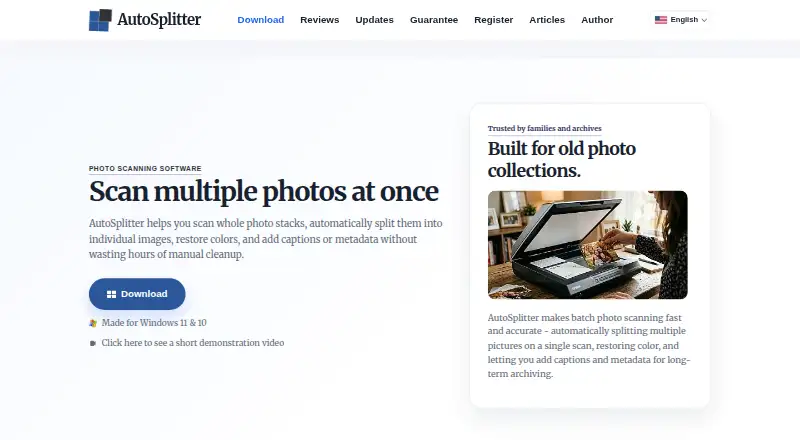
- AutoSplitter scans batches of physical photographs, separates them into individual image files, restores colors, and supports captions and metadata.checked 8 Oct 2026
- Refund guarantee
- The maker offers a full refund when requested within 14 calendar days of purchase by users who installed the software and are dissatisfied with its results.checked 8 Oct 2026
- Release history
- The updates page lists version 1.15.5 as released August 25, 2026.checked 8 Oct 2026
- Retouching
- Built-in retouching tools can restore faded prints, and the product page lists contrast and saturation adjustments.checked 8 Oct 2026
- Scanner compatibility
- AutoSplitter is Windows-compatible and is described as working with flatbed scanners through WIA or TWAIN.checked 8 Oct 2026
- Support
- The site includes free support via support ticket.checked 8 Oct 2026
- Supported image formats
- It can open TIFF, JPEG, GIF, PNG, and BMP images and save to those formats except BMP.checked 8 Oct 2026
The company
- Maker
- The author page identifies Zoltán Péter as AutoSplitter's creator and maintainer, based in the European Union.checked 8 Oct 2026
Money
- Trial limitation
- The guarantee page says unregistered users cannot produce results without watermarks.checked 8 Oct 2026
Alternatives to AutoSplitter
- 1

Google Photos
Free planAndroidiOSWebAPI8.3Free plan - 2
FilmBox by Photomyne
Free planAndroidiOSWebmacOS8.0From $39.99 a year - 3

FilmLab
Free planAndroidiOSLinuxmacOS8.0From $59.99 a year - 4
Brother iPrint&Scan
Free planAndroidiOSmacOSWindows7.4Free plan - 5

NAPS2
Free planOpen sourceAPILinuxmacOSWindows7.4Free plan - 6

Nostalgia
Free planAndroidiOSWebmacOS7.4From $79.99 a year