
AssetCenter
AssetCenter tracks durable assets individually, helping teams record what they own, who holds each item, where it is, and its lifecycle history.
What AssetCenter is
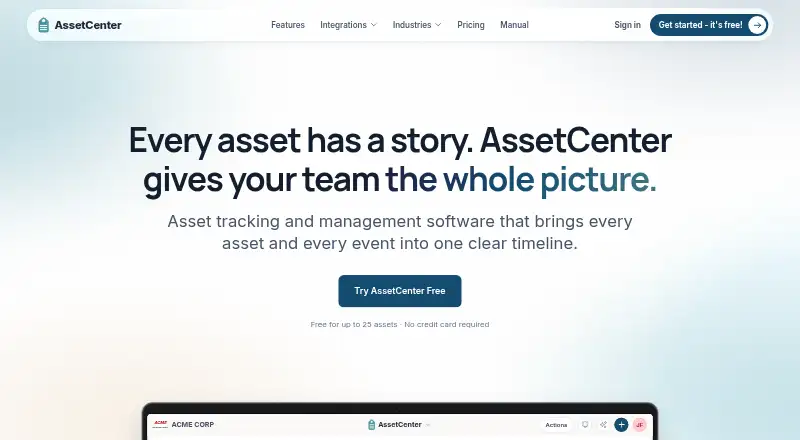
AssetCenter tracks durable assets individually, helping teams record what they own, who holds each item, where it is, and its lifecycle history. An asset record can include category fields, serial numbers, status, photos, documents, and barcode or QR access. Its timeline can capture purchases, assignments, moves, condition checks, maintenance, repairs, warranties, costs, tasks, and decommissioning. The product also tracks software licenses and recurring services, with details such as vendor, seats, billing frequency, contract terms, renewal date, and cost. Reports cover straight-line depreciation, end of life, asset events, recurring subscription costs, locations, and assignment history. Roles, permissions, category restrictions, and two-factor authentication provide access controls. API access is included on every plan, subject to plan and rate limits. The service can be installed on a phone or tablet home screen in PWA mode. A free plan has a 25-asset limit and no reports; Starter costs $39 per month for up to 250 assets and five seats. AssetCenter is for small and midsize teams, but does not manage inventory quantities, reordering, fulfillment, or consumable bins.
Good
- Asset timelines record maintenance and lifecycle events.
- Reports include depreciation and assignment history.
- API access is included on every plan.
- Role permissions and two-factor authentication are supported.
Watch out
- Free plan is limited to 25 assets.
- Free plan includes no reports.
- It does not manage stock quantities or fulfillment.
- Starter costs $39 per month.
Who it suits
AssetCenter suits small and midsize teams that need individual asset accountability and lifecycle records. It can also track software subscriptions alongside physical items.
Verdict
AssetCenter brings durable-item records, subscription tracking, and lifecycle reporting into one system. It is not a fit for teams seeking stock control or fulfillment management.
Plans and prices
From AssetCenter's own pricing page, checked 15 Oct 2026.
| Plan | Price | What it gives you |
|---|---|---|
| Free | Free | 25 assets · no reports · no time limit |
| Starter | $39 a month | 250 assets · 5 seats · unlimited subscriptions, people and locations · 500 GB storage · basic support · monthly |
| Growth | $129 a month | 1,500 assets · 15 seats · unlimited subscriptions, people and locations · 500 AI chats/month · 2 TB storage · priority support · monthly |
| Professional | $299 a month | 5,000 assets · unlimited seats · unlimited subscriptions, people and locations · 1,500 AI chats/month · 5 TB storage · priority support plus onboarding · monthly |
The facts
Each one read from AssetCenter's own pages, with the date it was checked.
What it does
- Access controls
- The product supports user roles and permissions, category-level access restrictions, two-factor authentication, and Google or Microsoft sign-in.checked 30 Sep 2026
- AI Asset Assistant
- The in-app assistant answers questions using records the user can access, can research specifications, save chats to timelines and export answers as Excel or CSV.checked 15 Oct 2026
- AI assistant
- The AI Asset Assistant answers natural-language questions using records the user is permitted to see and can research manufacturer specifications with sources.checked 30 Sep 2026
- API
- API access is included on every plan, including Free, subject to plan limits and API rate limits.checked 30 Sep 2026
- API tokens
- Administrators create tokens that expire after 30 days, 90 days or one year and can assign read-only, full or custom permissions.checked 15 Oct 2026
- Asset records
- Asset records can include category fields, serial numbers, status, photos, documents, and barcode or QR access.checked 30 Sep 2026
- Assignments
- Assets can be assigned to people, locations and sublocations, with current assignments and assignment history retained.checked 15 Oct 2026
- Audience
- AssetCenter describes its product as asset accountability and lifecycle tracking for small and midsize teams.checked 30 Sep 2026
- Authentication security
- Organizations can use Google or Microsoft sign-in, require authenticator-based two-factor authentication and apply granular user permissions.checked 15 Oct 2026
- Barcode and QR scanning
- The phone camera can scan a barcode or QR tag to open an asset or create one when it is not yet recorded.checked 15 Oct 2026
- Barcode limitation
- The product does not provide RFID portals, BLE locating or quantity-based warehouse stock control.checked 15 Oct 2026
- Custom categories
- Organizations can create unlimited custom asset and subscription categories and add category-specific fields.checked 15 Oct 2026
- Dashboard
- The dashboard summarizes assets, subscriptions, people and locations with metrics, to-dos, charts, expirations and recent activity.checked 15 Oct 2026
- Data portability
- The organization settings page provides direct Excel exports and organization deletion without an export-request process.checked 15 Oct 2026
- Documentation
- The public manual covers setup, daily navigation, records, reports, settings, integrations, API access and MCP with dated update pages and examples.checked 15 Oct 2026
- Excel export
- Assets, subscriptions, people, locations and reports can be exported to Excel from the application.checked 15 Oct 2026
- Excel import
- Excel templates import assets, subscriptions, locations and people, including custom fields, with validation before processing.checked 15 Oct 2026
- Founder and CEO
- The company identifies Jeremy Francis as founder and CEO.checked 15 Oct 2026
- GPS tracking
- Optional GPS tracking provides live positions, route replay and historical location data for tracked assets.checked 15 Oct 2026
Where it runs
- Apple Business integration
- Apple Business imports Apple device serials, order details, purchase dates and optional AppleCare information; AssetCenter reads the source without changing it.checked 15 Oct 2026
- GetApp feature coverage
- GetApp lists activity dashboards, asset assignment, lifecycle management, barcoding/RFID, contract management, depreciation, reporting, software-license management and workflow management.checked 15 Oct 2026
- GetApp listing
- GetApp lists web, Android and iPhone/iPad support, email/help-desk and knowledge-base support, and documentation training.checked 15 Oct 2026
- GetApp typical users
- GetApp identifies freelancers, small businesses, midsize businesses and large enterprises as typical customer groups.checked 15 Oct 2026
The company
- Company legal name
- The maker identifies itself as AssetCenter LLC.checked 15 Oct 2026
The full review of AssetCenter
AssetCenter is a cloud platform for keeping track of durable items, their custodians, and their lifecycle, alongside software licenses and recurring services. It is best suited to small and midsize teams that need item-level accountability and a record of what happens to each asset. Its main limitation is clear: it does not handle stock quantities or fulfillment.
Overview
AssetCenter brings asset records, subscription tracking, and lifecycle reporting into one system. That makes it useful for teams that need to connect an item’s current assignment with its purchase, maintenance, costs, and eventual retirement. Multi-entity support also suits organizations managing assets across more than one entity.
This is a durable-asset register, not an inventory operations tool. It tracks items individually but does not manage stock counts, reorder points, picking, fulfillment, or consumable inventory bins. Teams that need those workflows should choose a different category of software.
Key features
Asset records can include category fields, serial numbers, status, photos, documents, and barcode or QR access. A unified timeline captures purchases, assignments, moves, condition checks, maintenance, repairs, warranties, costs, tasks, and decommissioning. Together, these give teams a useful history for each item rather than just a current-location snapshot.
Subscription records cover software licenses and recurring services, including vendor, plan, seats, billing frequency, contract terms, renewal date, and cost. Reports cover straight-line depreciation, asset end of life, asset events, recurring subscription costs, and location and assignment-history maps. Tax depreciation is not supported, so organizations that need tax-specific schedules will need another solution.
The AI Asset Assistant answers natural-language questions using records a user is permitted to see and can research manufacturer specifications with sources. Its monthly allowance is 500 chats on Growth and 1,500 on Professional; it is not included among Starter’s listed plan features. Microsoft Entra ID directory sync and Apple Business device import, including order and AppleCare information, extend the records with directory and device data. Roles, permissions, category-level restrictions, two-factor authentication, and Google or Microsoft sign-in provide access controls.
AssetCenter can be installed on a phone or tablet home screen in PWA mode, with iPhone setup directions in its manual. API access is included on every plan, including Free, subject to plan limits and API rate limits.
Pricing
AssetCenter has a free plan, paid plans from $39 per month, and a 14-day trial. Free costs nothing with no time limit, but caps teams at 25 available or deployed assets and includes no reports. It offers a way to begin recording assets, but the lack of reporting limits its usefulness for teams that need lifecycle oversight.
Starter costs $39 a month, billed $39 per month. It allows 250 assets and 5 seats, with unlimited subscriptions, people, and locations, 500 GB storage, and Basic support. This is the entry point for a small team that needs more than the free asset cap and wants subscription records, but the seat ceiling may be restrictive as more colleagues need access.
Growth costs $129 a month, billed $129 per month. Its limits rise to 1,500 assets and 15 seats, with 2 TB storage, Priority support, and 500 AI Assistant chats per month. It is the more practical choice for growing teams that want AI-assisted queries and a larger asset register.
Professional costs $299 a month, billed $299 per month. It supports 5,000 assets, unlimited seats, 5 TB storage, 1,500 AI Assistant chats per month, Priority support, and onboarding assistance. The higher tier is aimed at larger deployments where seat limits and guided onboarding matter.
Platforms
AssetCenter is cloud deployed and supports web, Android, iOS, and API access. The PWA option lets users add it to a phone or tablet home screen, while API access is available on every plan subject to plan limits and rate limits.
Who it's for
AssetCenter suits small and midsize teams that need accountability for durable equipment, a history of assignments and maintenance, or visibility into recurring software costs. It is a stronger fit when one system should connect physical assets with subscription records than when the priority is tax depreciation or warehouse stock management.
Pros and cons
- Pros: The unified item timeline ties ownership, maintenance, costs, and decommissioning together, making lifecycle history more useful than a basic register.
- Pros: Subscription details and recurring-cost reports sit alongside physical asset records, helping teams track both equipment and ongoing software commitments.
- Pros: The Free plan has no time limit, and API access is included even at that tier.
- Cons: Free stops at 25 assets and has no reports, while Starter limits access to 5 seats.
- Cons: Tax depreciation is unsupported, and the product does not provide stock control, reorder points, picking, fulfillment, or consumables management.
Alternatives
AssetFrog is worth considering for readers comparing another freemium asset tracker: its free plan allows up to 50 assets for one user, while its listed AF100 plan is A$16 a month billed annually for up to 100 assets and unlimited users.
Fixed Asset Register is another option for readers seeking a fixed-asset register; it offers a free plan and free trial.
xAssets ITAM may suit readers considering an IT asset management alternative; it offers a free Express Edition and supports self-hosted deployment.
AssetAccountant offers a free plan for up to 10 assets, including features and integrations except leases, making it an option for readers with a very small register.
AssetComply is another freemium option, with a free plan covering up to 100 assets.
Minty Assets offers a free Starter plan for 50 assets and includes eight reports, which may appeal to readers who want reporting at no cost.
Kleos is a paid alternative for readers comparing asset software with per-user plans.
MRI Eagle CRM offers flexible packages for agencies of different sizes through a personalised plan.
Browse Fixed Asset Management Software or Asset Tracking Software for more options in each category.
Verdict
AssetCenter is a strong choice for small and midsize teams that need a durable-asset history, subscription tracking, and lifecycle reporting in one cloud system. Its broad records and timeline are the main reason to choose it; the lack of stock workflows, tax depreciation, and tight lower-tier limits are reasons to look elsewhere if those needs are central.
Getting started
- Visit https://assetcenter.app/.
- Start with the Free plan, or select a paid plan; a 14-day trial is available.
- Create asset records with category fields, identifiers, status, photos, documents or barcode and QR access.
- Use the listed Microsoft Entra ID or Apple Business integrations if relevant.
- For phone or tablet use, install AssetCenter in PWA mode on the home screen; iPhone setup directions are available in the manual.
Limits worth knowing
Free supports 25 available or deployed assets and includes no reports. Starter costs $39 a month and allows 250 assets and five seats; AI chat quotas are specified for Growth and Professional.
Questions
Is there a free plan or trial?
Yes. The Free plan has no time limit and allows 25 available or deployed assets. A 14-day trial is also listed.
How much do paid plans cost?
Starter is $39 a month, Growth is $129 a month, and Professional is $299 a month.
Which platforms are supported?
The listed platforms are Android, iOS, web and API. The product can also be installed on a phone or tablet home screen in PWA mode.
Does AssetCenter include API access?
Yes. API access is included on every plan, including Free, subject to plan limits and API rate limits.
What integrations are listed?
The site describes Microsoft Entra ID directory sync and Apple Business device import with order and AppleCare information.
Does it manage consumable inventory?
No. AssetCenter tracks durable items individually; it does not manage stock quantities, reorder points, picking, fulfilment or consumable inventory bins.
Alternatives to AssetCenter
- 1
Lansweeper
Free planWebAPILinuxmacOS8.0Free plan - 2

AssetTiger
Free planAndroidiOSWebAPI7.9Free plan - 3

Reftab
Free planAndroidiOSWeb7.9From $9 a year - 4
Prey
Free planAndroidiOSWebAPI7.5From $1.30 a month - 5

QR Chameleon
Free planWebAPI7.5From $4 a month - 6

Asset Infinity
AndroidiOSWebAPI7.4From $130 a month