AnythingLLM
AnythingLLM is a private AI assistant available as desktop software, a mobile app, and self-hosted or cloud deployments.
What AnythingLLM is
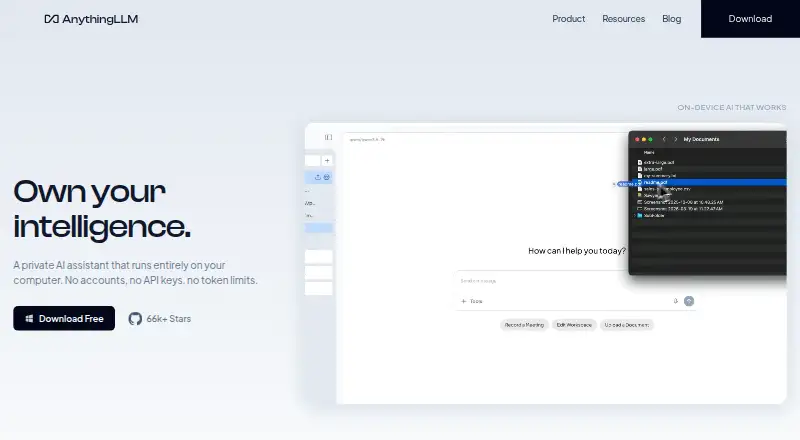
AnythingLLM is a private AI assistant available as desktop software, a mobile app, and self-hosted or cloud deployments. Its free desktop product runs on macOS, Windows, and Linux without an account, API key, or token limit. Documents can be made into an agent knowledge base while remaining on the user's device. Desktop features include file-system capabilities, web search and scraping, model selection, background jobs, custom agent skills, and a Meeting Assistant. That assistant records, transcribes, summarizes, and indexes meetings on the computer without a bot joining the call or cloud processing. The mobile app runs small models on-device and includes web search, document chat, file generation, scheduled jobs, and memory. Supported model providers include Ollama, LM Studio, OpenAI, Anthropic, and Google Gemini Pro, among others. Cloud instances support multiple users, tenant isolation, admin controls, and white-labeling. For self-hosted deployments, the maker says documents, chats, workspace settings, and embeddings remain on the user's infrastructure. Optional telemetry excludes document content and chat logs and can be disabled. Cloud Basic costs $50 a month; Pro costs $99 a month.
Good
- Free desktop app needs no account or API key
- Document knowledge base keeps data on-device
- Meeting Assistant processes meetings without cloud handling
- Mobile app runs small models on-device
- Self-hosted data remains on user infrastructure
Watch out
- Windows documentation targets Windows 11
- Other Windows versions may not work
- Cloud Basic costs $50 a month
Who it suits
AnythingLLM suits people who want to work with AI and documents on their own computer, or deploy a self-hosted instance. Teams needing managed cloud workspaces can consider its cloud options.
Verdict
AnythingLLM offers local desktop and mobile use alongside self-hosted and cloud deployments. The Windows version has a documented operating-system caveat, and cloud plans are paid.
Plans and prices
From AnythingLLM's own pricing page, checked 28 Sep 2026.
| Plan | Price | What it gives you |
|---|---|---|
| Basic | $50 a month | Private instance · custom subdomain · RAG · agents · bring an LLM API key · monthly |
| Pro | $99 a month | Private instance · RAG · agents · priority resources · 72-hour support SLA · monthly |
| Desktop | Free | No account · no API key · no token limits |
| Self-hosted | Free | Docker deployment · multi-user deployment on your servers |
| Enterprise | Priced on request | On-premise deployment · custom SLA · custom integrations · SSO · RBAC · Contact Us |
The facts
Each one read from AnythingLLM's own pages, with the date it was checked.
Where it runs
- App integrations
- Yeschecked 20 Sep 2026
- Mobile apps
- Yeschecked 20 Sep 2026
- Windows limitation
- The Windows documentation says the application targets Windows 11, is intended for a Windows Home user account, and that other Windows versions may not work.checked 28 Sep 2026
What it does
- Cloud administration
- Cloud instances support multiple users with tenant isolation, fine-grained admin controls, and white-labeling.checked 28 Sep 2026
- Desktop features
- The desktop product lists file-system capabilities, web scraping and search, dynamic model selection, background jobs, custom agent skills, and Meeting Assistant.checked 28 Sep 2026
- Developer API
- The maker describes a full Developer API for functionality not already built into the product.checked 28 Sep 2026
- Document knowledge
- The product turns documents into an agent knowledge base while keeping the data on the device.checked 28 Sep 2026
- File uploads
- Yeschecked 20 Sep 2026
- Image generation
- Yeschecked 20 Sep 2026
- License
- The AnythingLLM core is provided under the MIT License.checked 28 Sep 2026
- LLM integrations
- Supported providers include Ollama, LM Studio, Local AI, KobaldCPP, oMLX, OpenAI, Azure OpenAI, Anthropic, Cohere, Google Gemini Pro, Hugging Face, Together AI, OpenRouter, Perplexity AI, Mistral API, Groq, and generic OpenAI.checked 28 Sep 2026
- Meeting assistant
- Meeting Assistant records, transcribes, summarizes, and indexes meetings on the computer without a bot joining the call or cloud processing.checked 28 Sep 2026
- Mobile
- AnythingLLM Mobile runs small models on-device and includes web search, document chat, file generation, scheduled jobs, and memory.checked 28 Sep 2026
- Paid from
- 50checked 20 Sep 2026
- Self-hosted data
- For self-hosted deployments, Mintplex Labs says it does not host, store, or access instance documents, chats, workspace settings, or embeddings, which remain on the user's infrastructure.checked 28 Sep 2026
- Support
- The Pro cloud plan includes a 72-hour support SLA, while Enterprise offers a custom SLA.checked 28 Sep 2026
- Supported desktop systems
- Native builds are provided for macOS with Apple Silicon or Intel, Windows with x64 or ARM, and Linux.checked 28 Sep 2026
- Telemetry
- Telemetry is optional, anonymous, excludes document content and chat logs, and can be disabled in the application settings.checked 28 Sep 2026
- Web search
- Yeschecked 20 Sep 2026
- What it does
- AnythingLLM is a private AI assistant that runs entirely on the user's computer, with no account, API key, or token limit required.checked 28 Sep 2026
Money
- Free plan
- Yeschecked 20 Sep 2026
The company
- Team workspace
- Yeschecked 20 Sep 2026
The full review of AnythingLLM
Overview
AnythingLLM is a private AI assistant for asking questions of language models and working with your documents. Its desktop app can run on your computer without an account or API key, and it has no token limit. Documents can become an agent knowledge base while staying on the device. AnythingLLM also offers mobile, cloud, and self-hosted options, so the right setup depends on whether you want a local assistant, a mobile companion, or administration for a team.
The core is provided under the MIT License. For more options in this area, see Retrieval-Augmented Generation Tools and AI chatbots and assistants.
Key features
Document knowledge and model choice
Upload documents to build an agent knowledge base, with the data kept on the device in the local setup described by the product. Desktop features include file-system capabilities, web scraping and search, dynamic model selection, background jobs, and custom agent skills. A Developer API is available for functionality not already built into the product.
Model provider and runtime support ranges from local options such as Ollama, LM Studio, Local AI, KobaldCPP, and oMLX to hosted services including OpenAI, Azure OpenAI, Anthropic, Cohere, Google Gemini Pro, Hugging Face, Together AI, OpenRouter, Perplexity AI, Mistral API, Groq, and generic OpenAI-compatible services.
Meeting Assistant
The desktop Meeting Assistant records and transcribes meetings, then summarizes and indexes them on the computer. It does not require a bot to join the call, and processing does not happen in the cloud.
Mobile assistant
AnythingLLM Mobile runs small models on the device. Its listed capabilities include web search, document chat, file generation, scheduled jobs, and memory.
Cloud administration and privacy controls
Cloud instances support multiple users with tenant isolation, fine-grained admin controls, and white-labeling. For self-hosted deployments, Mintplex Labs says it does not host, store, or access instance documents, chats, workspace settings, or embeddings; these remain on the user's infrastructure.
Telemetry is optional and anonymous, excludes document content and chat logs, and can be turned off in application settings.
Pricing
AnythingLLM uses a freemium model. Desktop is free at free, with no account, API key, or token limits. Self-hosted deployment with Docker is open-source, but its price is not listed.
| Plan | Price | Details |
|---|---|---|
| Desktop | free | No account, API key, or token limits. |
| Self-hosted | Price not listed | Self-host with Docker; open-source deployment. |
| Basic | $50 a month, billed monthly | Private instance, custom subdomain, RAG, agents, and bring an LLM API key. |
| Pro | $99 a month, billed monthly | Private instance, RAG, agents, priority resources, and a 72-hour support SLA. |
| Enterprise | Price not listed | On-premise deployment, custom SLA, custom integrations, SSO, and RBAC. |
Enterprise pricing is not listed, and its support SLA is custom.
Platforms
AnythingLLM is listed for Android, API, Linux, macOS, self-hosted deployment, web, and Windows. Native desktop builds are available for macOS with Apple Silicon or Intel, Windows with x64 or ARM, and Linux.
The Windows documentation targets Windows 11 and says the application is intended for a Windows Home user account; other Windows versions may not work.
Who it's for
AnythingLLM suits people who want an AI assistant that can work with their documents while keeping data on their own device or infrastructure. It is also relevant to users choosing between local model runtimes and hosted providers, and to teams needing cloud tenant isolation or administrative controls. Mobile users can use on-device models and the listed search, document, file, scheduling, and memory features.
Pros and cons
- Pros: Free desktop plan with no account, API key, or token limit.
- Pros: Document knowledge, meeting summaries, and indexing can stay local in the desktop setup.
- Pros: Wide support for local and hosted model providers, plus a Developer API.
- Pros: Cloud plans include multi-user administration features, and self-hosted data remains on the user's infrastructure.
- Cons: Windows support is specifically targeted at Windows 11, and other versions may not work.
- Cons: Basic and Pro require monthly payment, while Self-hosted and Enterprise prices are not listed.
Alternatives
For other tools in the retrieval-augmented generation space, consider Langflow, RAGFlow, Flowise, I3K RAG Enterprise, OpenRAG, Dify, Haystack Enterprise Platform, and Ragen.
Verdict
AnythingLLM combines local document knowledge and meeting assistance with options for mobile, self-hosted, and cloud use. Its free desktop plan makes it accessible without an account, API key, or token limit, while paid cloud tiers add private instances and, at Pro, priority resources and a 72-hour support SLA. Check the Windows requirements before choosing it for a PC, and compare the listed monthly plans with the self-hosted setup if keeping data on your own infrastructure is the priority.
Getting started
- Visit the AnythingLLM website.
- Choose the free Desktop plan, a self-hosted deployment, or a cloud plan.
- For desktop use, select a native build for macOS, Windows or Linux.
- Connect a supported model provider, such as Ollama, LM Studio, OpenAI or Anthropic.
- For cloud use, choose Basic at $50 a month or Pro at $99 a month.
Questions
Is AnythingLLM free?
Yes. The Desktop plan is listed as free, with no account, API key or token limits.
What do the cloud plans cost?
Basic costs $50 a month and Pro costs $99 a month. Enterprise has custom pricing.
Which platforms does AnythingLLM support?
Its listed platforms are Android, API, Linux, macOS, self-hosted, web and Windows. Native desktop builds are available for macOS, Windows and Linux.
Is AnythingLLM open source?
The AnythingLLM core is provided under the MIT License. A self-hosted Docker deployment is listed as an open-source deployment.
Which model providers can it use?
Supported providers include Ollama, LM Studio, OpenAI, Azure OpenAI, Anthropic, Cohere, Google Gemini Pro, Hugging Face, Together AI, OpenRouter, Perplexity AI, Mistral API, Groq and generic OpenAI.
How does AnythingLLM handle self-hosted data?
Mintplex Labs says it does not host, store or access self-hosted instance documents, chats, workspace settings or embeddings; those remain on the user's infrastructure.
Alternatives to AnythingLLM
- 1

SillyTavern
Free planOpen sourceAndroidWebAPIExtension7.8Free plan - 2
LobeChat
Free planAndroidiOSWebLinux7.7From $9.90 a month - 3

Big-AGI
Free planWebLinuxmacOSSelf-hosted7.6From $9 a month - 4
TrueFoundry AI Gateway
Free planWebAPILinuxSelf-hosted7.6From $499 a month - 5
Msty Studio
Free planWebLinuxmacOSWindows7.4From $149 a year - 6

Open WebUI
Free planAndroidiOSWebAPI7.1Free plan