
AnyMP4 Video Editor
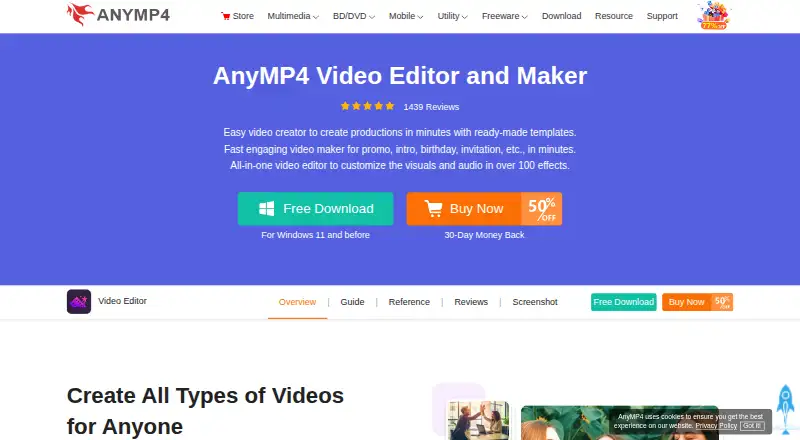
The facts below are what the maker publishes about AnyMP4 Video Editor, checked and dated. Our editors have not written about it yet.
Plans and prices
From AnyMP4 Video Editor's own pricing page, checked 22 Sep 2026.
| Plan | Price | What it gives you |
|---|---|---|
| Team & Business License | $99.96 a month | 5 PCs |
| 1 Month License | $15.60 a month | 1 month · Use it for 1 month and renew if satisfied. |
| Lifetime License | $49.96, paid once | 1 PC · lifetime updates · Use this product on 1 PC forever and enjoy free lifetime update. |
| 3-User License | $79.96, paid once | 3 PCs · lifetime upgrades · Use it on 3 PCs and enjoy FREE upgrade for lifetime. |
The facts
Each one read from AnyMP4 Video Editor's own pages, with the date it was checked.
What it does
- 4K export
- Yeschecked 22 Sep 2026
- Activation
- The privacy policy says full-version activation requires an internet connection and periodically checks license validity online.checked 11 Oct 2026
- Editing tools
- Editing controls include cropping, trimming, rotating, brightness and contrast adjustment, saturation and hue adjustment, and speed and volume controls.checked 11 Oct 2026
- Effects
- Users can add animated text, transitions, filters, and stickers to videos and slideshows.checked 11 Oct 2026
- Export and sharing
- It can export presentations and slideshows for devices including iPhone, iPad, and Android, with settings for social platforms such as TikTok, Facebook, Instagram, YouTube, and Pinterest.checked 11 Oct 2026
- Formats and resolution
- The product page says the editor supports more than 200 formats and editing and export of 1080p HD and 4K Ultra HD video.checked 11 Oct 2026
- Intended users
- The maker describes the editor as suitable for beginners, vloggers, marketers, and educators.checked 11 Oct 2026
- Paid from
- 31.2checked 22 Sep 2026
- Privacy
- AnyMP4 says it collects information when necessary, does not sell collected data, and uses SSL to encrypt submitted information where needed.checked 11 Oct 2026
- Purpose
- The editor is presented for making videos for fun, learning, marketing, and work, including social media videos and teaching materials.checked 11 Oct 2026
- Support
- The support center provides a support email and links to retrieve a registration code and request a refund.checked 11 Oct 2026
- Templates
- It offers ready-made templates for weddings, travel, sports, holidays, business, and fashion to combine photos, videos, and music.checked 11 Oct 2026
Where it runs
- Desktop app
- Yeschecked 22 Sep 2026
- Platform
- The download center lists Video Editor among its downloadable software, and the product page labels the editor for Windows.checked 11 Oct 2026
Money
- Free download
- The maker offers a free download and says users can try the software for free, but the opened pages do not specify trial duration or free-version restrictions.checked 11 Oct 2026
- Free plan
- Nochecked 22 Sep 2026
Alternatives to AnyMP4 Video Editor
- 1

CyberLink PowerDirector
Free planAndroidiOSmacOSWindows9.0From $59.99 a year - 2

Captions
Free planAndroidiOSWebAPI9.0From $4.99 a month - 3
Vizard
Free planAndroidiOSWebAPI8.9From $29 a month - 4

InVideo AI
Free planAndroidiOSWebAPI8.9From $4 a month - 5
FlexClip
Free planAndroidiOSWebWindows8.8From $143.88 a year - 6

Simplified
Free planAndroidiOSWebAPI8.8From $19 a month