
Annot8
Annot8 is a web-based website feedback tool that pins comments to page elements and combines feedback, live chat, public requests, and analytics in one works…
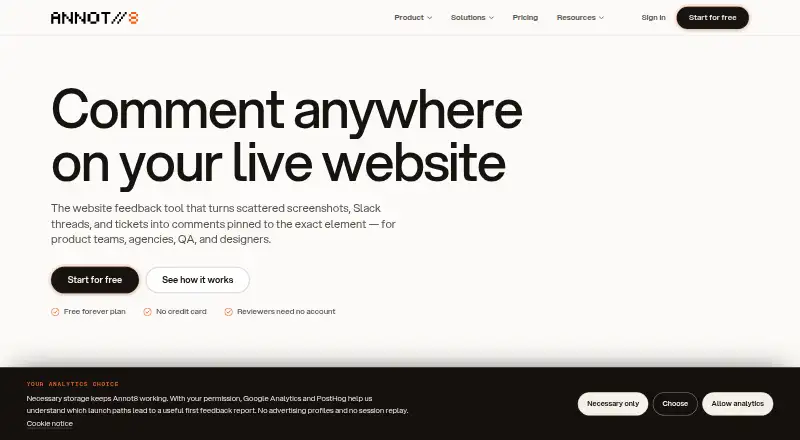
What Annot8 is
Annot8 is a web-based website feedback tool that pins comments to page elements and combines feedback, live chat, public requests, and analytics in one workspace. Feedback threads can include screenshots, screen recordings with console errors and failed requests, and voice notes. Installation uses one script tag, and the company says it works with stacks including React, Next.js, Vue, Svelte, Astro, WordPress, and Webflow. Listed integrations include Slack, Microsoft Teams, Discord, Jira Cloud, Linear, Asana, Trello, GitHub, GitLab, email, and outbound webhooks; third-party integrations are on Pro and above. Pro and above also include AI triage for categorizing and prioritizing threads, spotting duplicates, summarizing, drafting replies, and extracting action items. The Agent can inspect a report and connected repository, create a scoped patch, and open a draft pull request for human review, but it does not merge it. Free includes 2 projects, 3 team seats, 3 guest reviewers, 50 threads monthly, 14-day history, and 1 GB storage. Pro costs $8 a month per seat when billed yearly.
Good
- Pins feedback to webpage elements.
- Threads can include recordings and voice notes.
- Installs with one script tag.
- Free plan includes 2 projects and 3 team seats.
- Agent opens draft pull requests for human review.
Watch out
- Third-party integrations require Pro or above.
- AI triage is limited to Pro and above.
- Free thread limits pause new threads when reached.
- No independent security certification is claimed.
Who it suits
Annot8 suits agencies, freelancers, product teams, QA and engineering teams, and designers handling website feedback. It may be useful when comments need to connect to page elements and review workflows.
Verdict
Annot8 combines visual website feedback with triage and repository-linked review tools. Note that the Agent does not merge pull requests, and several features require a paid plan.
Plans and prices
From Annot8's own pricing page, checked 15 Oct 2026.
| Plan | Price | What it gives you |
|---|---|---|
| Free | Free | 2 projects · 3 team seats · 3 guest reviewers · 50 feedback threads/month · 14-day history · 2 environments/project · 1 GB storage · no AI triage · forever |
| Pro | $10 a month | Unlimited projects · seats as purchased · unlimited guests · unlimited threads · 90-day history · unlimited environments · 500 AI triage operations/month · 50 GB storage · monthly; $8/seat/month billed yearly |
| Business | $20 a month | Unlimited projects · seats as purchased · unlimited guests · unlimited threads · unlimited history · unlimited environments · unlimited AI triage · 200 GB storage · SAML/OIDC SSO · monthly; $16/seat/month billed yearly |
| Enterprise | Priced on request | Unlimited projects · no minimum seats · unlimited guests, threads, history, environments, AI triage and storage · SAML/OIDC SSO · DPA and security review available · Custom contract |
The facts
Each one read from Annot8's own pages, with the date it was checked.
What it does
- Agent
- The Agent can inspect a report and connected repository, create a scoped patch, and open a draft pull request for human review; it does not merge the pull request.checked 28 Sep 2026
- AI features
- Paid plans provide AI triage, summaries, sentiment analysis, duplicate detection, drafted replies and transcription.checked 15 Oct 2026
- AI triage
- AI triage categorizes and prioritizes new threads, checks for duplicates, and can summarize threads, draft replies, and extract action items; it is available on Pro and above.checked 28 Sep 2026
- Analytics
- The same script can measure visitors, sessions, pageviews, bounce rate, sources, devices, funnels, custom events and real-time activity.checked 15 Oct 2026
- API boundary
- Annot8 publishes read-only discovery endpoints and an OpenAPI contract, but does not publish customer-data REST endpoints or API keys.checked 15 Oct 2026
- Audience
- The company describes Annot8 as built for agencies and freelancers, product teams, QA and engineering, and designers.checked 28 Sep 2026
- Automations
- Rules can set status, priority or assignee and send notifications when new threads arrive.checked 15 Oct 2026
- Capture
- Feedback threads can include screenshots, screen recordings with console errors and failed requests, and voice notes.checked 28 Sep 2026
- Certifications
- Annot8 says it does not currently claim SOC 2, ISO 27001, PCI DSS, HIPAA, or another independent certification.checked 28 Sep 2026
- Compliance limitation
- Annot8 says it does not currently claim SOC 2, ISO 27001, PCI DSS, HIPAA or another independent certification.checked 15 Oct 2026
- Data processors
- The privacy documentation identifies Clerk, Convex, Vercel AI Gateway, OpenAI, Resend and Polar as service providers used by Annot8.checked 15 Oct 2026
- Documentation depth
- Documentation covers quickstart, installation, widget configuration and customization, projects, team members, integrations, billing, analytics, AI, privacy and troubleshooting.checked 15 Oct 2026
- Feedback forms
- Hosted feedback links and questionnaires collect submissions from people who do not visit the customer site.checked 15 Oct 2026
- Feedback portal
- Pro customers can publish a votable roadmap board with boards, moderation, statuses and public comments.checked 15 Oct 2026
- Inbox
- The dashboard provides list and Kanban views with filters and search over feedback threads.checked 15 Oct 2026
- Install
- Annot8 installs on websites with one script tag and says it works with any stack, including React, Next.js, Vue, Svelte, Astro, WordPress, and Webflow.checked 28 Sep 2026
- Installation
- Basic installation requires an asynchronous script tag containing a project ID, with optional Convex URL and JSON configuration attributes.checked 15 Oct 2026
Where it runs
- App maintenance
- The Apple listing shows version 2.0.2 dated March 29, 2018 and later describes the update as bug fixes without new features.checked 15 Oct 2026
- App privacy disclosure
- Apple reports that AdelphaTech had not provided privacy-practice details for the listed app.checked 15 Oct 2026
- App-store identity
- The Apple listing identifies AdelphaTech Inc. as developer/seller, separate from the Annot8 website service identity.checked 15 Oct 2026
- App-store platform
- The Apple app supports iPhone, iPad and iPod touch, requires iOS/iPadOS 9 or later, and offers Mac compatibility on macOS 11 with Apple silicon.checked 15 Oct 2026
The company
- Company
- Annot8 is operated by Quad Labs Technologies LLC, registered in Wyoming, USA.checked 28 Sep 2026
- Headquarters
- Wyoming, USAchecked 28 Sep 2026
- Headquarters and founding
- The pages reviewed identify the company as registered in Wyoming, USA, but do not state its headquarters or founding year.checked 28 Sep 2026
The full review of Annot8
Annot8 is a web-based workspace for collecting and managing feedback on websites. It suits agencies and product teams that need reviewers to report visual issues with technical context. Its broad capture options are a strength, but meaningful automation requires a paid plan.
Overview
Annot8 pins comments to webpage elements and brings feedback, live chat, public requests, and analytics into one workspace. Threads can include screenshots, screen recordings with console errors and failed requests, or voice notes. That context can make reports more actionable for QA and engineering than a comment alone.
Installation uses one script tag, and Annot8 says it works with stacks including React, Next.js, Vue, Svelte, Astro, WordPress, and Webflow. This flexibility suits agencies working across different client sites, provided they can add the script. It is focused on webpages rather than general document annotation.
Key features
Capture and collaboration
Comments stay attached to the page elements they concern, and guest access lets clients or other occasional reviewers contribute without using one of the team's seats. CSV export and outbound JSON webhooks offer ways to move feedback beyond the workspace. Together, these features suit collaborative website reviews, though they do not remove the need to triage and act on comments.
Integrations and AI triage
Annot8 lists connections to Slack, Microsoft Teams, Discord, Jira Cloud, Linear, Asana, Trello, GitHub, GitLab, and email. Third-party integrations require Pro or above, so Free users cannot make this a connected review workflow. On Pro and above, AI triage can categorize and prioritize new threads, check for duplicates, summarize reports, draft replies, and extract action items. The monthly allowance is 500 triaged threads on Pro; Business removes that AI triage cap.
Repository-linked Agent
The Agent can inspect a report and connected repository, prepare a scoped patch, and open a draft pull request for human review. It does not merge the pull request, so a person remains responsible for approving and merging code. Pro includes 10 Agent Credits per month and Business includes 20; teams whose usage exceeds those allowances may need a different plan or workflow.
Security and support
Annot8 describes TLS transport encryption, workspace roles, tenant authorization, domain allowlists, short-lived origin-validated widget tokens, and AES-256-GCM encryption for newly stored integration credentials. It does not claim an independent certification such as SOC 2, ISO 27001, PCI DSS, or HIPAA. That distinction may rule it out for organizations that require one of those certifications. Free includes community support; Pro and above include priority support.
Pricing
The Free plan costs nothing, forever. It includes 2 projects, 3 team seats, 3 guest reviewers, 50 feedback threads per month, 14-day history, and 1 GB storage. This is a useful starting point for a small review workload, but the thread quota and short history constrain ongoing or busy projects. When limits are reached, existing threads remain readable while new threads pause until the next month or an upgrade.
Pro costs $8 a month per seat, billed yearly. It provides unlimited projects, seats, threads, and guest reviewers, 90-day history, 500 AI-triaged threads per month, and 10 Agent Credits per month. It is the practical step up for teams that need integrations and automation, but annual billing and per-seat pricing matter as a team grows.
Business costs $16 a month per seat, billed yearly. It keeps the unlimited projects, seats, threads, and guest reviewers, and adds unlimited history and AI triage, 20 Agent Credits per month, and 200 GB file storage. It fits teams that need longer retention or more AI triage, though Agent Credits remain limited.
Enterprise has custom pricing, volume pricing, and an annual contract. It includes a custom contract and DPA, a contracted Agent Credit pool, dedicated onboarding, and a custom security review. This is aimed at organizations that need tailored commercial or onboarding arrangements, rather than small teams seeking a fixed-price plan. There is no free trial.
Platforms
Annot8 is available on the web.
Who it's for
Annot8 is best suited to agencies, freelancers, product teams, designers, and QA or engineering groups reviewing live websites together. Guest reviewers and broad framework support help with client work, while recordings that retain console errors and failed requests give technical teams useful diagnostic context. It is less suitable for teams that need an independent security certification, cannot install a website script, or want annotation across document types beyond webpages.
Pros and cons
- Pros: Element-pinned comments can include screenshots, recordings, and voice notes, giving reviewers several ways to explain an issue.
- Pros: Guest reviewers and support for varied website stacks suit agencies and cross-functional product teams.
- Pros: The Agent can turn a report into a draft pull request, while keeping human review in the loop.
- Cons: Free caps projects, seats, guests, monthly threads, history, and storage; reaching the thread limit pauses new feedback.
- Cons: Integrations and AI triage require Pro or above, and Pro's AI and Agent allowances are finite.
- Cons: The product does not claim independent security certification, which may not meet some organizations' requirements.
Alternatives
For another website-focused option, compare Pastel, which has a free plan and paid plans including a Pro tier at $29 a month, billed at $350/year, for 2 users, 3 canvases, and 100GB video storage. Consider Annot if its Freelance plan at $9 a month, with one active project, one user, unlimited guests, file uploads in comments, and Slack integration, better matches a single-project workflow.
Hypothesis is another freemium web annotation option, with web, API, and extension platforms and a free plan oriented around core annotation and private groups. For research-oriented highlighting across devices, Weava Highlighter offers a free plan with unlimited highlights and notes, sync across unlimited devices, and 100 MB storage; its Premium plan is $3.99 a month.
Other options include AnnotationBase, dotts, Huddlekit, and Perusall. Browse the Web Annotation Tools category for more choices.
Verdict
Choose Annot8 if your team reviews live websites and wants visual reports, guest participation, technical capture, and repository-linked draft fixes in one workspace. Its strongest case is the connection between page-level feedback and follow-up, but the annual per-seat cost for paid automation, capped Agent Credits, and lack of an independent security certification make it a poor fit for teams that need uncapped implementation or certified controls.
Alternatives to Annot8
- 1

Pastel
Free planAndroidiOSWebAPI8.1From $25 a month - 2
Weava Highlighter
Free planiOSWebExtension7.6From $12 a year - 3
Huddlekit
Free planWebAPI7.3From $16 a month - 4
Hypothesis
Free planOpen sourceWebAPIExtension7.3Free plan - 5
MarkUp
WebAPIExtension7.1From $79 a month - 6
Ruttl
Free planWebAPI6.9From $18 a month