
Annot
Annot is a web tool for gathering client feedback on websites and web applications.
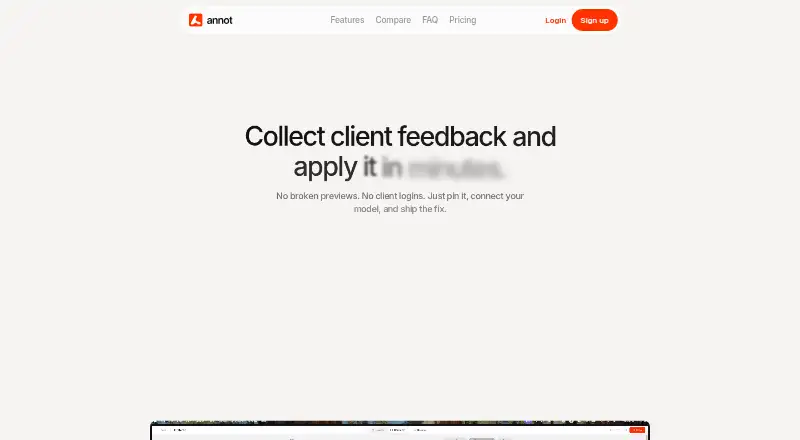
What Annot is
Annot is a web tool for gathering client feedback on websites and web applications. It creates shareable live previews where clients can leave comments, including through a link that does not require an account. Teams can sort comments into open and resolved states to follow issues. Previews support custom code and WebGL, and an in-app widget lets teams collect comments from people using their web app. Workflow integrations listed by Annot include Slack notifications, Notion sync, and execution through Claude, Cursor, or any AI model.
Annot has a free plan with one project, one page, one user, and unlimited guests. Paid plans are $9 a month for Freelance, $29 a month for Pro, and $59 a month for Agency. Their project limits are one, three, and unlimited, respectively. Pro and Agency include all integrations and email support with 48-hour and 24-hour response times. Annot says it collects account, usage, content, guest, technical, and communication data, and does not sell personal data.
Good
- Clients can comment through a shared link without an account.
- Open and resolved states help track comments.
- Previews support custom code and WebGL.
- An in-app widget collects feedback from users.
Watch out
- The free plan is limited to one project and one page.
- Freelance costs $9 a month.
- The web is the only listed platform.
Who it suits
Annot suits agencies, freelancers, and teams that need clients to review web applications or websites. Its shared links allow guest feedback without requiring clients to create accounts.
Verdict
Annot brings client comments, guest access, and issue tracking into a website review workflow. Check the project limits and plan support terms against the size of your team.
Plans and prices
From Annot's own pricing page, checked 7 Oct 2026.
| Plan | Price | What it gives you |
|---|---|---|
| Freelance | $9 a month | 1 active project · Full website (all pages) · 1 user · Unlimited guests · File uploads in comments · Slack integration · Email support · /Monthly |
| Pro | $29 a month | 3 active projects · Full websites (all pages) · Unlimited users · Unlimited guests · File uploads in comments · All integrations (including AI Models) · Email support (48h response) · /Monthly |
| Agency | $59 a month | Unlimited projects · Full websites (all pages) · Unlimited users · Unlimited guests · File uploads in comments · All integrations (including AI models) · Email support (24h response) · /Monthly |
| Free | — | 1 active project · 1 page · 1 user · Unlimited guests · /Monthly |
The facts
Each one read from Annot's own pages, with the date it was checked.
What it does
- Data transfers
- For personal data transferred outside the EEA, Annot says it uses GDPR safeguards including Standard Contractual Clauses or transfers to countries deemed adequate by the European Commission.checked 7 Oct 2026
- Guest reviews
- Clients can review and comment through a shared link without creating an account.checked 7 Oct 2026
- Integrations
- The site identifies Slack notifications, Notion sync, and execution through Claude, Cursor, or any AI model as workflow integrations.checked 7 Oct 2026
- Issue tracking
- Teams can filter comments between open and resolved to track issues to resolution.checked 7 Oct 2026
- Personal data
- Annot's privacy policy says it collects account, usage, content, guest, technical, and communication data, and does not sell personal data.checked 7 Oct 2026
- Project limits
- The FAQ states that Free includes 1 project, Pro allows up to 3, and Agency includes unlimited projects and clients.checked 7 Oct 2026
- Purpose
- Annot collects client feedback on websites through shareable live previews where clients can comment directly.checked 7 Oct 2026
- Retention
- The privacy policy says account data is deleted within 30 days of account closure, project content is deleted upon project deletion, and technical and usage data is retained for up to 12 months.checked 7 Oct 2026
- Support
- The Freelance plan includes email support, Pro lists a 48-hour response, and Agency lists a 24-hour response.checked 7 Oct 2026
- Target users
- The site describes Annot as being for teams collecting feedback on web applications and says agencies and freelancers use it.checked 7 Oct 2026
- WebGL and custom code
- The product says its shareable previews support custom code and WebGL.checked 7 Oct 2026
Where it runs
- In-app feedback
- Annot offers a widget for collecting comments inside a web app where users are working.checked 7 Oct 2026
The full review of Annot
Annot is a web-based review workspace for website and web-app feedback. It suits agencies, freelancers, and product teams that need clients to comment on live previews without creating accounts. Choose it for its focused comment-to-resolution workflow, but match the project and seat limits to your workload before committing.
Overview
Annot turns a shareable preview into a client review space: reviewers open a link, place comments on the webpage, and teams sort those comments as open or resolved. Guest access removes account friction for clients and other occasional reviewers, while the status filters provide a straightforward way to track outstanding issues through completion.
The service also supports feedback inside a web application through an in-app widget. Its previews can handle custom code and WebGL, making it more suitable for interactive or technically distinctive sites than a static markup-only review process. Annot is designed around webpages and does not provide browser capture, so it is not a general screenshot-annotation utility.
Key features
Client comments and resolution
Comment-based annotation keeps feedback attached to the page under discussion. Open and resolved filters give a small team a usable issue queue, although teams needing broader task planning will still need another project-management system.
Guest and in-app feedback
Clients can review through a shared link without an account, which is valuable when a project involves many external stakeholders. The in-app widget collects comments while users are working inside a product, extending feedback beyond a separate preview.
Workflow integrations
Slack notifications, Notion synchronisation, and execution through Claude, Cursor, or another AI model connect review comments to existing workflows. Slack is included on Freelance; the higher plans include all integrations, including AI models. Export options also include MCP, giving technical teams another route for moving feedback into tooling.
Pricing
Annot uses a freemium model. The Free plan has no listed price and is billed monthly, with one active project, one page, one user, and unlimited guests. That is enough to evaluate the basic guest-comment workflow, but a one-page ceiling makes it unsuitable for reviewing a complete multi-page site.
Freelance costs $9 a month, billed monthly. It allows one active project covering all pages, one user, unlimited guests, file uploads in comments, Slack integration, and email support. This is the sensible entry plan for an independent freelancer or a single-client engagement; the single-user limit restricts collaboration.
Pro costs $29 a month, billed monthly. It raises capacity to three active projects and adds unlimited users, unlimited guests, full websites, file uploads, all integrations including AI models, and email support with a 48-hour response. It fits small agencies or product teams running several concurrent reviews.
Agency costs $59 a month, billed monthly. Unlimited projects and clients, unlimited users and guests, full websites, file uploads, all integrations, and a 24-hour email response are aimed at agencies managing a recurring client roster. The extra cost is justified mainly by unlimited project capacity and faster stated support.
The FAQ defines Free as one project, Pro as up to three, and Agency as unlimited projects and clients. Check those caps against your pipeline before choosing a plan.
Platforms
Annot runs on the web and supports webpage reviews. It offers collaborative review, guest access, and comment annotation, but no browser-capture mode.
Who it's for
Agencies and freelancers are the clearest fit: they can send a link to clients, gather comments without requiring sign-up, and work through open issues. Small product or web teams also benefit from the in-app widget and integrations. The Free plan suits a single-page trial, while teams reviewing several sites or involving multiple internal users need Pro or Agency. Annot is a weaker choice for teams seeking document annotation, browser screenshots, or a full project-management environment.
Pros and cons
Pros
- Guest commenting through a shared link avoids account creation for clients.
- Open/resolved filtering gives feedback a clear path from report to closure.
- Custom-code and WebGL previews cover interactive web projects.
- In-app feedback, Slack, Notion, AI-model execution, and MCP connect review work to team workflows.
- Agency removes project and client limits and states a 24-hour email response.
Cons
- Free is limited to one page and one user, so it cannot represent a full site review.
- Freelance remains one user and one active project, limiting team collaboration.
- There is no browser-capture feature; the product is centered on webpage previews and comments.
- Technical and usage data may be retained for up to 12 months, although account data is deleted within 30 days of closure and personal data is not sold.
Alternatives
For a broader directory of comparable products, see Web Annotation Tools.
- Pastel is the better choice when Android, iOS, API, or canvas-based review alongside web access matters.
- Hypothesis suits education-focused annotation with private groups and per-student plans.
- Weava Highlighter is aimed at personal highlighting, notes, and cross-device syncing.
- Annot8 is worth considering when a free tier with multiple projects, team seats, feedback-thread quotas, history, and storage is more useful.
- AnnotationBase offers a free multi-project workspace with collaborators, guest commenting, and AI-instruction export.
- dotts is an alternative for teams comparing a free testing tier with unlimited-reviewer options.
- Huddlekit is another web/API option for design and development handoff.
- Perusall is designed for course-based collaborative annotation rather than client website review.
Verdict
Annot is a strong fit for agencies, freelancers, and small web teams that want account-free client comments tied to live previews and a simple open-to-resolved workflow. Its main reason to choose it is the combination of guest review, interactive preview support, and workflow integrations. Look elsewhere if you need browser capture, document annotation, or more generous project capacity without moving to a higher paid plan.
Getting started
- Open Annot in a web browser
- Create an account and start a project
- Share the live preview link with clients or guests
- Collect comments through the preview or in-app widget
- Connect Slack, Notion, Claude, Cursor, or another supported AI model if needed
- Choose Free, Freelance, Pro, or Agency based on project and user needs
Limits worth knowing
Free includes one active project, one page, one user, and unlimited guests. Freelance allows one active project and one user; Pro allows three projects, while Agency provides unlimited projects and clients.
Questions
Is Annot free?
Yes. Annot has a Free plan with one active project, one page, one user, and unlimited guests.
How much do paid Annot plans cost?
Freelance costs $9 a month, Pro costs $29 a month, and Agency costs $59 a month.
Do clients need an Annot account?
No. Clients can review and comment through a shared link without creating an account.
Which platforms does Annot support?
Annot is available on the web.
What integrations are available?
Listed workflow integrations include Slack notifications, Notion sync, and execution through Claude, Cursor, or any AI model.
How many projects do the plans allow?
Free allows one project, Pro allows up to three, and Agency includes unlimited projects and clients.
Alternatives to Annot
- 1

Pastel
Free planAndroidiOSWebAPI8.1From $25 a month - 2
Weava Highlighter
Free planiOSWebExtension7.6From $12 a year - 3

Annot8
Free planWebAPISelf-hosted7.3From $10 a month - 4
Huddlekit
Free planWebAPI7.3From $16 a month - 5
Hypothesis
Free planOpen sourceWebAPIExtension7.3Free plan - 6
MarkUp
WebAPIExtension7.1From $79 a month