
Anchor
Anchor is a free monitoring and control tool for Windows devices, managed through a web dashboard.
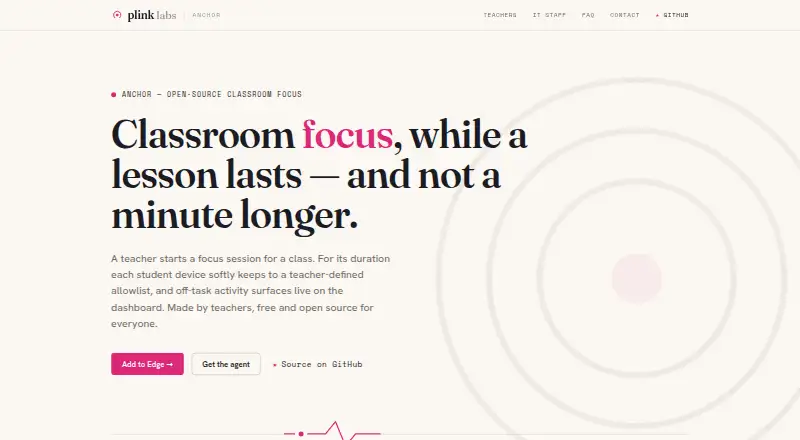
What Anchor is
Anchor is a free monitoring and control tool for Windows devices, managed through a web dashboard. It supports activity monitoring, web filtering, and device controls, giving users a way to oversee activity and manage supported devices. Anchor does not include live screen viewing or behavior tracking. It supports Windows 10 version 1809 or later, Windows 11, Microsoft Edge, and the web dashboard. Its listed platforms are web and Windows. The free plan means there is no listed paid tier or price to weigh, though the supported operating systems and browser are specific. For readers looking for a straightforward way to monitor activity and apply web filters on supported Windows devices, Anchor covers those functions without live viewing or behavior tracking.
Good
- Free plan is available.
- Includes activity monitoring.
- Provides web filtering.
- Includes device controls.
Watch out
- No live screen view.
- No behavior tracking.
- Requires Windows 10 version 1809 or later, or Windows 11.
Who it suits
Anchor suits people who want activity monitoring, web filtering, and device controls for supported Windows devices. It may not suit readers who need live screen viewing or behavior tracking.
Verdict
Anchor covers activity monitoring, web filtering, and device controls on supported Windows devices. Check its platform requirements and note that it lacks live screen viewing and behavior tracking.
Plans and prices
From Anchor's own pricing page, checked 4 Oct 2026.
| Plan | Price | What it gives you |
|---|---|---|
| Anchor | Free | Self-hosted backend · single school per deployment · Azure hosting costs may apply · Free; no licence fee or per-seat charge |
| Anchor software | Free | self-hosted · Windows/Edge student client · school supplies Azure backend · no licence fee or per-seat charge |
| Azure hosting estimate | €24 a month | about 1,000 students · Basic B1 App Service · SQL Standard S0 · free-tier Static Web App · Azure list prices, Belgium Central, excluding VAT |
| Azure hosting estimate with larger database | €43 a month | about 1,000 students · Basic B1 App Service · SQL Standard S1 · free-tier Static Web App · Azure list prices, Belgium Central, excluding VAT |
The facts
Each one read from Anchor's own pages, with the date it was checked.
What it does
- Agent stack
- The student client is a WinUI 3 and C# application using Velopack for updates.checked 15 Oct 2026
- Allowlist bundles
- Teachers choose named bundles such as Microsoft 365, Smartschool and GeoGebra instead of entering raw domains.checked 15 Oct 2026
- API architecture
- The repository describes an ASP.NET Core REST API with Entity Framework Core, SignalR and Microsoft Entra authentication.checked 15 Oct 2026
- Audience
- The maker describes Anchor as classroom software made by teachers for schools using managed or bring-your-own-device Windows laptops.checked 4 Oct 2026
- Authentication
- The deployment creates single-tenant Microsoft Entra registrations for the API and dashboard, with school accounts used instead of separate Anchor passwords.checked 15 Oct 2026
- Class management
- Classes can be created manually, imported from CSV or populated from a school directory and reused for later sessions.checked 15 Oct 2026
- Dashboard stack
- The teacher dashboard is implemented as Flutter Web with MSAL.js and is intended for Azure Static Web Apps.checked 15 Oct 2026
- Data collection
- During an active session the system can send off-list URL details, unblock requests, integrity signals and liveness heartbeats; it does not record keystrokes, screenshots, passwords or allowlisted browsing.checked 15 Oct 2026
- Deployment defect
- A GitHub issue documented backend deployment failures caused by a missing Azure publish-profile secret in the CI workflow.checked 15 Oct 2026
- Developer prerequisites
- Local development documentation lists .NET 10 SDK, Node.js LTS, Flutter, Azure CLI and a controllable Entra tenant as prerequisites for the relevant components.checked 15 Oct 2026
- Documented defect
- A GitHub issue reported that the foreground watcher failed to deliver Windows foreground callbacks, allowing off-list applications to remain usable during real sessions.checked 15 Oct 2026
- Extension stack
- The browser component is a TypeScript Edge Chromium Manifest V3 extension.checked 15 Oct 2026
- Hosting
- Each school runs a single-tenant backend in its own Azure subscription, and student devices and the dashboard communicate only with that backend.checked 4 Oct 2026
- Installation
- The student agent is a per-user Setup.exe that needs no administrator rights, starts at Windows sign-in and updates itself; Edge receives the extension through policy.checked 15 Oct 2026
- Integrations
- The teacher page names Microsoft 365, Smartschool, and GeoGebra as selectable bundles; sign-in uses existing school Microsoft accounts.checked 4 Oct 2026
- Integrity witness
- A native-messaging witness lets the agent and extension report if the other component is disabled during a session.checked 15 Oct 2026
- Licence
- Anchor is released under the GPL-3.0 licence and is self-hostable.checked 15 Oct 2026
- License and auditability
- Anchor is GPL-3.0 licensed, self-hostable, and its source code is public and auditable.checked 4 Oct 2026
- Limitations
- Anchor is deliberately soft enforcement: the maker says a determined student can bypass it, with tampering surfaced as an integrity signal.checked 4 Oct 2026
- Live visibility
- The teacher dashboard shows student state, joins, blocked pages and access requests as they occur during the lesson.checked 15 Oct 2026
- Local development
- The backend can run locally with SQLite, the dashboard with Flutter on port 5173, and the extension through npm build and Edge unpacked-extension loading.checked 15 Oct 2026
- Maintainer size
- The design document describes the project as being built by one developer in evenings and weekends.checked 15 Oct 2026
Where it runs
- App enforcement
- The Windows agent moves off-allowlist applications into the background and displays a gentle overlay without closing the applications.checked 15 Oct 2026
The company
- Maker location
- Plink Labs describes itself as built in Belgium.checked 15 Oct 2026
The full review of Anchor
Anchor is a teacher-led focus tool for schools running Windows laptops, with a school-hosted backend and an allowlist teachers can change during class. It suits schools that want session-bound oversight without collecting a continuous record of student work; its soft enforcement is not a substitute for a hard lockdown.
Its appeal is a narrow, auditable classroom workflow at no licence cost. The trade-offs are Azure hosting, Windows-and-Edge-only student support, and the school’s responsibility for deployment and support.
Overview
Teachers select a class, start a focus session, choose permitted app and website bundles, and can adjust those permissions as a lesson unfolds. They can review student states and events on the dashboard, then end enforcement for the class. This gives teachers room to shift resources mid-lesson, while keeping the product centered on classroom focus rather than broad device administration.
Off-list apps are set aside instead of being closed, and blocked pages in Edge offer students a way to request access. That is a less disruptive approach to keeping a class on task, but it also makes Anchor guidance rather than a firm barrier: the maker acknowledges that a determined student can bypass it, with tampering surfaced as an integrity signal.
Key features
Teacher-controlled allowlists
Teachers can alter allowed bundles during a session and monitor student states and events from the dashboard. Microsoft 365, Smartschool, and GeoGebra are named as selectable bundles, and sign-in uses existing school Microsoft accounts. This setup is most useful when a lesson has a known set of approved tools and teachers need to respond to access requests without ending the session.
Monitoring limited to active sessions
Anchor observes students only after a teacher starts a session. It does not record approved work, keystrokes, page contents, screenshots, passwords, or browsing outside sessions. During a session, it sends off-allowlist page visits, unblock requests, integrity signals, and liveness heartbeats to the school's backend. The boundaries are meaningful for schools seeking focused oversight rather than continuous surveillance, though those event records still require the school to set and manage retention. The default configuration prunes raw session events after 30 days while keeping summaries.
School-controlled hosting and auditability
Each school runs its own single-tenant backend in its Azure subscription, and both student devices and the dashboard communicate only with that backend. Self-hosting and the public GPL-3.0 source give schools the ability to inspect the software and keep the service within their own deployment. In return, Azure hosting costs may apply, and schools must run the backend themselves.
Pricing
Anchor — free (billed Free) has no licence fee or per-seat charge. The plan includes a self-hosted backend for a single school per deployment; Azure hosting costs may apply. There is no free trial because the product is free. This is a strong fit for a school willing to host and administer the service, but not a no-cost turnkey option: the school still bears infrastructure and operational responsibility.
Platforms
Student support is limited to Windows 10 version 1809 or later and Windows 11, using Microsoft Edge; teachers use a web dashboard. The maker says there is no student agent for Mac, Chromebook, iPad, or phone, and other browsers are outside the supported student-device scope. Anchor therefore fits a Windows-and-Edge classroom, not a mixed-device rollout.
Who it's for
Anchor is aimed at teachers and schools using managed or bring-your-own-device Windows laptops who want classroom focus sessions with adjustable allowlists and bounded monitoring. It is a better match for schools comfortable operating a self-hosted Azure deployment than for those seeking vendor-run infrastructure or a support desk: product questions go to GitHub issues, and there is no support ticket queue. Schools requiring strict prevention of bypasses, or student coverage across multiple device types and browsers, should look elsewhere.
Pros and cons
Pros
- No licence or per-seat fee: the free plan avoids software charges, with Azure hosting as the remaining stated cost.
- Session-scoped observation: monitoring begins only when a teacher starts a session and excludes approved work, keystrokes, page contents, screenshots, passwords, and off-session browsing.
- School-run, auditable deployment: a single-tenant backend, self-hosting, and public GPL-3.0 source suit schools that want control over operation and review.
- Flexible class sessions: teachers can change allowed bundles live and students can request access to blocked Edge pages.
Cons
- Soft enforcement: a determined student can bypass restrictions, so it is not suitable when hard lockdown is essential.
- Narrow student-device scope: only Windows and Edge are covered, excluding common classroom devices and other browsers.
- School bears hosting and support: Azure costs may apply, schools operate their own backend, and there is no support ticket queue.
Alternatives
For a free classroom tool specifically for iPad and Mac, choose Apple Classroom; Anchor is the closer fit for Windows-and-Edge sessions with school-hosted infrastructure.
Veyon is another open-source option, with a free GPLv2 core and paid commercial add-ons available by quote; consider it if its Linux, Windows, and self-hosted platform range better matches your environment.
LiveSchool offers Android, iOS, macOS, web, and Windows support, plus a free school-year pilot for one grade level; it may suit schools that need broader platform coverage or a bounded pilot.
Lightspeed Classroom is the alternative to consider if you want a product included in Lightspeed’s integrated ecosystem, with personalized quote pricing.
Classwize is a paid alternative for readers comparing classroom management products.
classroom.cloud is a paid option with a free trial and support for Android, iOS, macOS, web, and Windows; consider it if a trial and broader device coverage matter.
GoGuardian Teacher uses custom pricing based on enrollment, product bundles, contract length, and professional services, making it an option for schools evaluating a quote-based purchase.
KyberClassroom is a paid alternative with a free trial and cross-platform support; its displayed KyberGate Basic price is $5 a year, billed annually at $5/device/year for 1,000–4,999 devices.
Browse the Classroom Management Software category for more options.
Verdict
Choose Anchor if your school uses Windows laptops with Edge, can run an Azure-hosted single-school deployment, and wants a free, auditable focus tool that limits observation to active sessions. Its combination of live allowlist controls and restrained monitoring is compelling for that setting. Look elsewhere if you need reliable lockdown against determined bypasses, support for other student platforms or browsers, or a hosted service with a support queue.
Getting started
- Open the Anchor website
- Use the web dashboard and sign in with an existing school Microsoft account
- Deploy the student extension on Windows 10 version 1809 or later or Windows 11
- Run a single-tenant backend in the school's Azure subscription
- Select a class and start a focus session
- Choose allowed app and website bundles
- Adjust access and review events during the session
Limits worth knowing
The free Anchor plan is self-hosted for a single school per deployment, and Azure hosting costs may apply. Student support is limited to Windows 10 version 1809 or later, Windows 11, and Microsoft Edge; enforcement can be bypassed by a determined student.
Questions
What does Anchor cost?
The Anchor plan is free, with no licence fee or per-seat charge. Azure hosting costs may apply.
Which devices and browsers are supported?
Supported platforms include Windows 10 version 1809 or later, Windows 11, Microsoft Edge, and the web dashboard. There is no student agent for Mac, Chromebook, iPad, or phone, and other browsers are outside scope.
Is Anchor open source?
Yes. It is GPL-3.0 licensed, self-hostable, and its source code is public and auditable.
What does Anchor monitor during sessions?
During active teacher-started sessions, it sends off-allowlist page visits, unblock requests, integrity signals, and liveness heartbeats. It does not record on-allowlist work, keystrokes, page contents, screenshots, passwords, or browsing outside sessions.
How is student activity restricted?
Teachers enforce an allowlist of apps and websites. Off-list apps are set aside, while off-list Edge pages show a block page with a request-access option.
Where is Anchor hosted?
Each school runs a single-tenant backend in its own Azure subscription, and student devices and the dashboard communicate only with that backend.
Alternatives to Anchor
- 1

ClassDojo
Free planAndroidiOSWebmacOS8.2From $69.99 a year - 2
Piazza
Free planAndroidiOSWebAPI7.9Free plan - 3

KyberClassroom
AndroidiOSWebAPI7.6From $5 a year - 4

LiveSchool
Free planAndroidiOSWebmacOS7.4From $1,960 a year - 5
Veyon
Free planOpen sourceAPILinuxSelf-hostedWindows7.1Free plan - 6

Senso.cloud
iOSWebmacOSWindows7.0From £1 a year