
Amaka
Amaka connects business apps with accounting systems so businesses, accountants, and bookkeepers can automate transaction syncing.
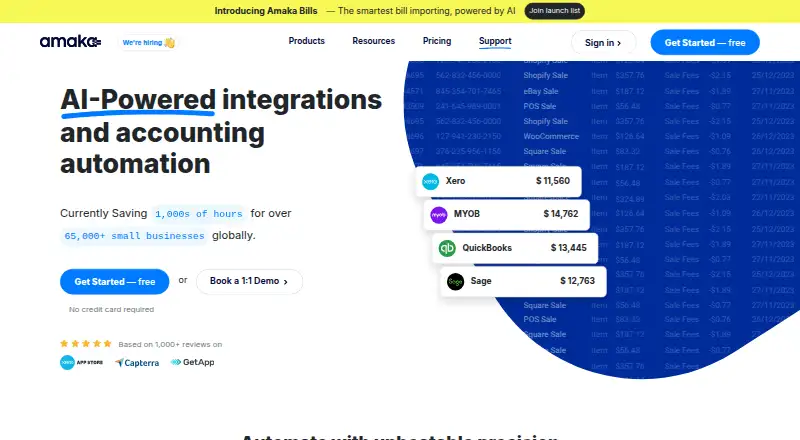
What Amaka is
Amaka connects business apps with accounting systems so businesses, accountants, and bookkeepers can automate transaction syncing. It transfers sales, payment, and other transactions from e-commerce and point-of-sale platforms to Xero, QuickBooks Online, Sage, and MYOB. Connectors include Shopify, Square, Etsy, WooCommerce, Squarespace, Wix, DocuSign, TrackTik, and Yoco; Amazon and Stripe are marked as coming soon. Depending on the app and plan, sync options include cost of goods sold, inventory, detailed formats, and advanced mapping. Setup can use Express defaults with automatic account mapping, Advanced customization, or a guided session with an integration expert. Amaka also offers a free one-to-one remote Zoom session for setup, demonstrations, technical questions, or sync issues. Its free plan allows up to 60 transactions a month, one integration, and one store or location. Premium is $18/mo and Premium+ is $49/mo. Syncing pauses when a plan reaches its transaction limit, until the next billing cycle or an upgrade.
Good
- Connects to Xero, QuickBooks Online, Sage, and MYOB.
- Free plan includes one integration and 60 monthly transactions.
- Offers Express, Advanced, and guided setup options.
- Free remote Zoom session with an integration expert.
- Premium+ includes unlimited transactions, integrations, and locations.
Watch out
- Free plan limits use to 60 transactions monthly.
- Free plan permits one integration and one location.
- Syncing pauses after reaching a plan's transaction limit.
- COGS and inventory are unavailable on the free plan.
Who it suits
Amaka suits small businesses and their accountants or bookkeepers who need transactions synced between business apps and accounting software. It may also suit users who want expert help with setup or sync issues.
Verdict
Amaka combines accounting integrations with flexible setup and an expert support session. Check the plan's transaction and integration limits against the volume and number of business apps you need to connect.
Plans and prices
From Amaka's own pricing page, checked 14 Oct 2026.
| Plan | Price | What it gives you |
|---|---|---|
| Free | Free | up to 60 orders/transactions per month · 1 integration · 1 location/store · up to 1 day backsync |
| Premium | $18 a month | up to 500 orders/transactions per month · 2 integrations · 2 locations/stores · up to 90 days backsync · 7-day free trial · per month |
| Premium+ | $49 a month | unlimited orders/transactions · unlimited integrations · unlimited locations/stores · up to 365 days backsync · 7-day free trial · per month |
The facts
Each one read from Amaka's own pages, with the date it was checked.
What it does
- Accounting systems
- Amaka lists Xero, QuickBooks Online, Sage, and MYOB as accounting systems it connects with.checked 29 Sep 2026
- Accounting targets
- Supported accounting destinations include Xero, QuickBooks Online, Sage and MYOB.checked 14 Oct 2026
- Authentication
- Amaka documentation describes OAuth-style authorization and access tokens used when integrations call target APIs.checked 14 Oct 2026
- COGS and inventory
- Selected e-commerce integrations can synchronize cost of goods sold and inventory journal entries.checked 14 Oct 2026
- Connectors
- Listed connectors include Shopify, Square, Etsy, eBay, WooCommerce, Squarespace, Loyverse, Revel, Impos, DocuSign, Foodbomb, TrackTik, Wix and Yoco.checked 14 Oct 2026
- Data sync
- Amaka syncs sales, payment, and other transactions from e-commerce and POS platforms to accounting software.checked 29 Sep 2026
- Documentation
- Documentation includes setup guides, mapping instructions, billing guidance and troubleshooting articles for authentication and missing mappings.checked 14 Oct 2026
- Funding
- Crunchbase lists Amaka as having four funding rounds, six investors and a Series A round, with total funding amounts obscured on the public page.checked 14 Oct 2026
- Historical sync
- The service supports backdating transaction synchronization to import historical data.checked 14 Oct 2026
- Independent ranking
- Hyphen Digital listed Amaka as the most reviewed Xero app with 4.9 stars from 1,288 reviews in its June 2025 roundup.checked 14 Oct 2026
- Integration examples
- Listed connectors include Shopify, Square, Etsy, WooCommerce, Squarespace, Wix, DocuSign, TrackTik, and Yoco; Amazon and Stripe are marked coming soon.checked 29 Sep 2026
- Intended customers
- Amaka describes its platform as serving small businesses, business owners, professional accountants, and bookkeepers.checked 29 Sep 2026
- Invoice formats
- Users can choose summarized invoices or an invoice for each transaction, with breakdowns by category, product or location.checked 14 Oct 2026
- Licence
- The terms grant a non-exclusive, non-transferable and revocable licence to use Amaka software and prohibit modification or reverse engineering.checked 14 Oct 2026
- Limit: G2 setup
- G2 reviewers say initial configuration can be confusing without guided assistance.checked 14 Oct 2026
- Limit: Trustpilot syncing
- Trustpilot reviewers report duplicated Shopify invoices, unreliable synchronization and manual cleanup work.checked 14 Oct 2026
Where it runs
- Account mapping
- Advanced setup lets accountants customize mapping of sales and payments to their own accounts.checked 14 Oct 2026
- Limit: GetApp support access
- GetApp reviewers mention time-zone delays and difficulty booking support sessions despite valuing the assistance.checked 14 Oct 2026
The company
- Company and headquarters
- The company identifies itself as Amaka IO Pty Ltd and lists Australia as its headquarters.checked 29 Sep 2026
- Company scale
- Amaka’s about page states that it has more than 65,000 connected merchants, over 60 team members, service in more than 25 countries and more than one billion automations processed.checked 14 Oct 2026
- Company size
- LinkedIn lists Amaka as a privately held software-development company with 11–50 employees.checked 14 Oct 2026
- Founded
- LinkedIn lists Amaka as founded in 2015.checked 14 Oct 2026
- Headquarters
- LinkedIn lists Sydney, New South Wales as Amaka’s headquarters, while Amaka’s own about page identifies Australia as its headquarters.checked 14 Oct 2026
Money
- Free partner integrations
- Amaka says Square with Xero, Sage, or Holded, DocuSign, Vend, TrackTik, FoodBomb, and Yoco integrations are free of charge.checked 29 Sep 2026
The full review of Amaka
Overview
Amaka connects sales and business apps with accounting software, automating the movement of sales, payment, and other transaction data into a business’s accounting system. It is a cloud-based service for small businesses, business owners, professional accountants, and bookkeepers; it complements accounting software rather than replacing it.
Its accounting connections include Xero, QuickBooks Online, Sage, and MYOB. Listed app connectors include Shopify, Square, Etsy, WooCommerce, Squarespace, Wix, DocuSign, TrackTik, and Yoco. Amazon and Stripe are marked as coming soon, not as currently available connectors. The company is Amaka IO Pty Ltd, headquartered in Australia.
For businesses that want help beyond automated syncing, Amaka offers a managed reconciliation service. Its integration specialists and AI agents reconcile and monitor transactions that pass through its accounting integrations.
Key features
Transaction sync and accounting options
Amaka syncs sales and payment transactions, with backsync periods that vary by plan. COGS, inventory, detailed sync formats, and advanced mapping are available only for selected apps and plans, so the exact options depend on the connection a business uses. Listed capabilities also include basic inventory accounting, rules-based tax handling, partial payout reconciliation, marketplace support, multi-currency accounting, and bank feeds.
Setup and support
Users can set up with Express defaults and automatic account mapping, customize the configuration through Advanced setup, or book a Guided session with an integration expert. Amaka also offers a free one-to-one remote Zoom session for setup, demonstrations, technical questions, and sync issues.
Free partner integrations
Amaka lists Square connections with Xero, Sage, or Holded, as well as DocuSign, Vend, TrackTik, FoodBomb, and Yoco integrations, as free of charge. That offer is distinct from the transaction and integration allowances on the subscription plans, so businesses should check which terms apply to their intended setup.
Pricing
Amaka uses a freemium model. Its Free plan costs nothing and allows up to 60 transactions per month, one integration, one location or store, and one day of backsync. COGS and inventory are unavailable on this plan.
Premium costs $18 a month, billed monthly. It allows up to 500 transactions per month, two integrations, two locations or stores, and up to 90 days of backsync. Premium+ costs $49 a month, billed monthly, and includes unlimited transactions, integrations, and locations or stores, with up to 365 days of backsync. Both paid plans include a 7-day free trial.
Syncing pauses when a subscription reaches its 100% transaction limit, until the next billing cycle or an upgrade. Back-synced transactions count toward that monthly limit, which matters when importing historical records on a plan with a cap.
Platforms
Amaka is available on the web. Its privacy policy says the company is bound by Australia’s Privacy Act 1988 and describes personal-information rights in accordance with GDPR.
Who it's for
Amaka may suit small businesses and their accountants or bookkeepers when sales and payment activity needs to reach accounting software from e-commerce or POS apps. The plan limits make transaction volume, number of integrations, locations, and the amount of historical data to sync central considerations. Businesses that need COGS or inventory should verify availability for their specific app and plan before choosing.
Pros and cons
Pros
- Connects several accounting systems with a range of e-commerce and business apps.
- Offers a free plan and identifies several partner integrations as free of charge.
- Provides different setup paths, a free one-to-one expert session, and managed reconciliation.
- Premium+ removes the stated transaction, integration, and location limits.
Cons
- The Free plan is capped at 60 transactions per month and excludes COGS and inventory.
- Paid plans have transaction caps except for Premium+; backsync activity counts toward those caps.
- Some sync options depend on the app and plan, while Amazon and Stripe are not listed as available yet.
Alternatives
Businesses comparing tools in this area can browse Ecommerce Accounting Software. Other listed options include Entriwise, Ecommatrics, Webgility, DeepEcom, ZupERP, Ceendesis Accounting, Dext Commerce, and Fulfil. The available facts do not establish how their features or pricing compare with Amaka’s.
Verdict
Amaka’s main appeal is a choice of accounting and business-app connections, several setup routes, and reconciliation support alongside transaction syncing. Its Free plan provides a way to start with modest volume, while Premium adds capacity and longer backsync, and Premium+ is the plan without stated transaction, integration, or location caps. The fit depends on the specific connector and sync options required, along with monthly volume and the need for COGS or inventory. Those details are worth checking before relying on a particular workflow.
Getting started
- Visit https://amaka.com/ and choose the Free plan or a paid plan.
- Connect a supported business app and accounting system.
- Use Express defaults and automatic account mapping, configure Advanced settings, or arrange a guided session with an integration expert.
- Book the free one-to-one remote Zoom session for setup, a demo, technical questions, or sync issues.
- Review the plan’s transaction limit and backsync window before syncing transactions.
Limits worth knowing
The Free plan allows 60 transactions per month, one integration, one location or store, and backsync of up to one day; COGS and inventory are unavailable. Premium allows 500 monthly transactions, while Premium+ has unlimited transactions, integrations, and locations; syncing pauses at the applicable transaction limit until the next billing cycle or an upgrade.
Questions
Is Amaka free?
Yes. The Free plan costs nothing and includes up to 60 transactions per month, one integration, and one location or store.
What do the paid plans cost?
Premium costs $18 a month and Premium+ costs $49 a month. Both include a seven-day free trial.
Which accounting systems does Amaka connect with?
Amaka lists Xero, QuickBooks Online, Sage, and MYOB.
Which business apps can it connect?
Listed connectors include Shopify, Square, Etsy, WooCommerce, Squarespace, Wix, DocuSign, TrackTik, and Yoco. Amazon and Stripe are marked coming soon.
What happens at the transaction limit?
Syncing pauses until the next billing cycle or a plan upgrade. Backsynced transactions count toward the monthly limit.
Who operates Amaka, and where is it based?
The company identifies itself as Amaka IO Pty Ltd and lists Australia as its headquarters.