
Aegisub
Aegisub is a free, open-source subtitle editor for Linux, macOS, and Windows.
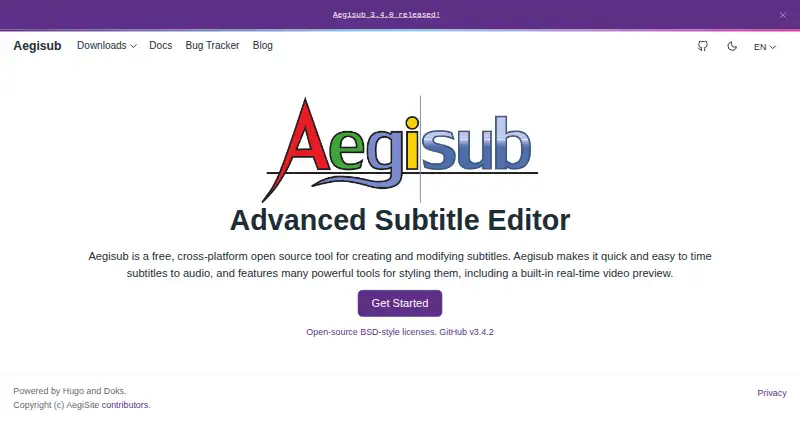
What Aegisub is
Aegisub is a free, open-source subtitle editor for Linux, macOS, and Windows. It helps users create and modify subtitles, time them to audio with waveform and spectrum views, and preview edits over video. Visual controls on the video frame let users position, rotate, scale, and clip subtitle text. It supports subtitle translation and imports and exports several formats, including MPEG-4 Timed Text and MicroDVD. Editing aids include spell checking, a thesaurus, a translation assistant, syntax highlighting, and macros; its Automation module can run Lua scripts for macros and export filters. Multi-level undo and redo, autosaving, backups, and emergency recovery saving help preserve work. SRT export is available through the Export dialog, though direct saving is blocked when override tags would lose information. Aegisub does not create DVD subtitles directly. Its optional update checker sends anonymous operating-environment details, including an IP address, if enabled.
Good
- Free and open source across Linux, macOS, and Windows.
- Waveform and spectrum views support audio timing.
- Live video preview while editing subtitles.
- Lua automation supports macros and export filters.
- Includes autosaving, backups, and emergency recovery saving.
Watch out
- Does not create DVD subtitles directly.
- Direct SRT saving is blocked when tags would lose information.
- VTT export is not supported.
Who it suits
Aegisub suits subtitle editors who need audio timing, video preview, translation tools, and visual typesetting controls across desktop platforms. It is also suited to users who want to automate editing tasks with Lua scripts.
Verdict
Aegisub combines subtitle timing, visual editing, translation aids, and automation in a free desktop tool. Users needing DVD subtitles directly or VTT export should note those limitations.
Plans and prices
From Aegisub's own pricing page, checked 7 Oct 2026.
| Plan | Price | What it gives you |
|---|---|---|
| Aegisub | Free | Free, open-source subtitle editor |
The facts
Each one read from Aegisub's own pages, with the date it was checked.
What it does
- Audio timing
- It provides tools for timing subtitles to audio, including a customizable audio interface with waveform and spectrum views.checked 7 Oct 2026
- Automation
- The Automation module supports Lua scripts that provide macros and export filters.checked 7 Oct 2026
- Current release
- The downloads page lists version 3.5.0, released October 4, 2026, with Windows and OS X downloads and a source archive.checked 7 Oct 2026
- Editing aids
- Editing features include spell checking, a thesaurus, a translation assistant, syntax highlighting, and macros.checked 7 Oct 2026
- Limit: DVD subtitles
- Aegisub does not create DVD subtitles directly; its FAQ describes using an external program to convert SSA to VOBSubs.checked 7 Oct 2026
- Limit: SRT export
- Direct saving to SRT is blocked when override tags would cause information loss, though the FAQ describes exporting to SRT through the Export dialog.checked 7 Oct 2026
- Privacy
- The optional update checker sends anonymous operating-environment information, including IP address, Aegisub version, operating system, and interface language; users can avoid this collection by not enabling the checker.checked 7 Oct 2026
- Purpose
- Aegisub is a free, cross-platform open-source tool for creating and modifying subtitles.checked 7 Oct 2026
- Recovery
- Aegisub includes multi-level undo and redo, autosaving, backups, and emergency recovery saving.checked 7 Oct 2026
- SRT export
- Yeschecked 20 Sep 2026
- Subtitle formats
- It supports importing and exporting several subtitle formats, including MPEG-4 Timed Text and MicroDVD.checked 7 Oct 2026
- Subtitle translation
- Yeschecked 20 Sep 2026
- Support
- The FAQ recommends the Aegisub Discord server and IRC channel for Aegisub questions and the bug tracker for bug reports.checked 7 Oct 2026
- Typesetting
- Users can position, rotate, scale, and clip subtitles with visual tools on the video frame.checked 7 Oct 2026
- Video preview
- Its video mode provides a live preview of subtitles as they are edited.checked 7 Oct 2026
- VTT export
- Nochecked 20 Sep 2026
Money
- Free plan
- Yeschecked 20 Sep 2026
The full review of Aegisub
Aegisub is a free, open-source desktop subtitle editor for Linux, macOS, and Windows. It is aimed at subtitle translators, timing specialists, and video editors who need frame-level placement and styling controls. Its strongest case is detailed, scriptable subtitle work; delivery requirements such as VTT or direct DVD subtitles point elsewhere.
Overview
Aegisub combines a subtitle timeline with audio and video-oriented editing. The customizable audio view includes waveform and spectrum displays, making it practical to align lines closely with dialogue and other sounds. A live video preview lets you judge the result while editing rather than relying on text and timestamps alone.
This is a specialist desktop application rather than a lightweight caption utility. Its free, open-source model removes licensing cost, while the depth of its controls rewards users who care about exact timing, translation quality, or on-screen typography.
Key features
Visual typesetting tools let you position, rotate, scale, and clip subtitles directly on the video frame. That is valuable for stylized captions, signs, or other deliberately placed text, but unnecessary complexity for someone who only needs plain dialogue captions.
Aegisub supports subtitle translation and works with several formats, including MPEG-4 Timed Text and MicroDVD. SRT export is available, although direct saving is blocked when override tags would lose information; the Export dialog provides the documented route instead. VTT export is not supported, so web-video workflows requiring WebVTT will need another application or conversion step.
Spell checking, a thesaurus, and a translation assistant support language-focused editing. Syntax highlighting and macros speed up structured work, while the Lua-based Automation module can add macros and export filters. That extensibility is a real advantage for repeatable or format-specific jobs, provided the editor is comfortable with scripting.
Multi-level undo and redo, autosaving, backups, and emergency recovery saving provide a strong safety net for long editing sessions. The optional update checker sends anonymous operating-environment data, including IP address, version, operating system, and interface language; leaving the checker disabled avoids that collection.
Aegisub does not create DVD subtitles directly. Its documented workflow uses an external program to convert SSA to VOBSubs, adding a separate step for DVD authoring.
Pricing
Aegisub: free. The plan is free and open source, with no free trial because there is no paid tier. It is the natural choice for individuals, volunteers, and teams that can use a desktop editor without seat fees or usage quotas.
Platforms
Native downloads cover Linux, macOS, and Windows. The downloads page lists version 3.5.0, released October 4, 2026, with Windows and OS X downloads plus a source archive.
Who it's for
Aegisub fits translators, fansub and localization editors, and video specialists who need waveform-based timing, visual typesetting, and automation. It is less suitable for browser-first teams, VTT delivery, or DVD production that must happen inside one application.
Pros and cons
Pros
- Precise audio timing: Waveform and spectrum views support close alignment to speech.
- Deep visual control: Positioning, rotation, scaling, and clipping handle styled subtitles.
- Translation and scripting aids: Language tools, macros, and Lua automation support demanding workflows.
- Strong recovery features: Undo history, autosaves, backups, and emergency saves reduce lost work.
- No license cost: The editor is free and open source across three desktop platforms.
Cons
- No VTT export: Web-caption publishers need another tool or conversion path.
- No direct DVD subtitles: SSA-to-VOBSub conversion requires external software.
- SRT caveat: Override tags that would lose information block direct saving, requiring the Export dialog.
- Desktop-only workflow: There is no web platform for browser-based collaboration.
Alternatives
Browse Subtitle Software for a broader category comparison.
Editsub is a freemium Linux, macOS, Windows, and web option: its free plan allows 10 subtitle files, while Pro costs $48 a year and adds 1,500 credits per month. Pick it when browser access or a managed paid tier matters.
Jubler is another free cross-platform desktop editor, but video preview and audio waveform require VLC; choose it if that dependency is acceptable.
SRTGen is a freemium web/API service with SRT, VTT, and TXT export, a five-minute screen-recording limit, and 2 GB storage on its free tier. It is the better fit for web delivery and short online jobs.
Subtitle Edit is a free, open-source editor for Windows, macOS, and Linux.
Gaupol is free GPL software for Linux and Windows, while GNOME Subtitles is a free GPL editor focused on Linux.
Subvideo.ai is a web freemium service with guest and free-account upload limits and free subtitle exports including SRT. VideoLocalize is a web/API freemium service with a free trial and limits on users, jobs, video length, storage, transcription, and auto-synchronization.
Verdict
Choose Aegisub when you want a no-cost desktop editor with unusually strong timing, visual typesetting, translation support, and Lua automation. Look elsewhere when VTT output, direct DVD subtitles, or a browser-based workflow is central to your production process.
Alternatives to Aegisub
- 1
OOONA
Free planAndroidiOSWebAPI7.6Free plan - 2

SRTGen
Free planWebAPI7.5From $4 a month - 3

Editsub
Free planWebLinuxmacOSWindows7.4From $4 a month - 4
Avidemux
Free planOpen sourceWebLinuxmacOSWindows7.3Free plan - 5
Jubler
Free planOpen sourceAPILinuxmacOSWindows7.3Free plan - 6
Subvideo.ai
Free planWeb7.1From $9.99 a month