
Adobe Enhance Speech
Adobe Enhance Speech is a web tool for reducing noise and echo in voice recordings and dialogue from audio or video.
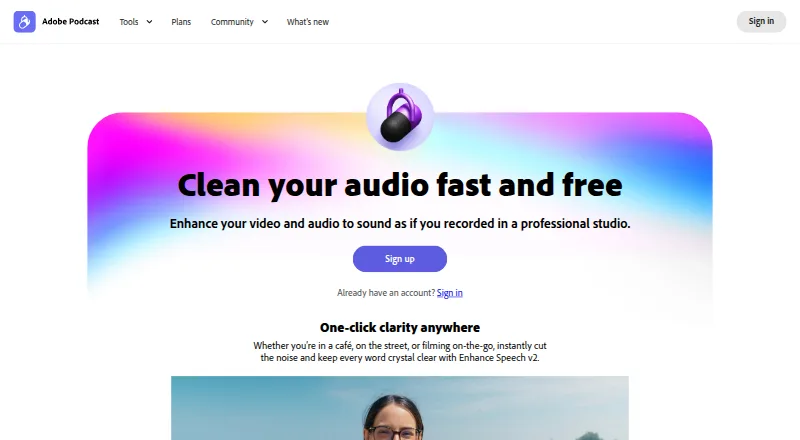
What Adobe Enhance Speech is
Adobe Enhance Speech is a web tool for reducing noise and echo in voice recordings and dialogue from audio or video. It filters noise and artifacts, adjusts pitch and volume, and normalizes audio. It accepts WAV, MP3, M4A, AAC, and FLAC audio, as well as MP4, MOV, and M4V video, and returns files in their original format. Uploads can be up to 1 GB. The free plan handles audio only, one file at a time, with no enhancement-strength adjustment; each file can be up to 30 minutes and 500 MB, and daily enhancement is limited to one hour. Firefly Pro adds video, bulk uploads, strength controls, and up to four hours of daily enhancement for $19.99 a month, billed monthly. Adobe says results vary with speaker audibility and background noise, and clearer pronunciation can produce better output. The tool is optimized for desktop and mobile browsers including Chrome, Safari, Edge, and Firefox. It does not translate or generate speech across languages.
Good
- Free plan includes one hour of daily enhancement.
- Supports common audio and video file formats.
- Returns downloads in the imported file format.
- Available in desktop and mobile browsers.
Watch out
- Free plan supports audio only.
- Free plan processes one file at a time.
- No strength adjustment on the free plan.
- Results depend on audibility and background noise.
Who it suits
Enhance Speech may suit people editing dialogue for podcasts, interviews, or videos who want to reduce noise and echo in a browser. The free plan is geared to audio-only, one-file-at-a-time work.
Verdict
Adobe Enhance Speech offers browser-based cleanup with a free audio-only tier and a paid plan that adds video and bulk uploads. Results can vary with the source recording’s clarity and noise.
Plans and prices
From Adobe Enhance Speech's own pricing page, checked 15 Oct 2026.
| Plan | Price | What it gives you |
|---|---|---|
| Free plan | Free | audio only · 30 minutes/file · 500 MB/file · 1 hour/day · one upload at a time · no strength adjustment |
| Firefly Pro plan | $19.99 a month | Video support · bulk uploads · strength adjustment · 2 hours and 1 GB max per file · 4 hours of enhancement per day · Monthly |
| Adobe Firefly Pro plan with Adobe Podcast Premium | Priced on request | video support · bulk uploads · speech/music/ambience controls · 4 hours/day · 1 GB/file · files up to 2 hours · unlimited Studio downloads · speaker-separated originals |
The facts
Each one read from Adobe Enhance Speech's own pages, with the date it was checked.
What it does
- Audiograms
- Studio can turn recordings into captioned, waveform-style shareable videos called audiograms.checked 15 Oct 2026
- Audio processing
- Adobe says the tool filters noise and artifacts, adjusts pitch and volume, and normalizes audio.checked 28 Sep 2026
- Availability
- Adobe Podcast is available worldwide except China, Cuba, Iran, North Korea, Syria, Crimea, and the so-called Donetsk and Luhansk People's Republics.checked 28 Sep 2026
- Background control
- Enhance Speech v2 includes a background slider for changing isolated background loudness.checked 15 Oct 2026
- Bulk processing
- Premium users can upload multiple files into an automatic enhancement queue.checked 15 Oct 2026
- Chrome extension limitation
- The independent extension says Adobe Podcast supports bulk upload but not bulk download and uses DOM automation rather than an API.checked 15 Oct 2026
- Chrome extension rating
- The independent Adobe Podcast Bulk Downloader extension is rated 0 out of 5 from 0 ratings.checked 15 Oct 2026
- Compliance
- Adobe says its product attestations are certified by third-party auditors and that enterprise solutions are GDPR-ready.checked 15 Oct 2026
- Daily premium capacity
- Adobe lists a premium allowance of up to four hours of enhanced speech per day and files up to 1 GB.checked 15 Oct 2026
- Developer API status
- A Reddit developer discussion reports that Adobe Podcast did not offer a public API at the time of that discussion.checked 15 Oct 2026
- Documentation and support
- Adobe links users to technical requirements, FAQs, step-by-step guides, feedback submission, and a community forum.checked 15 Oct 2026
- Input formats
- Enhance Speech accepts WAV, MP3, M4A, AAC, and FLAC audio, plus MP4, MOV, and M4V video, with uploads up to 1 GB.checked 28 Sep 2026
- Integrations
- Adobe Podcast provides guides for importing multitrack Zoom and Restream recordings into Studio.checked 28 Sep 2026
- Intended users
- Adobe presents the free plan for people looking to tell stories and the tool for podcasts, interviews, and videos.checked 28 Sep 2026
- Interface languages
- The Adobe Podcast interface is available in Bengali, English, Filipino, French, German, Hindi, Indonesian, Italian, Portuguese, Spanish, and Turkish.checked 15 Oct 2026
- Languages
- Enhance Speech is language agnostic and does not generate or translate across languages.checked 28 Sep 2026
- Limit: advanced editing and integrations
- G2 reviewers say the product lacks deeper editing options and readily available third-party or Premiere integrations.checked 15 Oct 2026
- Limit: AI reliability
- G2 reviewers report that AI can underperform on weak networks or require corrections after processing.checked 15 Oct 2026
- Limit: audio glitches
- G2 reviewers report echoing and glitchy voiceovers in some recordings.checked 15 Oct 2026
Where it runs
- Browser support
- Adobe Podcast is web based; Enhance Speech is optimized for desktop and mobile browsers including Chrome, Safari, Edge, and Firefox.checked 28 Sep 2026
The company
- Company facts
- LinkedIn lists Adobe headquarters in San Jose, California, more than 10,001 employees, and a 1982 founding year.checked 15 Oct 2026
- Company legal name
- LinkedIn identifies the maker as Adobe, a public software-development company.checked 15 Oct 2026
- Founded
- 1982checked 23 Sep 2026
Money
- Free limits
- The free tier limits Enhance Speech to 30-minute, 500 MB files and one hour of processing per day.checked 15 Oct 2026
The full review of Adobe Enhance Speech
Adobe Enhance Speech is a browser-based tool for cleaning up spoken audio and video dialogue. It suits podcasters, interviewers and storytellers who want a simple cleanup workflow; its free tier is useful for audio, while video and bulk processing require a paid plan.
Overview
Enhance Speech aims to reduce noise and echo in voice recordings, with one-click processing that also adjusts pitch and volume and normalizes audio. That makes it a focused option for dialogue rather than a general-purpose audio editor. It can remove echo and reverb and isolate voice, but it does not translate or generate speech: it works with the language already spoken in a recording.
Source quality matters. Adobe says clearer, more audible speech and lower background noise lead to better results, so heavily obscured or poorly enunciated recordings may not clean up as well. Downloads retain the format of the uploaded file, avoiding a format change in the basic workflow.
Key features
Formats and processing limits
Enhance Speech accepts WAV, MP3, M4A, AAC and FLAC audio, plus MP4, MOV and M4V video. Uploads can be as large as 1 GB, though the Free plan caps files at 500 MB and 30 minutes; Firefly Pro raises those limits to 1 GB and two hours. The Free plan also processes one file at a time, while Pro adds bulk uploads and enhancement-strength controls.
Daily processing allowance is one hour on Free and four hours on Firefly Pro. Those caps make the free option better suited to occasional short clips than sustained production work. Adobe Podcast also provides guides for bringing multitrack Zoom and Restream recordings into Studio, a useful route for those sources without implying direct integration.
Browser access and support
The service runs on the web and is optimized for desktop and mobile browsers, including Chrome, Safari, Edge and Firefox. Adobe directs users to Help Center chat or the Adobe Podcast team for assistance. Adobe says it uses security processes and controls intended to help meet industry-accepted standards, regulations and certifications, alongside its Secure Product Lifecycle.
Pricing
| Plan | Price | What it includes |
|---|---|---|
| Free plan | free | Audio only; one file at a time; no strength adjustment; 30 minutes and 500 MB maximum per file; one hour of enhancement per day. |
| Firefly Pro plan | $19.99 a month, billed Monthly | Video support, bulk uploads and strength adjustment; files up to two hours and 1 GB; four hours of enhancement per day. |
The Free plan is the sensible starting point for audio-only, light use, but its per-file, daily and single-upload caps constrain regular work. Firefly Pro is the upgrade for video, batch handling or greater daily volume; its price buys those added capacities rather than unlimited processing.
Platforms
Enhance Speech is available through web browsers, including mobile browsers. Adobe Podcast is available worldwide except China, Cuba, Iran, North Korea, Syria, Crimea, and the so-called Donetsk and Luhansk People's Republics.
Who it's for
Choose Enhance Speech if you want browser-based dialogue cleanup for podcasts, interviews or video and can work within its upload and daily limits. The free tier fits occasional audio cleanup; creators handling video or multiple files are better matched to Firefly Pro. Look elsewhere if you need language translation or speech generation, or if your recordings are so unclear that the source itself is the main problem.
Pros and cons
Pros
- Useful audio coverage on the free plan: it includes noise and echo cleanup without a subscription, within the stated file and daily caps.
- Video and batch options on Pro: paid users can process video, upload in bulk and adjust enhancement strength.
- Broad format support: common audio and video formats are accepted, and downloads stay in the imported format.
Cons
- Free processing is tightly bounded: audio only, one file at a time, 30 minutes and 500 MB per file, and one hour daily.
- Paid processing still has quotas: Firefly Pro allows up to four hours daily and two hours per file, rather than unrestricted use.
- Results depend on the recording: unclear speech and substantial background noise can limit improvement.
Alternatives
Auphonic is worth considering when a monthly allowance suits better than Adobe's daily cap: its free plan includes two hours per month and AI-based audio algorithms, though free productions include a jingle and unused credits do not stack.
AudioEnhancerMAX is a free alternative with Android, Linux, macOS, web and Windows support.
CrystalSound is another freemium alternative, with Linux, macOS and Windows platforms.
Denoise may suit mobile users who want to hear a full before-and-after preview before deciding whether to pay: its free tier allows import and denoising, but saving or exporting requires Pro.
LANDR ReHance is an option for Mac or Windows users who already want LANDR Studio, since ReHance is included in that subscription.
ai-coustics is a paid option aimed at higher-volume or real-time processing, with a Startup plan listing 100,000 minutes per month and real-time processing under 30 ms.
Elgato Voice Focus is a paid standalone VST3/AU plugin for Windows and macOS, rather than a browser service.
DeepFilterNet is a free, open-source option for Linux, macOS and Windows.
For more options, browse AI Speech Enhancement Software.
Verdict
Adobe Enhance Speech is a strong fit for people who want browser-based voice cleanup and can stay within its file and daily quotas. Its free audio tier lowers the barrier to trying it, while Firefly Pro adds the video, batch and control features that make it more practical for recurring work. Look elsewhere if you need translation, larger sustained processing capacity or a workflow outside the browser.
Alternatives to Adobe Enhance Speech
- 1

LALAL.AI
Free planAndroidiOSWebAPI8.3From €6.75 a month - 2

Krisp AI Meeting Assistant
AndroidiOSExtensionmacOS7.8From $8 a month - 3
DeepFilterNet
Free planOpen sourceAPILinuxmacOSSelf-hosted7.6Free plan - 4

Noise Blocker
Free planWindows6.7$50 one-time - 5

Cleanvoice AI
WebAPI6.4From $11 a month - 6
Audo Studio
Free planWeb6.1From $12 a month