
Denoise
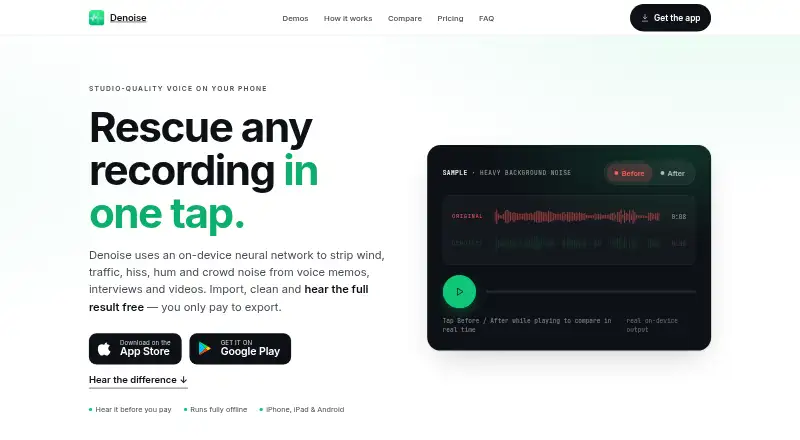
Denoise is an audio cleanup app for Android and iOS that reduces wind, traffic, hiss, hum and crowd noise in voice memos, interviews and videos.
What Denoise is
Denoise is an audio cleanup app for Android and iOS that reduces wind, traffic, hiss, hum and crowd noise in voice memos, interviews and videos. Its neural network runs on the device, so processing works offline, including in airplane mode. Users can import recordings from Voice Memos, Photos, Files or an app share sheet; supported file types include MP4, M4A, MP3 and WAV. Pro adds saving and export in M4A, MP3 or WAV, as well as replacing a video’s audio. Its VoiceFixer engine can rebuild detail in clipped, muffled or distant recordings, and version 4.0 separates vocals from instrumental tracks on-device. Audio tools include a five-band EQ with presets and automatic loudness normalization. There is no file-length limit, including for recordings up to three hours. Recordings are processed locally and are not uploaded or stored by Routes Software, though Google Firebase collects anonymous usage analytics and diagnostic information. Free users can process and preview recordings; saving and export require Pro. Pro is $2.99 a month or $14.99, paid once.
Good
- Processes recordings on-device, including offline
- Accepts audio and video imports
- No file-length limit
- Pro separates vocals and instrumentals
- Lifetime option costs $14.99, paid once
Watch out
- Free users cannot save or export
- No free trial
- Firebase collects anonymous usage and diagnostic data
Who it suits
Denoise suits podcasters, creators, journalists, students and others who want to clean up recordings on an Android or iOS device. It is also relevant to users who need offline processing or video-audio replacement.
Verdict
Denoise offers local noise reduction and a free way to preview results, with export and restoration tools behind Pro. Users should note that saving requires a paid plan and anonymous diagnostics are collected.
Plans and prices
From Denoise's own pricing page, checked 15 Oct 2026.
| Plan | Price | What it gives you |
|---|---|---|
| Free to try | Free | Import recordings · on-device denoise · full before/after listening · no account · no length limit · saving/exporting requires Pro |
| Pro Monthly | $2.99 a month | Unlimited saving and exporting · M4A/MP3/WAV export · video-audio replacement · VoiceFixer Restore · vocal/music separation · AI Shorten · LUFS normalization · monthly auto-renewing subscription |
| Pro Lifetime | $14.99, paid once | Same Pro features as monthly plan · no annual plan · one payment; yours forever |
The facts
Each one read from Denoise's own pages, with the date it was checked.
What it does
- AI Shorten
- AI Shorten removes long pauses and speeds speech up to 1.5x without changing pitch.checked 15 Oct 2026
- Analytics control
- The policy says there is currently no in-app switch to disable analytics and diagnostics; deleting the app stops collection.checked 15 Oct 2026
- Audio controls
- Denoise includes a 5-band EQ with Voice, Phone Call, Lecture and Music presets plus automatic LUFS normalization at −16, −14, −19 or −23.checked 1 Oct 2026
- Audio export
- Pro exports M4A, MP3 or WAV files and can replace the audio inside a video.checked 1 Oct 2026
- Audio import
- Recordings can be imported from Voice Memos, Photos, Files or any app’s share sheet, including MP4, M4A, MP3 and WAV files.checked 1 Oct 2026
- Automation
- The iOS release history adds a Shortcuts action named Clean Audio or Video.checked 15 Oct 2026
- Before-after preview
- Users can toggle original and cleaned audio and hear the full result before paying.checked 15 Oct 2026
- Data collected
- The privacy policy says Firebase receives anonymous usage events, crash diagnostics, device and OS details, a random app identifier and optional push token.checked 15 Oct 2026
- Data not collected
- The policy says the app does not collect recordings, names or accounts, contacts, precise location or advertising identifiers.checked 15 Oct 2026
- Diagnostics
- Google Firebase collects anonymous usage analytics, crash and diagnostic reports, a random app identifier and an optional push-notification token.checked 1 Oct 2026
- Equalizer
- A manual five-band EQ includes Voice, Phone Call, Lecture and Music presets plus profile suggestions from a quiet region.checked 15 Oct 2026
- Export formats
- Pro can export M4A by default and optionally MP3 or WAV, or create a video with cleaned audio replacing the original.checked 15 Oct 2026
- File length
- The FAQ says there is no file-length limit and gives examples up to a three-hour lecture.checked 15 Oct 2026
- Founder
- A Ministry of Economic Development forum program identifies Denis Bulichenko as founder and CEO of Routes Software SRL.checked 15 Oct 2026
- Google Play availability
- Google Play lists Denoise: AI Voice Cleanup from Routes Software SRL with 1K+ downloads.checked 15 Oct 2026
- Google Play data-safety declaration
- Google Play displays the developer declaration that no data is shared with third parties and no data is collected.checked 15 Oct 2026
- Google Play update
- The Android listing says the app was updated on October 7, 2026 and added AI Shorten, tablet layout and accessibility improvements.checked 15 Oct 2026
- Import sources
- Files can come from Voice Memos, Photos, Files or an operating-system share sheet.checked 15 Oct 2026
- Integrations
- The documented workflow uses Voice Memos, Photos, Files, iOS or Android share sheets and Android gallery apps.checked 15 Oct 2026
- Limit: control and integrations
- Older reviews request more noise-reduction control, direct audio import and Dropbox integration.checked 15 Oct 2026
The company
- Company founded
- An Italian government startup report records Routes Software SRL as established on March 12, 2015 in Lomazzo.checked 15 Oct 2026
- Company headquarters
- Google Play gives the developer address as Via Cavour 2, 22074 Lomazzo, Italy.checked 15 Oct 2026
- Company legal name
- The app privacy policy identifies the maker as Routes Software SRL.checked 15 Oct 2026
- Headquarters
- Lomazzo, Italychecked 28 Sep 2026
The full review of Denoise
Denoise is an Android and iOS app for cleaning up spoken recordings, videos and music tracks. It suits people who want private, offline processing on a mobile device, especially when a clip needs more than basic noise reduction. Its main limitation is that the free plan lets you preview the result but not keep it.
Overview
Denoise uses an on-device neural network to reduce wind, traffic, hiss, hum and crowd noise in voice memos, interviews and videos. Echo and reverb removal and voice isolation broaden its reach beyond background-noise cleanup. Processing works without a connection, and a one-minute clip typically takes 5–10 seconds, making it practical for quick mobile jobs as well as airplane-mode use.
Import recordings from Voice Memos, Photos, Files or an app’s share sheet, including MP4, M4A, MP3 and WAV. There is no file-length limit, even for a three-hour lecture. That is a useful allowance for students and interviewers with long recordings, but Free still cannot save or export the processed audio.
Key features
Denoise’s Pro VoiceFixer engine addresses recordings that are muffled, clipped or distant, rebuilding detail and adding high frequencies that were not captured. That makes Pro more compelling for rescuing imperfect speech than a denoiser limited to reducing background noise. Pro can export M4A, MP3 or WAV files and replace a video’s audio, so cleanup can stay within the same app.
On-device vocal separation can split vocals and instrumental tracks from songs or video soundtracks, producing acapella, instrumental or karaoke results. A five-band EQ offers Voice, Phone Call, Lecture and Music presets, while automatic loudness normalization provides −16, −14, −19 or −23 LUFS options. These are useful finishing controls for creators and students, though they do not overcome the free plan’s inability to save a result.
Pricing
Free to try: free, billed $0/to start. Users can import and denoise recordings and hear the full before-and-after result. Saving and exporting require Pro, so this is a preview tier rather than a way to produce finished files. There is no free trial.
Pro monthly: $2.99 a month, billed $2.99/mo. It unlocks saving, sharing and export in M4A, MP3 and WAV, video-audio replacement, VoiceFixer restoration, vocal and music separation, and LUFS loudness controls. This is the straightforward choice for occasional or ongoing use without a larger upfront payment.
Pro lifetime: $14.99, paid once, billed $14.99once; yours forever. It includes the same paid tools and fits users who expect to keep using Denoise and prefer a one-time purchase. Both paid plans retain the no-file-length-limit allowance; the free plan also has no stated length cap, but cannot save the output.
Platforms
Denoise runs on Android and iOS. Its on-device processing supports offline work, but the mobile-only platform coverage makes it a poor fit for people who need a desktop workflow.
Who it's for
Podcasters, creators, journalists and students can use Denoise to clean speech recordings, work with long lectures or replace audio in a video. It is also suited to anyone handling private recordings who wants processing to remain on the device. People who need saved results without paying, or who require a desktop app, should look elsewhere.
Pros and cons
- Pro: Processing stays on the device and works offline, a meaningful advantage for private material and use away from a connection.
- Pro: No file-length limit accommodates recordings as long as a three-hour lecture.
- Pro: Noise reduction, restoration, vocal separation and video-audio replacement cover several editing needs in one mobile app.
- Con: Free users cannot save or export, so the before-and-after preview cannot become a usable finished file without Pro.
- Con: Anonymous usage analytics, crash and diagnostic reports, a random app identifier and an optional push-notification token are collected through Google Firebase, despite recordings remaining on-device.
- Con: Android and iOS support leaves desktop users without a native option.
Alternatives
For broader platform coverage and a free allowance of 200 starting credits, MP3 export and files up to 10 minutes, consider AudioShake. Its free plan includes separate stems and lyric editing, while Denoise has no file-length limit but requires Pro to save results.
LALAL.AI is an alternative with an always-free Starter tier offering 10 minutes in a relaxed queue, a 200 MB per-file upload limit and previews, but not full downloads.
Sharpi is a Windows and self-hosted option for readers seeking those platforms.
Demixr is a web-based alternative with a free monthly allowance of 10 minutes of uploaded audio, a 10 MB upload cap, two free VAD uses, queued processing and no WAV downloads; its Go plan costs $4 a month.
Krisp Voice Isolation is an alternative for Linux and iOS users.
VocalDrop is a free alternative for Linux, macOS and Windows with no track limits, watermark, account or feature paywall.
AIVoiceSeparator offers a web and API option with a free allowance of three songs per month when signed in, full Studio quality and MP3 320, WAV and FLAC output.
BytePlus Voice and Background Audio Separation is an API option priced at $0.01, paid once per minute of input-file duration; storage and distribution may incur additional fees.
Browse AI Voice Isolators, AI Speech Enhancement Software or AI Audio Restoration Software for more options by category.
Verdict
Denoise is a strong fit for mobile users who want fast, offline cleanup of private recordings and value restoration and separation tools alongside denoising. The no-length-limit policy is generous, but Free is only useful for judging a preview; anyone who needs to keep their work must pay, and desktop users should choose another tool.
Getting started
- Install Denoise on Android or iOS
- Import audio or video from Voice Memos, Photos, Files or an app’s share sheet
- Run denoise processing and listen to the before-and-after result
- Choose Pro monthly or Pro lifetime to save, share or export
- Export M4A, MP3 or WAV, or replace audio inside a video
Limits worth knowing
The free plan allows importing, denoising and hearing the full before-and-after result, but saving and exporting require Pro. Pro costs $2.99 per month or $14.99 once for lifetime access.
Questions
Is Denoise free?
Yes. The Free to try plan costs nothing and allows importing, denoising and before-and-after listening.
How much is Denoise Pro?
Pro monthly costs $2.99 per month. Pro lifetime costs $14.99 once.
Which devices support Denoise?
Denoise is available on Android and iOS.
Can Denoise work without an internet connection?
Yes. Its model runs on the device, including in airplane mode.
What files can Denoise import and export?
It imports MP4, M4A, MP3 and WAV through supported device sources. Pro exports M4A, MP3 or WAV and can replace audio inside a video.
Alternatives to Denoise
- 1
MusiCraft AI Audio Enhancer
Free planAndroidWeb7.7From $7.49 a month - 2

Neural Analog
Free planWebAPILinuxmacOS7.7From €8.25 a month - 3

Decrackle Audio AI
Free planWebAPISelf-hosted7.3From $180 a year - 4
Selekt Audio Restoration
Free planWeb7.3From $50 a year - 5
PD Cleaner
Free planOpen sourceWindows7.0Free plan - 6

LANDR ReHance
WebmacOSWindows6.5From $11.99 a month