Quick wins for a faster PC:
Fix the driver behind crashes, sound loss and screen glitchesFind Drivers →Repair Windows errors before they cause bigger problemsFix Now →Everything Xiaomi is reader-supported. When you buy through links on our site, we may earn an affiliate commission. As an Amazon Associate I earn from qualifying purchases. Learn more
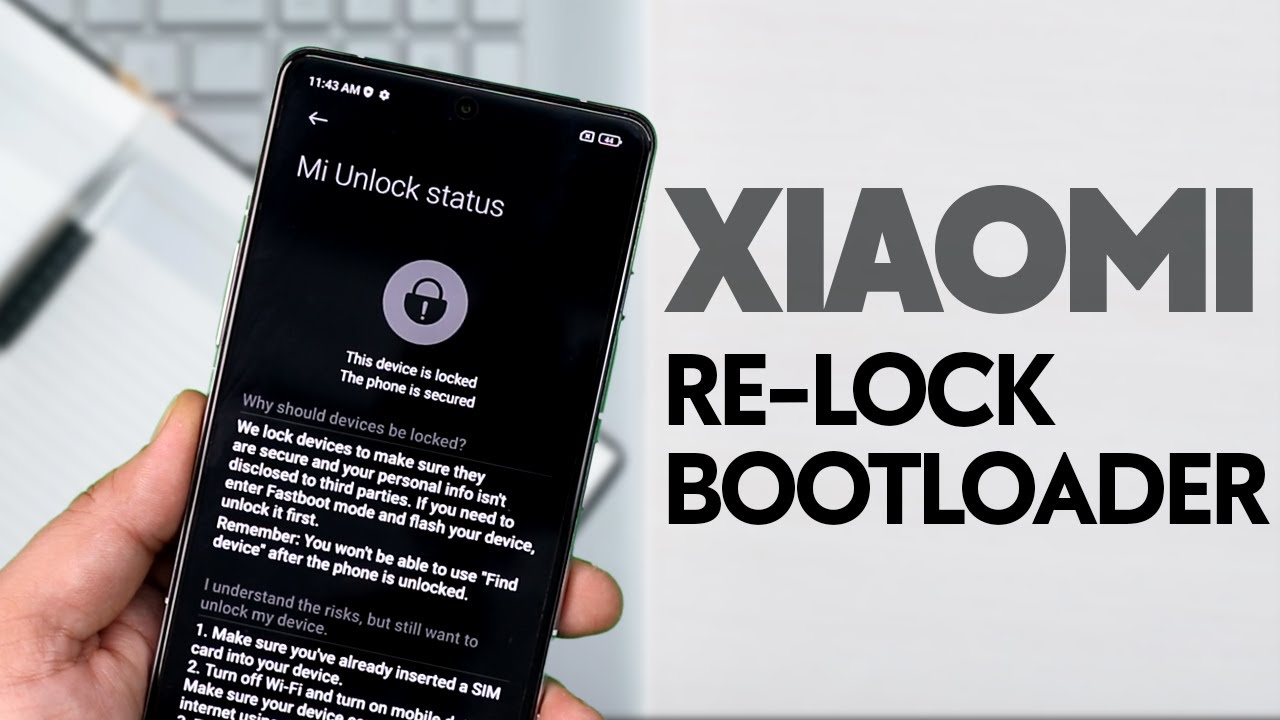
Unlocking the bootloader on your Xiaomi device can open up a world of possibilities, but sometimes, it’s essential to know how to lock bootloader Xiaomi for better security and performance. Locking the bootloader again ensures that the device remains protected from unauthorized access and ensures that the warranty remains intact. In this guide, we will walk you through the steps to lock bootloader Xiaomi to keep your device secure and functional.
1. Why Lock Bootloader Xiaomi?
Before we dive into the process of how to lock bootloader Xiaomi, it’s important to understand why you may want to lock it in the first place. Locking the bootloader provides several benefits, such as: Preventing unauthorized modifications to the device’s software
Enhancing security by preventing malicious software from being installed
Ensuring that your device remains eligible for future software updates and warranty claims
Locking the bootloader helps maintain the integrity of your device, especially if you’ve previously unlocked it for custom ROM installations or other tweaks.
As an Amazon Associate I earn from qualifying purchases.
2. Prerequisites for Locking the Bootloader on Xiaomi
Before proceeding with how to lock bootloader Xiaomi, there are a few things you need to do: Unlock the bootloader first: You can only lock the bootloader after unlocking it once.
Backup your data: Locking the bootloader will erase all data from your Xiaomi device, so make sure to back up important files before proceeding.
Enable Developer Options: Go to “Settings” > “About phone” and tap “MIUI version” 7 times to unlock Developer Options.
Enable USB Debugging and OEM Unlocking: Go to “Settings” > “Developer options” and turn on USB Debugging and OEM Unlocking.
Having these prerequisites in place will ensure that the process goes smoothly.
3. Steps to Lock Bootloader Xiaomi
Now, let’s get into the actual process of how to lock bootloader Xiaomi. Follow these steps carefully: Download and Install ADB and Fastboot Tools
You will need the ADB and Fastboot tools on your computer to interact with your Xiaomi device. Download and install them from the official Android developer website.
Connect Your Xiaomi Device to the Computer
Use a USB cable to connect your Xiaomi device to your computer. Ensure that USB Debugging is enabled on your device.
Shopping ad

- USA MARKET ONLY WORK ON TMOBILE BOOST MINT TELLO OR ANY UNDER TMOBILE NETWORK PHONE NEEDS A SIM CARD ALREADY ACTIVATED ,OUTSIDE USA WORKS ANY GSM CARRIER SIM GSM FCC ID: 2AFZZPC0AG
- Dual SIM (nano SIM + nano SIM or nano SIM + eSIM) (NO MICRO SD) 5G: 5G SA: n1/2/3/5/7/8/20/26/28/38/40/41/66*(70M)//77/78/485G NSA: n1/3/5/7/8/20/28/38/40/41/66*(70M)/77/784G LTE TDD: B38/40/41/42/484G LTE FDD: B1/2/3/4/5/7/8/18/19/20/26/28/66*(70M)/713G WCDMA: 1/2/4/5/6/8/192G GSM: 2/3/5/8Supports 4x4 MIMO*5G SA/NSA N66(70M) and 4G B66(70M): UL 1710MHz~1780MHz, DL 2110MHz~2180MHz*5G connectivity may vary based on region availability and local operator support.
- 6.83" 1.5K 120Hz ultra-bright AMOLED displayResolution: 2772 x 1280Contrast ratio: 8,000,000:1Refresh rate: Up to 120Hz*Refresh rate can be adjusted to up to 120Hz for supported apps.Peak brightness: 3500 nits covering 25% display areaHBM brightness: 2000 nitsTypical brightness: 800 n: 2560Hz*480Hz touch sampling rate is activated under Game Turbo Mode.*2560Hz instant touch sampling rate is activated under Game Turbo Mode.12-bit color depth, 68 billion colorsDCI-P3 wide display 2.0HDR10+TÜV Rheinland Low Blue Light (Hardware Solution) CertifiedTÜV Rheinland Flicker Free CertifiedTÜV Rheinland Circadian Friendly CertifiedDolby VisionCorning Gorilla Glass 7i
- MediaTek Dimensity 9500s3nm manufacturing process1 x Cortex-X925, up to 3.73GHz3 x Cortex-X4, up to 3.3GHz4 x Cortex-A720, up to 2.4GHzImmortalis-G925 MC11NPU 890 - 8500mAh (typ)100W HyperChargeUSB Type-C charging portUp to 27W reverse chargingSupports PD3.0/PD2.0Smart charging
- Wi-Fi Protocol: Wi-Fi 7/ Wi-Fi 6/ Wi-Fi 5/ Wi-Fi 4 and 802.11a/b/g*Wi-Fi 7/Wi-Fi 6 capability may vary based on regional availability and local network support. Wi-Fi connectivity (including Wi-Fi frequency bands, Wi-Fi standards and other features as ratified in IEEE Standard 802.11 specifications) may vary based on regional availability and local network support. The function may be added via OTA when and where applicable.WLAN frequency: 2.4G Wi-Fi | 5G Wi-FiSupports Multi-Link Operation, 2x2 MIMO, 8x8 Sounding for MU-MIMO, Wi-Fi Direct, MiracastBluetooth 6.0, Dual-BluetoothSupports SBC / AAC / LDAC / LHDC 5.0 / LC3 / ASHA / AuracastNFC
Reboot Your Device into Fastboot Mode
On your Xiaomi phone, turn off the device and then press and hold the Volume Down and Power buttons simultaneously until the Fastboot screen appears.
Launch Command Prompt or Terminal on Your Computer
Open the command prompt (Windows) or terminal (Mac/Linux) in the folder where ADB and Fastboot tools are installed.
Check Device Connection
Type the following command to check if your device is connected properly:
bash
Copy code
fastboot devices If your device appears in the list, it means the connection is successful.
Lock the Bootloader
Now, type the following command to lock bootloader Xiaomi:
bash
Copy code
fastboot oem lock This command will lock the bootloader of your Xiaomi device. After executing the command, the process will begin, and your device will be locked.
Shopping ad

- USA MARKET ONLY WORK ON TMOBILE MINT TELLO OR ANY UNDER TMOBILE NETWORK PHONE NEEDS A SIM CARD ALREADY ACTIVATED ,OUTSIDE USA WORKS ANY GSM CARRIER SIM GSM FCC ID: 2AFZZRA29G
- Dual SIM (nano SIM + nano SIM or nano SIM + eSIM) NO MICRO SD SLOT. 5G: n1/2/3/5/7/8/12/20/26/28/38/40/41/48/66/77/78 - 4G: LTE FDD: 1/B2/B3/B4/B5/B7/B8/B12/B13/B17/B18/B19/B20/B26/B28/B32/B66 4G: LTE TDD: B38/B40/B41/B42/B48 - 3G: WCDMA: B1/B2/B4/B5/B6/B8/B19 - 2G: GSM: B2/B3/B5/B8
- 6.83" AMOLED displayResolution: 1.5K (2772 x 1280)Refresh rate: Up to 120HzTouch sampling rate: Up to 480HzInstantaneous touch sampling rate: 2560Hz*Activated in Game Turbo modeBrightness: 3200 nits peak brightnessBrightness: HBM 1800 nitsColor depth: 12bitContrast ratio: 8000000:1DCI- P3 wide color gamut447PPICorning Gorilla Glass Victus 2Sunlight displayHDR10+ | Dolby Vision16,000-step automatic brightness adjustment3840Hz PWM dimming|TÜV Rheinland Low Blue Light (Hardware Solution) Certified | TÜV Rheinland Circadian Friendly Certified | TÜV Rheinland Flicker Free Certified
- MediaTek Dimensity 7400-Ultra4nm manufacturing process technologyCPU: Octa-core processor, up to 2.6GHzGPU: Mali-G615
- 200MP main cameraOptical Image Stabilization (OIS)0.56μm, 16in1, 2.24μmf/1.77P lens1/1.4" sensor size8MP ultra-wide cameraf/2.2Rear camera video recording4K at 30 fps1080p at 30/60 fps720p at 30 fps / Front Camera 20MP front camera1/4" sensor sizef/2.24P lensFront camera video recording1080p at 30/60 fps720p at 30 fps
Reboot Your Device
Once the process is completed, reboot your Xiaomi device by typing:
bash
Copy code
fastboot reboot After your device reboots, the bootloader will be locked, and your device will be back to its original secure state.
4. Troubleshooting Tips for Locking Bootloader Xiaomi
If you encounter any issues during the process of how to lock bootloader Xiaomi, here are some troubleshooting tips:
Shopping ad

- International Model - No Warranty in US. USA ONLY COMPATIBLE WITH TMOBILE / MINT, TELLO GLOBAL VERSION . ****** Does NOT Work With Verizon Sprint Boost Metro Pcs At&t Cricket ***** . Unlocked Worldwide . - FCC ID: 2AFZZPNFAG
- Dual Nano sim 5G + eSIM (No micro SD support): 5G: Supports NSA + SA5G: 5G SA: 1/2/3/5/7/8/12/20/25/26/28/38/40/41/48/66/75/77/78 5G NSA: n1/3/5/7/8/20/28/38/40/41/66/75/77/78: 4G: LTE FDD: B1/2/3/4/5/7/8/12/13/17/18/19/20/25/26/28/32/66/71 4G: LTE TDD: B38/39/40/41/42/48: 3G: UMTS: B1/2/4/5/6/8/192G: GSM: B2/3/5/8 Supports 4x4 MIMO
- Leica Summilux optical lensVARIO-SUMMILUX 1:1.67-3.0/15-115 ASPH.Leica 23mm main camera50MPLight Fusion 9502.4μm 4-in-1 Super Pixelf/1.67OIS23mm equivalent focal lengthLeica 115mm periscope telephoto50MPf/3.0OIS115mm equivalent focal lengthLeica 15mm ultra-wide camera12MPf/2.215mm equivalent focal length120º FOV Rear camera video recording8K (7680 x 4320) video recording at 30fps4K video recording at 120fps p (190+ (1280 x 720) video recording at 30fpsLog video recording up to 4K at 30fps, 60fpsSlow-motion video recording:- 720p at 120fps, 240fps, 480fps, 960fps, 1920fpootSteady
- 6.83" 144Hz eye-care AMOLED displayCorning Gorilla Glass 7iResolution: 1.5K, 2772 x 1280, 447 PPIRefresh rate: Up to 144Hz refresh rate*Touch sampling rate: Up to 480Hz, 3500Hz instantaneous*Color gamut: 100% DCI-P3Color depth: 12bit, 68 billion colorsBrightness: 600 (typ), 2000 (HBM)Peak brightness: 3500nits (UHBM) @APL25 dimmingOriginal color PRO | Pro HDR | Wet Touch Technology 2.0 | Xiaomi Vision Care*HDR10+, Dolby VisionTÜV Rheinland Low Blue Light (Hardware Solution) CertifiedTÜV Rheinland Flicker Free CertifiedTÜV Rheinland Circadian Friendly CertifiedTÜV Rheinland Intelligent Eye Care Certified
- MediaTek Dimensity 95003nm processCPU:1 x C1-Ultra, up to 4.21GHz3 x C1-Premium, up to 3.5GHz4 x C1-Pro, up to 2.7GHzGPU: Mali G1-UltraAI: NPU 990
Device Not Detected: Make sure USB Debugging and OEM Unlocking are enabled in the Developer Options. Also, check if the USB drivers are correctly installed on your computer.
Fastboot Mode Not Entering: Ensure you press the correct button combination to enter Fastboot mode. If needed, try restarting your device and retry the process.
Command Errors: Double-check the command syntax and ensure that you’re in the correct directory where ADB and Fastboot tools are installed.
5. What Happens After Locking Bootloader Xiaomi?
Once you successfully lock bootloader Xiaomi, the device will go back to its factory settings, meaning: Any custom recovery or ROMs will be removed.
Your device will no longer allow rooting or custom modifications without unlocking the bootloader again.
Security will be restored, and the device will be more resilient against malicious attacks or unauthorized software installations.
Free tools Windows power users keep installed
One-click scans. No signup required.
Conclusion
Knowing how to lock bootloader Xiaomi is an essential step in ensuring the security and integrity of your device. Whether you unlocked your bootloader for development purposes, custom ROM installations, or rooting, locking it back ensures your device is secure and keeps it eligible for updates and warranty claims. Follow the steps outlined in this guide to safely lock bootloader Xiaomi and protect your device from potential threats.
Quick Recap
Product prices and availability are accurate as of the date/time indicated and are subject to change. Any price and availability information displayed on Amazon at the time of purchase will apply.
Independent reader supportYour contribution helps us test, update, and keep practical guides available for everyone.