Everything Xiaomi is reader-supported. When you buy through links on our site, we may earn an affiliate commission. As an Amazon Associate I earn from qualifying purchases. Learn more
HandBrake is the best starting point for most PSP owners in 2026 because it is free, works locally, supports queues and can produce the H.264/AAC files that newer PSP firmware can play. Choose AVS Video Converter if you want a ready-made PSP preset on Windows. UniConverter and Vidmore make more sense when PSP conversion is one task in a larger desktop, multi-device workflow. FreeConvert avoids installation, while PSPVC, the community FFmpeg wrapper and the small psp-video-converter Python package suit command-line or experimental workflows.
The PSP is not compatible with every file carrying an .mp4 extension. Codec profile, audio format, container, resolution, model and firmware all matter. For a widescreen source, start with H.264 video and AAC audio at 480×272; older systems may need MPEG-4 Simple Profile or a lower preset.
As an Amazon Associate I earn from qualifying purchases.
Which PSP video converter is best in 2026?
For a free, private, local conversion, use HandBrake and configure a PSP-compatible H.264/AAC output. AVS Video Converter is the clearest preset-driven Windows choice because its documented PSP profiles include 480×272 and 368×208. UniConverter and Vidmore are broader desktop suites with device presets and batch processing. FreeConvert is convenient for one-off jobs when installing software is not practical, but it requires uploading the video.
PSPVC remains useful as a purpose-built FFmpeg front end, although its documented 0.3 release dates to March 13, 2007. A community FFmpeg wrapper offers current PSP resolution presets, and the Python package psp-video-converter lists a March 3, 2026 release with three 480×272 bitrate options. These are better suited to technically confident users than to someone who wants a polished media library.
Shopping ad

- Compatible with MagicGate copyright protection technology
- Can be used to perfect on the PSP adn digital camera
- Memory Stick PRO-HG Duo is ideal for high-speed data transfer and for continuous shooting
- 16GB capacity Flash memory Ideal for burst shooting with DSLR Up to 30MB/s read/write speed
- Can be used to perfect on the PSP(PSP1000/2000/3000/3000) and digital camera.
| Converter | Best for | Platform or delivery | Free access | PSP-specific capability | Main limitation |
|---|---|---|---|---|---|
| HandBrake | Free local control | Cross-platform desktop | Free | Manual H.264/AAC, resolution and queue setup | Requires codec and parameter knowledge |
| AVS Video Converter | Preset-driven Windows conversion | Windows desktop | Free access is described; plan or trial price not stated | H.264 PSP profiles at 480×272 and 368×208 | Windows-only workflow |
| Wondershare UniConverter | Multi-device desktop batches | Windows and macOS desktop | Trial or free limits and prices not stated | Device presets and batch conversion | Broader suite rather than a PSP-only tool |
| Vidmore Video Converter | Desktop conversion alongside other devices | Windows and macOS desktop | Trial or free limits and prices not stated | Device presets and batch workflows | PSP controls depend on the selected preset |
| FreeConvert | No-install, one-off conversions | Web browser | Free web service; limits vary by browser service | Format conversion without local installation | Requires uploading files and has browser-size/privacy limits |
| PSPVC | Dedicated FFmpeg front end | Desktop utility; operating-system coverage varies by build | Free project | MPEG-4 Simple Profile; AVC from firmware 2.0+, 480×272 AVC from 3.03-OE-B+ | Version 0.3 was released in 2007 |
| Community FFmpeg wrapper | Reproducible command-line jobs | FFmpeg-based command line | Community project | 480×272 and 368×208 presets, AAC audio, command generation | Requires a working FFmpeg setup and command-line comfort |
psp-video-converter |
Python-based experiments | Python package | Package availability is listed; pricing is not applicable | Three 480×272 bitrate presets: 128, 192 and 256 kbps | Small package, not a mature GUI product |
What video format does a PSP actually support?
Sony’s 2021 PSP system software manual lists Memory Stick Video Format and MP4 files containing MPEG-4 Simple Profile with AAC audio. It also lists H.264/MPEG-4 AVC Main Profile with CABAC or Baseline Profile with AAC, plus Motion JPEG AVI with Linear PCM or μ-Law audio. The manual warns that some data items may not play and that video longer than approximately 6 hours 30 minutes cannot be played.
That means an .mp4 suffix alone proves nothing. A file can be an MP4 container with an unsupported profile, level, audio stream or pixel size. The practical target for a newer widescreen workflow is H.264/AAC in a PSP-compatible MP4 or PSP container at 480×272. For older firmware, MPEG-4 Simple Profile or a lower resolution is safer.
Why 480×272 is the first preset to try
480×272 matches the widescreen PSP-oriented presets documented by the community wrapper and the H.264 profile offered by AVS Video Converter. It preserves a 16:9 source without asking the handheld to decode a modern HD stream. If the PSP is an older model or firmware cannot use AVC, select the converter’s 368×208 or other lower PSP preset instead.
What the six-hour limit means
Sony’s approximately 6-hour-30-minute limit applies to a playable video item, not to the size of your entire Memory Stick. Long recordings should be split into shorter files even when the converter accepts the source as one input.
How do the best PSP converters compare?
1. HandBrake: best free local converter
HandBrake is the strongest general recommendation when you want a free desktop workflow and do not need a one-click PSP button. It runs locally and supports queues, so you can keep the original files private and process a library in sequence.
Shopping ad
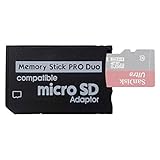
- 2026 Latest Version - Funturbo Micro SD to MS Pro Duo Adapter
- Replace your Memory Stick PRO Duo with any microSD card (MicroSD Card NOT included)
- Up to 128GB Micro SD/SDHC/SDXC Card Compatible
- Compatibility Tested – Fully compatible with MagicGate Memory Stick DUO and Memory Stick PRO Duo, all known issues fixed
- Works perfectly on PSP 1000/2000/3000, Sony camera and handycam, format your card in your device for first time use
HandBrake does not replace PSP knowledge with a dedicated profile in the comparison evidence. Set the container and codecs manually: H.264 video, AAC audio and a 480×272 frame size for a newer widescreen PSP. Use a lower resolution or MPEG-4 Simple Profile when the model or firmware requires it. Its advantage is control over bitrate, cropping, frame rate and queue order; its cost is that an incorrect profile can produce a file the PSP refuses to launch.
Recommended Free Tools
2. AVS Video Converter: best Windows preset workflow
AVS Video Converter is the straightforward choice for a Windows user who values a documented PSP preset over fine-grained codec experimentation. The comparison identifies H.264 PSP profiles at 480×272 and 368×208.
Choose 480×272 for a newer widescreen-capable PSP, or 368×208 when compatibility with an older setup is the priority. Presets reduce configuration mistakes, but they also expose fewer controls than a manual FFmpeg workflow. The available comparison describes free access, while a specific plan, trial duration or price is not established here.
3. Wondershare UniConverter: best for a broader Windows/macOS workflow
UniConverter is aimed at people converting for several devices rather than maintaining a PSP-only tool. The 2026 comparison places it on Windows and macOS and highlights device presets and batch workflows.
Its practical benefit is a single queue for PSP files and other destinations. Select a PSP device profile, inspect the resulting resolution and audio before starting a large batch, and keep a short test clip available. The available data supports the desktop and preset workflow, but not a current subscription price, trial allowance or exact PSP profile list; those details can vary by edition.
Shopping ad

- Featuring extensive compatibility design, the system enables seamless interconnection between your rare PSP (full series 1000/2000/3000 models), everyday Cyber-Shot cameras, professional DSLRs, and Handycam recorders. As a multifunctional content nexus, it systematically manages diverse digital content including game storage, photographic works, and video documentation.
- Features a 32GB Memory Stick PRO Duo memory card, providing consistent storage capacity for DSLR continuous high-speed capture. With 30MB/s read/write performance, it expedites the recording of high-resolution footage, optimizing shooting efficiency and ensuring smoother workflow operation.
- Experience remarkable speed with accelerated transfers. When handling extensive high-resolution photo collections or moving large video and game files, it delivers instant accessibility and smooth sharing, keeping your creative workflow consistently uninterrupted.
- Compact Design: The Memory Stick PRO Duo card features a space-saving, compact form that maintains full storage capability, with ample capacity to effortlessly and joyfully capture every wonderful moment.
- Delivers consistent performance alongside copyright protection technology support.
4. Vidmore Video Converter: best alternative desktop suite
Vidmore occupies a similar role to UniConverter: a Windows/macOS desktop converter with device presets and batch processing. It is useful when PSP conversion sits alongside phone, tablet or other media exports.
Use its PSP-oriented device preset when available, then confirm that the generated file uses a supported H.264 or MPEG-4 profile, AAC audio and a PSP-sized frame. Its broader interface can save time for mixed-device queues, but it is less attractive if you only need a small number of PSP files and already understand HandBrake or FFmpeg. Current plan and trial prices are not established by the supplied evidence.
5. FreeConvert: best when you cannot install software
FreeConvert runs in a browser, making it convenient on a locked-down computer or for a single conversion. The trade-off is that you upload the source video, so the workflow depends on file-size limits, connection speed and the service’s handling of uploaded media.
After conversion, inspect the output rather than trusting the extension. The PSP still needs an accepted codec profile, audio stream and resolution; a generic MP4 conversion may not satisfy those requirements. Browser limits and privacy considerations make this a poor fit for a large personal archive or sensitive footage.
The Tool Desk
Outbyte Driver Updater FREEScan for outdated or missing drivers - takes under a minuteDriver Scan →Outbyte PC Repair FREERepair Windows errors before they cause bigger problemsFix Now →6. PSPVC: dedicated FFmpeg front end
PSPVC is explicitly documented as an FFmpeg front end for converting video files for the PSP. Its documentation covers MPEG-4 Simple Profile on all firmware, H.264/AVC from firmware 2.0+, and H.264/AVC at 480×272 on firmware 3.03-OE-B+ and later.
Shopping ad

- Massive Storage Capacity: Features a 64GB Memory Stick PRO Duo flash memory card, engineered to support continuous high-speed shooting on DSLR cameras. With read/write speeds up to 30MB/s, it ensures rapid saving of high-resolution images and videos, preventing workflow interruptions and enhancing professional productivity.
- Designed for broad compatibility, the system easily connects your cherished PSP (all models: 1000, 2000, 3000), everyday Cyber-Shot digital cameras, professional DSLRs, and life-recording Handycam camcorders. It serves as a hub for managing your diverse content, from game saves and photos to video footage.
- Swift Data Transfer: Experience superior transfer performance with this Memory Stick PRO Duo when handling vast libraries of high-resolution images or moving large-scale video and gaming data.
- Compact Design: The Memory Stick PRO Duo card features a highly compact form factor that minimizes physical space usage without compromising storage performance. Its generous capacity allows you to effortlessly capture vast amounts of high-definition footage and precious moments, perfectly blending portability with substantial storage.
- With MagicGate copyright protection compatibility, it ensures a safe and secure download environment.
Those firmware notes are valuable when you are matching an older handheld to a codec choice. The project’s version 0.3 release was March 13, 2007, so treat it as a legacy utility: it may still be useful on a compatible system, but it is not evidence of modern operating-system support or current maintenance. Use it when its profile controls match your PSP, not because its name guarantees compatibility.
7. Community FFmpeg wrapper: best for repeatable command lines
The current community wrapper exposes PSP presets at 480×272 and 368×208, includes AAC audio, and can generate FFmpeg commands. That makes it useful for scripted conversions, reproducible settings and users who want to audit every parameter.
A wrapper does not remove FFmpeg’s prerequisites. Install a working FFmpeg build, generate the command for the target preset, and inspect the command before running it over a directory. The 480×272 preset is the sensible first choice for a newer widescreen source; select a lower preset when the handheld or firmware is older.
8. psp-video-converter: best small Python experiment
The PyPI package lists a March 3, 2026 release and three 480×272 bitrate presets: 128, 192 and 256 kbps. It also lists PSP-3000 testing claims on its package page, which makes it an interesting current experiment for Python users.
Its scope is narrower than a full desktop editor. Expect to supply your own Python environment and to troubleshoot package or FFmpeg dependencies. Pick 128 kbps for smaller files, 192 kbps as a middle option, or 256 kbps when preserving more detail matters and the resulting file remains practical for your Memory Stick; these are the package’s preset choices, not independent quality measurements.
Shopping ad

- Featuring extensive compatibility design, the system enables seamless interconnection between your rare PSP (full series 1000/2000/3000 models), everyday Cyber-Shot cameras, professional DSLRs, and Handycam recorders. As a multifunctional content nexus, it systematically manages diverse digital content including game storage, photographic works, and video documentation.
- High-Speed Large Capacity Storage: Utilizes a 128GB Memory Stick PRO Duo flash memory card, providing reliable storage support for DSLR high-speed continuous shooting. With read/write speeds up to 30MB/s, it rapidly completes the writing of high-resolution footage, effectively improving shooting efficiency and workflow smoothness.
- Benefit from blazing-fast transfers with remarkable performance. When working with huge high-resolution photo sets or transferring large video and game data, it enables instant access and seamless sharing, maintaining your creative workflow without interruption.
- Compact Design: Engineered with a miniature footprint, this memory card maintains exceptional capacity within an ultra-compact form, offering ample space to effortlessly and joyfully preserve every special moment.
- Featuring MagicGate copyright protection compatibility, it provides a secure and protected download environment.
How do I choose a PSP converter?
Start with compatibility, then choose convenience. The PSP’s decoder limits matter more than 4K support, AI features or a modern-looking interface.
- Identify the model and firmware. AVC support and 480×272 compatibility vary by generation. If you cannot confirm the firmware, begin with the more conservative MPEG-4 Simple Profile or lower PSP preset.
- Decide where conversion may happen. Choose HandBrake, AVS, UniConverter, Vidmore, PSPVC or an FFmpeg workflow for local processing. Choose FreeConvert only when uploading the source is acceptable.
- Match your workload. A single file favors a preset or browser tool. A library benefits from HandBrake’s queue, UniConverter or Vidmore batch workflows, or a scripted FFmpeg command.
- Set a PSP-safe target. For newer widescreen sources, use H.264/AAC at 480×272. For older firmware, use MPEG-4 Simple Profile or the converter’s 368×208/lower preset.
- Verify the output on the actual handheld. Test launch, audio, aspect ratio, seeking and subtitles with a short clip before queuing an entire collection.
- Keep an original master. The PSP file is a low-resolution playback derivative; retain the high-resolution source for future devices.
How do I convert a video for PSP without getting an unsupported file?
- Check the PSP model and firmware and select the matching profile family.
- Open the converter and choose a PSP preset, or set H.264 video, AAC audio and 480×272 manually for a newer widescreen system.
- Review the container and profile shown in the summary. Do not proceed solely because the filename ends in
.mp4. - Convert a short clip first. Copy it to compatible Memory Stick media and check that it launches, plays audio, keeps the correct aspect ratio, seeks normally and displays any required subtitles.
- If playback fails, retry with MPEG-4 Simple Profile, a lower resolution such as 368×208, or the model-specific preset. A different container or profile may be the issue even when the resolution looks correct.
- Once the clip works, queue the remaining videos. Keep each item below Sony’s approximately 6-hour-30-minute playback ceiling and retain the originals separately.
What are the common PSP conversion problems?
- “The PSP does not see the file.” The container, folder placement, filename or Memory Stick transfer may be wrong. Re-export with the converter’s PSP preset and copy it to compatible PSP media using the expected video location.
- “The file appears but will not play.” Check H.264 profile, MPEG-4 Simple Profile support, AAC audio and resolution. An MP4 extension does not guarantee a supported stream.
- “Video plays with no sound.” Re-encode the audio as AAC for an MP4 workflow, or use the audio format associated with the selected PSP container and profile.
- “The picture is stretched.” Use a 16:9 480×272 preset for widescreen material, or let the converter preserve aspect ratio with letterboxing instead of forcing dimensions.
- “A long recording stops or refuses to play.” Split it into shorter files because Sony documents an approximately 6-hour-30-minute maximum playable length.
- “A browser conversion is too slow or cannot start.” File-size and connection limits are inherent to upload workflows. Switch to a local desktop or command-line converter for large batches.
How should I transfer converted files to a PSP?
Use compatible Memory Stick media; Sony’s manual identifies Memory Stick Video Format and Memory Stick playback as part of the PSP video system. After conversion, copy the short test file to the PSP’s video location on the card, disconnect the device safely and confirm that it appears in the Video menu. If the PSP cannot see it, recheck the card, folder path and filename before changing codecs.
Quick wins for a faster PC:
Fix the driver behind crashes, sound loss and screen glitchesFind Drivers →Clear out junk files and repair common Windows errorsFree Scan →Keep the high-resolution originals on a computer or backup drive. PSP copies are constrained by the handheld’s decoder and screen, so they should not replace your archival files.
Frequently Asked Questions
Can a PSP play every MP4 video?
No. The MP4 container can hold unsupported video profiles, audio formats or dimensions. Use H.264/AAC or MPEG-4 Simple Profile settings that match the PSP model and firmware, then verify a short clip on the device.
What resolution should I use for a PSP-3000?
480×272 is the practical first preset for a widescreen source when the firmware supports AVC. The community package also lists 128, 192 and 256 kbps bitrate presets at that resolution; choose among them based on file-size needs rather than assuming one is universally best.
Do I need internet access to convert PSP videos?
No. HandBrake, AVS Video Converter, UniConverter, Vidmore, PSPVC and FFmpeg-based tools can be used as local workflows. A browser service is the exception because it requires uploading the source and downloading the result.
Do these 3 things before closing this tab:
1Scan for outdated or missing drivers - takes under a minute2Clear out junk files and repair common Windows errors3Fix the driver behind crashes, sound loss and screen glitchesWhy does my converted file work on one PSP but not another?
PSP generations and firmware differ in AVC and resolution support. A file made for a newer AVC-capable system may require MPEG-4 Simple Profile or a lower preset on older firmware.
Can I put a six-hour movie on one PSP file?
Sony’s manual says video longer than approximately 6 hours 30 minutes cannot be played. Split longer recordings into separate files even if the converter accepts the complete source.
Quick Recap
Product prices and availability are accurate as of the date/time indicated and are subject to change. Any price and availability information displayed on Amazon at the time of purchase will apply.




