Everything Xiaomi is reader-supported. When you buy through links on our site, we may earn an affiliate commission. As an Amazon Associate I earn from qualifying purchases. Learn more
For Game Boy–style music, Arcade Composer is the clearest fit: chiptune and retro game music are core strengths, and its exports include MIDI, stems, WAV, MP3, and OGG. AI Game Music Generator, InsMelo Game Music Maker, and GameAudioLab also have explicit retro or 8-bit evidence. Treat all four as candidates for a Game Boy-inspired sound, not as confirmed Game Boy hardware or sound-chip emulators: the available information does not establish hardware-accurate synthesis, channel limits, or export formats such as a Game Boy ROM.
What Makes Game Boy Music Different
A convincing Game Boy-inspired cue depends on more than a generic “retro” label. The sound is usually built from a small set of deliberately simple parts: a memorable lead melody, a bass line, compact harmony, and a rhythmic pulse. Short notes, repeated phrases, clear rests, and a limited range help the tune stay legible when played through a small speaker or alongside game effects. Chiptune is a useful style cue, but it does not guarantee the result will match an original Game Boy’s sound hardware.
As an Amazon Associate I earn from qualifying purchases.
Do these 3 things before closing this tab:
1Repair Windows errors before they cause bigger problems2Fix the driver behind crashes, sound loss and screen glitches3Clear out junk files and repair common Windows errorsFor a phone game, the practical target is often an 8-bit-inspired track that feels familiar while remaining easy to hear under movement, menus, or dialogue. Decide what the cue must do before generating it: loop behind a level, announce a stage, or signal a short action. A level loop needs a stable mood and an ending that can return to its start; a brief fanfare can afford a stronger rise and a decisive stop. These are composition goals to put into a prompt, not verified features of any particular generator.
How These Options Compare
| Tool | Game Boy–style evidence | Known output or workflow detail | Price or credits stated |
|---|---|---|---|
| Arcade Composer | Chiptune and retro game music are core strengths | MIDI, stems, WAV, MP3, and OGG; modern desktop browser | 30 AI-generation credits each month; manual composing is unlimited |
| AI Game Music Generator | Retro chiptunes; a “Retro Platformer Pixel Platformer Chiptune” example | Single-prompt game music generation | Free signup: $0, 60 credits for 5 AI music tracks |
| InsMelo Game Music Maker | “8-Bit Chiptune” style | MP3 or WAV download | Not stated |
| GameAudioLab | “Retro 8-bit platformer” example | WAV download; music, ambience, and sound effects generation | Starter: £3 for 50 credits, one-time |
Credit amounts are not directly comparable: the stated products describe different allowances and generation costs. Arcade Composer’s listed monthly credits apply to AI generations, while its manual composing is unlimited. GameAudioLab says music and ambience cost 10 credits per generation and sound effects cost 5; its Starter plan is a one-time purchase. Check each vendor’s current site for any details not established here, including whether its output suits your target device or game engine.
Shopping ad

- Superior Stability: Provides stable and secure storage of your valuable game data, no need to worry about data loss, giving you a professional and user experience.
- Custom Function: Customize A B functions. Supports a return to menu, easily return to the main menu with a single press, enhancing user convenience. The burning card adopts the technology to extend battery life for longer gaming experience.
- Automatic Backup: Simply drag and drop file management, easily transfer files via USB connection to your computer. Automatically backup game files to memory card, no manual working needed. Game files will be saved to the storage card when changing games.
- Powerful Performance: Unlock the full potential of your for Gameboy with our game cartridge. This multifunctional burning card allows you to store and play multiple games on a single cassettes, ideal for retro game lovers. Enjoy your favorite classic games easily and conveniently.
- High Compatibility: Supports for Gameboy and for Color games up to 64Mbit, with support for various for MAPPER including for MBC1, for MBC2, for MBC3, for MBC5, and more.
The Best AI Game Boy Music Makers
1. Arcade Composer — Best Match For Chiptune Composition And Flexible Exports
Arcade Composer is the most directly described option for this angle: chiptune and retro game music are core strengths. It also offers synthwave, cinematic, ambient, dark sci-fi, and other electronic sound worlds, which could help if your game needs a related menu or atmosphere cue. Its complete workstation is included with every plan, with unlimited manual composing, exports, and royalty-free commercial use. AI generations have 30 credits each month.
For a Game Boy-inspired track, start by stating the role and limits you want musically: “Looping 8-bit platform level, bright two-bar lead, pulsing bass, sparse harmony, brisk but not frantic, no vocals, clean ending that returns to the opening.” This is an example brief, not a promise that the software obeys every constraint or creates a seamless loop. The listed MIDI and stems may be useful if you want to adjust parts in another composing workflow; WAV, MP3, and OGG are also listed. Arcade Composer runs in a modern desktop browser and does not require DAW installation, so Xiaomi, Redmi, and POCO phone owners should plan to use a desktop browser for this tool.
Shopping ad

- Piano Solo
- Pages: 104
- Instrumentation: Piano/Keyboard
2. AI Game Music Generator — Best For Trying A Retro Prompt Quickly
AI Game Music Generator explicitly describes turning a single prompt into royalty-free game music, from orchestral epics to retro chiptunes. Its listed example is titled “Retro Platformer Pixel Platformer Chiptune” and runs 0:54. That is useful evidence of a relevant style example, though it does not establish loop controls, hardware emulation, or a particular export format.
The stated free signup gives $0 access with 60 credits for 5 AI music tracks. Try a focused brief such as “Game Boy-inspired underwater level, simple high-register melody, steady low pulse, restrained notes, calm tension, loop-friendly phrasing.” Those descriptors express the sound you want; the source information does not confirm dedicated controls for melody range, looping, or Game Boy channels. The product describes output as royalty-free, but the full license terms and any conditions should be checked on its site before using a track in a released game.
Shopping ad
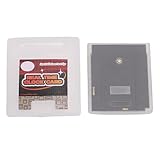
- Save & Load Game Progress Effortlessly: This rewritable flash cartridge features 8MB of storage capacity, allowing you to save your progress in classic titles. No more starting from scratch—simply load your game data onto the cartridge and pick up right where you left off, perfect for reliving your favorite retro adventures.
- Play on Multiple Handheld Consoles: Designed with broad compatibility in mind, this game cartridge works seamlessly with , Game Boy Advance, and DS systems. Whether you are using a GBC or a GBA SP, you can enjoy your game collection across different devices without needing separate cartridges for each console.
- Reliable Data Storage for Retro Gaming: The 1Mbit flash technology ensures stable and durable data retention, so your saved games and custom content remain intact even after extended periods of use. This reliable storage solution is ideal for retro gaming enthusiasts who want a dependable way to preserve their progress.
- Easy Rewriting for Multiple Games: Unlike traditional cartridges, this flash cart allows you to rewrite its contents multiple times. Simply use a compatible writer to replace the game files, enabling you to switch between different titles on a single cartridge. This flexibility saves space and cost, making it a smart choice for collectors and players.
- Compact Design & Retro Gamer Ready: The lightweight, slim cartridge body fits snugly into your handheld console without sticking out, maintaining a genuine retro feel. Ideal for gamers who enjoy playing on the go, this flash cart is a perfect addition for those nostalgic for the golden age of handheld gaming.
3. InsMelo Game Music Maker — Best For An Explicit 8-Bit Style Choice
InsMelo names “8-Bit Chiptune” as a style and describes it as nostalgic and punchy. It also says the tool covers styles from retro chiptune to epic orchestral and describes its game BGM output as purely instrumental, intended not to compete with sound effects or player dialogue. MP3 and WAV downloads are stated. Those details make it a plausible starting point for a compact game cue, but they do not establish exact Game Boy emulation, custom channel settings, MIDI, or loop-ready exports.
A useful prompt direction is “short Game Boy-inspired victory cue, punchy 8-bit melody, simple rising notes, brief and instrumental, leave space for a sound effect.” If the result is for background play, specify a restrained melody and avoid asking for a dense arrangement. InsMelo states tracks are royalty-free for commercial games and says generated tracks are original and yours for commercial use. Read its terms for the actual scope and conditions before release; the listed facts do not settle every rights question or establish permissions for any material you provide.
The Tool Desk
Outbyte Driver Updater FREEScan for outdated or missing drivers - takes under a minuteDriver Scan →Outbyte PC Repair FREERepair Windows errors before they cause bigger problemsFix Now →Shopping ad

- Powerful Performance: Unlock the full potential of your for Gameboy with our game cartridge. This multifunctional burning card allows you to store and play multiple games on a single cassettes, ideal for retro game lovers. Enjoy your favorite classic games easily and conveniently.
- High Compatibility: Supports for Gameboy and for Color games up to 64Mbit, with support for various for MAPPER including for MBC1, for MBC2, for MBC3, for MBC5, and more.
- Automatic Backup: Simply drag and drop file management, easily transfer files via USB connection to your computer. Automatically backup game files to memory card, no manual working needed. Game files will be saved to the storage card when changing games.
- Custom Function: Customize A B functions. Supports a return to menu, easily return to the main menu with a single press, enhancing user convenience. The burning card adopts the energy saving technology to extend battery life for longer gaming experience.
- Superior Stability: Provides stable and secure storage of your valuable game data, no need to worry about data loss, giving you a professional and user experience.
4. GameAudioLab — Best If The Game Also Needs Retro Ambience Or Effects
GameAudioLab describes generating music, ambience, and sound effects from prompts, with WAV downloads. Its “Retro Game” example is a “Retro 8-bit platformer theme with catchy melody in major key.” That is a clear style match for a bright platform-game cue, and the additional ambience and effects categories may suit a project that needs more than music. The evidence does not establish Game Boy hardware accuracy, separate musical stems, loop controls, or phone-browser support.
The listed Starter plan is £3 for 50 credits as a one-time purchase, for music, ambience, and SFX, with personal and commercial use stated. Each music or ambience generation costs 10 credits; each SFX generation costs 5. A prompt could ask for “cheerful 8-bit platform level theme, catchy major-key lead, compact bass pulse, uncluttered backing, suitable as background music.” Treat those words as a creative brief; only the specific retro example and stated categories are established. Check GameAudioLab’s terms for the conditions attached to personal and commercial use.
Shopping ad
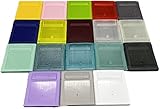
- Model for gameboy color; for gameboy classic GB
- Game Card Replacement Shell
- Made of new upgraded mold, high quality plastic
- Only guaranteed compatibility with original game cards
- package:1PCS
A Practical Prompt And Selection Workflow
- Name the game moment. Choose a level loop, menu bed, short victory sting, or another specific use. The intended role helps you judge whether the generated cue has the right energy and length.
- Describe the musical shape. Ask for a simple lead, pulsing bass, sparse backing, and a clear rhythmic feel. Give a mood and pace in ordinary language; avoid assuming a prompt can set a technical Game Boy sound channel.
- Ask for space and repeatability. For background music, request restrained density and an ending that can return naturally to the beginning. Then listen for an awkward cutoff or a final flourish that would interrupt a loop. Loop behavior is not established as a dedicated feature for these products.
- Compare the result in context. Listen on the Xiaomi, Redmi, or POCO phone your players are likely to use, at a comfortable volume and alongside representative game sounds. Check whether the melody remains distinct and whether bass or busy notes overwhelm effects. This is a suggested evaluation workflow, not a claim that a vendor provides phone testing.
- Check delivery and rights before building around a track. Confirm the export type fits your game project, and read the vendor’s current license terms. The facts above state particular export and usage details only where listed; they do not establish compatibility with a specific engine, console, or store.
What To Verify Before You Choose
- Actual Game Boy fidelity: none of the stated facts confirms original hardware emulation, a sound-chip model, or Game Boy ROM export. If that is essential, check with the vendor before committing.
- Mobile use: only Arcade Composer is explicitly described as running in a modern desktop browser. Mobile availability for the other tools is not stated; check their sites rather than assuming they work well on Android.
- Looping and editing: no supplied product detail confirms seamless-loop controls. Arcade Composer lists MIDI and stem exports, while the other listed output details differ; confirm editing and loop needs against the vendor’s current information.
- Rights and source material: use only voices, samples, or other material you have permission to use, and review each platform’s terms. The listed facts do not establish voice-consent rules or the treatment of user-supplied samples.
For a clearly labeled chiptune workflow, begin with Arcade Composer; for prompt-led retro generation, compare AI Game Music Generator and InsMelo; consider GameAudioLab when ambience or effects belong in the same project. Before choosing, match the tool’s confirmed exports and terms to the way you plan to build and ship the game.
Quick Recap
Product prices and availability are accurate as of the date/time indicated and are subject to change. Any price and availability information displayed on Amazon at the time of purchase will apply.




