
ZFontManager
ZFontManager is a free, open-source desktop app for organizing and activating fonts on Linux, Windows, and macOS.
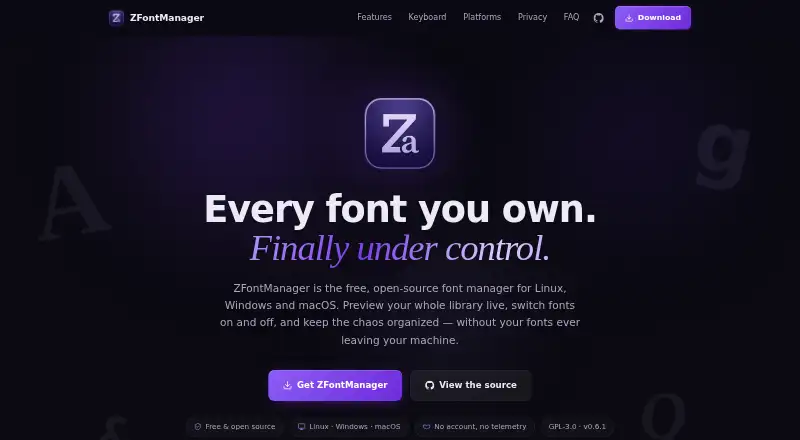
What ZFontManager is
ZFontManager is a free, open-source desktop app for organizing and activating fonts on Linux, Windows, and macOS. It scans system, user, and selected folders, then displays fonts in grid, list, or waterfall previews. Users can add files, folders, or ZIP archives by drag and drop, and arrange the library with tags, collections, favorites, and notes. Supported formats include TTF, OTF, TTC, WOFF, WOFF2, and variable fonts. The app can compare two to four fonts and includes variable-font sliders, OpenType controls, a character map, file details, and license information. An optional Google Fonts browser offers previews, license checks, and family downloads. On Windows and macOS, users can apply a font to selected text in Photoshop or Illustrator; Affinity by Canva can activate document fonts. The maker says library information stays in local files, with no account, telemetry, analytics, or crash reporting. System fonts are protected, deleted fonts go to restorable trash, and library data can be exported as a backup. Linux AppImage use requires FUSE 2.
Good
- Free and open source under GPL-3.0
- Supports six listed font formats
- Compares two to four fonts
- Restorable trash protects against accidental removal
- Library data can be exported to one backup file
Watch out
- No cloud font sync
- Linux AppImage requires FUSE 2
- Windows downloads list only Windows 10/11 x64
- macOS downloads require version 10.15 or newer
Who it suits
It suits designers and other font users who want a local library manager with previews, comparisons, and organization tools. The platform and integration limits matter for users on older macOS versions or Linux systems without FUSE 2.
Verdict
ZFontManager combines font organization, inspection, comparison, and selected app integrations in a local desktop tool. It is free, though platform requirements and the lack of cloud font sync are worth noting.
Plans and prices
From ZFontManager's own pricing page, checked 4 Oct 2026.
| Plan | Price | What it gives you |
|---|---|---|
| ZFontManager | Free | No paid tier, trial, or unlock · Linux, Windows, macOS · Free forever; GPL-3.0 |
The facts
Each one read from ZFontManager's own pages, with the date it was checked.
What it does
- Compare and inspect
- The app compares two to four fonts side by side and includes variable-font sliders, OpenType feature toggles, a character map, file facts, and license information.checked 4 Oct 2026
- Data handling
- The maker says fonts, tags, collections, notes, and settings stay in local files and are not uploaded; the app has no account, telemetry, analytics, or crash reporting.checked 4 Oct 2026
- Font formats
- The FAQ lists TTF, OTF, TTC collections, WOFF/WOFF2, and variable fonts as supported formats.checked 4 Oct 2026
- Google Fonts
- An optional in-app browser offers the Google Fonts catalogue and lets users preview, check licenses, and download font families.checked 4 Oct 2026
- Install and organize
- Users can add font files, folders, or ZIP archives by drag and drop, then organize fonts with tags, collections, favorites, and notes.checked 4 Oct 2026
- Integrations
- On Windows and macOS, a right-click can apply a font to selected text in Photoshop or Illustrator; Affinity by Canva can automatically activate document fonts.checked 4 Oct 2026
- Library tools
- It scans system, user, and selected folders and offers live grid, list, and waterfall previews.checked 4 Oct 2026
- License
- The app is released under the GPL-3.0 license, and its source code is public.checked 4 Oct 2026
- Network behavior
- Affinity auto-activation and the online font browser are off by default; with both off, the maker says no connection is attempted.checked 4 Oct 2026
- Purpose
- ZFontManager is a free, open-source desktop font manager for organizing and activating fonts on Linux, Windows, and macOS.checked 4 Oct 2026
- Safety and recovery
- System fonts are protected, removed fonts go to a restorable trash, and library data can be exported to a single backup file.checked 4 Oct 2026
- Support
- The maker directs users to report bugs through the GitHub issue tracker and says screenshots help.checked 4 Oct 2026
Where it runs
- Platform limits
- The download page lists Windows 10/11 x64 and macOS 10.15 or newer; its Linux AppImage requires FUSE 2.checked 4 Oct 2026
Alternatives to ZFontManager
- 1

FontBase
Free planWebLinuxmacOSWindows7.7From $3 a month - 2

Adobe Fonts
Free planAndroidiOSWebLinux7.6Free plan - 3
SandollCloud
iOSWebmacOSWindows7.4From 11,000 KRW a month - 4

Launchpad
Free planWebAPILinuxSelf-hosted7.0Free plan - 5
MainType
Free planWindows6.5$49 one-time - 6
iFontCloud
iOSWebmacOSWindows6.4