Zen
Zen is a free desktop app for Linux, macOS, and Windows that filters ads, trackers, and malware across browsers and desktop apps.
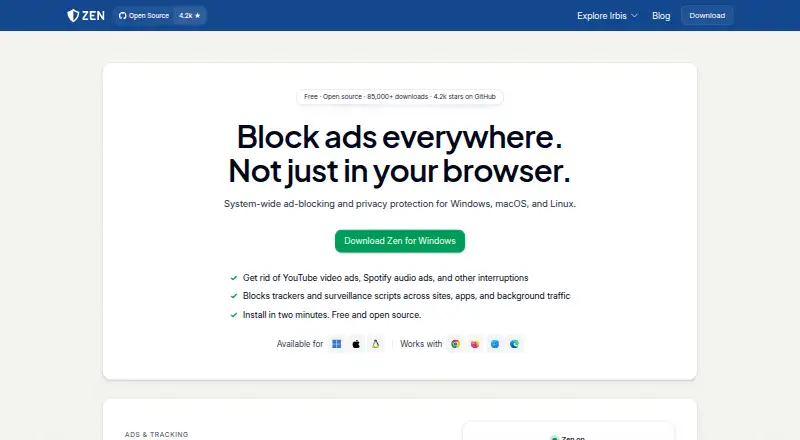
What Zen is
Zen is a free desktop app for Linux, macOS, and Windows that filters ads, trackers, and malware across browsers and desktop apps. It runs a proxy on the computer and sets it as the system proxy, then checks network requests against filter lists. Zen can hide empty ad slots and run scripts intended to disable ads and tracking on web pages; cookie popup blocking is also listed. Its built-in lists cover ads, trackers, malware, and 35 regional lists. Users can add ad-block or hosts lists and create their own rules. The maker lists Chrome, Firefox, Safari, Edge, Opera, and Brave as supported browsers. Zen says filtering stays on the user's device and browsing data is not sent to the maker or third parties. Its local root certificate is generated on-device, and the private key remains there. Debug logs are stored locally with hostnames redacted and can be deleted. Some apps with their own networking stack or certificate pinning may bypass Zen or need to be excluded in settings. It works with any VPN on Windows and Linux, and most VPNs on macOS.
Good
- Free on Linux, macOS, and Windows.
- Supports custom filter lists and rules.
- Includes 35 regional lists.
- Works with any VPN on Windows and Linux.
Watch out
- Some apps may bypass filtering.
- Apps with certificate pinning may need exclusion.
- Works with most, not all, macOS VPNs.
Who it suits
Zen suits desktop users who want system-level filtering across supported browsers and desktop apps, with options to customize filter lists. It may also suit users who want filtering to remain on their device.
Verdict
Zen offers configurable desktop filtering with local data handling and broad listed browser support. Check whether your apps use networking methods that can bypass it, and review the VPN compatibility for your operating system.
Plans and prices
From Zen's own pricing page, checked 11 Oct 2026.
| Plan | Price | What it gives you |
|---|---|---|
| Zen | Free | Windows, macOS, and Linux desktop app · apps with their own networking stack or certificate pinning may bypass it |
The facts
Each one read from Zen's own pages, with the date it was checked.
Where it runs
- Browsers
- The maker lists Chrome, Firefox, Safari, Edge, Opera, and Brave as supported browsers.checked 11 Oct 2026
- Browser support
- major-browserschecked 20 Sep 2026
- Device coverage
- desktopchecked 20 Sep 2026
What it does
- Build integrity
- The maker says Zen builds are reproducible and attested using GitHub Actions' artifact attestation system.checked 11 Oct 2026
- Compatibility limit
- Apps with their own networking stack or certificate pinning can bypass Zen or need to be excluded in its settings.checked 11 Oct 2026
- Custom filter lists
- Yeschecked 20 Sep 2026
- Custom rules
- Zen includes ad, tracker, and malware filter lists, including 35 regional lists, and lets users add ad-block or hosts lists or write their own rules.checked 11 Oct 2026
- Filtering
- Zen checks requests against filter lists and can hide empty ad slots and run scripts to disable ads and tracking on web pages.checked 11 Oct 2026
- How it works
- Zen runs a proxy on the user's computer and sets it as the system proxy to filter traffic.checked 11 Oct 2026
- HTTPS security
- Zen generates its local root certificate on the device, and its private key never leaves the device.checked 11 Oct 2026
- Logs
- Zen stores debug logs locally with hostnames redacted; users can delete them, and the logs are not sent to the maker or third parties.checked 11 Oct 2026
- Organization
- Irbis describes itself as a small independent organization developing Zen.checked 11 Oct 2026
- Privacy
- Zen runs on the user's device and does not collect browsing data or send it to the maker or third parties.checked 11 Oct 2026
- Purpose
- Zen blocks ads, trackers, and malware across browsers and desktop apps.checked 11 Oct 2026
- Support
- Users can report bugs through GitHub and ask for help on Discord.checked 11 Oct 2026
- Update security
- The maker says updates are served through a private Cloudflare R2 bucket and that a verifiable, cryptographically signed update system is in development.checked 11 Oct 2026
- VPN compatibility
- Zen works with any VPN on Windows and Linux, and with most VPNs on macOS.checked 11 Oct 2026
Money
- Free plan
- Yeschecked 20 Sep 2026
Alternatives to Zen
- 1

Ghostery
Free planOpen sourceAndroidiOSExtensionLinux8.8Free plan - 2
Adblock Plus
Free planAndroidiOSExtensionLinux8.7From $40 a year - 3

AdLock
Free planAndroidiOSmacOSWindows8.5Free plan - 4

Blokada
Free planAndroidiOSWebExtension8.4From €5 a month - 5

Disconnect
Free planAndroidiOSWebAPI8.4From $50 a year - 6

AdBlocker Ultimate
Free planAndroidiOSWebExtension8.4Free plan