
Ghostery
Ghostery combines ad blocking, tracker protection, cookie-consent handling, and tools for viewing tracking activity.
What Ghostery is
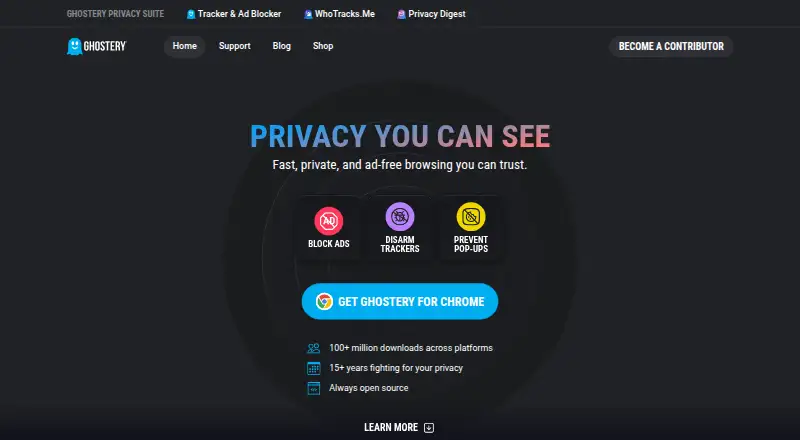
Ghostery combines ad blocking, tracker protection, cookie-consent handling, and tools for viewing tracking activity. It blocks banners, video ads, pop-ups, and sponsored content. Its Tracker Panel displays trackers it identifies and neutralizes, while WhoTracks.Me provides information about tracking companies and activity. Ghostery says its anti-tracking feature substitutes random values for personal identifiers. Never-Consent rejects tracking cookies and sends opt-out signals on supported websites. Core features are free, and the extension is open source. It supports Chrome, Firefox, Edge, Opera, Safari, and Brave, and can be installed on as many devices as users like. On iOS and iPadOS, Ghostery provides Safari protection; on Android, it supports Edge and Firefox. Chrome for Android is unavailable because Chrome does not allow extensions there. Ghostery says extension telemetry is non-personal, with additional telemetry sent if users opt in. For phishing and malware protection, it says its backend receives a partial URL checksum rather than a full URL. Private Search is in closed beta. Ghostery was founded in 2009 and is headquartered in Munich, Germany.
Good
- Blocks banners, video ads, pop-ups, and sponsored content
- Never-Consent sends opt-out signals on supported sites
- Open source with free core features
- Available across major desktop and mobile browsers
Watch out
- Chrome for Android does not support Ghostery
- Private Search is currently in closed beta
- Some additional telemetry is sent if users opt in
Who it suits
Ghostery suits people seeking ad and tracker blocking with cookie-consent handling across supported desktop and mobile browsers. Android users who browse with Chrome should note that Ghostery is unavailable there.
Verdict
Ghostery offers free ad blocking, tracker controls, and tracking transparency tools across supported browsers. Its Android browser coverage excludes Chrome, and Private Search is not generally available.
Plans and prices
From Ghostery's own pricing page, checked 2 Oct 2026.
| Plan | Price | What it gives you |
|---|---|---|
| Ghostery Tracker & Ad Blocker | Free | All features free · no subscription required |
The facts
Each one read from Ghostery's own pages, with the date it was checked.
What it does
- Ad blocking
- The extension blocks ads including banners, video ads, pop-ups, and sponsored content.checked 2 Oct 2026
- Anti-tracking
- Ghostery says its extension replaces personal identifiers with random values to help prevent trackers from identifying users.checked 2 Oct 2026
- Cookie Management
- Never-Consent rejects tracking cookies and sends opt-out signals.checked 28 Sep 2026
- Cookie popup blocking
- Yeschecked 21 Sep 2026
- Custom filter lists
- Yeschecked 21 Sep 2026
- Download Reach
- Ghostery reports more than 100 million downloads across platforms.checked 28 Sep 2026
- Element picker
- Yeschecked 21 Sep 2026
- History
- Ghostery says it has tracked trackers since 2009 and celebrated its 15th anniversary in 2024.checked 2 Oct 2026
- Integrations
- The extension integrates WhoTracks.Me tracker information into its privacy tools and reports observed tracking information to WhoTracks.Me under the stated policy.checked 2 Oct 2026
- Mobile support
- Ghostery offers Safari protection on iOS and iPadOS and support for Edge and Firefox on Android; it says Ghostery is unavailable on Chrome for Android because Chrome does not allow extensions there.checked 2 Oct 2026
- Never-Consent
- Never-Consent automatically rejects tracking cookies and sends opt-out signals on supported websites.checked 2 Oct 2026
- Open source
- Ghostery says its code is open source and identifies the extension’s license as GNU General Public License v3.0.checked 2 Oct 2026
- Open Source
- Ghostery says its core privacy tools are always open source.checked 28 Sep 2026
- Privacy and telemetry
- Ghostery says extension telemetry is non-personal and that additional telemetry is sent if users opt in.checked 2 Oct 2026
- Privacy Experience
- Ghostery says it has spent more than 15 years fighting for privacy.checked 28 Sep 2026
Where it runs
- Browser support
- The maker lists Chrome, Firefox, Safari, Edge, Opera, and Brave as supported browsers.checked 2 Oct 2026
- Device coverage
- desktop-and-mobilechecked 21 Sep 2026
- Device Limit
- The text says users can install it on as many devices as they like.checked 28 Sep 2026
- Platform Coverage
- The extension is available across major desktop and mobile browsers.checked 28 Sep 2026
The company
- Company
- Ghostery GmbH lists its address as Arabellastraße 23, 81925 Munich, Germany.checked 2 Oct 2026
- Founded
- 2009checked 23 Sep 2026
- Headquarters
- Munich, Germanychecked 23 Sep 2026
Money
- Free Core Features
- Ad blocking, tracker blocking, cookie consent handling, and tracker insights are free.checked 28 Sep 2026
- Free plan
- Yeschecked 21 Sep 2026
The full review of Ghostery
Overview
Ghostery is a browser-based privacy tool that blocks ads and trackers while showing users what tracking it detects. It suits people who want cookie-consent handling and visibility into trackers alongside ad blocking, without a subscription. Its broad browser reach is useful, though Android users must choose Firefox or Edge rather than Chrome.
Key features
Blocking and page controls
Ghostery’s free core covers ad blocking, tracker blocking, cookie-consent handling, and tracker insights. It blocks formats including banners, video ads, pop-ups, and sponsored content. Custom filter lists and an element picker offer more control over what gets blocked, which is useful for users willing to tune their browsing protection rather than rely only on defaults.
Anti-tracking and cookies
Ghostery says it replaces personal identifiers with random values and masks identifying signals to make users harder to recognize. Its Never-Consent feature rejects tracking cookies and sends opt-out signals on supported websites. That combination reaches beyond hiding ads, although the opt-out behavior is limited to supported sites.
Tracker visibility and privacy
The Tracker Panel shows trackers Ghostery identifies and neutralizes on a page. WhoTracks.Me adds context about the companies involved and the broader tracking industry, making Ghostery a better fit for readers who want to understand tracking, not just suppress it. Ghostery reports observed tracking information to WhoTracks.Me under its stated policy. It says extension telemetry is non-personal; additional telemetry is sent if users opt in. For phishing and malware protection, it says it sends a partial URL checksum to its backend rather than the full URL.
Pricing
Ghostery Tracker & Ad Blocker costs nothing, with all features free and no subscription required. Ghostery says users can install it on as many devices as they like, so there is no stated device cap to weigh against its free price. This is a strong fit for individuals who want the core blocking and transparency tools without recurring charges.
Ghostery’s paid pricing starts at 1.99 /yr, but no paid plan terms are given. Private Search is in closed beta, so it is not a generally available reason to choose Ghostery today. Readers comparing paid or free options can browse Ad Blocking Software.
Platforms
Ghostery supports Chrome, Firefox, Edge, Opera, Safari, and Brave, and its extension is available across major desktop and mobile browsers. On Android it works with Firefox and Edge, but not Chrome, because Chrome for Android does not allow extensions. On iOS and iPadOS, it provides Safari protection. That makes it a practical cross-platform choice for users whose mobile browser is supported, but a poor fit for Android users committed to Chrome.
Ghostery is open source. The company, Ghostery GmbH, is based in Munich, Germany, and was founded in 2009. It reports more than 100 million downloads across platforms. Users can consult its FAQs, contact support, report bugs, or submit tracker data requests.
Who it's for
Ghostery is best for people who want free ad and tracker blocking paired with cookie controls and a clear view of which companies follow them online. Its support for custom filters, an element picker, and tracker insights will appeal to users who value control and transparency. It is less suitable for anyone who requires Chrome extensions on Android or expects Private Search to be generally available.
Pros and cons
- Pros: Core ad blocking, tracker blocking, cookie handling, and tracker insights cost nothing, with no subscription requirement.
- Pros: Custom filter lists, an element picker, and the Tracker Panel provide control and visibility beyond basic ad removal.
- Pros: Installation is not limited to a stated number of devices, and the extension covers major desktop browsers plus supported mobile browsers.
- Cons: Android support excludes Chrome, so users must switch to Firefox or Edge to use the extension.
- Cons: Never-Consent works on supported websites, rather than promising universal cookie rejection.
- Cons: Private Search remains in closed beta and cannot be treated as a generally available feature.
Alternatives
For a free option that explicitly centers on Android and open-source software, consider uBlock Origin; Ghostery is the broader choice when tracker transparency and cookie-consent handling matter.
AdLock is a freemium alternative with Android, iOS, macOS, and Windows apps; choose it if those platforms fit your needs and its paid device terms suit you. Blokada offers a free Android ad blocker for Android 5 or newer, making it a candidate for Android users seeking that specific free option.
Adblock Plus is another freemium choice with an open-source web extension licensed under GPLv3; consider it if that project model is a priority. Disconnect offers a free trial and a Premium plan at $5 a month, while its Basic Extension is for a single browser; it may suit readers who want to compare a trial-based paid tier.
AdGuard has free apps across major desktop and mobile platforms, with paid personal and family plans; it is worth comparing if you need a defined multi-device plan. 1Blocker is focused on extension, iOS, and macOS, with a Monthly plan at $2.99 a month; choose it if that narrower platform mix and paid approach suit you. AdBlock offers a Premium plan at $4 a month with a 7-day free trial, an option for readers considering a trial before a paid subscription.
Explore the broader Ad blockers directory to compare more tools.
Verdict
Ghostery is an easy recommendation for readers who want free, open-source ad and tracker blocking with cookie controls and useful tracker transparency across supported browsers. Its no-subscription core and unrestricted device installation are compelling; look elsewhere if Chrome on Android is essential, or if you need a generally available private-search feature.
Getting started
- Visit the Ghostery website.
- Choose a supported browser: Chrome, Firefox, Edge, Opera, Safari, or Brave.
- Install the extension in a supported desktop or mobile browser.
- On iOS or iPadOS, use Safari protection; on Android, use Edge or Firefox.
- Use the free core features without a subscription.
Questions
Is Ghostery free?
Yes. Its plan is listed as free, and core features are free with no subscription required.
Which browsers and platforms does Ghostery support?
Supported browsers include Chrome, Firefox, Edge, Opera, Safari, and Brave. Ghostery offers Safari protection on iOS and iPadOS, and Edge and Firefox support on Android; Chrome for Android does not allow extensions.
Is Ghostery open source?
Yes, Ghostery is listed as open source.
What does Ghostery block?
It blocks ads including banners, video ads, pop-ups, and sponsored content. It also provides tracker protection and cookie consent handling.
Does Ghostery offer a private search feature?
Ghostery Private Search is currently in closed beta.
Who makes Ghostery?
Ghostery is made by Ghostery. The company is headquartered in Munich, Germany, and was founded in 2009.
Alternatives to Ghostery
- 1
Adblock Plus
Free planAndroidiOSExtensionLinux8.7From $40 a year - 2

AdLock
Free planAndroidiOSmacOSWindows8.5Free plan - 3

Blokada
Free planAndroidiOSWebExtension8.4From €5 a month - 4

Disconnect
Free planAndroidiOSWebAPI8.4From $50 a year - 5

AdBlocker Ultimate
Free planAndroidiOSWebExtension8.4Free plan - 6

DuckDuckGo Browser
Free planAndroidiOSmacOSWindows8.2Free plan