
AdLock
AdLock is an ad-blocking and privacy app for Windows, macOS, iOS, Android, and Android TV.
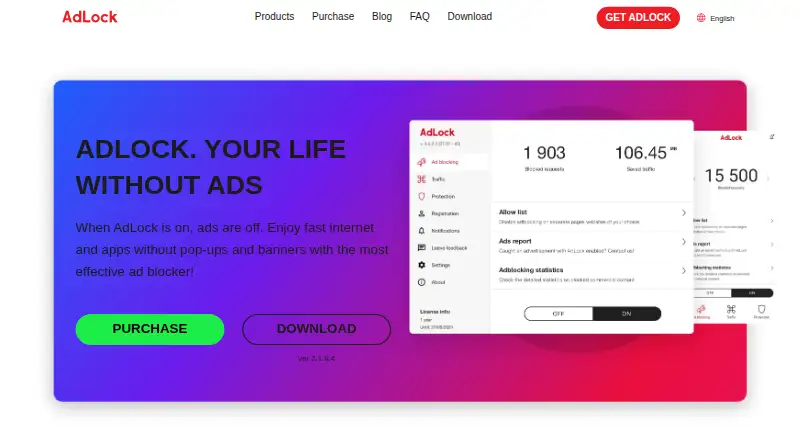
What AdLock is
AdLock is an ad-blocking and privacy app for Windows, macOS, iOS, Android, and Android TV. It blocks ad types by default and does not participate in acceptable ads; users can allow ads on particular websites or apps. It also blocks tracking scripts, malware, malicious requests, and redirects, and filters HTTP and HTTPS connections. Custom filter lists and cookie-popup blocking are supported. AdLock says it uses few device resources, can save mobile data, and can extend battery life. Browser support includes Chrome, Safari, and Firefox, along with major browsers generally. Free browser extensions are available, and standalone applications offer free trials. Paid plans cover five devices and include a 30-day money-back guarantee. Listed prices are $9.95 a month, $39.50 a year, or $15.99 a year when billed every five years. AdLock lists 24/7 technical support and is based in Bratislava, Slovakia.
Good
- Blocks ads by default without acceptable ads.
- Allows ads on selected websites or apps.
- Supports custom filter lists and cookie-popup blocking.
- Covers five devices on paid plans.
- Free browser extensions are available.
Watch out
- Paid plans cover five devices.
- Standalone apps offer trials rather than a listed free plan.
- The five-year plan is billed every five years.
Who it suits
AdLock may suit people seeking ad and tracker blocking across desktop and mobile devices. The five-device coverage and support for custom filters may also appeal to households or users who want control over individual apps and websites.
Verdict
AdLock combines ad blocking with controls for trackers, malware, and selected site or app exceptions across several platforms. Choose a billing term carefully: its listed prices use different billing periods, and paid coverage is limited to five devices.
Plans and prices
From AdLock's own pricing page, checked 27 Sep 2026.
| Plan | Price | What it gives you |
|---|---|---|
| 1 month | $9.95 a month | 30-day money-back guarantee · 5 devices · $119.40/year if billed monthly |
| 1 year | $39.50 a year | Most Popular; 30-day money-back guarantee · 5 devices · billed yearly |
| 5 years | $15.99 a year | 30-day money-back guarantee · 5 devices · billed every 5 years |
| Free browser extensions | Free | Available for all popular browsers |
The facts
Each one read from AdLock's own pages, with the date it was checked.
What it does
- Ad blocking controls
- Users can allow specific websites or apps to show adschecked 27 Sep 2026
- Connection filtering
- Filters HTTP and HTTPS connections to improve performance and responsivenesschecked 27 Sep 2026
- Cookie popup blocking
- Yeschecked 21 Sep 2026
- Copyright period
- The site copyright notice spans 2016 to 2026checked 27 Sep 2026
- Custom filter lists
- Yeschecked 21 Sep 2026
- Default ad blocking
- Blocks all types of ads by default and does not participate in acceptable adschecked 27 Sep 2026
- Money-back guarantee
- Paid plans include a 30-day money-back guaranteechecked 27 Sep 2026
- Paid from
- 15.99checked 21 Sep 2026
- Payment methods
- Accepts Visa, Mastercard, Apple Pay, PayPal, iDEAL, and Amexchecked 27 Sep 2026
- Privacy protection
- Blocks tracking scripts and malware and says it does not collect, transfer, or sell user datachecked 27 Sep 2026
- Security protection
- Protects against malware, trackers, malicious requests, and redirectschecked 27 Sep 2026
- Support contact
- Provides email addresses and a phone number for contactchecked 27 Sep 2026
- Technical support
- Provides technical support 24 hours a day, 7 days a weekchecked 27 Sep 2026
- Traffic and battery
- Uses few device resources, saves mobile data, and extends battery lifechecked 27 Sep 2026
Where it runs
- App coverage
- Lists support or guides for YouTube, Twitch, Discord, Brave, and Android TVchecked 27 Sep 2026
- Browser support
- major-browserschecked 21 Sep 2026
- Device coverage
- desktop-and-mobilechecked 21 Sep 2026
- Device limit
- 5checked 21 Sep 2026
- Supported browsers
- Supports Chrome, Safari, and Firefoxchecked 27 Sep 2026
- Supported platforms
- Supports Windows, macOS, iOS, Android, and Android TVchecked 27 Sep 2026
The company
- Company location
- Lists an address in Bratislava, Slovakiachecked 27 Sep 2026
- Headquarters
- Bratislava, Slovakiachecked 28 Sep 2026
Money
- Free options
- Offers free browser extensions and free trials for standalone applicationschecked 27 Sep 2026
- Free plan
- Yeschecked 21 Sep 2026
The full review of AdLock
AdLock is an ad blocker for desktop and mobile devices, with controls for trackers, malware, and site or app exceptions. It suits people who want one tool across several operating systems and browsers, but the long-term price requires an upfront commitment.
Overview
AdLock blocks ads by default, including without an acceptable-ads program, and lets users allow ads on specific websites or apps. It also blocks tracking scripts, malware, malicious requests, and redirects. That breadth makes it more than a browser-only choice, though its paid coverage stops at five devices.
Key features
- Ad controls: Custom filter lists, cookie-popup blocking, and exceptions for selected sites or apps give users room to tune blocking. Those controls are useful when a site or app needs ads enabled, but the default remains to block all types of ads.
- Privacy and security: AdLock blocks trackers and harmful requests, and says it does not collect, transfer, or sell user data. That combination suits privacy-conscious users who want blocking beyond advertising alone.
- Connection filtering: Filtering HTTP and HTTPS connections is intended to improve performance and responsiveness. AdLock also says it uses few device resources, saves mobile data, and extends battery life.
- Support: Technical support is available 24 hours a day, seven days a week, and paid plans have a 30-day money-back guarantee. These are useful safeguards for a subscription, though they do not change the five-device cap.
Pricing
AdLock is freemium: free browser extensions are available for popular browsers, and standalone apps have free trials, including a 7-day trial. Paid plans cover five devices and include a 30-day money-back guarantee.
- 1 month: $9.95 a month, billed $119.40/year if billed monthly. This is the flexible option for someone who does not want a long commitment, but the annualized charge makes it the costliest route.
- 1 year: $39.50 a year, billed yearly. Marked Most Popular, it is the middle-ground choice for someone willing to renew annually rather than pay several years ahead.
- 5 years: $15.99 a year, billed every 5 years. This has the lowest annual equivalent, but requires paying for a five-year term upfront, making it a poor fit for anyone unsure they will keep using AdLock.
- Free browser extensions: Available for all popular browsers. They are the no-cost starting point, while standalone apps require a trial or paid plan for continued use.
Platforms
AdLock supports Windows, macOS, iOS, Android, and Android TV, with coverage across desktop and mobile. Browser support includes Chrome, Safari, and Firefox. The range is useful for households or individuals spanning devices, although five-device paid coverage may constrain larger setups.
Who it's for
Choose AdLock if you want default ad blocking plus controls for trackers, malware, cookie pop-ups, and selected exceptions on a mix of desktop and mobile platforms. It is less suitable if you need paid coverage for more than five devices, or want to avoid a long prepayment to get the lowest annual price.
Pros and cons
- Pros: Blocks ads without acceptable ads, and lets users make site or app exceptions, so blocking can be adjusted when needed.
- Pros: Covers trackers, malware, malicious requests, and redirects alongside ads, broadening its privacy and security role.
- Pros: Supports major desktop and mobile platforms, including Android TV, and offers browser extensions.
- Cons: Paid plans cover only five devices, which may not stretch across a larger household's devices.
- Cons: The lowest annual price requires a five-year billing term; the monthly option costs $9.95 a month and is billed $119.40/year if billed monthly.
Alternatives
For more options, browse Ad blockers or Ad Blocking Software.
- Ghostery is a strong alternative for readers who want a free, open-source option with no subscription required; its listed features are all free.
- Blokada is worth considering for readers who want a free ad blocker for Android 5 or newer, or prefer a freemium option spanning desktop and mobile platforms.
- Adblock Plus is another freemium choice, with an open-source web extension licensed under GPLv3.
- Disconnect offers a free basic extension for a single browser as well as a paid Premium plan, making it a possible fit for someone focused on browser-level coverage.
- AdGuard is another freemium option for readers comparing ad blockers across desktop and mobile platforms.
- uBlock Origin is a free, open-source alternative for readers whose needs match its listed Android platform.
- 1Blocker suits readers seeking a freemium choice for Apple platforms, with a paid monthly plan that includes multiple blocking categories and background filter updates.
- AdBlock is another freemium option across Windows, macOS, iOS, and Android; its Premium plan includes a 7-day free trial.
Verdict
AdLock is a good fit for people who want broad platform coverage and combine ad blocking with controls for trackers and harmful requests. Its main advantage is that range of blocking and exceptions in one tool; look elsewhere if five devices are not enough or the five-year prepayment is too much of a commitment.
Getting started
- Visit the AdLock website.
- Choose between a free browser extension and a standalone application.
- Use a free trial for a standalone app if desired.
- Select a paid plan if you want paid coverage for five devices.
- Install or use AdLock on a supported platform and browser.
Limits worth knowing
The free option is described as browser extensions; standalone apps offer free trials. Paid plans cover five devices and include a 30-day money-back guarantee.
Questions
Is AdLock free?
AdLock offers free browser extensions. Standalone applications have free trials.
What does AdLock cost?
Listed paid options are $9.95 a month, $39.50 a year, and $15.99 a year when billed every five years.
Which devices and browsers does it support?
It supports Windows, macOS, iOS, Android and Android TV, and names Chrome, Safari and Firefox among supported browsers.
How many devices are covered by paid plans?
Paid plans cover five devices.
What does AdLock block?
It blocks ads, tracking scripts, malware, malicious requests and redirects, and can block cookie popups.
Who makes AdLock?
AdLock is made by AdLock, which lists its headquarters in Bratislava, Slovakia.
Alternatives to AdLock
- 1

Ghostery
Free planOpen sourceAndroidiOSExtensionLinux8.8Free plan - 2
Adblock Plus
Free planAndroidiOSExtensionLinux8.7From $40 a year - 3

Blokada
Free planAndroidiOSWebExtension8.4From €5 a month - 4

Disconnect
Free planAndroidiOSWebAPI8.4From $50 a year - 5

AdBlocker Ultimate
Free planAndroidiOSWebExtension8.4Free plan - 6

DuckDuckGo Browser
Free planAndroidiOSmacOSWindows8.2Free plan