YUMI
YUMI creates a multiboot USB drive for starting operating systems, Windows installers, rescue disks, and utilities from a menu.
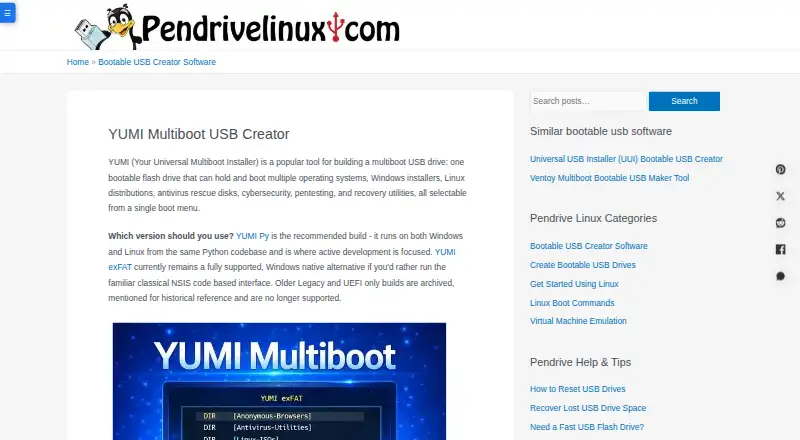
What YUMI is
YUMI creates a multiboot USB drive for starting operating systems, Windows installers, rescue disks, and utilities from a menu. The recommended YUMI Py edition runs natively on Windows and Linux; YUMI exFAT is a Windows-only alternative with a classic interface. YUMI Py can add batches of ISO, IMG, WIM, EFI, and VHD(x) files, including files larger than 4GB, and manage persistent storage for compatible Arch, Fedora, Ubuntu, and some Debian-based live systems. It can test boot media in QEMU or VirtualBox and install a distribution in a persistent virtual disk on the USB drive. Auto Download queues selected distributions and supports resumed downloads, but it does not verify ISO files against published checksums. YUMI is free and open source, with UEFI, BIOS, and multiboot support. Preparing a drive erases every volume and partition on the selected disk, including hidden ones, so choose the target carefully. On Linux, YUMI Py can add an existing VHD or VHDX but cannot create a new Windows-To-Go-style install.
Good
- Free and open source
- Supports UEFI, BIOS, and multiboot
- YUMI Py runs natively on Windows and Linux
- Can manage persistent storage for compatible live systems
Watch out
- Preparing a drive erases all its partitions
- Auto Download does not verify ISO checksums
- Linux cannot create a new Windows-To-Go-style VHD or VHDX install
- LAN Share has no login or access code
Who it suits
YUMI suits people who want multiple operating systems, installers, or recovery tools on one USB drive. It supports Linux distributions and Windows installers, along with rescue, cybersecurity, and recovery tools.
Verdict
YUMI offers a broad set of boot-media options, including persistent storage and virtual-machine testing. Take care with drive preparation and verify downloaded images when security matters.
Plans and prices
From YUMI's own pricing page, checked 7 Oct 2026.
| Plan | Price | What it gives you |
|---|---|---|
| YUMI | Free | Free and open source; all variants |
The facts
Each one read from YUMI's own pages, with the date it was checked.
What it does
- Downloads
- Auto Download queues selected distributions and downloads their ISO files directly to the USB drive, with resume support and concurrency of one to four downloads.checked 7 Oct 2026
- Download verification
- Auto Download does not verify downloaded ISO files against published checksums; the maker advises checking the distribution’s own checksum for security-sensitive use.checked 7 Oct 2026
- Drive preparation
- Preparing a drive wipes all volumes and partitions on the selected disk, including hidden ones.checked 7 Oct 2026
- Image support
- YUMI Py supports batch ISO, IMG, WIM, EFI, and VHD(x) files, including files larger than 4GB.checked 7 Oct 2026
- Integrations
- YUMI Py uses QEMU for virtual machine features and noVNC to stream LAN Share sessions into a browser.checked 7 Oct 2026
- LAN Share security
- LAN Share has no login or access code, so the maker recommends it for trusted home or personal networks rather than public Wi-Fi.checked 7 Oct 2026
- Persistence
- YUMI manages persistent storage for compatible Arch, Fedora, Ubuntu, and some Debian-based live systems.checked 7 Oct 2026
- Purpose
- YUMI creates a multiboot USB drive that can boot multiple operating systems, Windows installers, rescue disks, and utilities from one menu.checked 7 Oct 2026
- Recommended edition
- YUMI Py is the recommended build and runs natively on Windows and Linux from the same Python codebase.checked 7 Oct 2026
- Secure Boot
- YUMI Py and YUMI exFAT use upstream Ventoy Secure Boot and require enrolling a key in the MOK database.checked 7 Oct 2026
- Support and audience
- Pendrive Linux invites feedback and describes its tools as intended to make USB booting accessible; YUMI supports Linux distributions, Windows installers, rescue, cybersecurity, and recovery tools.checked 7 Oct 2026
The company
- Founded
- 2006checked 28 Sep 2026
Where it runs
- Platform limitation
- On Linux, YUMI Py can add an existing VHD or VHDX but cannot create a new Windows-To-Go-style VHD or VHDX install.checked 7 Oct 2026
- Virtual machine features
- YUMI Py can test boot media in QEMU or VirtualBox and install a distro into a persistent virtual disk stored on the USB drive.checked 7 Oct 2026
- Windows edition
- YUMI exFAT is a supported Windows-only alternative with a classic interface.checked 7 Oct 2026
Alternatives to YUMI
- 1

GitHub CodeQL
Free planWebExtensionLinuxmacOS7.5From $30 a month - 2
Avidemux
Free planOpen sourceWebLinuxmacOSWindows7.3Free plan - 3
Boot-US
Free planLinuxWindows7.3Free plan - 4
rEFInd
Free planOpen sourceLinuxmacOSSelf-hostedWindows7.1Free plan - 5

Launchpad
Free planWebAPILinuxSelf-hosted7.0Free plan - 6
EasyBCD
Free planWindows6.5$39.99 one-time