Xappex XL-Connector
Xappex XL-Connector is a Salesforce administration and data-management toolkit used from desktop Microsoft Excel.
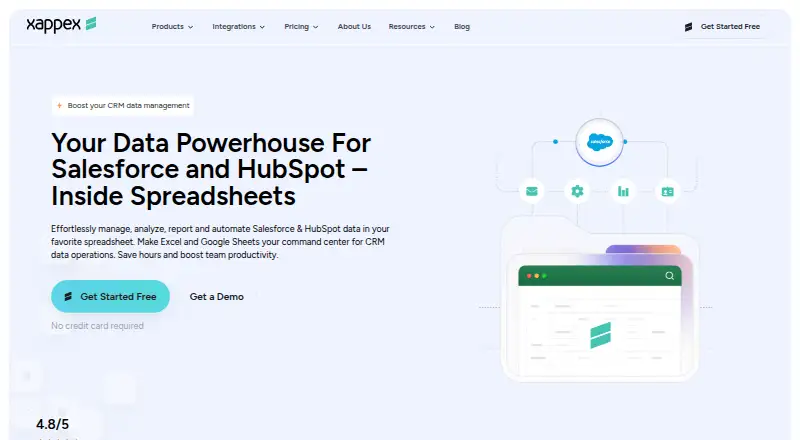
What Xappex XL-Connector is
Xappex XL-Connector is a Salesforce administration and data-management toolkit used from desktop Microsoft Excel. Its Windows add-in connects Excel with Salesforce through an API for exporting, importing, refreshing, and transforming data. Users can query, insert, update, and delete Salesforce records, including bulk operations presented for 50K+ records. For analysis, it supports unlimited SOQL queries, joins between unrelated Salesforce objects in one workbook, and Excel formulas and pivot tables on live data. Enterprise tools let teams manage Salesforce metadata from Excel, including fields, validation rules, processes, security settings, picklists, and layouts. Authentication supports OAuth2 client-server login and two-factor authentication with a username, password, and Salesforce security token. The COM add-in is for Windows desktop Excel, typically Excel 2016 and newer, and is not supported on macOS. Xappex says the product is installed locally, uses a direct encrypted Salesforce connection, and does not store business data on third-party servers. The company follows the SOC 2 framework and offers support at [email protected].
Good
- Queries, inserts, updates, and deletes Salesforce data
- Supports unlimited SOQL queries
- Joins unrelated Salesforce objects in one workbook
- Offers metadata tools for enterprise users
Watch out
- Does not support macOS
- Requires Windows desktop Excel
- Free Salesforce report pulls are limited to 2,000 rows
Who it suits
It is positioned for Salesforce administrators, developers, consultants, data analysts, and business users who work in Excel. It requires Windows desktop Excel; macOS is not supported.
Verdict
XL-Connector brings Salesforce data operations and administration into Excel, with query and metadata tools for different user needs. Check the Windows-only platform requirement and the Free plan's report limit before choosing it.
Plans and prices
From Xappex XL-Connector's own pricing page, checked 30 Sep 2026.
| Plan | Price | What it gives you |
|---|---|---|
| Team Player | $10 a month | Unlimited pull operations · refresh all worksheets · controlled create/update/delete flows · centralized feature visibility · monthly |
| Enterprise Admin | $30 a month | 3,000,000 report records per hour per org · scheduled offline refresh and mass operations · metadata tools · Slack and email notifications · monthly |
| Free | — | Salesforce reports limited to 2,000 rows · SOQL pulls · refresh one worksheet at a time · monthly |
The facts
Each one read from Xappex XL-Connector's own pages, with the date it was checked.
What it does
- Analysis
- Users can run unlimited SOQL queries, join unrelated Salesforce objects in one workbook, and use Excel formulas and pivot tables on live data.checked 30 Sep 2026
- Audience
- The product is positioned for Salesforce administrators, developers, consultants, data analysts, and business users who work in Excel.checked 30 Sep 2026
- Authentication
- Salesforce authentication supports OAuth2 client-server login and two-factor authentication using a username, password, and Salesforce security token.checked 30 Sep 2026
- Bulk data
- XL-Connector supports bulk operations and is presented as handling 50K+ records.checked 30 Sep 2026
- Compliance
- Xappex follows the SOC 2 framework and says it undergoes independent third-party security and compliance assessments.checked 30 Sep 2026
- Core operations
- The add-in lets users query, insert, update, and delete Salesforce data directly from desktop Excel.checked 30 Sep 2026
- Integration
- XL-Connector connects Microsoft Excel with Salesforce through an API connection for export, import, refresh, and transformation.checked 30 Sep 2026
- Metadata
- Enterprise features manage fields, validation rules, processes, security settings, picklists, layouts, and other Salesforce metadata from Excel.checked 30 Sep 2026
- Purpose
- XL-Connector is a Salesforce administration and data-management toolkit used from Microsoft Excel.checked 30 Sep 2026
- Security
- Xappex states that XL-Connector is locally installed, uses a direct encrypted Salesforce connection, and does not store business data on third-party servers.checked 30 Sep 2026
- Support
- Xappex offers Salesforce professional customer support at [email protected] and asks users to contact that address for help.checked 30 Sep 2026
The company
- Headquarters
- Las Vegas, Nevada, United Stateschecked 28 Sep 2026
Where it runs
- Platform limit
- The COM add-in supports Windows desktop Excel, typically Excel 2016 and newer, and is not supported on macOS.checked 30 Sep 2026
Alternatives to Xappex XL-Connector
- 1

Freshsales
Free planAndroidiOSWebAPI8.3From $108 a year - 2
Workato Agent Studio
Free planiOSWebAPILinux8.3Free plan - 3

Zoho CRM
Free planAndroidiOSWebAPI8.3From $14 a month - 4

Hightouch
Free planAndroidiOSWebAPI8.2From $350 a month - 5

Skyvia
Free planWebAPIWindows7.7From $7 a month - 6

Boomi
WebAPILinuxSelf-hosted7.6$99 usage-based