WriteMonkey
WriteMonkey 3 is a minimal, plain-text editor for writers who want a focused space to draft and organize longer work.
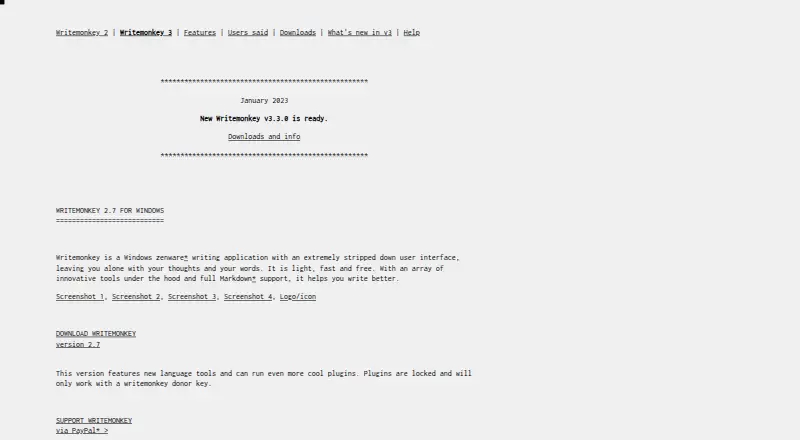
What WriteMonkey is
WriteMonkey 3 is a minimal, plain-text editor for writers who want a focused space to draft and organize longer work. It runs on Windows, macOS, and Linux, supports offline editing, and offers full-screen writing, keyboard-friendly controls, and a themeable single-window interface. Projects can divide long pieces into separate documents; full-text library search, a snippet repository, and Jumps provide ways to navigate material, including a live table of contents, bookmarks, and comments. Markdown support includes footnotes, tables of contents, and KaTeX expressions, while templates are available for printing or PDF export. Other tools include live word and character counts, progress tracking, session and Pomodoro timers, highlighting, typewriter scrolling, and inline spell checking. Documents are kept locally in a database file or saved as regular text files. The documentation describes backups that default to every six hours when the application loses focus. WriteMonkey is free to download and use, but the documentation says it handles only UTF-8 text files. Plugins are available to donors.
Good
- Free to download and use on multiple machines
- Runs on Windows, macOS, and Linux
- Supports offline editing and Markdown
- Includes project organization and full-text search
Watch out
- Handles only UTF-8 text files
- Plugins are available to donors
- Cloud synchronization is listed among missing modules
Who it suits
WriteMonkey suits writers who prefer plain text, Markdown, keyboard-friendly controls, and local document storage. Its project and navigation tools may also suit people working on longer pieces.
Verdict
WriteMonkey 3 centers on plain-text drafting while providing tools for organizing and exporting longer work. Its UTF-8-only file support and locally stored documents are important considerations.
Plans and prices
From WriteMonkey's own pricing page, checked 22 Sep 2026.
| Plan | Price | What it gives you |
|---|---|---|
| Free | Free | Free to download and use on as many machines as needed · Donor-only plugins are available separately |
| WriteMonkey 3 | Free | Free to download and use on as many machines as needed · plugins available to donors for any donation amount |
The facts
Each one read from WriteMonkey's own pages, with the date it was checked.
What it does
- AI plugin
- The site lists a ChatGPT helper plugin that supports continuing previous conversations, copying conversations, clipboard use, and proxy servers, and says it works with GPT-4.checked 11 Oct 2026
- Backups
- The documentation describes database backups and says automatic backups default to every six hours when the application loses focus.checked 11 Oct 2026
- Cloud sync
- The documentation lists a cloud synchronization mechanism among modules missing in the January 2023 state it describes.checked 11 Oct 2026
- Editing
- It offers full-screen writing, a themeable single-window interface, UTF-8 text editing, and support for large documents.checked 11 Oct 2026
- File format limit
- The documentation says WriteMonkey 3 can currently handle only UTF-8 text files.checked 11 Oct 2026
- Installation
- The documented installation process is to download the ZIP for the operating system and unzip it; the documentation says there is no special installation procedure for version 3.3.0.checked 11 Oct 2026
- Markdown and export
- It supports Markdown, including footnotes, tables of contents, and KaTeX expressions, and includes templates for printing or exporting to PDF.checked 11 Oct 2026
- Organization
- It supports projects that split long-form writing into separate documents, full-text library search, a snippet repository, and a Jumps tool with a live document table of contents, bookmarks, and comments.checked 11 Oct 2026
- Plugins
- WriteMonkey 3 can be expanded through a plugin engine and API, and the maker says plugins are available to donors.checked 11 Oct 2026
- Storage
- The documentation says documents are stored locally in a database file, and documents can also be saved as regular text files.checked 11 Oct 2026
- Support
- The maker directs bug reports, feature suggestions, and general discussions to the project's GitHub issues page.checked 11 Oct 2026
- What it does
- WriteMonkey 3 is a minimal, plain-text, distraction-free, keyboard-friendly Markdown-enabled text editor for writers.checked 11 Oct 2026
- Who it is for
- The maker describes WriteMonkey 3 as a writing environment for writers, with organizational and publishing capabilities alongside its primary text-editing function.checked 11 Oct 2026
- Writing tools
- Its listed tools include live word and character counts, a progress bar, session and Pomodoro timers, sentence or paragraph highlighting, typewriter scrolling, and inline spell checking.checked 11 Oct 2026
Money
- Free plan
- Yeschecked 22 Sep 2026
Alternatives to WriteMonkey
- 1

ONLYOFFICE Docs
Free planOpen sourceAndroidiOSWebAPI8.7From $8 a month - 2
LibreOffice Impress
Free planOpen sourceAndroidiOSWebAPI8.6$8.99 one-time - 3

Calmly Writer
Free planAndroidWebLinuxmacOS8.2Free plan - 4

WPS Office
Free planAndroidiOSWebAPI8.2From $41.99 a year - 5
Dropbox Paper
Free planAndroidiOSWebAPI7.7Free plan - 6

Collabora Online
Free planAndroidiOSWebLinux7.5From $3.40 a month