Woxel
Woxel is a voxel editor for creating Minecraft-style 3D assets, with versions for the web and Linux.
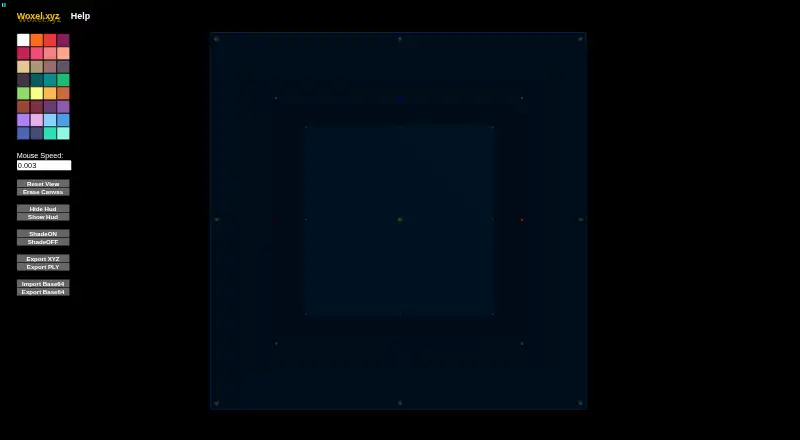
What Woxel is
Woxel is a voxel editor for creating Minecraft-style 3D assets, with versions for the web and Linux. Its movement controls resemble Minetest and Minecraft, while keyboard and mouse actions let you place, delete, clone, and replace voxel nodes or colors. A mirror brush can be toggled for mirrored edits, and the texture of a pointed node can be changed. Texture painting and game engine export are listed capabilities. Woxel saves state automatically when you exit; the listing also describes a save shortcut and a backup after three minutes of inactivity. The Linux desktop app accepts arguments to create or load projects, export a project, adjust mouse sensitivity, and apply custom color palettes. A Flatpak is available for aarch64 and x86_64 systems, and the desktop app is free. The product page links to the web version at woxel.xyz, while the maker’s site links to GitHub Help. Flathub lists James William Fletcher as maker.
Good
- Free desktop app
- Web and Linux versions
- Mirror brush for voxel edits
- Game engine export listed
- Automatic save and backup
Watch out
- Linux app only supports listed architectures
- Editing uses keyboard and mouse controls
Who it suits
Woxel suits Minecraft players who want to create 3D assets for games. It fits users seeking browser access or a Linux Flatpak editor.
Verdict
Woxel provides voxel modeling with familiar Minecraft-like movement and direct editing controls. Its web version and free Linux Flatpak give users two ways to work.
The facts
Each one read from Woxel's own pages, with the date it was checked.
What it does
- Brush
- Woxel includes a mirror brush toggle.checked 9 Oct 2026
- Controls
- Woxel uses controls described as similar to Minetest and Minecraft.checked 9 Oct 2026
- Editing
- Keyboard and mouse controls let users place, delete, clone, and replace voxel nodes.checked 9 Oct 2026
- Editing tools
- Keyboard and mouse controls let users place, delete, clone, and replace voxel colors, and toggle a mirror brush.checked 8 Oct 2026
- Exports and settings
- The page says command line arguments can export projects and change mouse sensitivity or apply custom color palettes.checked 9 Oct 2026
- Import and export
- The desktop app accepts arguments to export a project, create or load a project, change mouse sensitivity, and apply custom color palettes.checked 8 Oct 2026
- Intended users
- The page describes Woxel as a way for Minecraft players to create 3D assets for games.checked 9 Oct 2026
- Maintainer
- Flathub lists James William Fletcher as the maker.checked 9 Oct 2026
- Product
- Woxel is a Minecraft style voxel editor.checked 9 Oct 2026
- Saving
- Woxel saves state automatically on exit, and F3 saves manually.checked 9 Oct 2026
- Support
- The listed issue reporting link points to the Flathub GitHub repository.checked 9 Oct 2026
- Textures
- The listing describes controls for changing a pointed node’s texture.checked 8 Oct 2026
- Web version
- The product page directs users to try the web version at woxel.xyz.checked 9 Oct 2026
Where it runs
- Linux app
- A Linux Flatpak is listed for aarch64 and x86_64 architectures.checked 9 Oct 2026
- Linux architectures
- The Flathub listing provides aarch64 and x86_64 builds.checked 8 Oct 2026
- Platforms
- The maker’s site provides a web version, and Flathub lists a Linux desktop app.checked 8 Oct 2026
Money
- Price
- Flathub lists the desktop app as free.checked 8 Oct 2026
Alternatives to Woxel
- 1
Goxel
Free planOpen sourceAndroidiOSLinuxmacOS8.5Free plan - 2

Mega Voxels
Free planAndroidiOS6.9From $1.99 a month - 3
Facet
Free planWebWindows6.7$10 one-time - 4
Solid Editor
Free planLinuxWindows6.6$10 one-time - 5
VoxelAI Studio
Free planWebAPI6.6From C$8 a month - 6
Qubicle Voxel Editor
Free planmacOSWindows6.5$0.99 one-time