World Machine
World Machine is procedural terrain-generation software for artists creating realistic or stylized landscapes.
What World Machine is
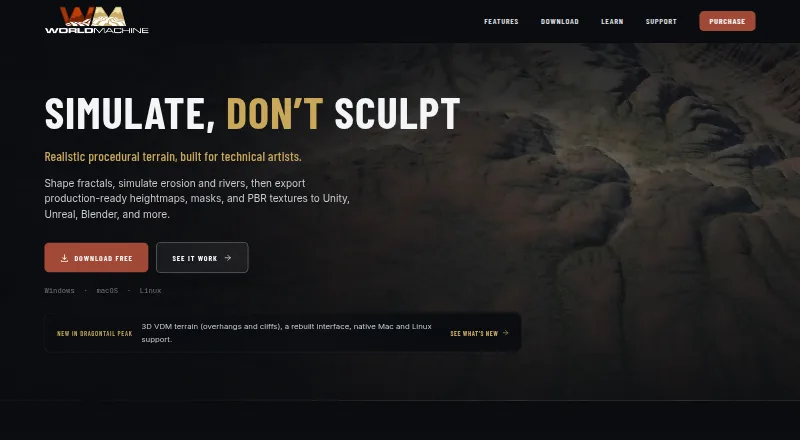
World Machine is procedural terrain-generation software for artists creating realistic or stylized landscapes. Its node graph offers more than 100 devices for terrain generation, erosion, rivers, masks, materials, and outputs. Simulations include flow-based and thermal erosion, snow accumulation, river channels, lakes, and coastal erosion; Dragontail Peak adds 3D VDM terrain with overhangs, cliff faces, and caves. Exports include heightfields, meshes, masks, and PBR textures in standard formats such as RAW, EXR, TIFF, PNG, TER, OBJ, glTF, and GLB. Compatible tools named by the maker include Unreal Engine, Unity, Godot, Blender, Maya, and Cinema 4D. Professional and higher editions support tiled builds for worlds larger than memory, with interrupted builds resumable. The free Basic edition has the Indie toolset but limits each output asset to 1025×1025 pixels and non-commercial use. World Machine runs on Linux, macOS, and Windows. Paid plans include Indie at $119 a month, Professional at $299 a month, and Studio Site at $1,999 a month.
Good
- Node graph includes more than 100 devices.
- Simulates erosion, snow, rivers, lakes, and coasts.
- Exports meshes, heightfields, masks, and PBR textures.
- Available for Linux, macOS, and Windows.
Watch out
- Basic is restricted to non-commercial use.
- Basic output assets are limited to 1025×1025 pixels.
- Paid plans are listed at $119 a month or more.
Who it suits
World Machine suits artists working with digital terrain in game, film, and visualization pipelines. Basic may fit non-commercial projects that can work within its output-size limit.
Verdict
World Machine covers terrain generation, simulation, and exports for several named 3D tools. Check the Basic edition’s commercial-use and output limits, or the listed paid plan terms, against your project needs.
Plans and prices
From World Machine's own pricing page, checked 15 Oct 2026.
| Plan | Price | What it gives you |
|---|---|---|
| Basic | Free | Personal, educational and non-commercial use · 1K maximum build resolution · 4 build threads · major-release updates |
| Indie | $119, paid once | Commercial export rights · Perpetual license · RAM-limited resolution · 4 build threads · 2 workstation installs · 1 year of updates and support · one-time |
| Indie to Professional upgrade | $180, paid once | Upgrade from Indie to Professional · One year of updates restarts · one-time |
| Professional | $299, paid once | All Indie features · Unlimited tiled resolution · All CPU cores · AVX-512 · Multimonitor support · Automation scripting · Macro locking · 2 workstation installs · 1 year of updates and support · one-time |
| Studio Site | $1,999, paid once | All Professional features · Unlimited workstation installs at one physical site · 1 year of updates and support · one-time |
The facts
Each one read from World Machine's own pages, with the date it was checked.
What it does
- 3D terrain
- Dragontail Peak adds 3D VDM terrain that supports overhangs, cliff faces and caves.checked 29 Sep 2026
- API sandbox
- Lua plugins cannot access the operating system or external data and cannot persist information outside the build process.checked 15 Oct 2026
- Audience
- The maker describes the product as focused on digital terrain tools for artists and highlights game, film and visualization pipelines.checked 29 Sep 2026
- Automation API
- Professional supports XML automation scripts that can load worlds, modify settings, build and export from the command line.checked 15 Oct 2026
- Basic limits
- The free Basic edition has the same toolset as Indie, but limits each output asset to 1025×1025 pixels and is restricted to non-commercial use.checked 29 Sep 2026
- Custom scripting
- The Code device uses Lua host scripts and OpenCL 1.2-or-later compute kernels.checked 15 Oct 2026
- Data security
- The maker says data is transmitted using TLS, infrastructure access controls are used, and telemetry is stored separately from customer and licensing records.checked 29 Sep 2026
- Developer limitations
- The Code device currently supports only heightfield and bitmap compute data, build scripts rather than full device control, and Lua/OpenCL languages.checked 15 Oct 2026
- Documentation
- The vendor provides a searchable Help Center, FAQ, release notes, Lua API reference, professional addendum and community forum.checked 15 Oct 2026
- Download and activation
- The Basic installer runs without activation, while paid keys are delivered by direct download and normally emailed within one business day.checked 15 Oct 2026
- Erosion and water
- The software simulates flow-based and thermal erosion, snow accumulation, river channels, lakes and coastal erosion.checked 29 Sep 2026
- Erosion simulation
- Flow erosion models water channels, sediment transport and deposition, while thermal erosion creates talus and snow simulation models accumulation and melt.checked 15 Oct 2026
- Export formats
- The product exports RAW, EXR, TIFF, PNG, TER and OBJ files along with other heightfield or mesh compatible formats.checked 15 Oct 2026
- Founder
- The company identifies Stephen Schmitt as founder and says the product grew from his applied-mathematics and computer-graphics work at the University of Washington.checked 15 Oct 2026
- Independent compatibility listing
- The Japanese reseller lists compatibility or export workflows for Unity, Unreal Engine, Amazon Lumberyard, Crysis Engine, Blender, Maya and Cinema 4D.checked 15 Oct 2026
- Independent licensing listing
- The reseller lists Indie, Professional and Studio Site licenses as perpetual, with first-year maintenance included and later renewal required for continued updates.checked 15 Oct 2026
- Independent product description
- A Japanese software reseller describes World Machine as a 3D terrain generator with graph-based workflows, macros, fractal generation, erosion, water systems and PBR materials.checked 15 Oct 2026
- Large worlds
- Professional and higher editions support tiled builds for worlds larger than memory, with builds resumable after interruption.checked 29 Sep 2026
- Layout tools
- The layout editor supports Bezier paths, Boolean shape operations, transforms, grouping, locking and interpolating surfaces.checked 15 Oct 2026
The company
- Company
- World Machine Software LLC is described by the maker as an independent small company founded in 2008 and located in Seattle, Washington.checked 15 Oct 2026
- Founded
- 2008checked 23 Sep 2026
- Headquarters
- Seattle, Washington, United Stateschecked 23 Sep 2026
Where it runs
- Device library
- The application provides more than 100 devices covering fractals, erosion, rivers, masks and outputs.checked 15 Oct 2026
Money
- Free plan
- Yeschecked 20 Sep 2026
The full review of World Machine
World Machine is procedural terrain software for artists building landscapes for games, film and visualization. It suits projects that need detailed erosion and water shaping, repeatable generation, and exports into a broader 3D pipeline. Its strongest case is depth of terrain tools; the key trade-off is that commercial work requires a paid edition.
Overview
World Machine’s node graph contains more than 100 devices for terrain generation, erosion, rivers, masks, materials and outputs. That breadth gives artists room to build a landscape through connected stages, rather than relying on one terrain-generation approach. Procedural generation and seed control support repeatable results, and the software handles both map dimensions.
It can export heightfields, meshes, masks and PBR textures in RAW, EXR, TIFF, PNG, TER, OBJ, glTF and GLB formats. Compatible tools include Unreal Engine, Unity, Godot, Blender, Maya and Cinema 4D, making World Machine a practical option when terrain needs to move between generation and an established engine or 3D package.
Key features
Flow-based and thermal erosion, snow accumulation, river channels, lakes and coastal erosion let artists shape weathering and water into a landscape. This is a meaningful advantage for environments where landform detail matters; projects that need only a basic heightmap may not benefit enough from the larger toolkit to justify a paid license.
Dragontail Peak adds 3D VDM terrain for overhangs, cliff faces and caves. Those forms go beyond what a heightfield can express, broadening the kinds of terrain artists can create. For larger environments, Professional and Studio Site support tiled builds for worlds larger than memory, with builds resumable after interruption. That capability is useful for demanding worlds, though it sits above the lower-cost Indie tier.
World Machine supports custom assets and names Unreal Engine, Unity and Godot as engine exports. Its variety of output types and compatible applications makes it a fit for mixed pipelines, rather than a tool tied to a single destination.
Pricing
Basic is free, with the same toolset as Indie, but each output asset is capped at 1025×1025 pixels and use is restricted to non-commercial work. That makes it a reasonable way to develop personal or other non-commercial terrain projects, but not a production license or a route to larger output assets.
Indie costs $119 a month (billed) and includes one year of updates, four build threads and two workstation installs. It is the entry paid tier for commercial work, but the thread cap may constrain parallel builds. Professional costs $299 a month (billed), includes one year of updates and allows all CPU cores across two workstation installs. It is the better fit when build throughput or larger tiled worlds matter.
Studio Site costs $1,999 a month (billed), includes one year of updates and allows unlimited workstation installs at one specific physical location. It suits a studio that needs many installations at a single site; teams without that requirement are likely better served by an individual tier. Paid licenses include one year of support and free updates. There is no free trial.
Platforms
World Machine supports Linux, macOS and Windows, giving teams on all three desktop platforms a way to use the same terrain workflow.
Who it's for
World Machine is best suited to artists and teams creating game, film or visualization environments that need procedural terrain, substantial erosion and water controls, or terrain exports for multiple tools. It is less compelling for a project that needs only a small, simple heightmap, and Basic is unsuitable for commercial production because of its non-commercial restriction and output cap.
The maker says terrain files and project contents are not collected. Pseudonymous telemetry can be disabled, and crash reports are sent only with the user's choice. The maker also says data is transmitted using TLS, infrastructure access controls are used, and telemetry is stored separately from customer and licensing records. Support resources include a help center, helpdesk and community forum.
Pros and cons
Pros
- More than 100 node-graph devices cover terrain generation through materials and outputs, supporting workflows with multiple connected stages.
- Erosion, snow and water tools provide specific controls for weathered and water-shaped landscapes.
- Meshes, heightfields, masks and PBR textures export in several standard formats for a range of named engines and 3D tools.
- Professional and Studio Site support resumable tiled builds for worlds larger than memory.
Cons
- Basic is limited to non-commercial use and 1025×1025 output assets, so it cannot serve as a free commercial-production tier.
- Indie is limited to four build threads, while access to all CPU cores starts at Professional.
- Studio Site's unlimited installs are restricted to one physical location, and its price is substantially higher than the individual tiers.
- There is no free trial for evaluating a paid license.
Alternatives
Gaea is worth considering for Windows-only workflows: its Community Edition is limited to non-commercial use and 1,024 × 1,024 single-build resolution, while Indie is $99 a month (billed) with a one-time price for a perpetual license. Heightmap Level Generator is a free option with no install and no account, for readers whose needs fit that simpler offer. Ymir is a free GPL-3.0 option for Linux and Windows users.
MapMagic 2 offers a free core asset and map generators, with a separate Biomes and Functions add-on priced at $45, paid once (billed $45; 1 seat) that requires an existing installation. World Creator is a paid Windows alternative, with yearly Indie and Professional plans for readers comparing annual licensing. 3D Dungeon Generator is a free web creator for readers who need dungeon layouts, with GLB export and sizes from 16×16 presets to 60×60 custom dimensions. Dungeon Generator for Unreal Engine 5 is another freemium option. TerraWorld 2023 is a paid alternative with a $99, paid once plan.
Browse Game Map Generators, 3D Landscape Design Software, Game Texture Software and 3D modeling software for more options by category.
Verdict
Choose World Machine if you need a deep procedural terrain workflow with erosion, water shaping, broad exports and, on higher tiers, tiled builds for very large worlds. Its free edition is useful for non-commercial work, but the output cap and usage restriction make paid licensing necessary for production. Look elsewhere if your project needs only a basic map or if the paid tiers' build limits and costs do not fit your workflow.
Getting started
- Visit the World Machine website.
- Choose an edition: Basic is free, while paid plans include Indie, Professional, and Studio Site.
- Install it on Linux, macOS, or Windows.
- Use the node graph to build terrain and export it in a supported format.
Limits worth knowing
The free Basic edition is non-commercial and limits each output asset to 1025×1025 pixels. Indie costs $119 a month and includes four build threads and two workstation installs; Professional costs $299 a month and includes all CPU cores and two workstation installs.
Questions
Is World Machine free?
Yes. Its Basic edition is free, with a 1025×1025-pixel maximum for each output asset and non-commercial use only.
What do paid plans cost?
Indie costs $119 a month, Professional costs $299 a month, and Studio Site costs $1,999 a month.
Which operating systems does it support?
World Machine runs on Linux, macOS, and Windows.
What can it export?
It exports heightfields, meshes, masks, and PBR textures. Listed formats include RAW, EXR, TIFF, PNG, TER, OBJ, glTF, and GLB.
Which tools are named as compatible?
The listed compatible tools include Unreal Engine, Unity, Godot, Blender, Maya, and Cinema 4D.
Who makes World Machine?
World Machine is made by World Machine, founded in 2008 and headquartered in Seattle, Washington, United States.
Alternatives to World Machine
- 1
Heightmap Level Generator
Free planOpen sourceWebSelf-hostedWindows7.2Free plan - 2

Gaea
Free planWindows6.8$99 one-time - 3
Infinity Generation
Free planAPILinuxmacOSWindows6.8Free plan - 4
Voxel Plugin
Free planAndroidmacOSWindows6.8$349 one-time - 5
L3DT
Free planLinuxWindows6.7$34.95 one-time - 6
MapMagic 2
Free planmacOSWindows6.5$45 one-time