
WiFi Analyzer
WiFi Analyzer is a macOS application that turns observable WiFi metadata into spectrum views, channel planning, signal surveys, and security observations.
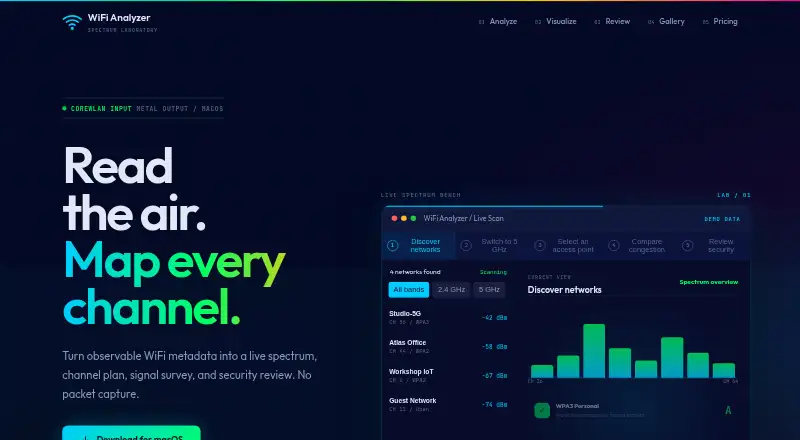
What WiFi Analyzer is
WiFi Analyzer is a macOS application that turns observable WiFi metadata into spectrum views, channel planning, signal surveys, and security observations. It scans the 2.4, 5, and 6 GHz bands and refreshes every 1–30 seconds. Channel tools detect overlap, score congestion, analyze band steering, and provide recommendations. For site surveys, users can load floor plans, measure signal strength at clicked locations, create IDW-interpolated heatmaps, and export them as PNG. Named scan sessions, side-by-side comparisons, roaming logs, and trusted network profiles support ongoing review. Scan data exports as CSV or JSON, while charts export as PNG or PDF. Security checks look for open networks, weak encryption, SSID inconsistencies, rogue access point indicators, evil twin-like patterns, and beacon anomalies. The maker says it does not capture packets, so results are metadata-based heuristics. Plans include a 14-day trial, 5.00 EUR monthly, 4.00 EUR yearly billed 48 EUR/year, and 65.00 EUR one-time Lifetime v1.
Good
- Scans 2.4, 5, and 6 GHz bands
- Channel recommendations and congestion scoring
- Floor-plan heatmaps for site surveys
- CSV, JSON, PNG, and PDF exports
- Named sessions and roaming logs
Watch out
- Available only on macOS
- No free plan
- Security results do not inspect packets
- Monthly plan costs 5.00 EUR
Who it suits
It suits macOS users who need channel analysis, WiFi surveys, historical comparisons, exports, and metadata-based security review. It is useful for workflows that include floor plans and vendor remediation guidance.
Verdict
WiFi Analyzer combines spectrum review, survey mapping, exports, and heuristic security checks in a macOS app. Its packet-inspection limitation and paid-only model are important before choosing it.
Plans and prices
From WiFi Analyzer's own pricing page, checked 7 Oct 2026.
| Plan | Price | What it gives you |
|---|---|---|
| Monthly | €5 a month | Full access · Cancel anytime · All future updates · €5/month |
| Yearly | €48 a year | Everything in Monthly · 2 months free · Priority support · All future updates · €48/year |
| Lifetime v1 | €65, paid once | Current major version · All v1.x updates · No recurring fees · Signal survey and heatmaps · One-time |
The facts
Each one read from WiFi Analyzer's own pages, with the date it was checked.
What it does
- Bands and refresh
- It scans 2.4, 5, and 6 GHz bands with event-driven updates every 1–30 seconds.checked 7 Oct 2026
- Channel analysis
- It offers channel recommendations, overlap detection, congestion scoring, and band steering analysis.checked 7 Oct 2026
- Compliance references
- The product lists PCI DSS 4.0, HIPAA, ISO 27001:2022, and NIST SP 800-153 as compliance frameworks.checked 7 Oct 2026
- Exports
- Scan data can be exported as CSV or JSON, charts as PNG or PDF, and survey heatmaps as PNG.checked 7 Oct 2026
- Intended users
- The maker describes workflows for scanning an environment, reviewing channel and security observations, following remediation guidance, and exporting reports.checked 7 Oct 2026
- Purpose
- WiFi Analyzer turns observable WiFi metadata into a live spectrum, channel plan, signal survey, and security review.checked 7 Oct 2026
- Security checks
- Observation-based checks include open networks, weak encryption, SSID consistency, rogue AP indicators, evil twin-like patterns, and beacon anomalies.checked 7 Oct 2026
- Security limitation
- The maker says the product does not capture packets, and its security results are heuristics from observable network metadata rather than packet inspection.checked 7 Oct 2026
- Session tools
- The app supports named scan sessions, side-by-side comparisons, roaming event logs, and trusted network profiles that alert on deviations.checked 7 Oct 2026
- Signal survey
- Users can load floor plans, measure signal strength by clicking locations, generate IDW-interpolated heatmaps, and export them as PNG.checked 7 Oct 2026
- Support
- Yearly plans include priority support, and the product page lists [email protected] for contact.checked 7 Oct 2026
- Vendor guidance
- Vendor-specific remediation guidance is listed for Ubiquiti, Cisco/Meraki, Aruba, Netgear, TP-Link, ASUS, and Linksys.checked 7 Oct 2026
The company
- Headquarters
- Amsterdam, Netherlandschecked 28 Sep 2026
Alternatives to WiFi Analyzer
- 1

Hamina Planner
iOSWebAPILinux7.6From $590 a year - 2

inSSIDer
Free planAndroidmacOSWindows7.6From $200 a year - 3

NetSpot
Free planAndroidiOSmacOSWindows7.4$199 one-time - 4

WiFiman
Free planAndroidiOSLinuxmacOS7.4Free plan - 5
Vistumbler
Free planAndroidWindows6.6Free plan - 6
DTNT
Free planWindows6.4$59 one-time